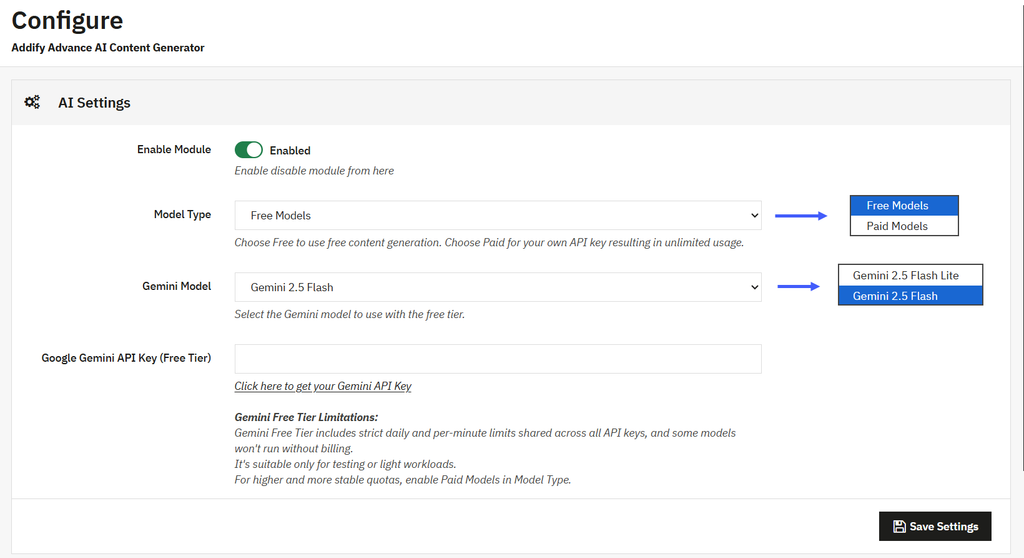
To configure free AI models for content generation, you can use PrestaShop AI Content Generator/translator Addon. Activate the module, then go to Modules > Module Manager > Addify Advance AI Content Generator and select Configure. Now, from the AI settings enable module and select model type as “Free Models”. For a detailed overview, follow these steps:
- Install and activate the module, then go to Modules > Module Manager > Addify Advance AI Content Generator module and select Configure.
- Now, enable the module, select the model type as “Free Models.”
- For free tier, you can select the Gemini model as Gemini 2.5 Flash Lite or Gemini 2.5 Flash
- Now enter the Google Gemini API key or click the link below to get a new one.