Enabling Products to Preorder in Partial and Full Payment
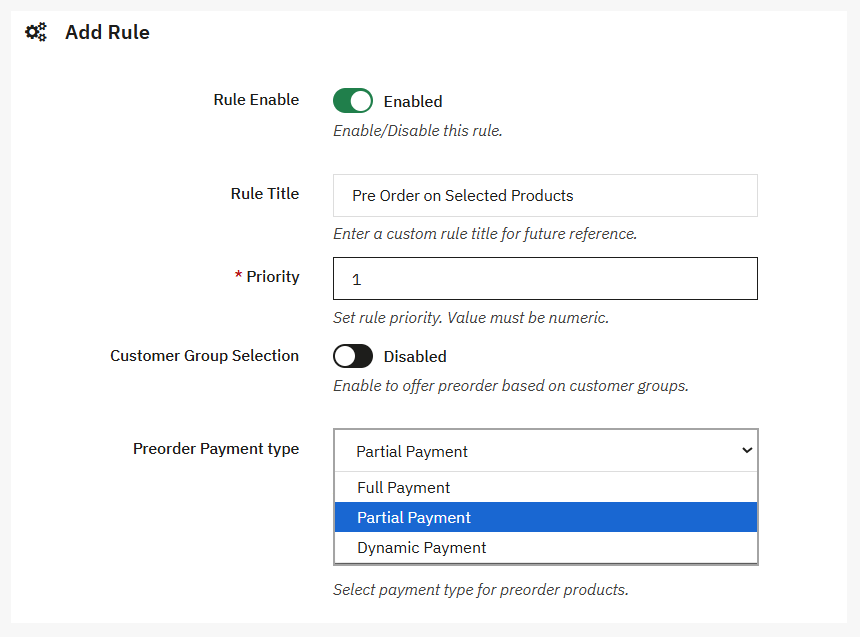
To allow customers to make partial or dynamic payments, go to Modules > Module Manager > Addify Pre Order > Configure and select Preorder Product Rules. Create a new rule or edit an existing one. For a detailed explanation, follow these steps:
- Click “+” to create a new pre-order rule or select “Edit” to configure the existing one
- Scroll to Preorder Payment Type and select Partial Payment or Dynamic Payment
- Select partial payment to collect a specific portion of the product price
- Select dynamic payment to allow customers to choose the amount they want to pay
- Add a custom payment message and use available variables to automatically display the pre-order and original prices
- Save the rule