Creating New Try Before You Buy Rules
Navigate to WordPress Dashboard> WooCommerce > Try before you buy and click on Rule. After clicking it, you can view the rule log. Here you can:
- Create new rules
- View a detailed list of rules with the following information:
- Title
- Priority
- Status
- Make changes to the rules by clicking on “Edit.”
- Change the status of the rule by simply enabling or disabling it.
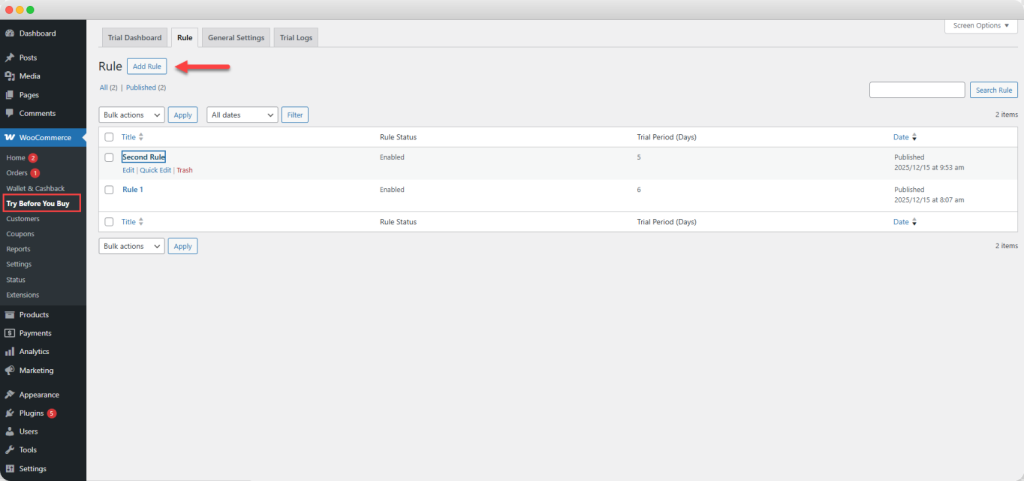
Now click on “ Add Rule” and fill in the following details:
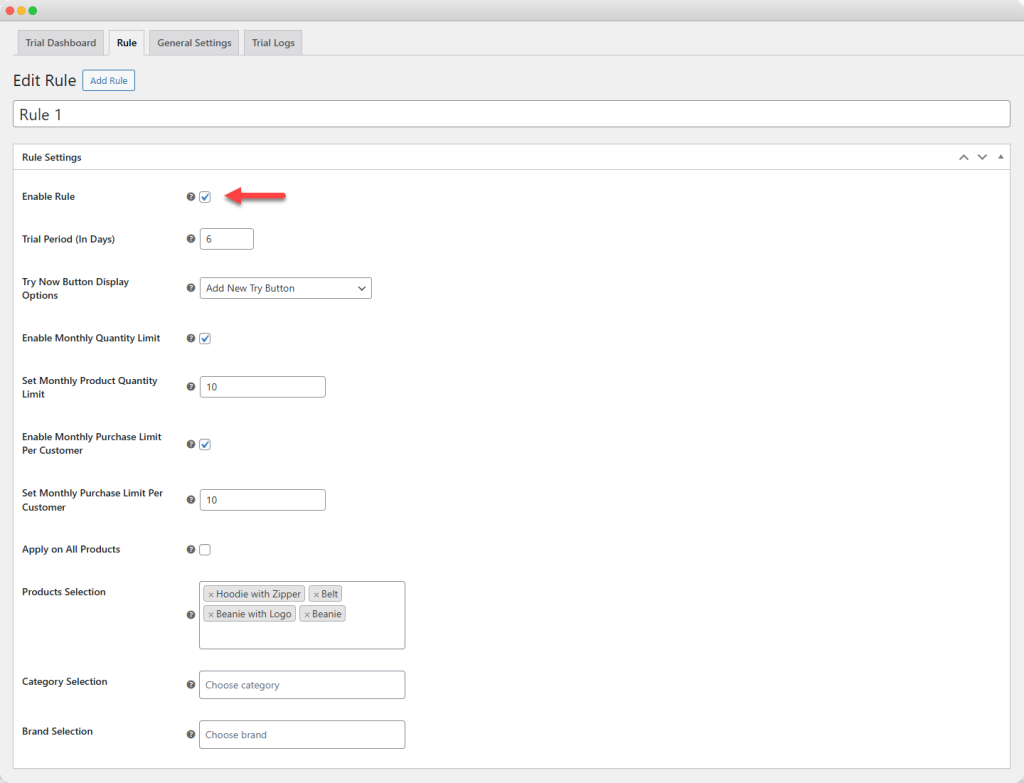
Rule Settings
- Add custom rule title
- Enable rule: Activate the option to enable rule settings; if it remains disabled, the rule will not be applied
- Trial Period: Enter the trial period duration for specifc number of days
- Show “Try Now” button: From the dropdown, you can choose to:
- Adda new try button
- Replace add-to-cart with try now
- Enable Monthly Product Quantity Limit: Activate the option to:
- Set Monthly Product Quantity Limit: Enter the number of products a customer can try each month.
- Enable Monthly Purchase Limit Per Customer: Activate the option to:
- Set Monthly Purchase Limit Per Customer: Restrict the total number of trial orders a customer can place in a month.
- Apply to all products: enable this option if you want to apply trial duration on all products, disable it to add desired items
- Product Selection: Choose products for which you want to offer a trial
- Category Selection: Choose categories for which trials should be available
- Brand Selection: Choose specific brands eligible for the trial option
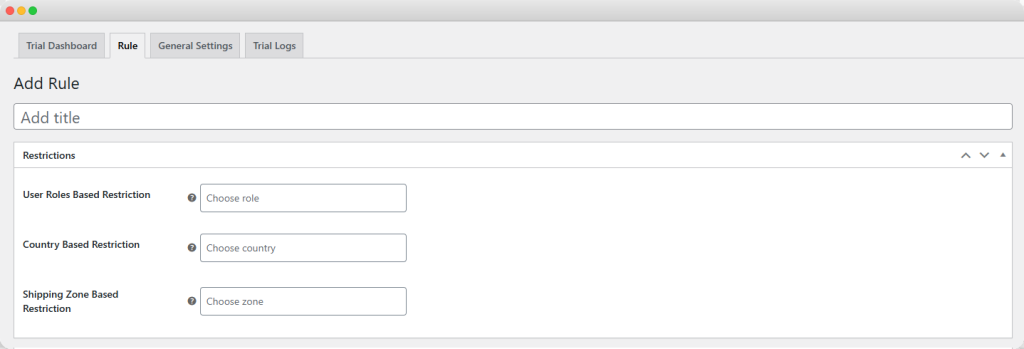
Restrictions
- User Roles Based Restriction: Select specific user roles that are allowed to access the trial. Leave it empty to apply it to all
- Country-Based Restriction: Limit trial availability to selected countries.
- Shipping Zone Based Restriciton: Restrict trials to specific shipping zones
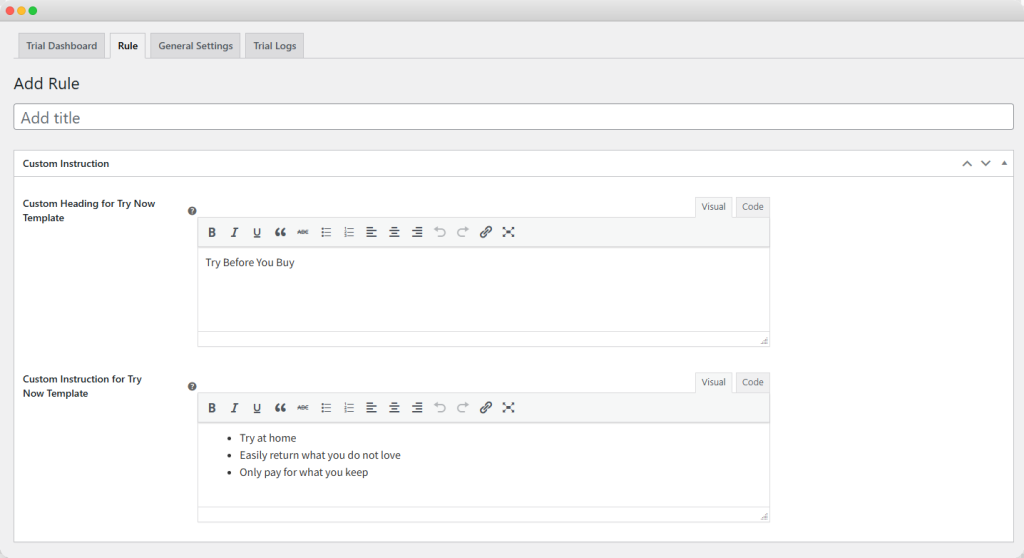
Custom Instructions
- Custom Heading for Try Now Template: Add custom heading
- Custom Instruction for Try Now Template: Add custom guidelines for customers