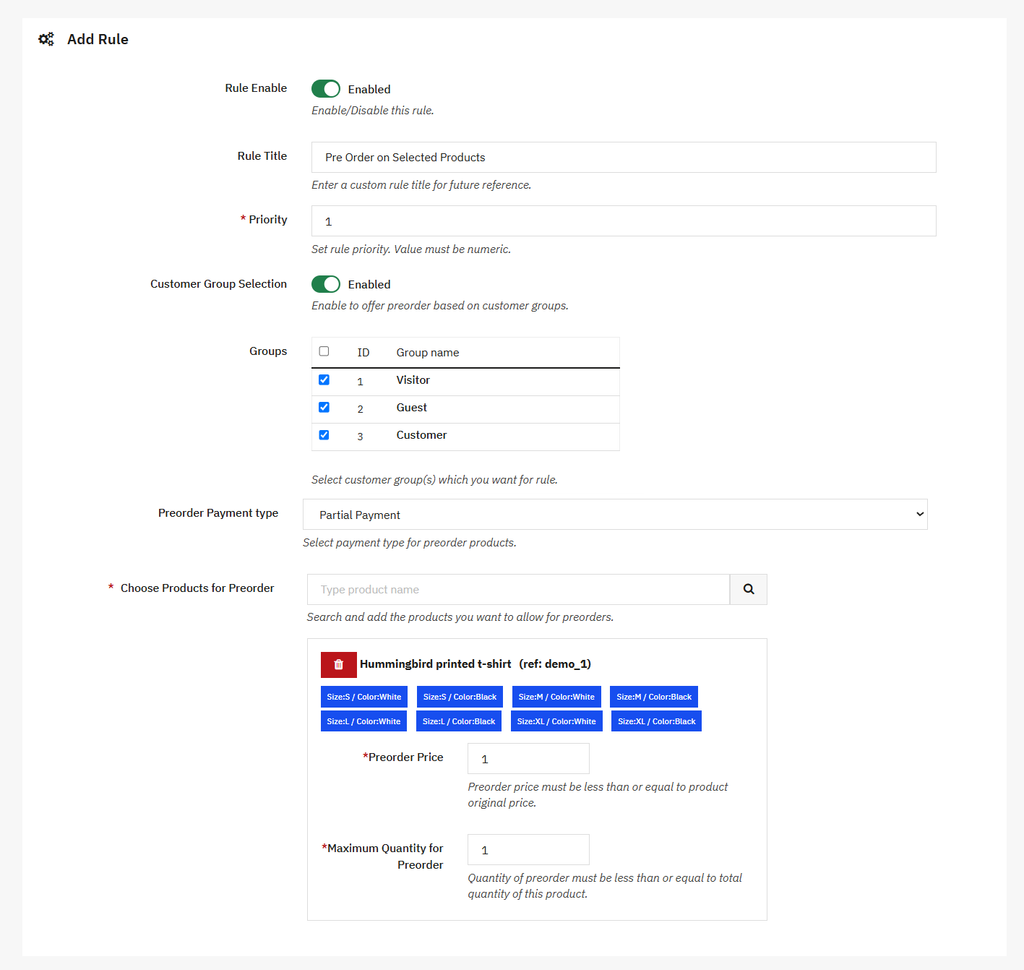
To set a maximum pre-order quantity, you can use the PrestaShop Advance Pre Order Module. Install and activate the module, then go to Modules > Module Manager > Addify Pre Order > Configure and select Preorder Product Rules. Now, create a new rule or edit an existing one. For a detailed overview, follow these steps:
- Click “+” to create a new pre-order rule or select Edit for an existing rule
- Search and select the products you want to make available for pre-order
- Under Select Combinations, choose the specific combinations to include or exclude from the pre-order option
- Once you select the combination, a Maximum Quantity for Pre-order field will appear. Here you can set the maximum number of items a customer can pre-order.
- Save the rule.