


Prestashop B2B Suite Pro – All in One Solution Module
The PrestaShop B2B Wholesale Module delivers a comprehensive solution tailored for both B2B and B2C stores. It includes multiple premium modules with a combined standalone value of over $500, all bundled into one powerful, fully integrated package. Why operate separate stores for B2B and B2C when the PrestaShop B2B Wholesale Module enables you to manage B2B-only or hybrid B2B & B2C operations from a single platform? Benefit from complete flexibility, streamlined management, and a seamless experience for all customer segments, without the complexity of maintaining multiple stores.
Prefer buying from the Official PrestaShop Addons Marketplace? Check out our module Here
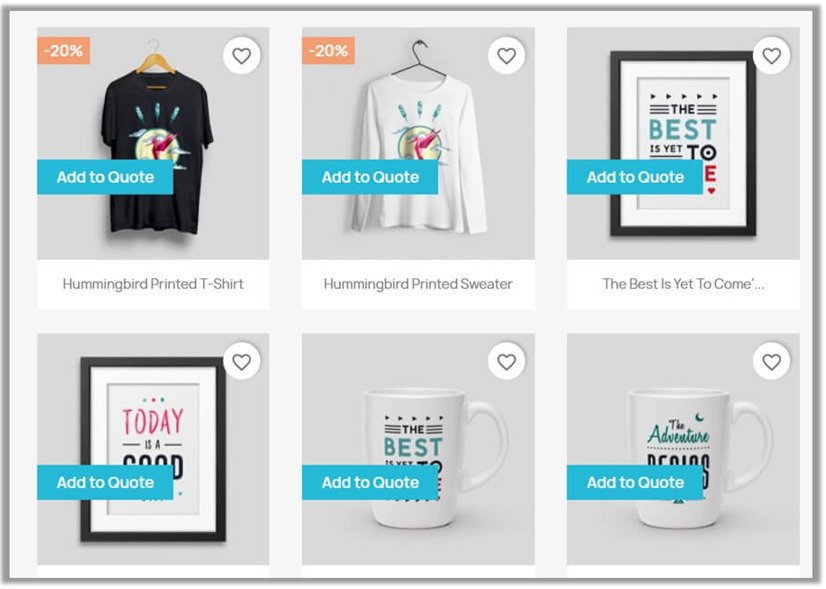
- Request for Quote System: Enable this to allow the customer to submit the quote request instead of placing the direct order.
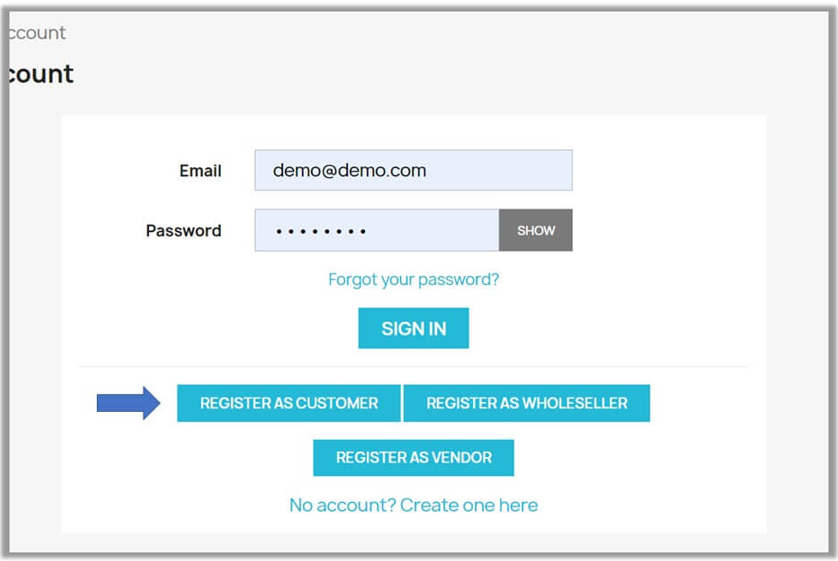
- Advcaned B2B Registration Form: Create a registration form by adding custom fields and approve or reject the form manually.
- B2B Private Shop: Enable this to restrict access to the store. Only the specific customers can view the product and price
- Order Restriction System: Restrict the order details; only the specific customer can place the order based on the customer group or permissions.
- Quick Order Table Listing: With Quick Order Settings, customers can directly add the product to the cart with just a few clicks from a single page.
- Hide Price and Add to Cart System: Easily hide the price and the add to cart button from unauthorized users and visitors.
- Advcaned Tax Exemption: Exempt tax for eligible customers once their request is approved. You can also remove the tax automatically or manually.
- Smart Redirection System: Redirect the customer from the required page based on their login status or user role.
- Complete Restricted Catalogs Management: Restrict the product catalogs for the specific customers. Only the specific customers will be able to view these catalogs.

V1.7.0.0 to V9.0.0
-
Marketplace Verified
-
Extension Partner
-
$159$129 Now
then billed annually at $45 / year and a $84 sign-up fee
- 1 year free support
- 1 year extension updates
30 DAYS MONEY BACK GUARANTEE
Your money is secure with our buyer protection. Claim a full refund for any reason.

Detailed Features of Prestashop B2B Suite Pro – All in One Solution Module
Why is this B2B module considered a complete wholesale package?
The B2B module is considered a complete wholesale package because it brings all essential tools for managing a wholesale business into a single platform. There is no need to rely on multiple modules or separate extensions, as everything from customer onboarding to order placement and price management is handled within this package.
This module supports B2B registration, role-based pricing, tax exemption, catalog restrictions, quick ordering, hiding the Add-to-Cart button, and controlling customer-specific visibility. All these features are available without installing or managing additional modules, making it a true all-in-one solution.
Moreover, the module is useful for both B2B and B2C customers, allowing each type of customer to interact with your store according to their needs. It provides flexibility and a professional wholesale experience while saving time and effort.

Complete B2B Quote Management System With Full Control
The B2B request quotes module gives you a complete setup panel where you can manage every step of the quotation process in one place. It allows you to create a new quote, manage the quote, and customize the fields of the quote form. You can apply these settings to different sections and configure the quotes based on your preference. By using this module, you can:
- Create New Quote: Create a new quote manually by adding the quote’s name, products where you want to apply the quote, and customers who are able to view the quote. It is helpful when the customer wants to reach out directly or you want to show the customer a custom offer.
- Quote Rules: It allows you to create a custom rule to control the quote request. You can apply the restriction to where and how the quote option will appear. You can create a rule based on products, categories, customer groups, or cart conditions.
- Add custom fields: Add custom form fields such as text boxes, checkboxes, drop-downs, or file uploads based on your preference.
- Predefined fields: It provides the list of default or predefined fields. You can easily enable/disable these fields as needed.
- Quote Messages: This module can manage the messages that are sent to the customer at any stage. It also maintains the logs of all messages.
Note – PrestaShop Request a Quote Module is also available as a standalone extension.


B2B Registration Form – Customer Signup With SIRET / VAT
With the B2B registration form, you can easily control how customers can register on your store. It allows you to create a form and registration flow easily, collect the desired customer information, make the fields mandatory and dependent, and also manage the approval process simply. By using this module, you can:
- Create New Form: You can easily create a new form to collect customer data based on the type of information that you want. You can also maintain the logs of all forms that are already created and track the records.
- Default form and custom: Create a custom field if you want to collect more information. You can easily enable or disable these fields and also make these fields dependent and mandatory.
- Form layout control: This module allows you to adjust the form layout by adjusting its design, display position, and custom color of the button.
- General Settings: Easily enable/disable the B2B form, set the approval process of the form, set notifications, and choose what happens when the customer submits the form. You can also enable/disable the ReCAPTCHA functionality to make your form more secure.
- B2B Customer Management: Manage the B2B customer requests, approve or reject the requests, and control access to the B2B features.
Note – PrestaShop B2B Registration Form Builder Module is also available as a standalone extension.

B2b Private Shop - Restrict Store Access & Control Visibility
Take complete control over who can access your store with the Private Shop Setting module. It allows you to restrict specific sections or lock down the entire shop for unauthorized users and visitors.
It can block Google crawlers from indexing any restricted content to keep your private pages hidden. The module allows you to create custom rules based on products, categories, or pages so that only selected customers can view them.
It supports IP-based allowlists and blocklists, which are useful when you want to give access to staff, testers, or partners. You can also add a custom login or request form, making your store more secure and better organized.
Note – PrestaShop Private Shop – Login or Password Protected Pages Module is also available as a standalone extension.


Advanced Order Restriction System – Control Customer Purchase Limits
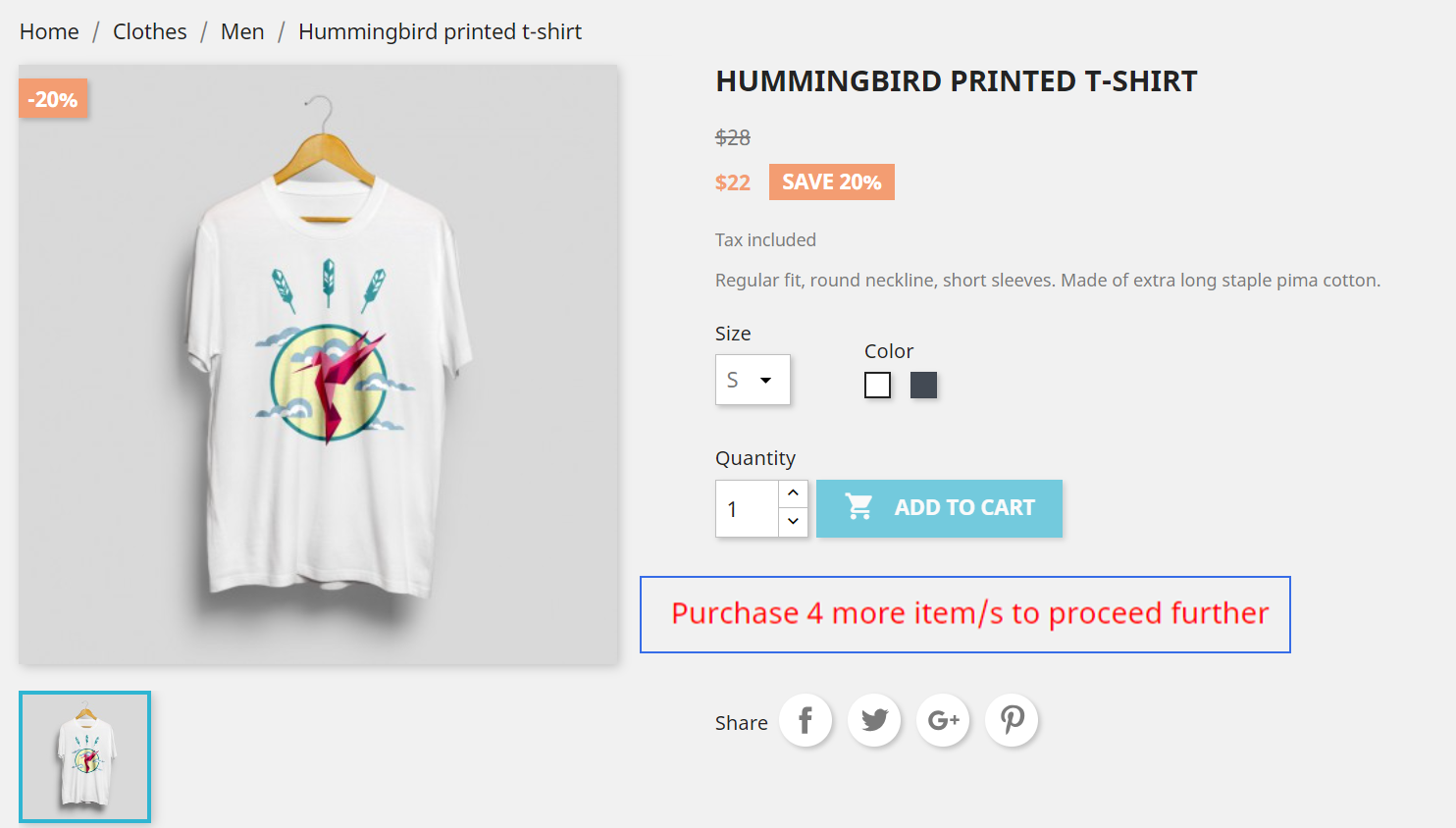
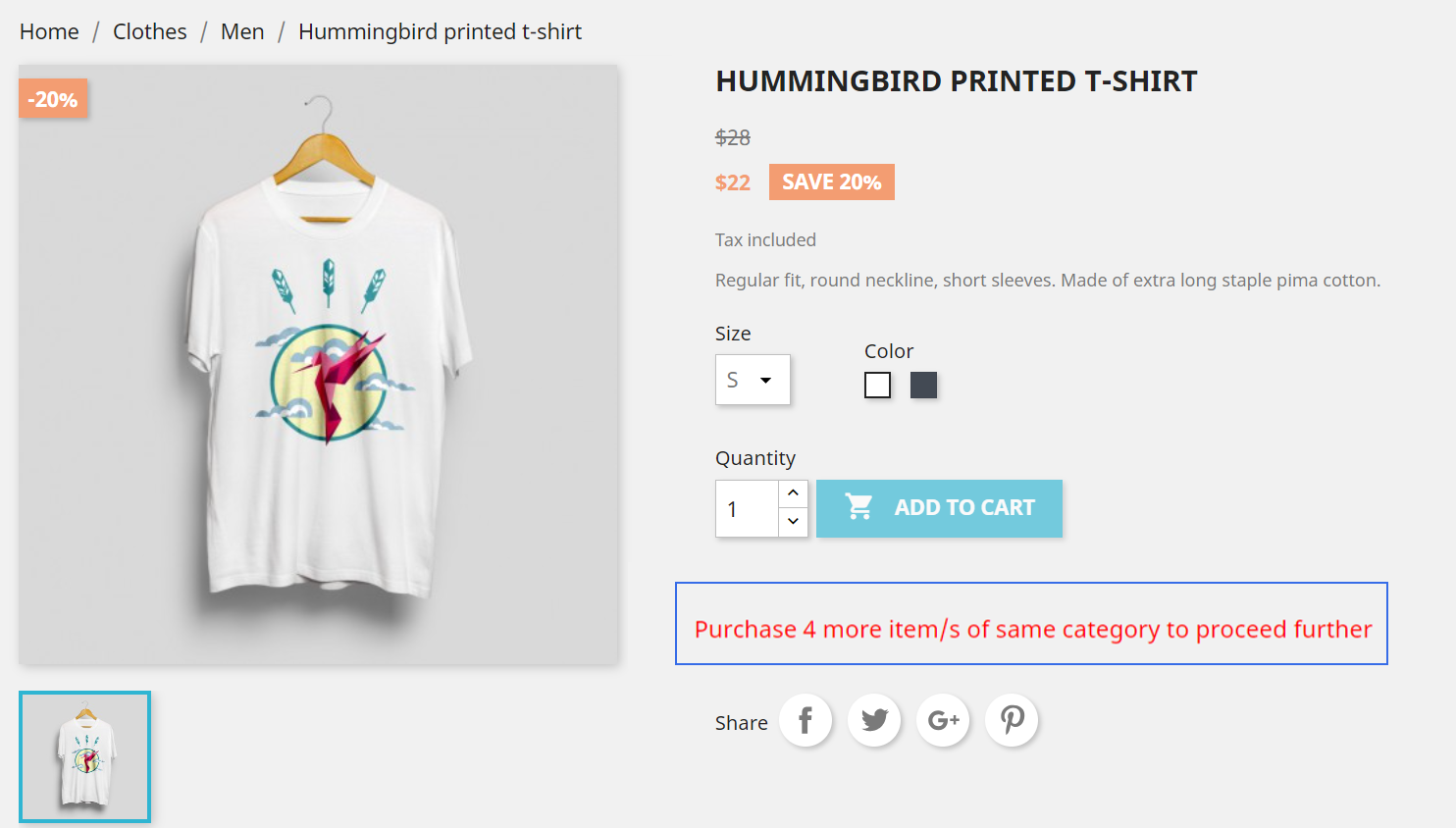
This B2B module allows you to restrict customers from placing orders and only enable specific customers to complete purchases. With this powerful system, you can create flexible rules based on products, categories, cart quantity, or order amount, and automatically restrict checkout when conditions are not met. This module gives you full control over your store’s purchasing behavior, making it ideal for wholesale and B2B businesses where order validation is required before purchase approval. It also allows you to configure custom notification messages for different restriction conditions such as product limits, category-based restrictions, minimum or maximum cart quantity, and total cart value based on specific customers or customer groups. When a customer does not meet the defined rules, the system instantly displays or sends the relevant message, ensuring clear communication at every step.
Note – PrestaShop Order Restriction Module is also available as a standalone extension.
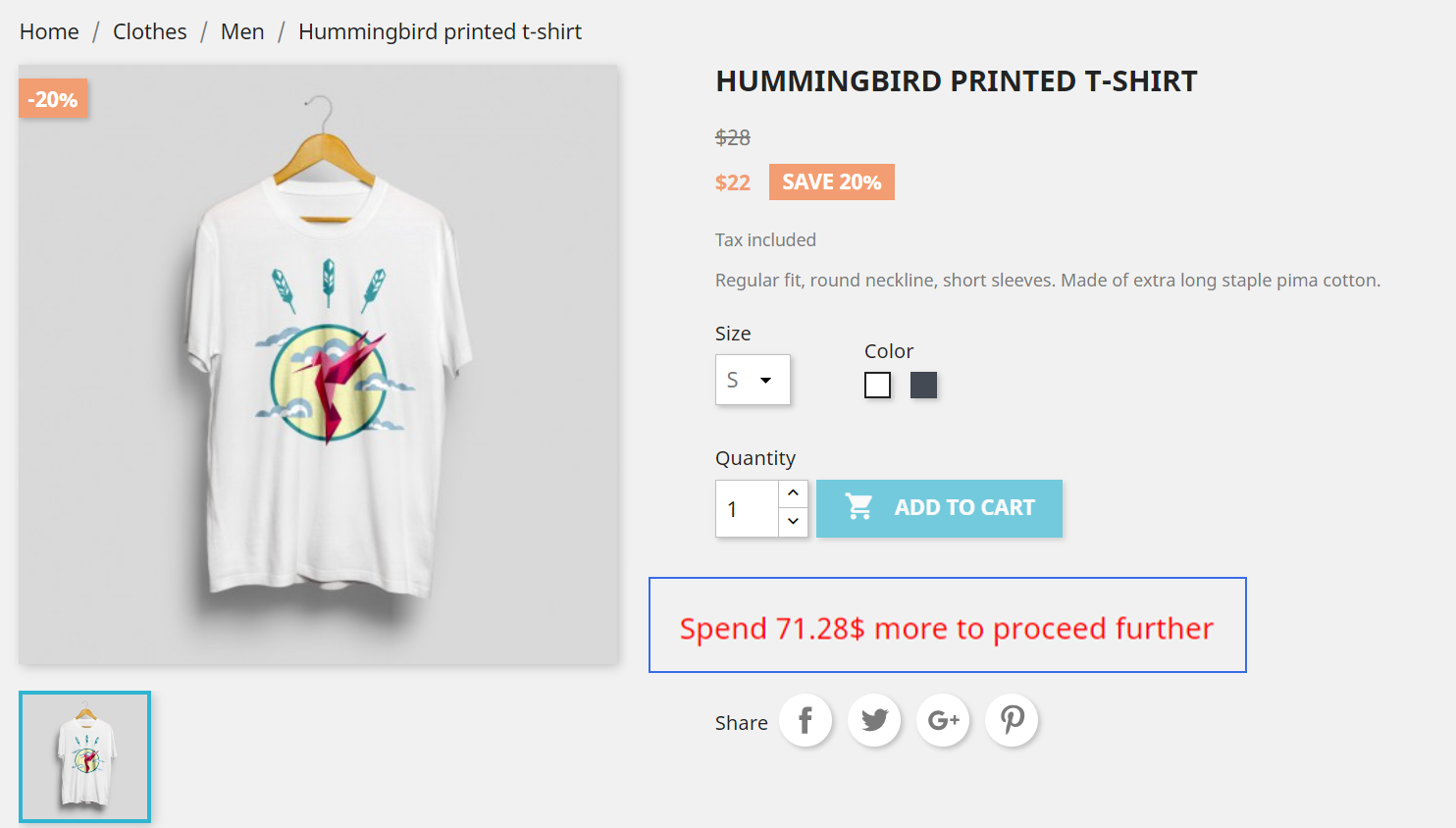
Smart Quick Order Table - Simplify Bulk Purchases
Speed up your ordering process for B2B customers with the Quick Order setting module. IT allows you to easily enable or disable specific elements such as product images, summaries, prices, the Add to Cart button, and SKUs. This helps you create a simple list-style ordering view that matches your store’s needs. Additionally, you can also create a new quick order layout based on product groups, product types, or categories. This makes it easier for customers to find the items they buy frequently and place bulk orders without browsing the full catalog. The module also keeps a detailed log of all quick orders. These logs help you review activity, track order patterns, and maintain a clear record for auditing and support.
Note – PrestaShop B2b Wholesale Quick Order Form Module is also available as a standalone extension.

B2B Product Visibility Control - Rule Based Hide Price and Add to Cart
PrestaShop’s all-in-one solution provides the facility to hide the product’s price and add-to-cart button for unauthorized users, which makes your store secure and reliable. Only the authorized customer will be able to view this. By using this module, you can:
- Simple toggle to hide price and add to cart button on product page.
- With one click hide price and add to cart button from listing and category pges. .
- Create a custom rule based on product, category, price, stock and customer group.
- Set the max/min limit of price.
- Easily enable/disable the stock-based selection.
- Add the custom value of stock.
- Easily reschedule the rule by adding the desired dates.
Note – PrestaShop Hide Price and Add to Cart by Customer Group Module is also available as a standalone extension.

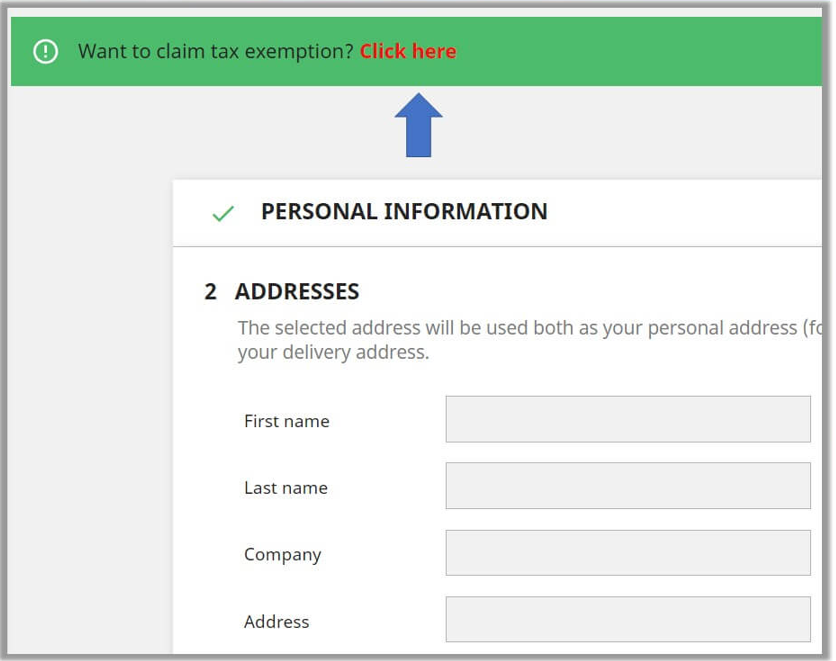
Advanced Tax Exemption System with Auto and Manual Approval
The B2B tax exemption module allows you to manage tax exemptions for eligible customers efficiently. It allows you to easily create rules to define which customers qualify for tax exemption and control the process from start to finish. The module allows you to enable a Tax Exemption Request Form, where you can set the request title, make form fields mandatory or optional, enable or disable custom messages, and allow file uploads for supporting documents. Once a request is submitted, you can approve or reject it, and an automatic email notification is sent to the customer for each action. All requests and actions are logged, providing a complete history of tax exemption approvals and rejections for auditing and tracking purposes. This ensures a smooth, transparent, and professional tax exemption workflow for your B2B store.
Note – PrestaShop Tax Exempt Based on Customer Groups Module is also available as a standalone extension.

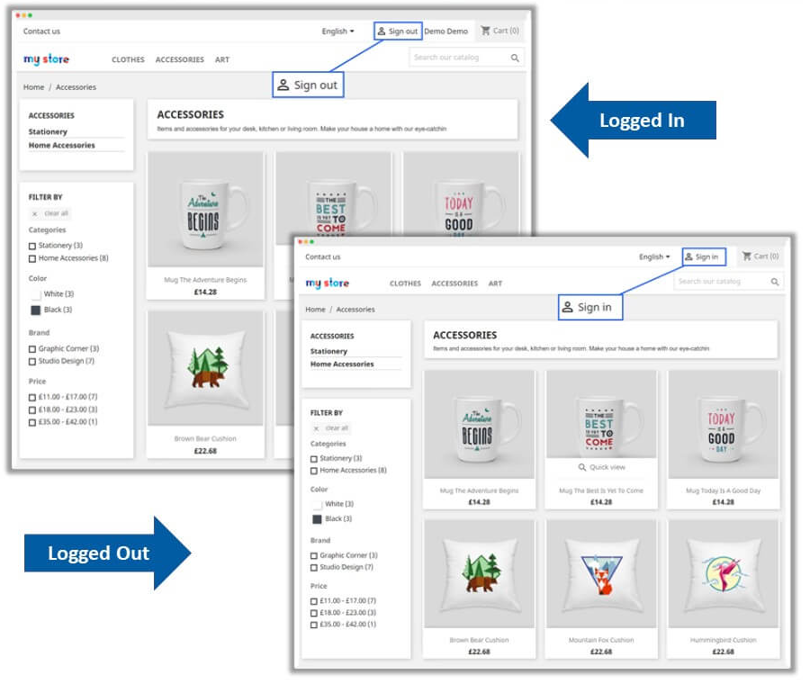
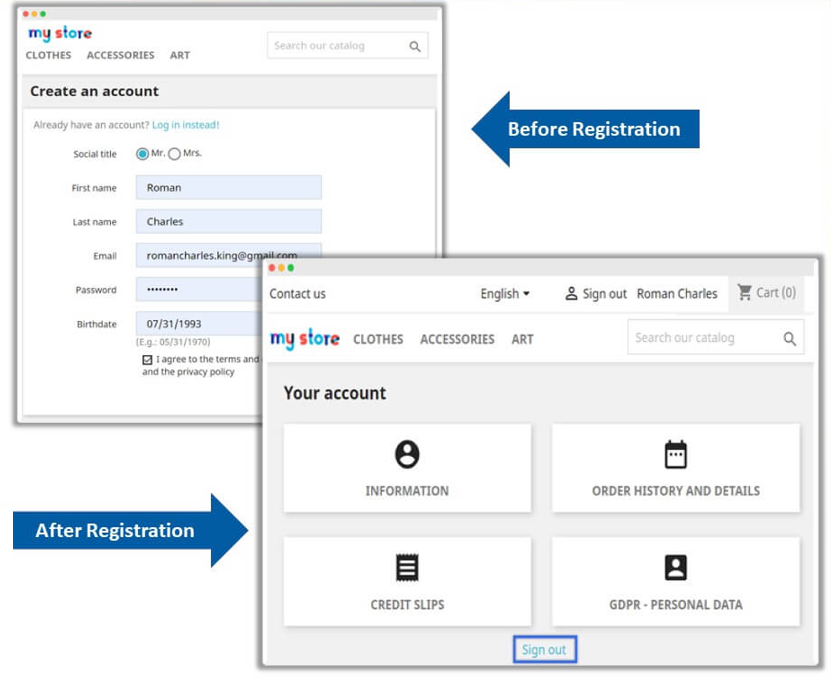
Advanced Rule and Role Based Customer Redirect System
This section allows you to control the customer redirection after performing certain actions on your store. You can:
- Enable the option for customers to be redirected to a specific page after they log in, logout and registration.
- You can set a custom URL through the dropdown. E.g., redirect to the dashboard or home page.
- Apply different login redirection rules for selected customers.
- Set where customers should go after they log out, for example, back to the home page or a service page, using a custom URL in the dropdown.
- Set the redirection for the specific customers.
- Choose the page customers should land on after completing the registration process by adding a custom URL through the dropdown.
- Apply the redirection to the specific customers.
Note – PrestaShop Redirect After Login, Logout and Registration Module is also available as a standalone extension.

Smart Catalog Restriction System
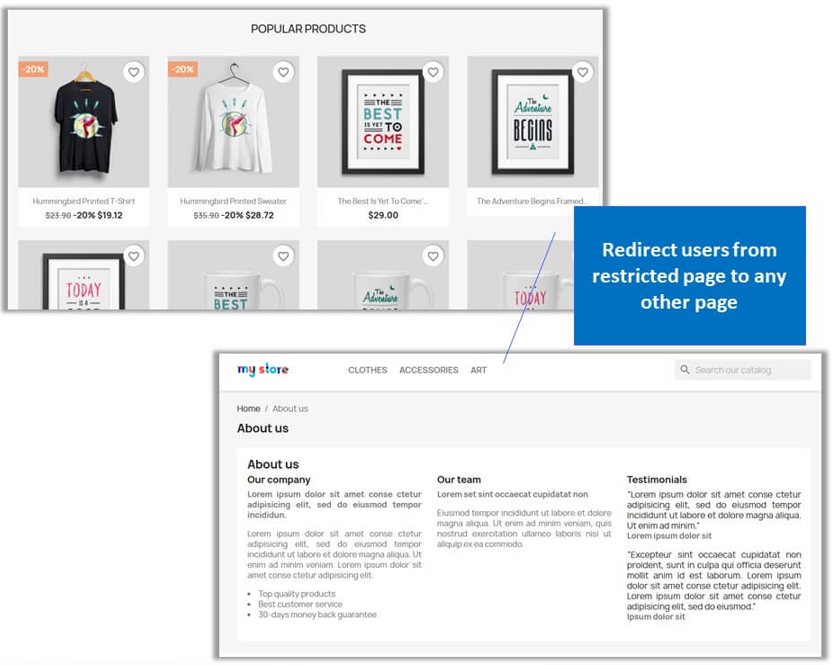
Restrict the visibility of the catalog based on the user role by using the B2B Restrict catalog module. It allows you to create a custom rule based on a specific product, category, or CMS page and restrict access to unauthorized users or visitors. You can also choose the restriction type, such as applying a full restriction to block the complete store or adding a redirect link to apply the partial restriction. Additionally, you can also manage the custom/default messages in case of complete restriction, which can clear the confusion of customers.
Note – PrestaShop Private Product and Category by Customer Group Module is also available as a standalone extension.


Technical Compatibility
- PrestaShop Compatibility1.7.0 to 9.0.0
- Current Version2.0.0
- Compatibility MultiShopYes
- LanguagesEnglish, German, Italian, French, Spanish, Polish, Portuguese, Dutch
More Features
Request for a Quote Module
- Customers can negotiate prices directly from product and listing pages
- Easily manage and track all quotes in a centralized grid with statuses such as pending, approved, and rejected.
- Control the quote visibility based on products, categories, or users by creating multiple rules.
- Customize quote button text, colors, and placement for better UI control.
- Use the quote messages to enable communication between the admin and the customer.
- Support predefined and custom fields to collect detailed quote requirements.
- Submit the quote requests even for out-of-stock products.
- Send email notifications for new quotes and messages.
- Assign quotes to specific customers and products manually from the admin.
B2B Registration Module
- Create fully customized B2B registration forms by adding multiple field types.
- Approve the new B2B users manually or automatically.
- Assign users to specific customer groups after approval.
- Add SIRET and VAT verification for business authentication.
- Secure your registration by integrating Google reCAPTCHA.
- Use the drag-and-drop form builder to build multiple forms easily.
- Show CMS pages (terms, policies) within the registration form.
- Add unlimited custom fields for business-specific data collection.
- Track and maintain the logs of all B2B users and pending approvals.
Private Shop Module
- Restrict full store access to only logged-in or approved users.
- Restrict the user by displaying a login, password protection, or a custom message.
- Restrict the page by customizing its background (color, image, or video).
- Apply restrictions based on customer groups, IPs, or URLs.
- Give the limited-time private access according to the schedule rules.
- Allow Google crawlers for SEO for a private store.
- Handle multiple restriction rules with priority-based control.
- Exclude specific IPs or URLs from restrictions.
- Customize login and signup forms for private access
Order Restriction Module
- Set minimum and maximum quantity limits for products and categories.
- Restrict orders based on customer groups or specific users
- Control purchase frequency with day-based order limits.
- Apply rules on the total cart quantity and amount.
- Schedule restriction rules for specific time periods.
- Display dynamic messages before, during, and after limit conditions
- Customize messages by using a custom font size and color.
- Apply different rules for products and categories separately.
- Prevent bulk buying or misuse of wholesale pricing.
Quick Order Module
- Allow bulk ordering using SKU or product search.
- Display products in a quick-order table layout.
- Enable add-to-cart functionality for multiple products.
- Show or hide product image, price, and summary based on your preference.
- Create custom quick-order lists for specific customer groups.
- Assign quick order lists to selected users or groups.
- Improve user experience for wholesale buyers with large orders.
- Manage quick orders with priority and status tracking.
- Customize link text and access to the quick order page
Hide Price & Add to Cart Module
- Hide product prices for specific users or guest visitors.
- Disable the “Add to Cart” button for selected products or categories.
- Apply rules based on customer groups, suppliers, or manufacturers.
- Set price-based conditions (min/max price visibility).
- Apply rules to out-of-stock or low-stock products.
- Schedule rules for specific dates or campaigns.
- Combine with the quote module to replace price with “Request Quote.”
- Control visibility at the product, category, or global level.
- Manage multiple rules with priority settings.
Tax Exempt Module
- Allow customers to request a tax exemption with supporting documents.
- Approve or reject tax requests manually or automatically.
- Assign tax exemption to specific customers or groups.
- Apply tax rules based on products, categories, or the entire store.
- Display a custom tax-exempt message during checkout.
- Send email notifications for request submission, approval, or rejection.
- Upload documents (PDF, images) for verification.
- Schedule tax exemption rules for a limited time.
- Maintain logs of all tax exemption requests and statuses.
Redirect Module
- Redirect users after login, logout, or registration.
- Set different redirects for different customer groups.
- Redirect to homepage, previous page, or custom URL.
- Control user journey based on specific user role.
- Customize the onboarding experience after registration.
- Manage and track the multiple redirection rules easily.
- Add a redirection link to enhance security for restricted users
- Provide seamless navigation across the store.
Restrict Catalog Module
- Restrict the full catalog or specific products from selected users.
- Hide categories, CMS pages, or suppliers from certain groups.
- Apply restrictions based on customer groups or roles.
- Redirect restricted users to another page or product.
- Show custom messages for restricted content.
- Schedule catalog restrictions for campaigns or events.
- Control visibility by manufacturer or supplier.
- Apply full or partial restriction strategies.
- Manage rules with priority and easy configuration.
Customer reviews
- One of the best B2B modules I have ever used. To be honest I was not expecting to be this good.
- Great value for money operating a B2B E-commerce site is stressful enough but this B2B wholesale module makes life a little bit easy.
- Thank you Addify for the superb Support !
- I am new to the ecommerce business and have a variety of B2B wholesale modules to choose from. One of my colleagues recommended to me that I should consider addify because of their price and support which have made a loyal customer out of me.
- I had few problems with the compatibility and in the setup and the support team came to the rescue and they made sure that the B2B and wholesale functionality worked properly.
Harold Kent –
I had few problems with the compatibility and in the setup and the support team came to the rescue and they made sure that the B2B and wholesale functionality worked properly.
Scarlet Hensen –
I am new to the ecommerce business and have a variety of B2B wholesale modules to choose from. One of my colleagues recommended to me that I should consider addify because of their price and support which have made a loyal customer out of me.
James Scott –
Thank you Addify for the superb Support !
James May –
Great value for money operating a B2B E-commerce site is stressful enough but this B2B wholesale module makes life a little bit easy.
June Ames –
One of the best B2B modules I have ever used. To be honest I was not expecting to be this good.