


PrestaShop Role Based Tax: User Group, Categories Products Module
Applying same tax rule to every product just doesn’t work, especially when your store sells across multiple regions. To overcome this, Role-Based Tax module allows you to create multiple tax rules for specific products and customer groups. You can easily edit tax rules using custom rates and choose to display them on users’ shopping carts. Using the module, you can create as many rules as possible, define tax behaviors, calculate taxes based on invoice/delivery addresses, and control entire tax management across local and international levels.
Prefer buying from the Official PrestaShop Addons Marketplace? Check out our module Here
Key Features
- Create countless tax rules and set pre-defined rates for each
- Apply taxes to specific products, categories, suppliers & manufacturers
- Choose to calculate taxes based on user’s delivery or invoice addresses
- Configure tax rule behavior as combined or just tax only
- Assign different tax rates to desired customer groups
- View and manage different tax rules from a single log

V1.7.0.0 - V9.0.0
-
Marketplace Verified
-
Extension Partner
$79$69 Now
then billed annually at $20 / year and a $49 sign-up fee
- 1 year free support
- 1 year extension updates
30 DAYS MONEY BACK GUARANTEE
Your money is secure with our buyer protection. Claim a full refund for any reason.
Detailed Features of PrestaShop Role Based Tax
Generate Multiple Tax Rules
By using PrestaShop Role-Based Tax module, you can create unlimited tax rules for different products and charge customers according to their purchases. You can easily define taxes for different customer groups based on their country, ensuring compliance with local and international tax rates. In this way, you can customize tax management according to your needs and automate tax calculations in just a few minutes.
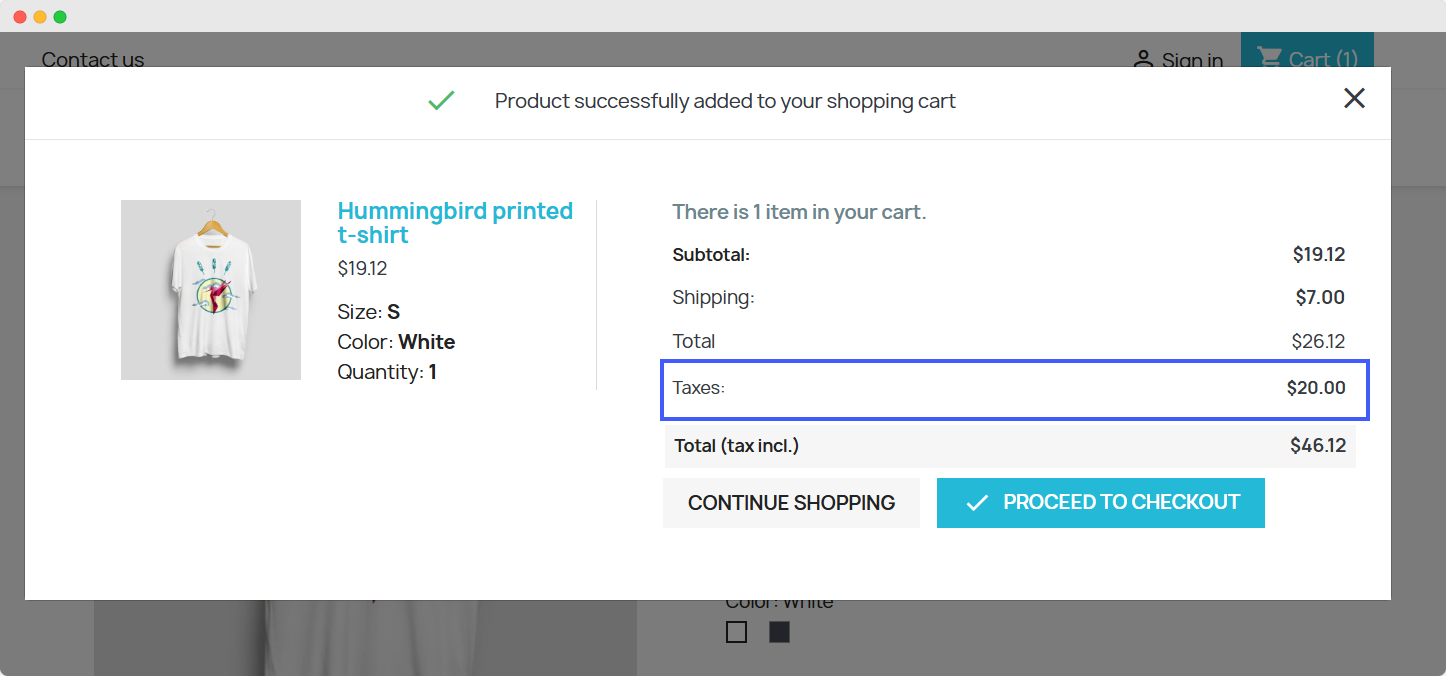
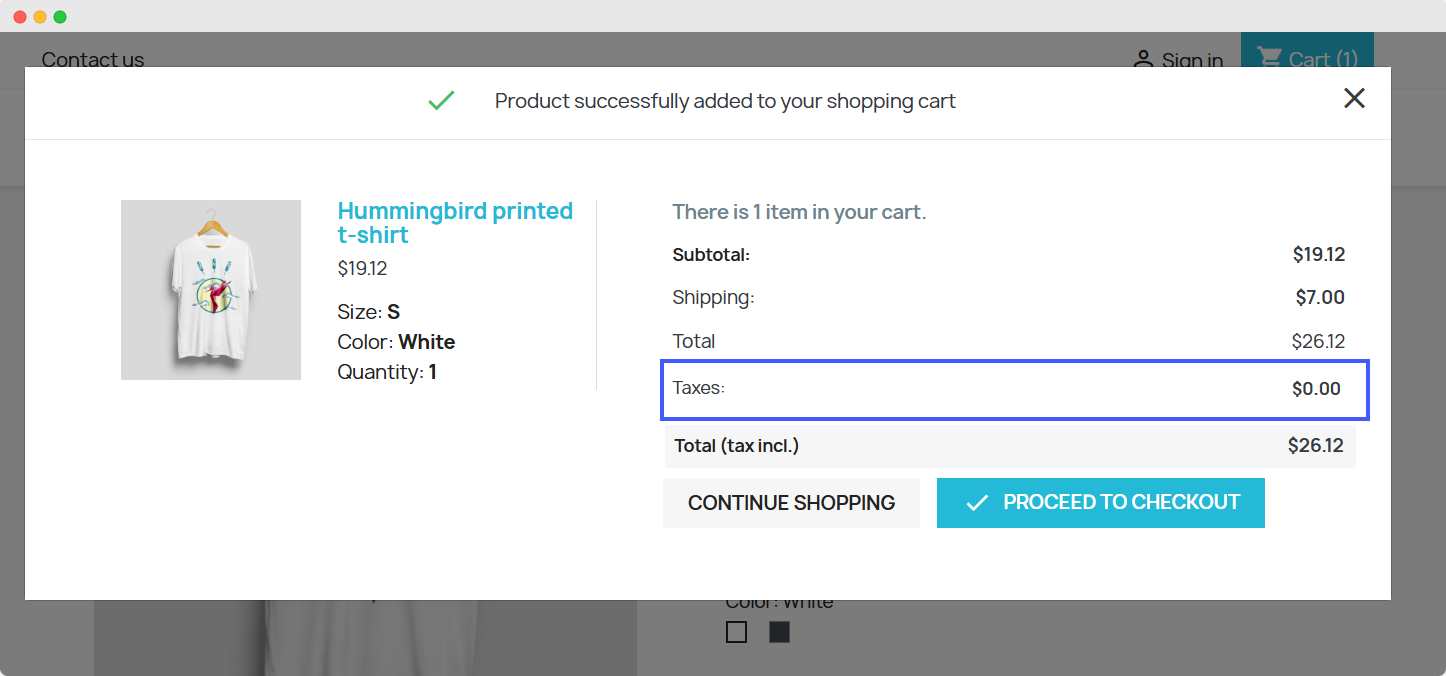
Choose How Taxes Are Calculated
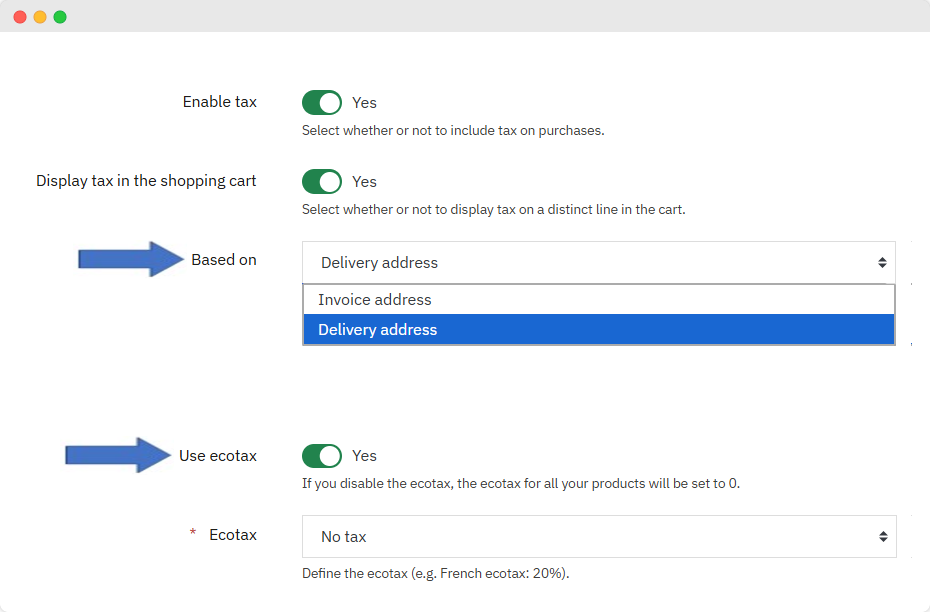
The module allows you to configure tax calculating methods according to your preferences and business needs. You can choose to calculate taxes based on either invoice or delivery addresses and display them directly on users’ shopping carts. Moreover, you can apply ecotax for all products and charge taxes on every purchase automatically.
Modify Tax Behaviour and Display
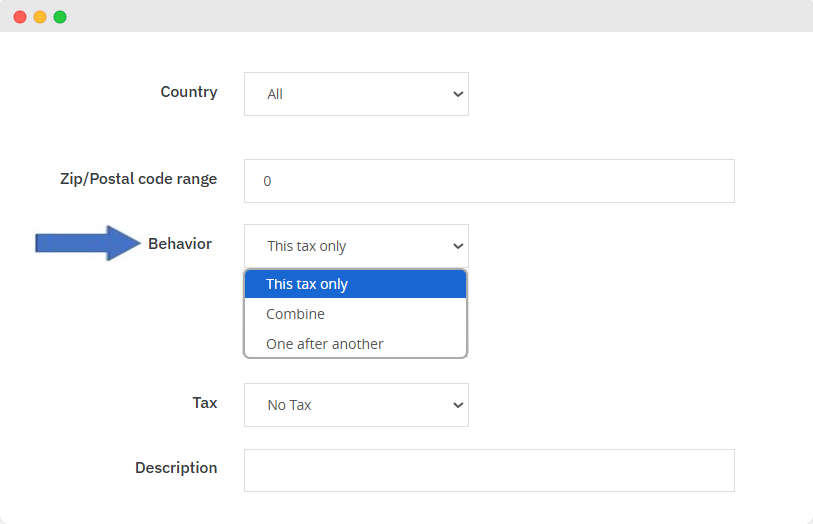
PrestaShop Role-Based Tax module offers complete flexibility to manage tax rates, visibility, and behaviour. You can simply define tax behaviour as a simple tax, combined with other or applied systematically after another, maintaining overall tax compliance across different regions and customer groups. With just one quick setting, you can create tax rules, define custom rates, and enable them for specific products.
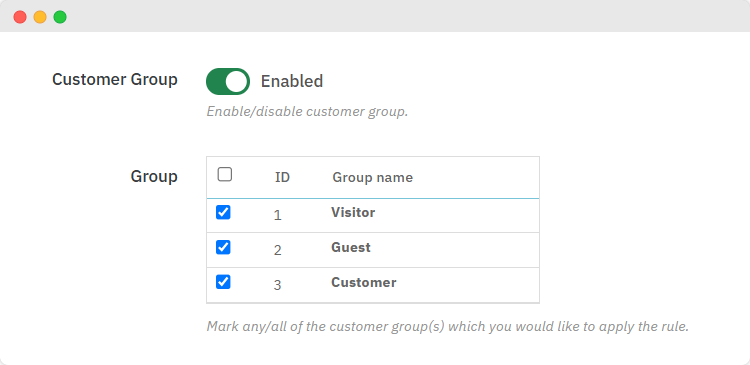
Apply Taxes Based on Customer Groups
By using the module, admins can update tax rules according to different customer groups. This means that you can assign specific taxes to various user roles, such as retailers, B2B buyers, wholesalers, and more. Whether you need to exclude certain customers or want to apply special rates, you will have complete control over taxes and fair pricing.
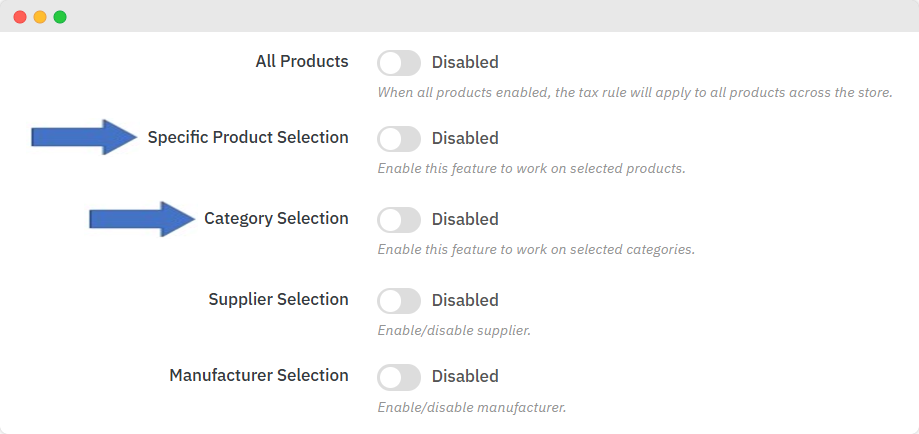
Apply Taxes Based on Products and Categories
PrestaShop role-based tax module allows you to apply taxes to all or specific products/categories in your store. You can easily organize non-taxable items and assign desired tax rates to items falling under specific price brackets. This allows you to manage taxes for digital products, physical items, or services with ease and accuracy.
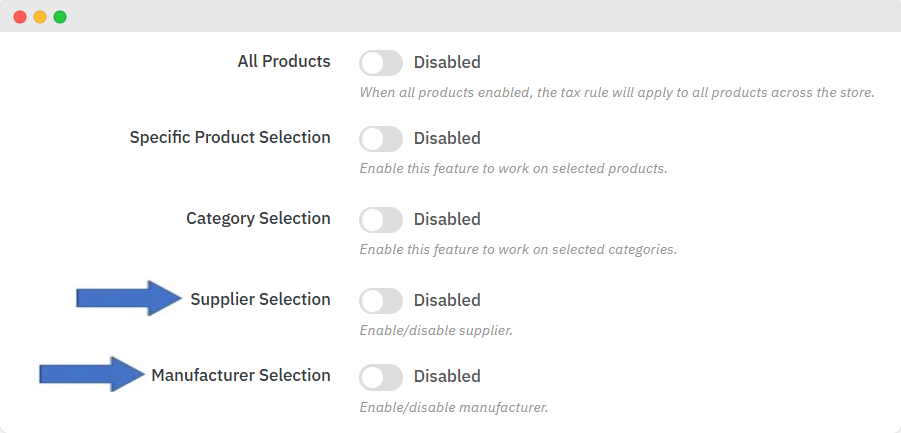
Apply Taxes Based on Suppliers and Manufacturers
To enhance customizations PrestaShop Role-based tax module allows you to apply taxes based on suppliers and manufacturers. So, if you are sourcing items from different regions or dealing with multiple supplier agreements, you can easily set specific rates that match different prices and tax compliance.
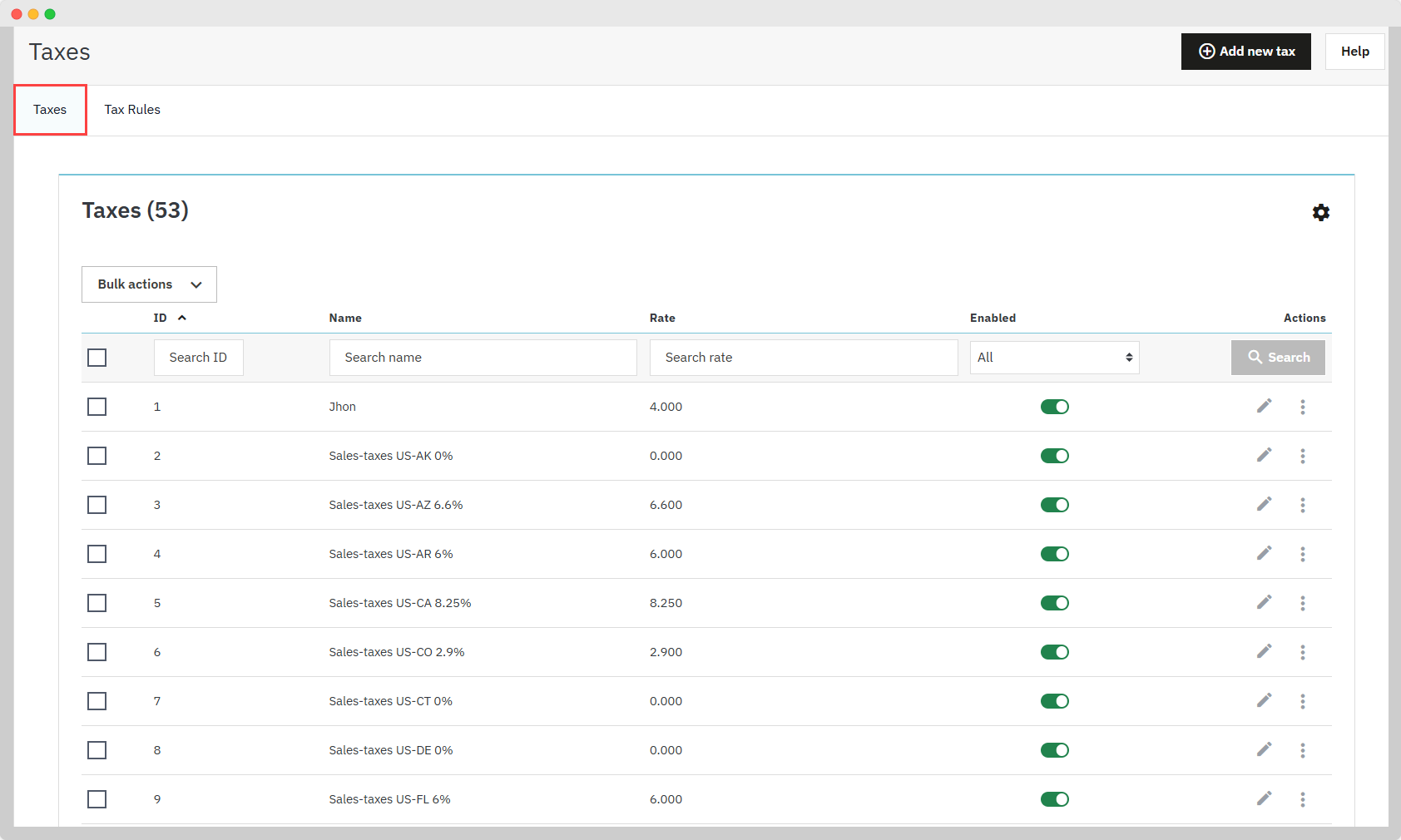
View and Manage Tax Rates from a Separate Log
Using the module, you can edit and view multiple tax rates from a dedicated log. Admins can apply bulk action to configure selected tax rules and assign them a custom name and rates. Simply use the search button to locate the desired tax rule and make quick adjustments according to your needs.
Technical Compatibility
- PrestaShop CompatibilityV1.7.0.0 - V9.0.0
- Current VersionV 1.1.0
- Compatibility MultiShopYes
- Languages English, German, Italian, French, Spanish
More Features
- Create multiple tax rules for different customer groups
- Apply tax rules based on specific:
- Products
- Categories
- Suppliers
- Manufacturers
- Choose to apply tax behavior as:
- This tax only
- Combined
- One after another
- Enter the rule name and priority
- View and manage tax rules from a separate log
- Choose to display tax on the user’s shopping cart
- Apply ecotax for all products or keep it disabled to set it to “0”
- Generate multiple tax rules using custom rates
- Locate tax rules and rates using a search box
- Define tax rule universally or selectively by country
- Apply tax calculation based on the customer
- Delivery address
- Invoice address
- Apply bulk actions to enable/disable selective tax rules
- Enable/disable tax inclusions on purchases with one click
Customer reviews
Be the first to get an exclusive offer and the latest news.
Reviews
There are no reviews yet.