


Product Stock Manager For WooCommerce
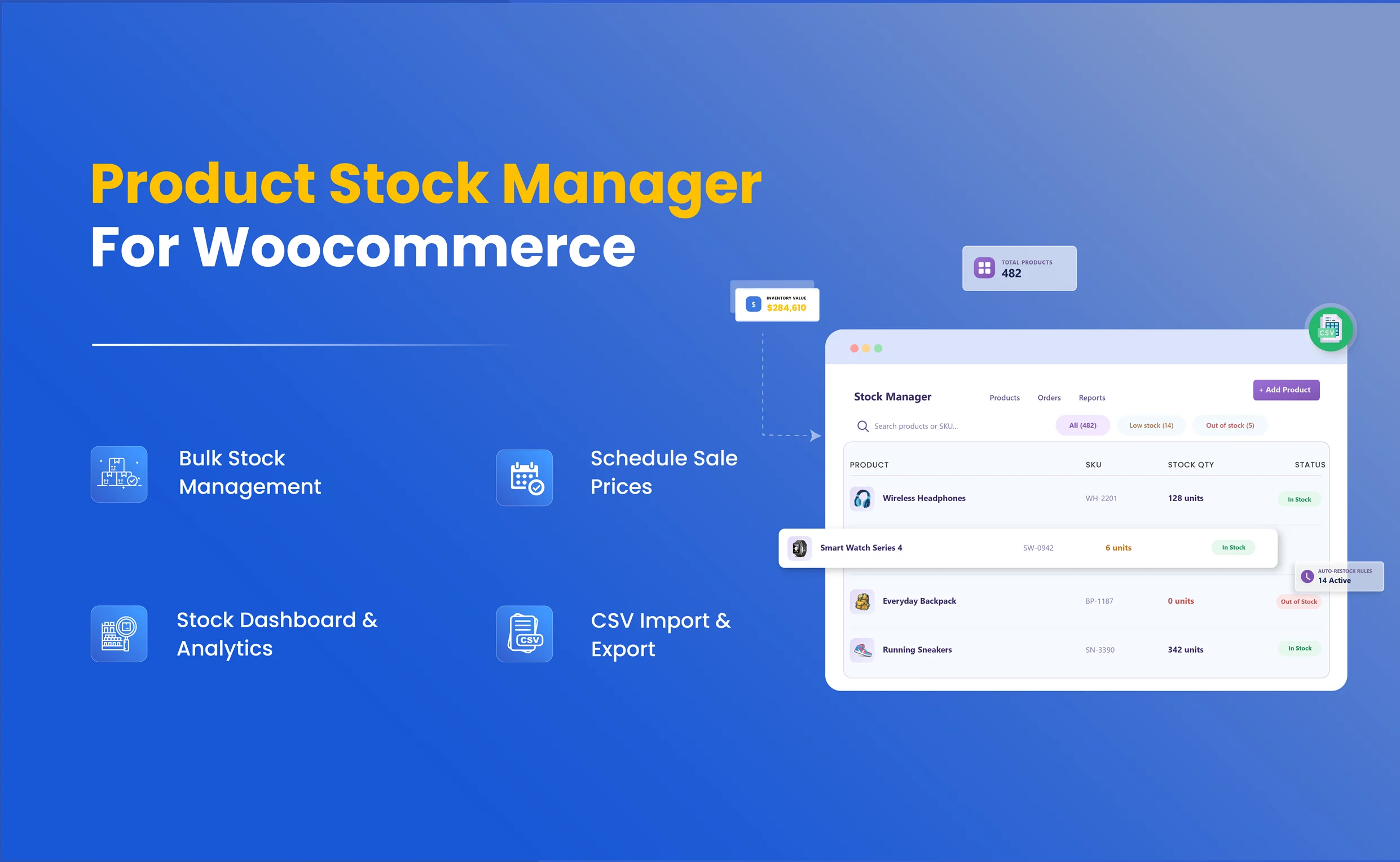
Product Stock Manager For WooCommerce is a powerful plugin to easily manage the stock of products and variations in a single grid view with useful filters for product type, category name, stock status, price, stock quantity, and more. With a powerful dashboard, view and manage stock details.
Key Features
- Option to Manage Stock in a Detailed List View of Products
- Option to Manage and Unmanaged Stock
- Option to View Informative Stock Dashboard
- Option to Sort Products on Multiple Attributes

WooCommerce Marketplace Approved. View Listing
-
Marketplace Verified
-
Extension Partner
-
-
4k+ Downloads
$4.08/month
Billed annually at $49 / year
- 1 year free support
- 1 year extension updates
30 DAYS MONEY BACK GUARANTEE
Your money is secure with our buyer protection. Claim a full refund for any reason.
Features Of Product Stock Manager For WooCommerce
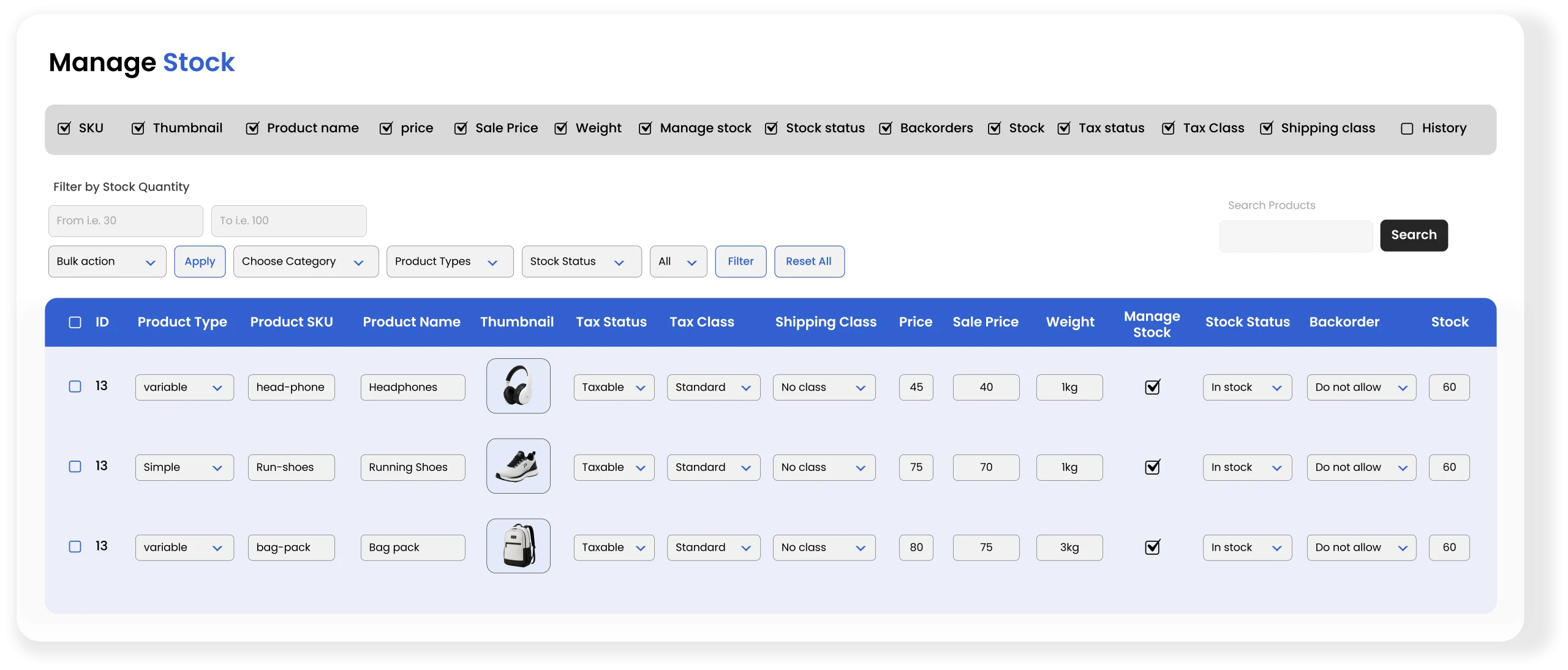
Manage Stocks Via Grid View
WooCommerce Product Stock Manager allows you to manage your entire inventory from a centralized grid view. You can simply update stock quantities, SKU’s, tax statuses, shipping details, product prices, and more. Additionally, you can use advanced filters to list out your desired information while maintaining bulk inventory management for simple, variable, and grouped products.
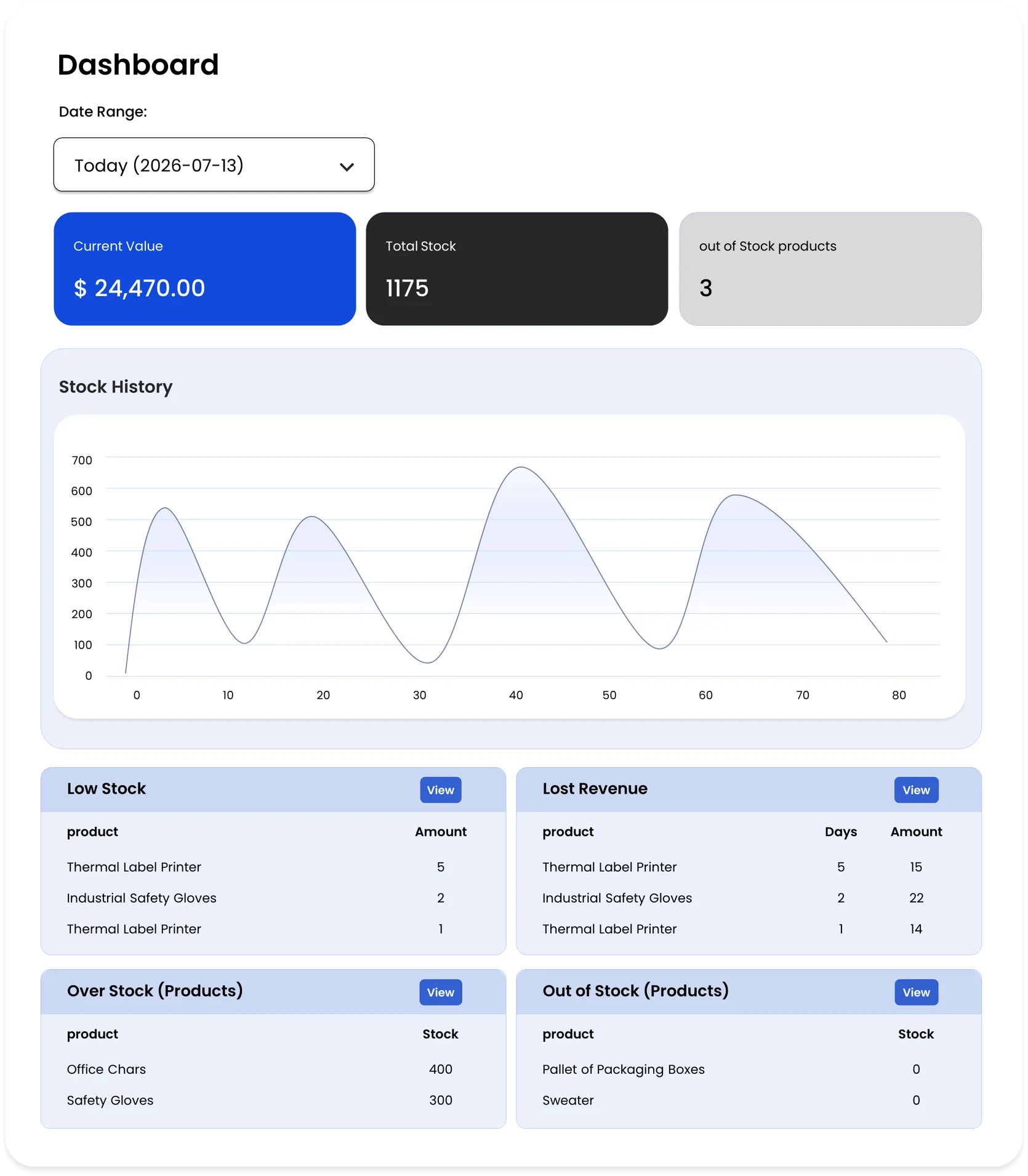
View Stock Details in Stock Dashboard
Products that are currently out-of-stock, low-stack, or overstock can be viewed on the WooCommerce Stock Management Plugin dashboard. Additionally, you can also view import information about current stock quantity and stock value.
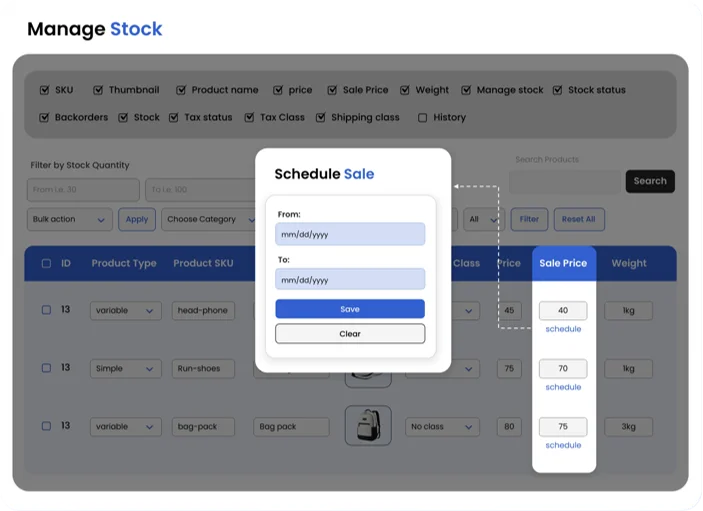
Easily Schedule Sale Prices from Manage Stock Table
With this feature, you can manage and schedule product sale prices directly from the Manage Stock table without opening any individual product pages. You can simply set the start and end dates for sale prices and plan discounts in advance. Once you schedule this, the sale price is automatically applied at the start of the promotion and removed when it ends, which can save your time, reduce manual effort, and manage storewide sales efficiently.
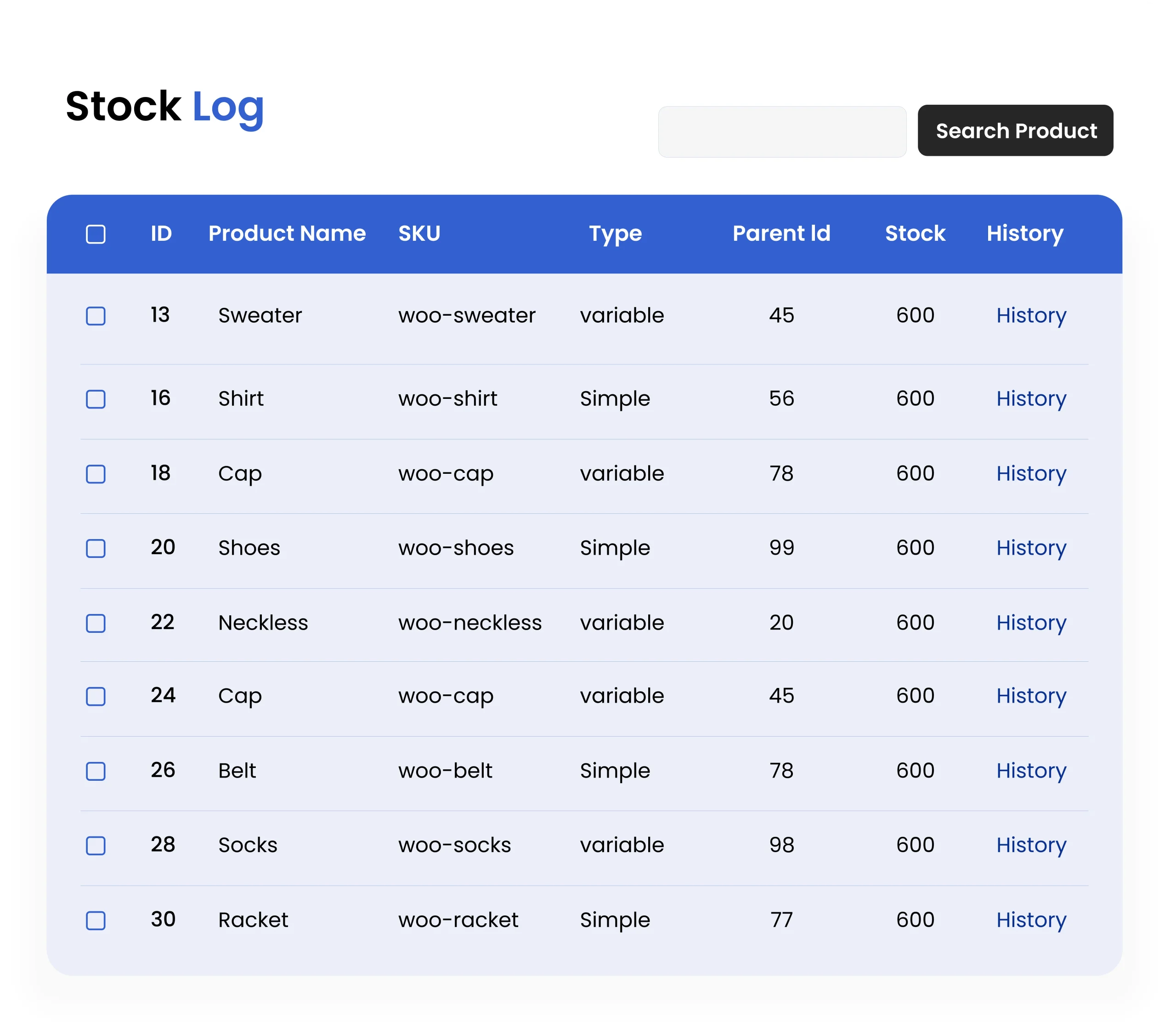
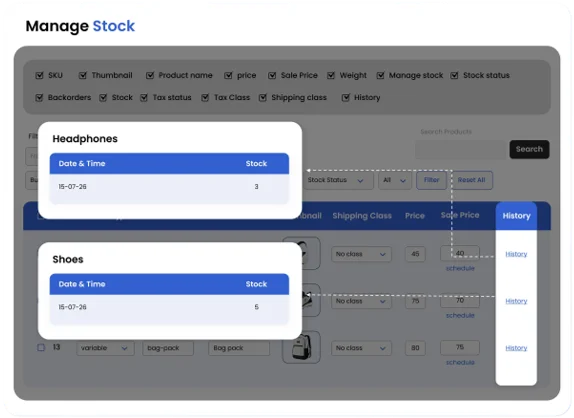
Maintains Product Restock History in History Log
WooCommerce Stock Manager maintains a product stock log to keep track of all the stock changes. Merchants can keep up with the latest changes and modifications as necessary. You can also view individual product stock history from the Manage Stock table with the Product History feature.
Import and Export Product Stock
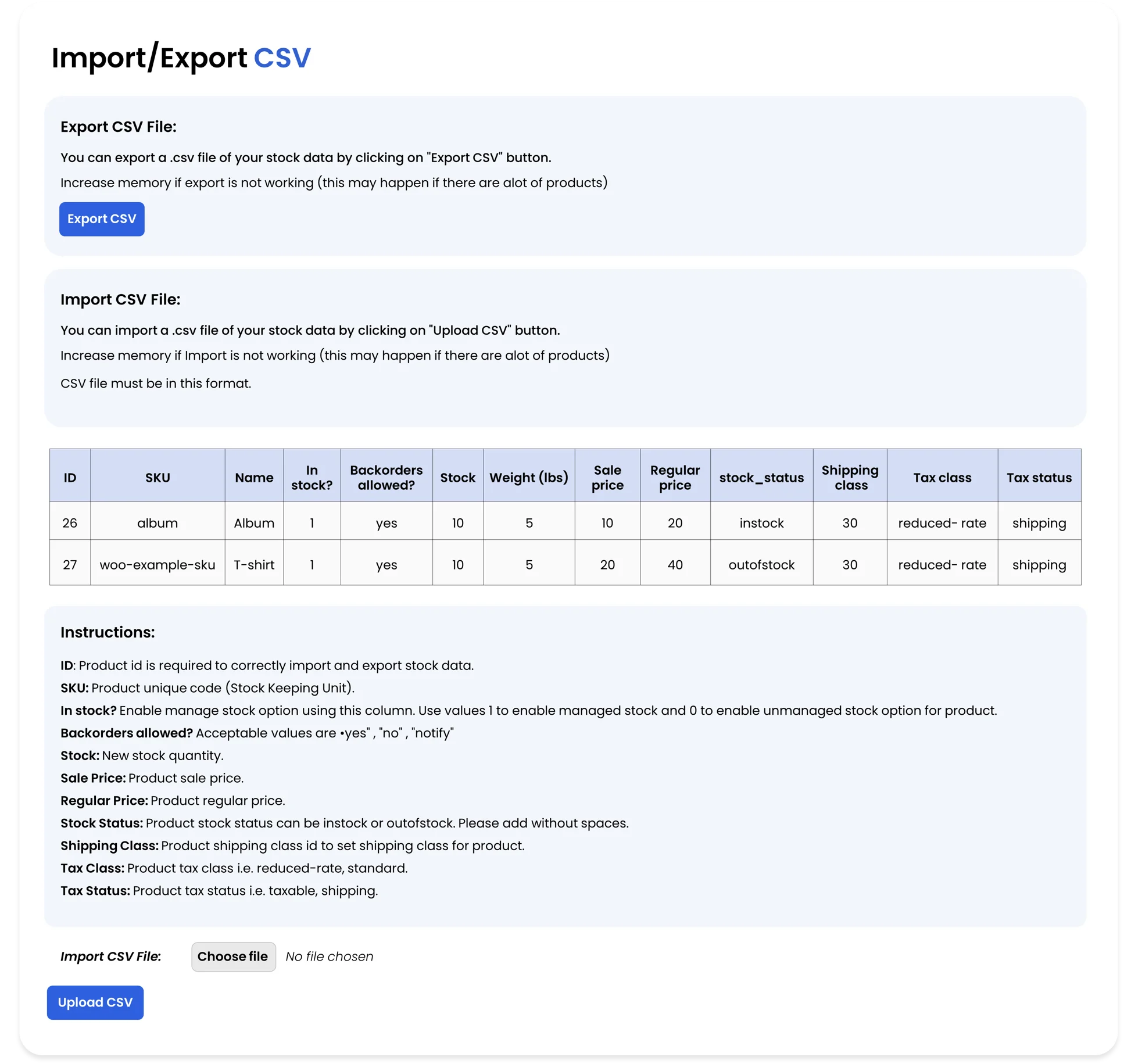
WooCommerce Bulk Stock Management uses pre-defined CSV files to import and export stock quantities. When importing stock data, you can modify details such as product name, stock management status, regular price, shipping class, and more.
Customize Stock Color for Stock Statuses
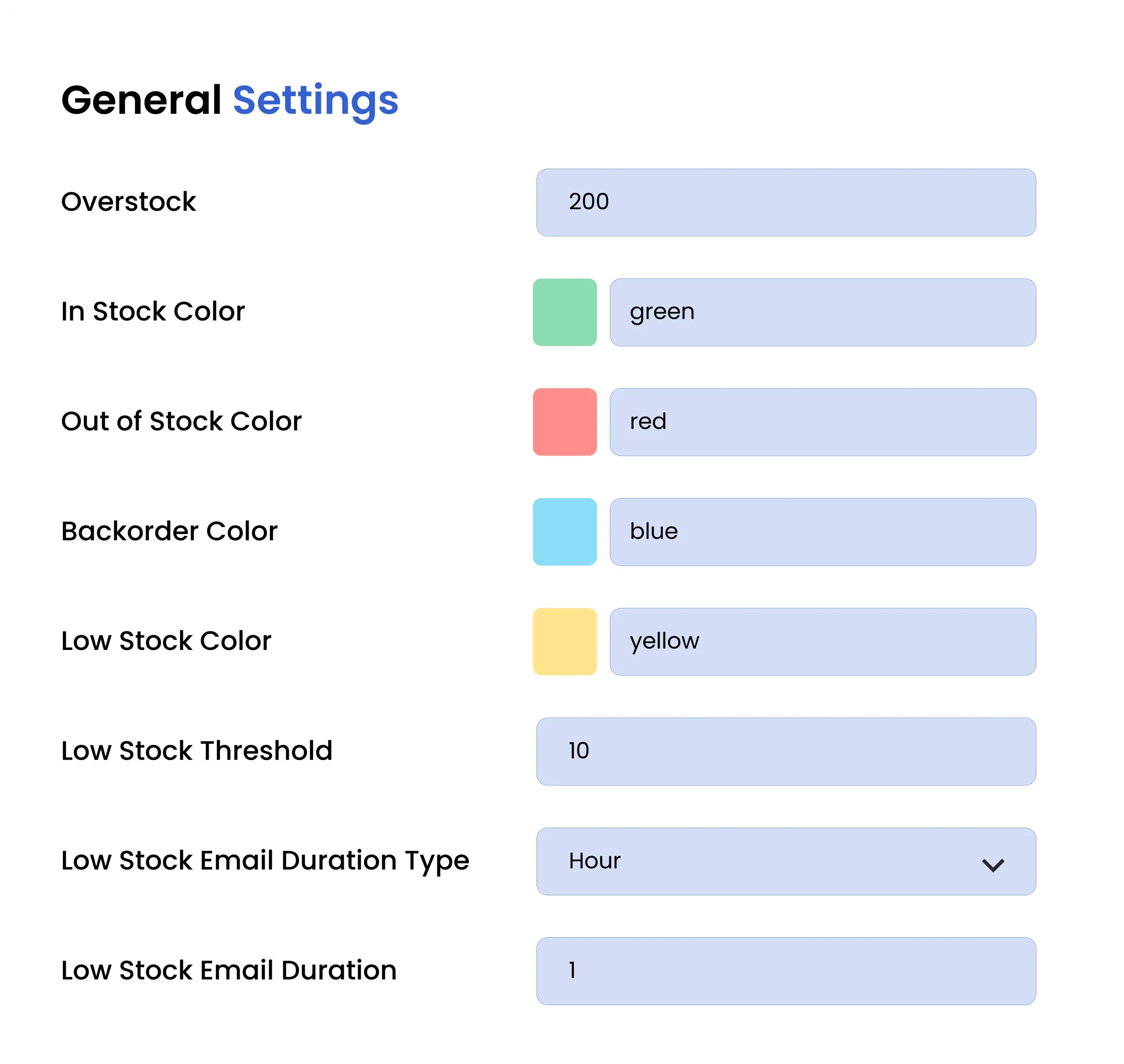
Under the settings section of the Product Stock Manager plugin, you can customize stock color for different stock statuses and overstock quantity.
Technical Compatibility
- Version1.3.0View changelog
- WordPress Version Required4.0.0 or Higher
- WooCommerce Version Required3.5.0 or Higher
- Multi-Site SupportYes
- LanguagesEnglish
- WPML CompatibilityWPML Supported
- TranslatableYes, Translation Ready
- CountriesWorldwide
More Features
- Option to Set and Customize Stock Status
- Option to Manage Taxation and Shipping on Products
- Option to View Detailed Stock Log
- Option to Import or Export Stock Data in .CSV Format
FAQs
Can I update stock for multiple WooCommerce products from one place?
Does the plugin include a stock dashboard for inventory insights?
Can I schedule sale prices directly from the stock table?
Can I view stock change history of individual products in WooCommerce?
Can I customize how stock information is displayed?
Customer reviews
- User friendlyThe grid view and filters are incredibly user friendly. The dashboard offers valuable insights, and sorting products is a nice feature.
- Must have pluginThis plugin is awesome for tracking It's help me to spot low stock situations and improve customer experience
- Okay PluginIt helps with stock management, but could be better. Grid view is good, but needs more features to be great.
Benjamin Neumann –
It helps with stock management, but could be better. Grid view is good, but needs more features to be great.
Lutz Dreyer –
This plugin is awesome for tracking It’s help me to spot low stock situations and improve customer experience
Rick M. Perry –
The grid view and filters are incredibly user friendly. The dashboard offers valuable insights, and sorting products is a nice feature.