Getting Started with Installation and Activation Guide
Installation Guide
- Log in to your PrestaShop back office.
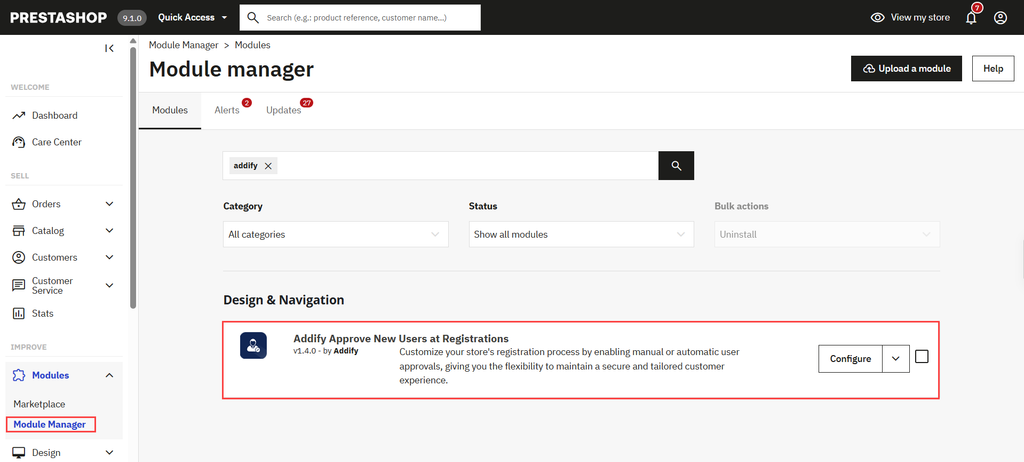
- Open the “Improve > Module > Module Manager” section
- Click on the “Upload a module” button.
- Upload the Prestashop Approve New User Registration module. Choose a downloaded module file (usually a ZIP file) from your computer.
- Once uploaded, click Install to complete the installation.
Activation Guide
After the installation of the module, navigate to Module > Module Manager and choose the Addify Approve New User Registration option. Click on it to configure the further settings of this module.
Now, you can explore the PrestaShop Approve New User Registration settings.