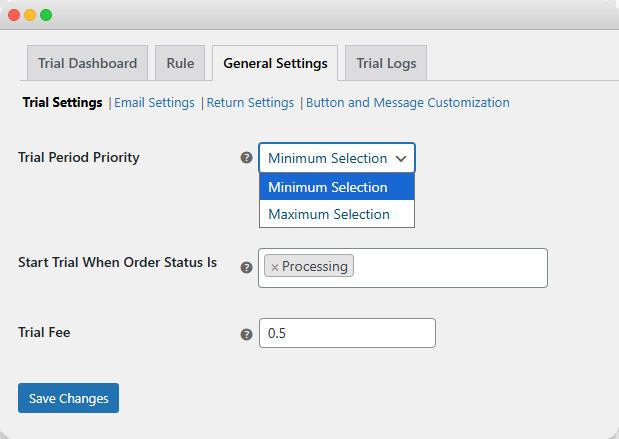
To charge customers for each trial, you can use WooCommerce Try Before Buy extension. It can be setup within minutes. Go to General Settings > Trial Settings and navigate to Trial Fee. Here you can add any custom amount to charge for each trial. Follow the steps below for a detailed overview:
- Install the plugin, then go to its General Settings and click on Trial Settings.
- Now scroll down and go to Trial Fee
- Here, you can add any custom amount that you want to charge per trial
- Click on Save Changes