Displaying Order Form by Products, Categories and Tags
When creating an order table using the “WooCommerce Wholesale Order Form – B2B Order Table” plugin, you have options to display the order form by products, categories, and tags as follows:
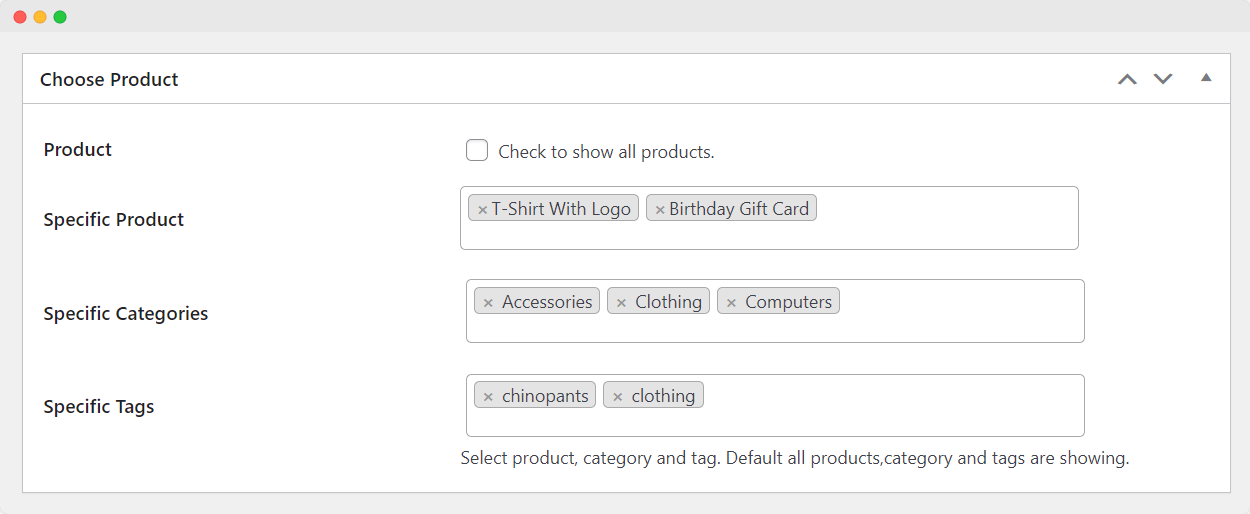
- Navigate to Order Table Edit Page > Choose Product section.
- To display all products, check the “Product” box.
- To display specific products, select the “Specific Product” option and choose the products you want.
- To display products from specific categories, select the “Specific Categories” option and choose the categories.
- To display products with specific tags, select the “Specific Tags” option and choose the tags.
By default, all products, categories, and tags are displayed in the quick order table, but you can customize this based on your preferences.