📢 Big Savings: Boost your sales for less! Affiliate Marketing for WooCommerce is now $119 (Save $30)


Affiliate Marketing for WooCommerce
Research shows that influencer marketing is highly persuasive and often drives purchase decisions. Customers tend to trust recommendations as they find them authentic and relatable. So, you can turn this trust into revenue by using the Affiliate Marketing for WooCommerce extension. It allows you to recruit influencers, customers, or affiliates to promote your products across multiple channels such as Instagram, Facebook, YouTube, etc. Shop managers can add different commission rates for specific affiliates or products and track their performance through a detailed dashboard. You can also set automatic or manual payouts, create tiered commission strategies, and get instant reach while improving the overall revenue and sales.
Key Features
- Create and manage all affiliates from a single log
- Create multiple affiliate campaigns for specific products, categories, and brands.
- Set global, custom, and tiered commission rules for affiliates.
- Admin can allow customers to promote products via URLs and coupon codes.
- Manage affiliate payouts automatically or manually.
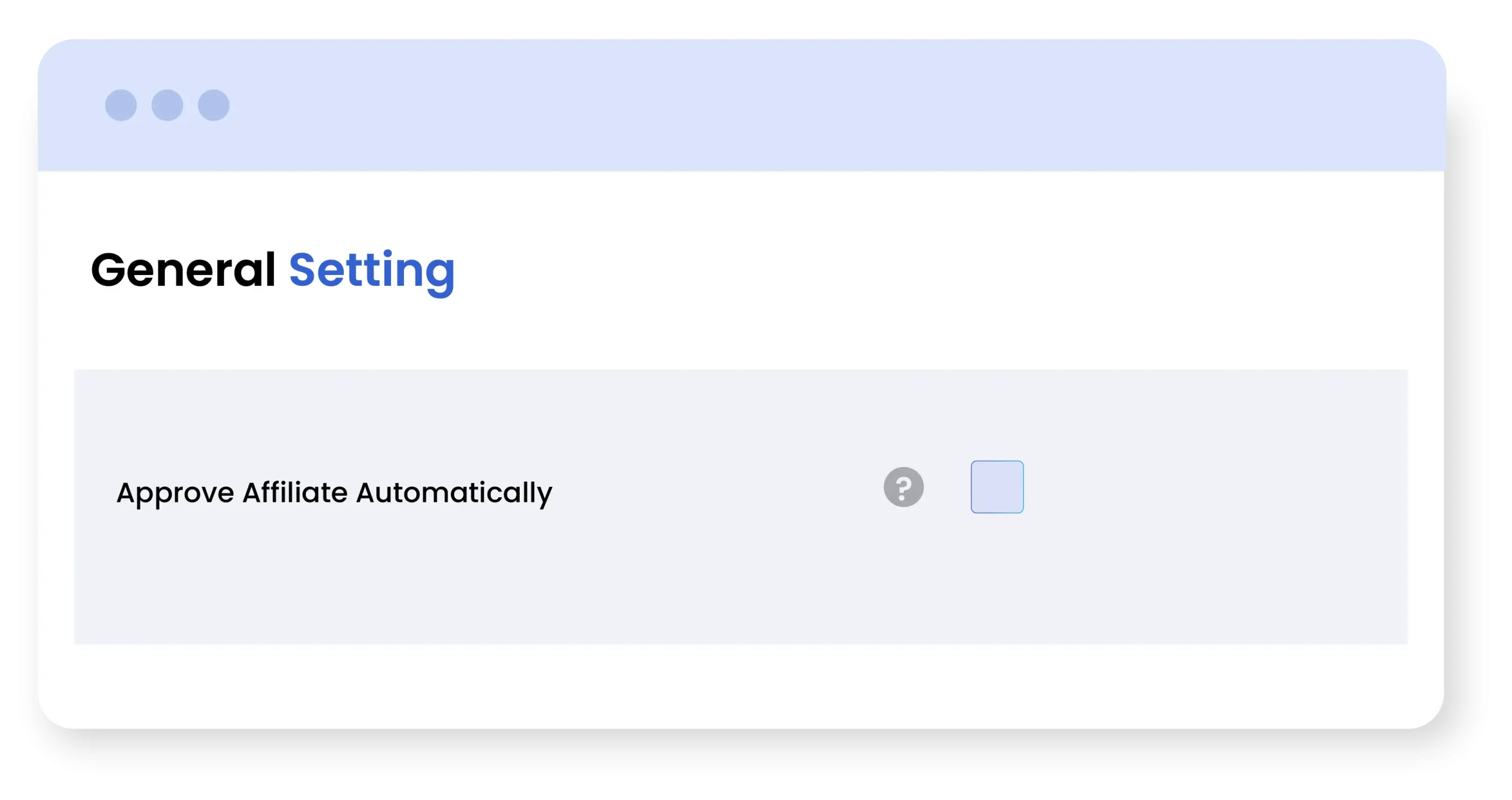
- Automatically or manually approve new affiliates
-

Extension Partner
$79
$9.92/month
Billed annually at $149 Original price was: $149.$119Current price is: $119. / year
- 1 year free support
- 1 year extension updates
30 DAYS MONEY BACK GUARANTEE
Your money is secure with our buyer protection. Claim a full refund for any reason.

Detailed Features of Affiliate for WooCommerce
Get a Detailed Performance Dashboard
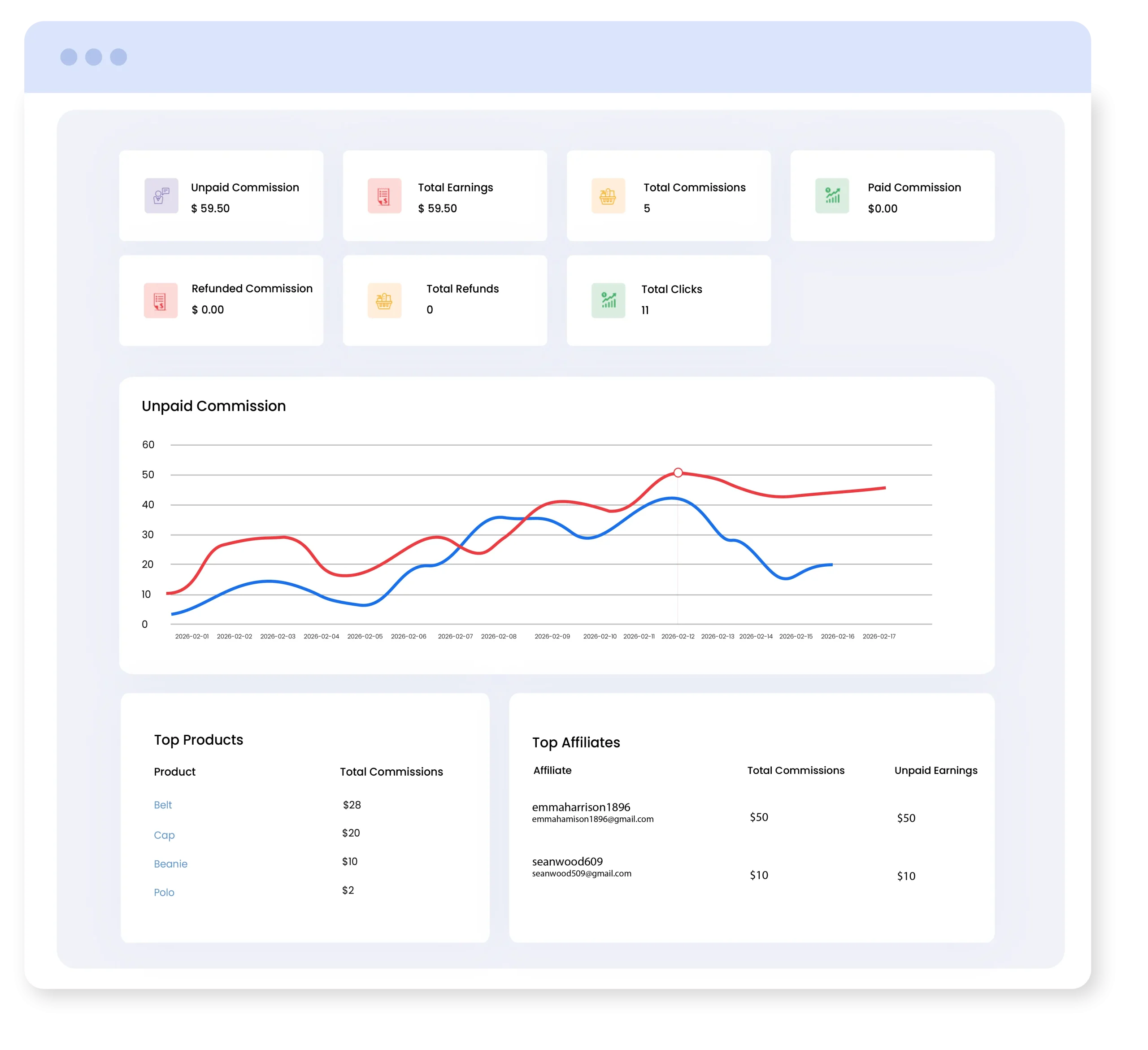
From a centralized dashboard, admins can track total affiliate commissions, top products, total earnings, and top affiliates with ease. You can also view an interactive graph of total earnings over a specific period and analyze the performance of your affiliate campaigns to make data-driven decisions.
Create and Manage Affiliate Campaigns
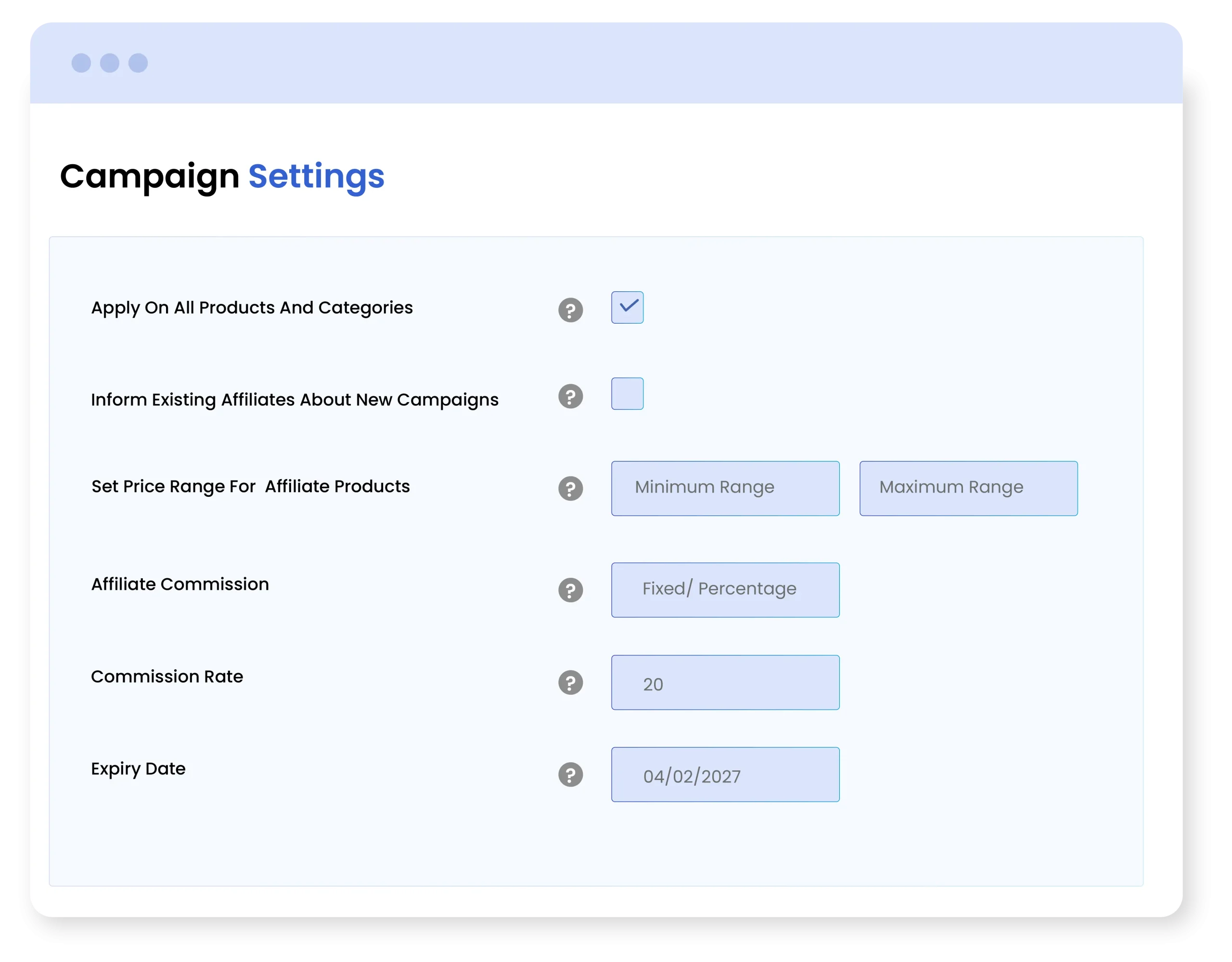
The Affiliate Marketing for WooCommerce extension allows you to create and manage multiple affiliate campaigns with full flexibility and control. Admins can apply campaigns to all products or target specific products, categories, or brands. You can also define a custom price range by setting minimum and maximum limits to include eligible products for affiliates.
Easily set affiliate commissions as fixed amounts or percentages and notify existing affiliates whenever new campaigns launch or commission rules are updated. Additionally, set campaign expiry dates to run time-based promotions efficiently.
Offer Commission at Multiple Levels
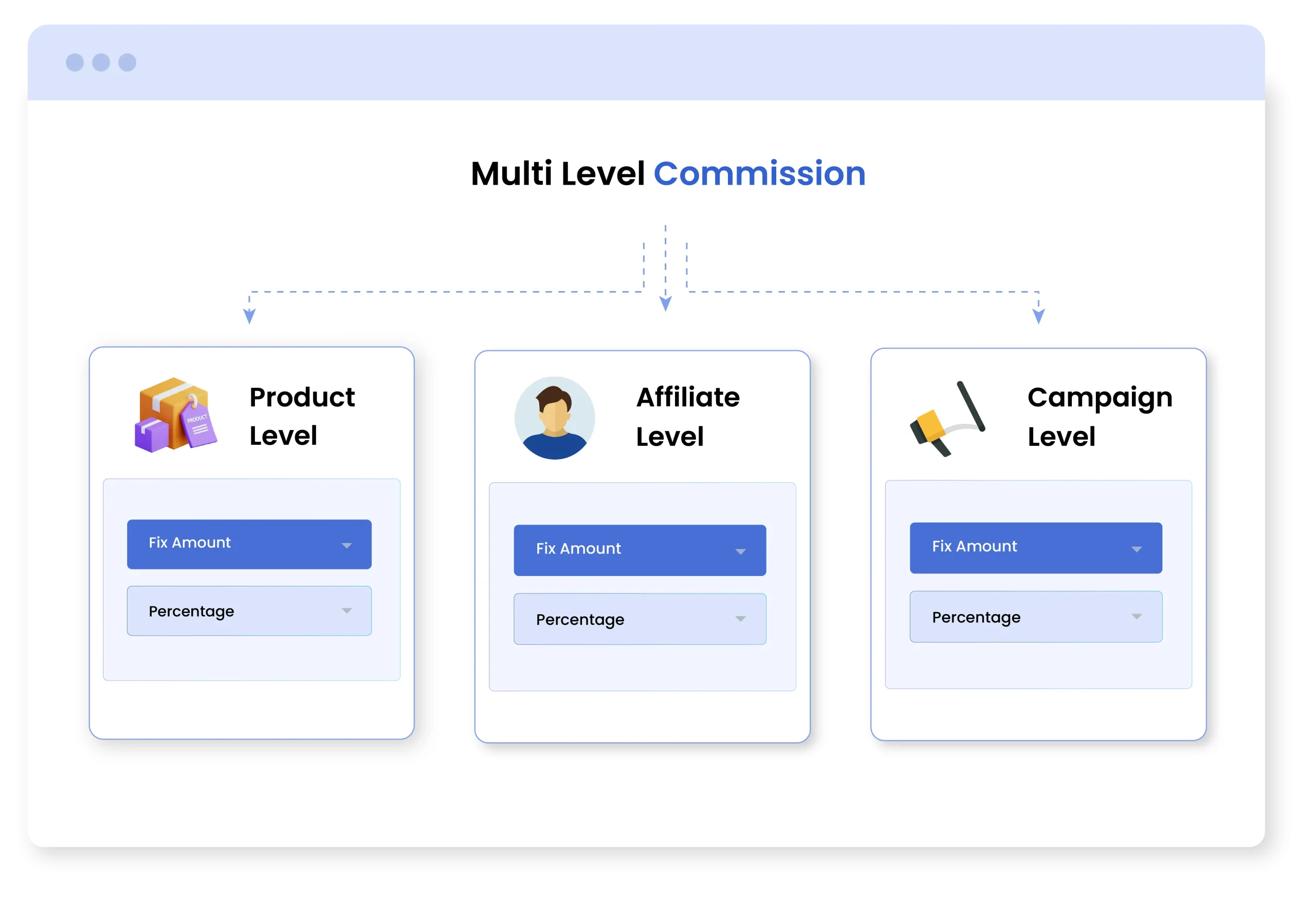
Offer flexible commission settings at multiple levels to match your affiliate strategy. You can set commission as a percentage or a fixed amount to suit different business needs.
- Specific Affiliates: This commission is applied as a standard rate across all active affiliate campaigns.
- Product Level: Assign custom commission to specific users and increase or decrease it according to their performance levels.
- Campaign Level: From product level settings, apply special commissions to promote premium or any product you like.
Create Tiered Affiliate Commission
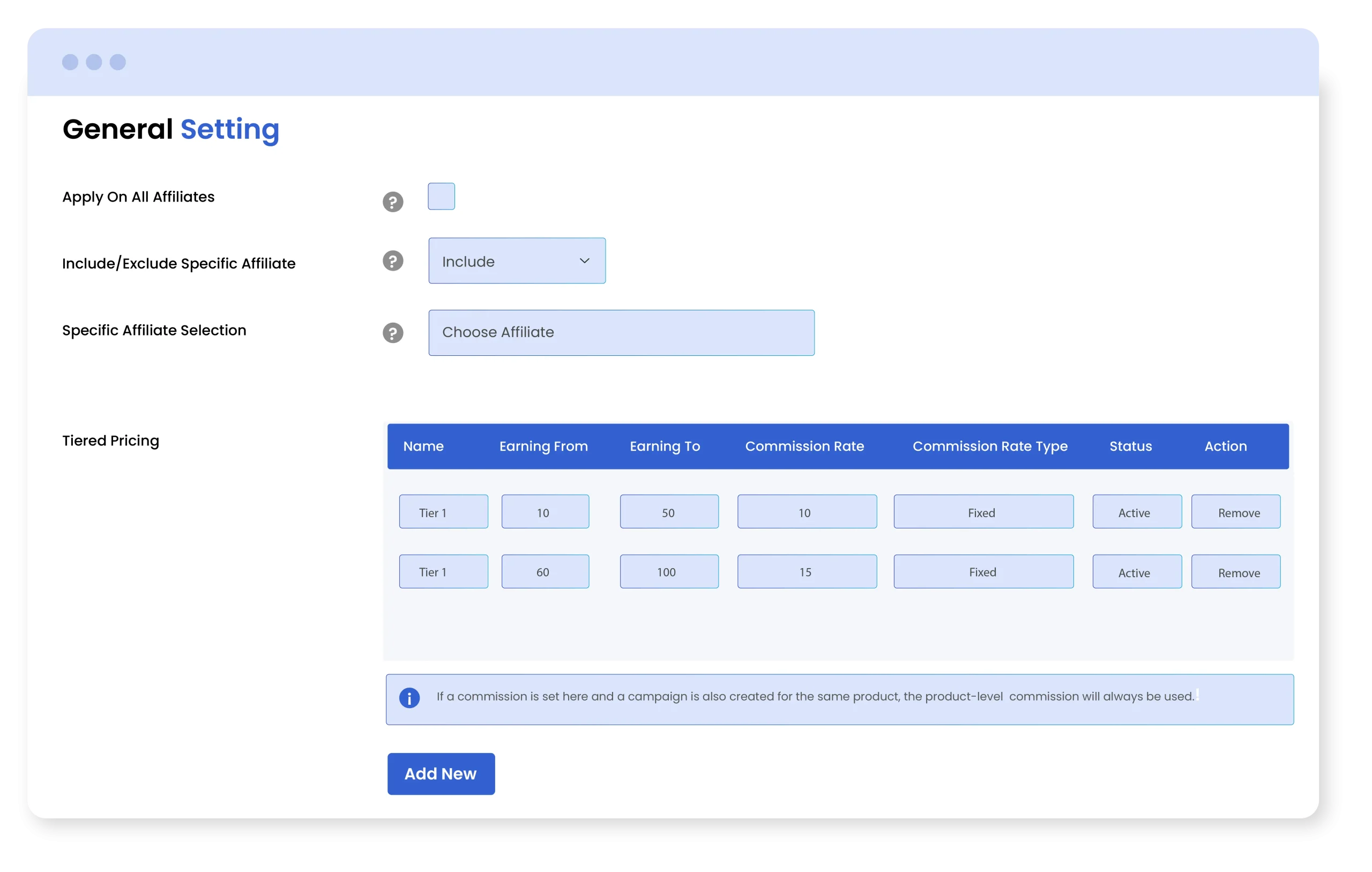
By using Affiliate Marketing for WooCommerce plugin, you can create tiered commission strategies and reward affiliates according to their performance levels. This means that when the affiliates achieve higher sales, the commissions are increased within a specified range. This flexibility keeps the affiliates motivated and helps you gain better engagement.
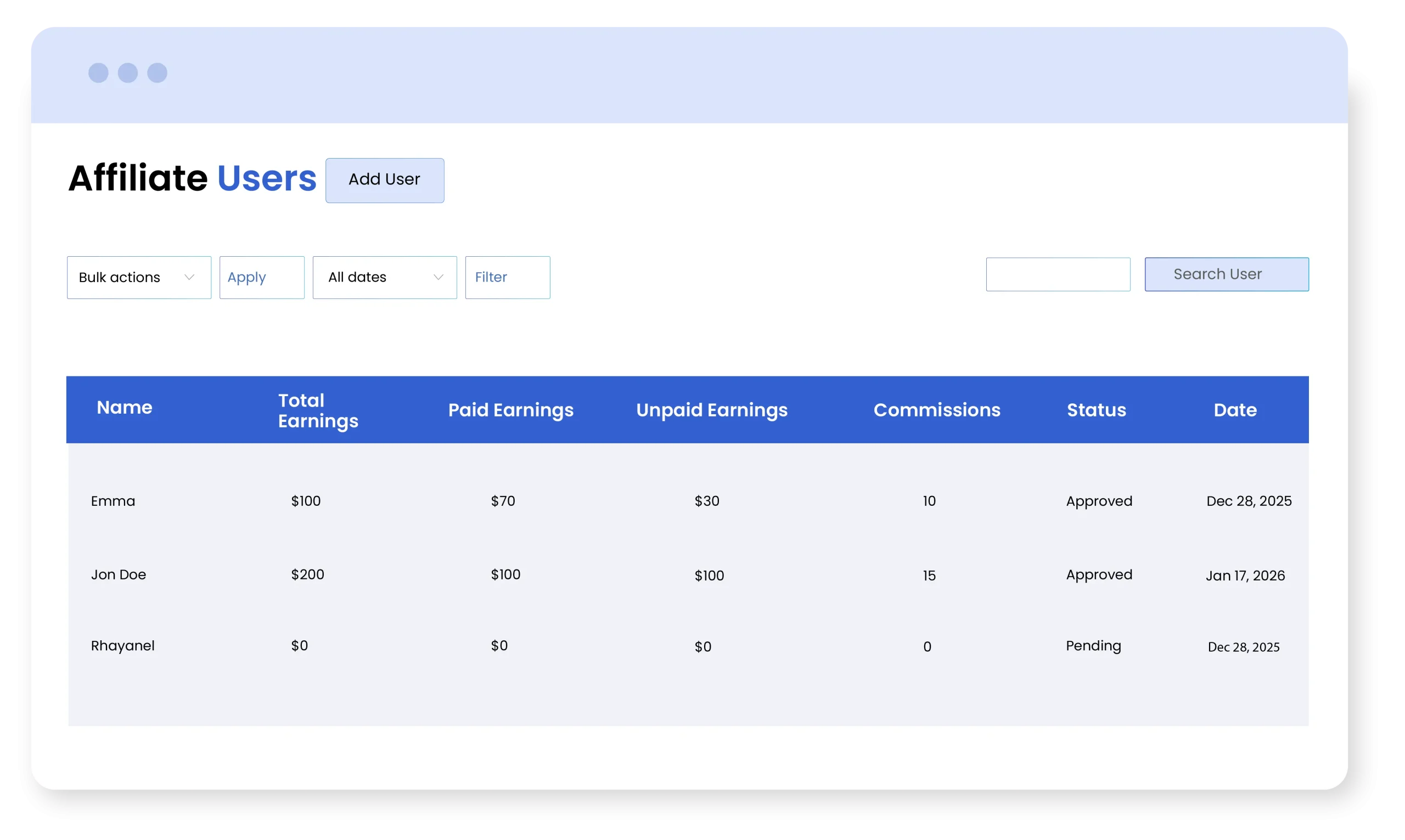
Admin Can Manage and Track All Affiliates From a Single Log
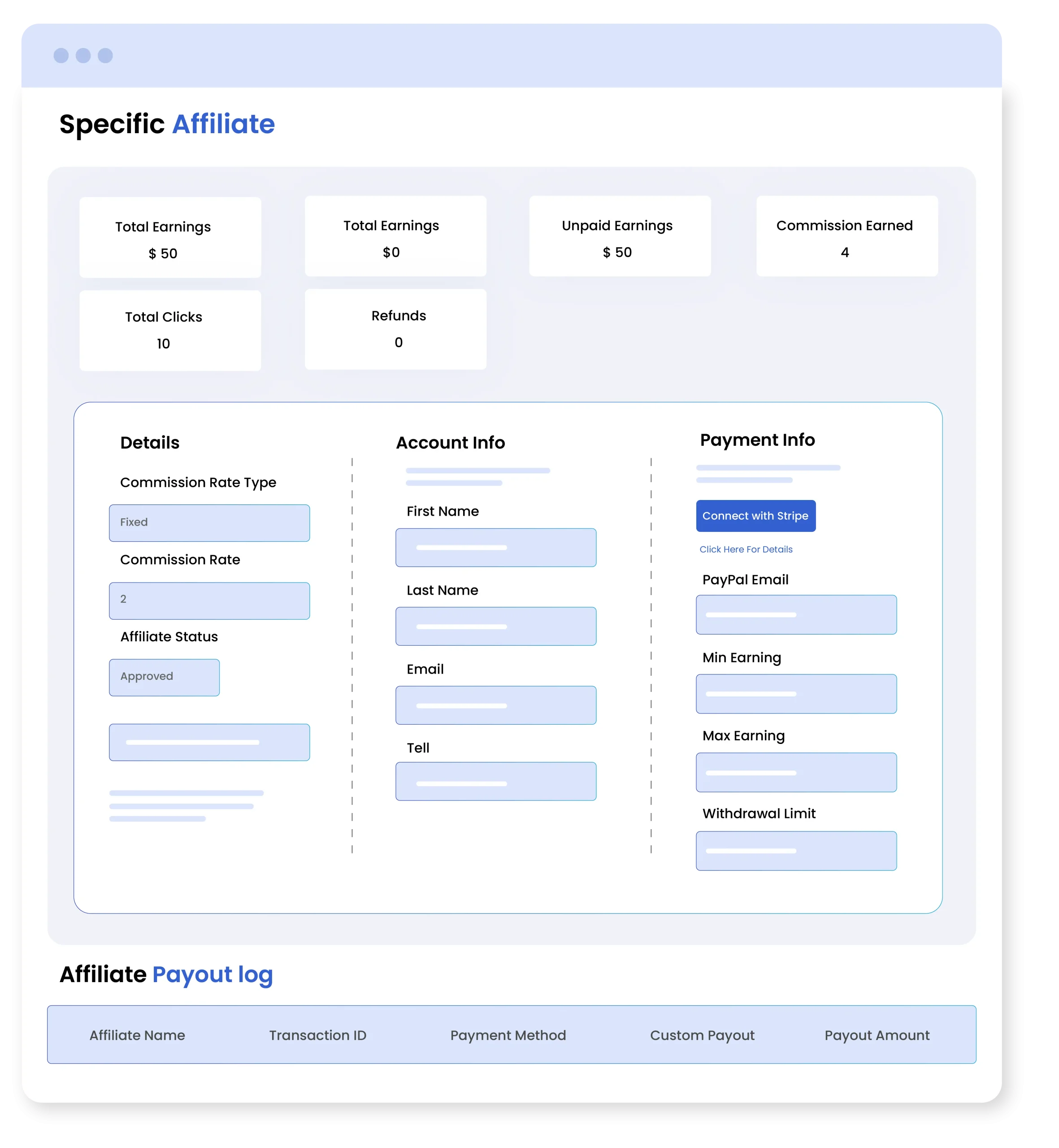
Manage and track all affiliate users from a single, powerful dashboard. Admins can view complete affiliate details, including total earnings, paid earnings, unpaid earnings, commissions, status, and registration date in one organized list.
Easily filter, search, and perform bulk actions on affiliate users for better management. Each affiliate profile includes detailed performance insights such as commission rate, total clicks, refunds, and earnings breakdown. Admins can also add, view, and edit individual affiliate accounts, manage payment settings (Stripe or PayPal), and control notification preferences for new or paid commissions.
Customize Affiliate Registration Form
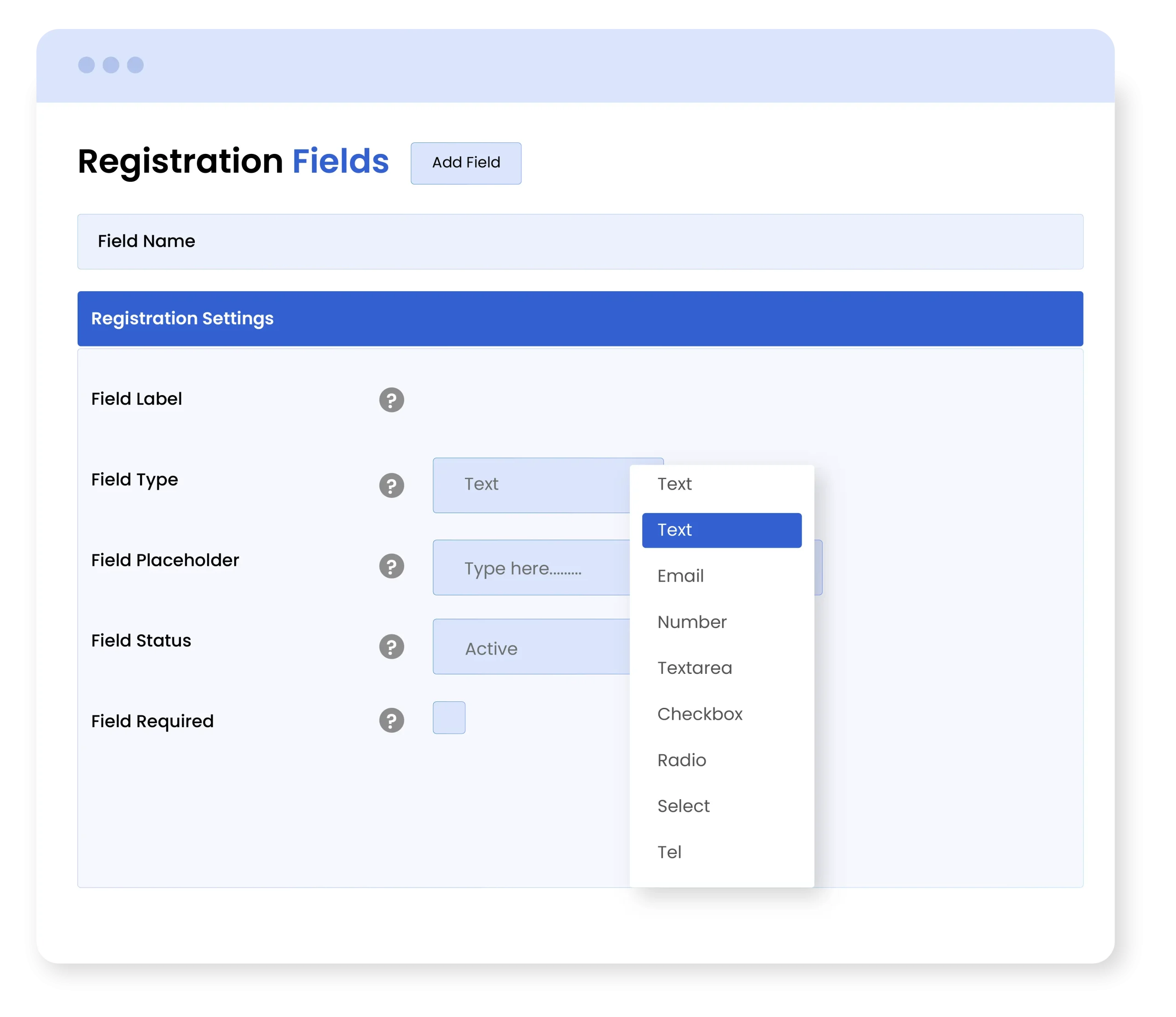
You can add unlimited fields to your affiliate registration forms and collect necessary details from customers. Admins can choose from multiple field types such as radio, checkbox, email, dropdown, and more. You can also mark fields as required or optional and add their custom labels according to your needs.
Enable Manual or Auto Affiliate Approval
For the WooCommerce Affiliate Program, you can choose to recruit affiliates either manually or automatically. With manual approval, admins can review and approve affiliate requests from the backend, while automatic mode allows users to register as affiliates instantly without any approval
Configure Affiliate Payout Settings
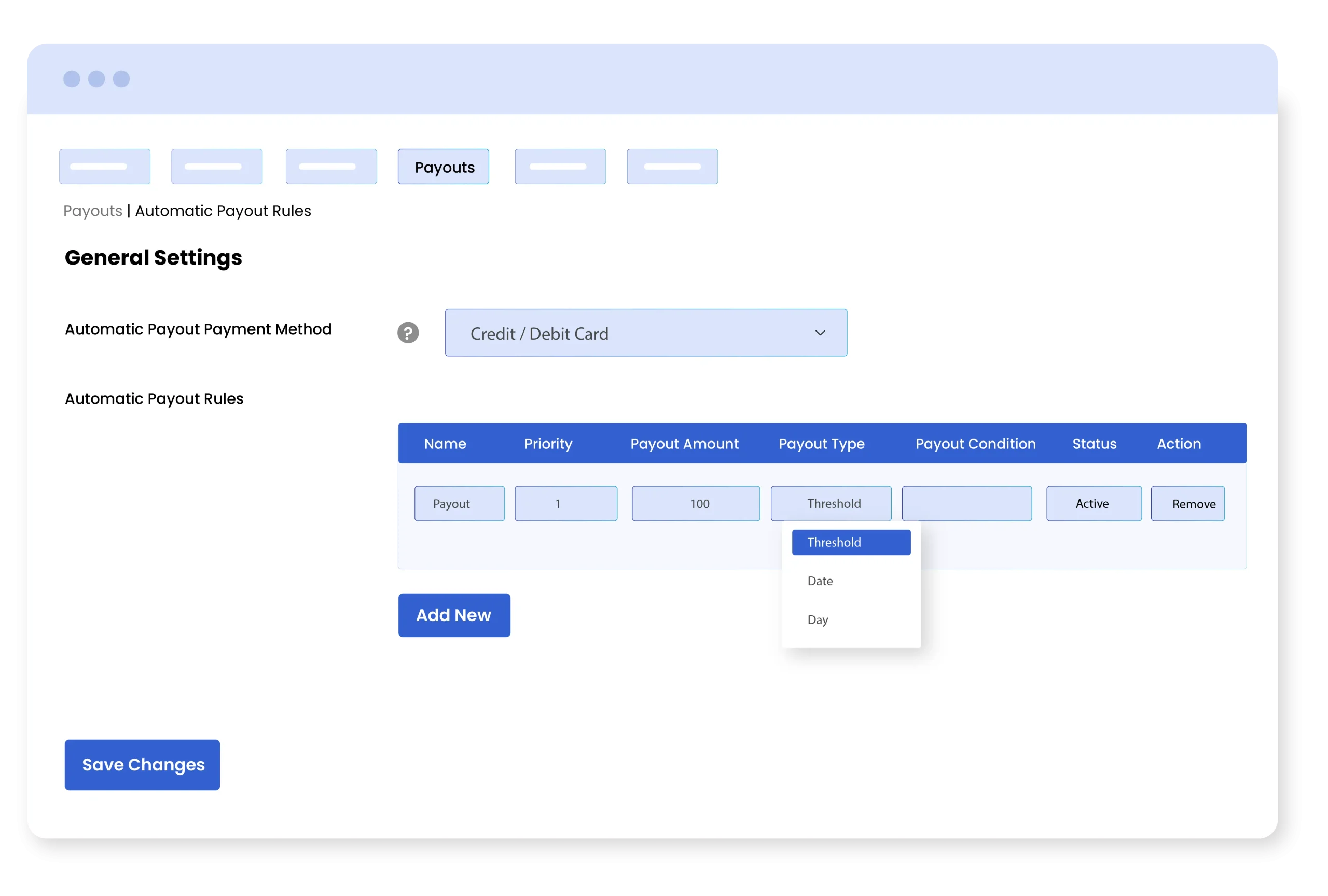
Affiliate for WooCommerce Plugin allows you to choose between manual or automatic payouts. For manual payouts, you can add custom payout amount for each affiliate and process payouts individually. On the other hand, you can set automatic payout rules by defining a fixed amount and applying it based on:
- Threshold: Set a minimum earning amount for affiliates and release payouts when the defined threshold is met.
- Days: Add desired days on which payouts are automatically released for customers
- Dates: Add specific dates to process payments
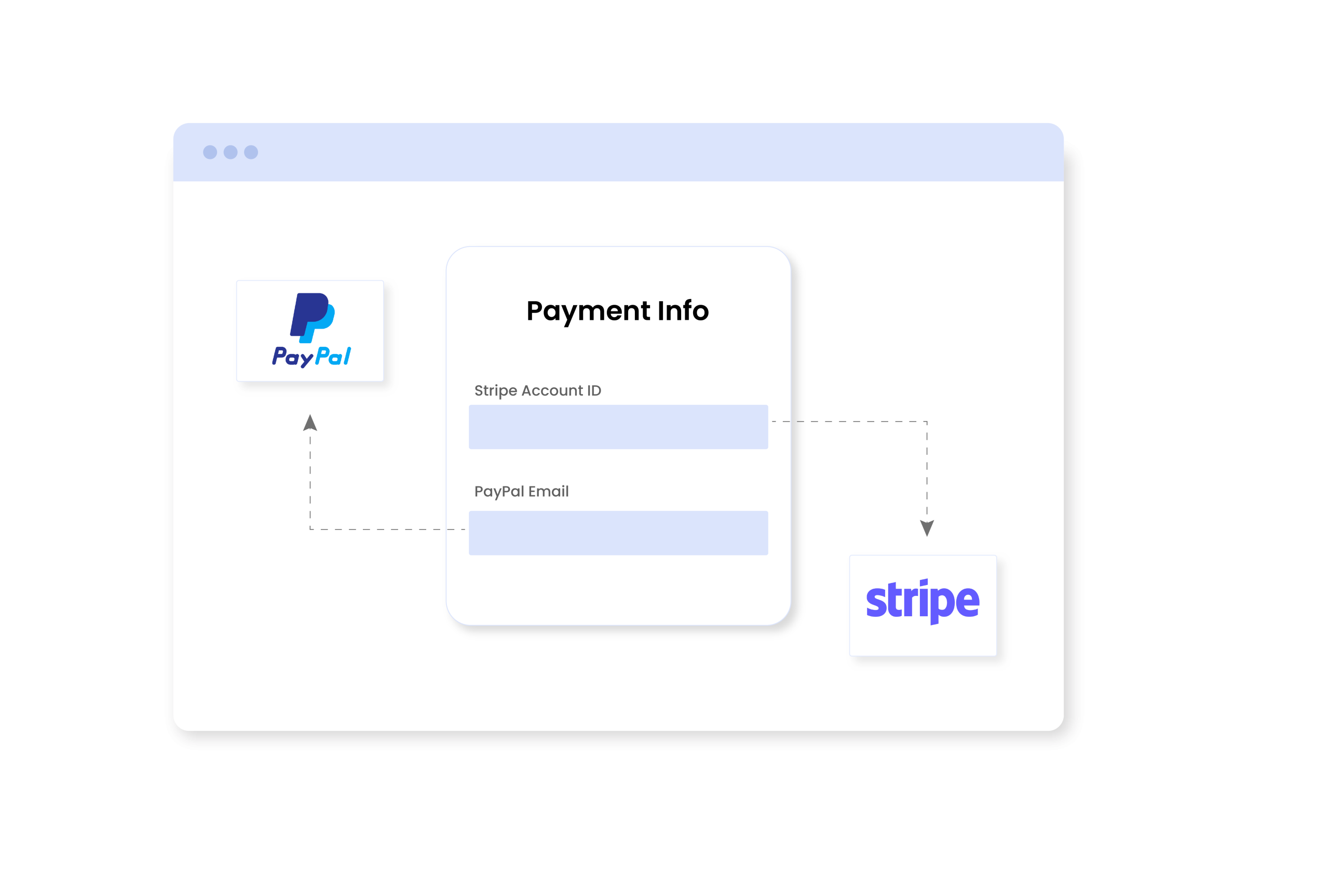
Pay Affiliates Using Stripe or PayPal
With Affiliate Marketing WooCommerce extension, you can offer payouts using secure payment gateways like Stripe and PayPal. This helps you improve the entire payment process and builds trust among your affiliates.
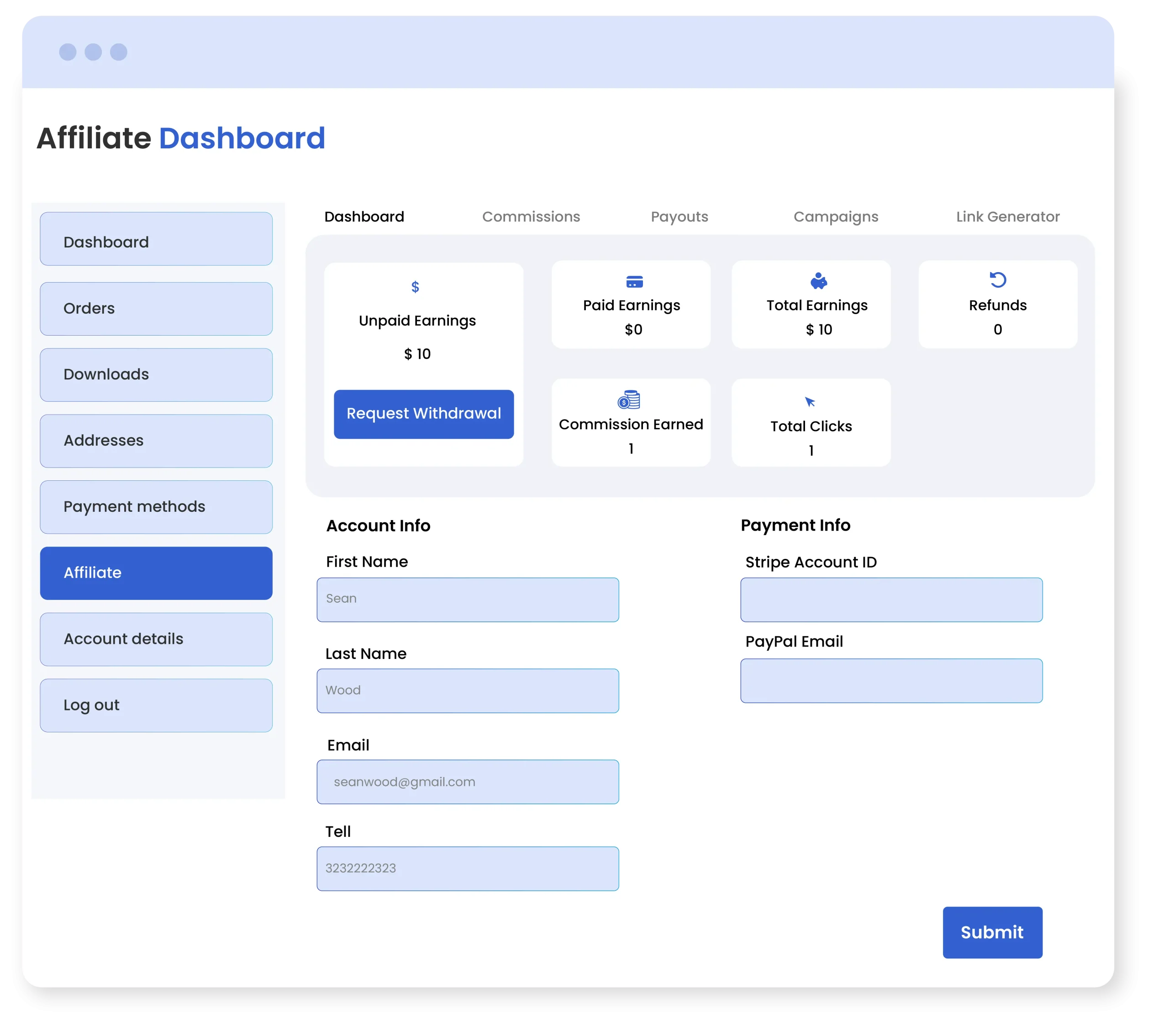
Advanced Dashboard for Affiliates
Affiliates can track their total earnings, refunds, paid commissions, and total clicks from a detailed dashboard. They can simply add new or update previous payment details and view separate logs for commission and payouts. From the same page, they can manage the entire campaign, generate multiple product referral links, analyze coupon campaigns, and withdraw earnings anytime they like.
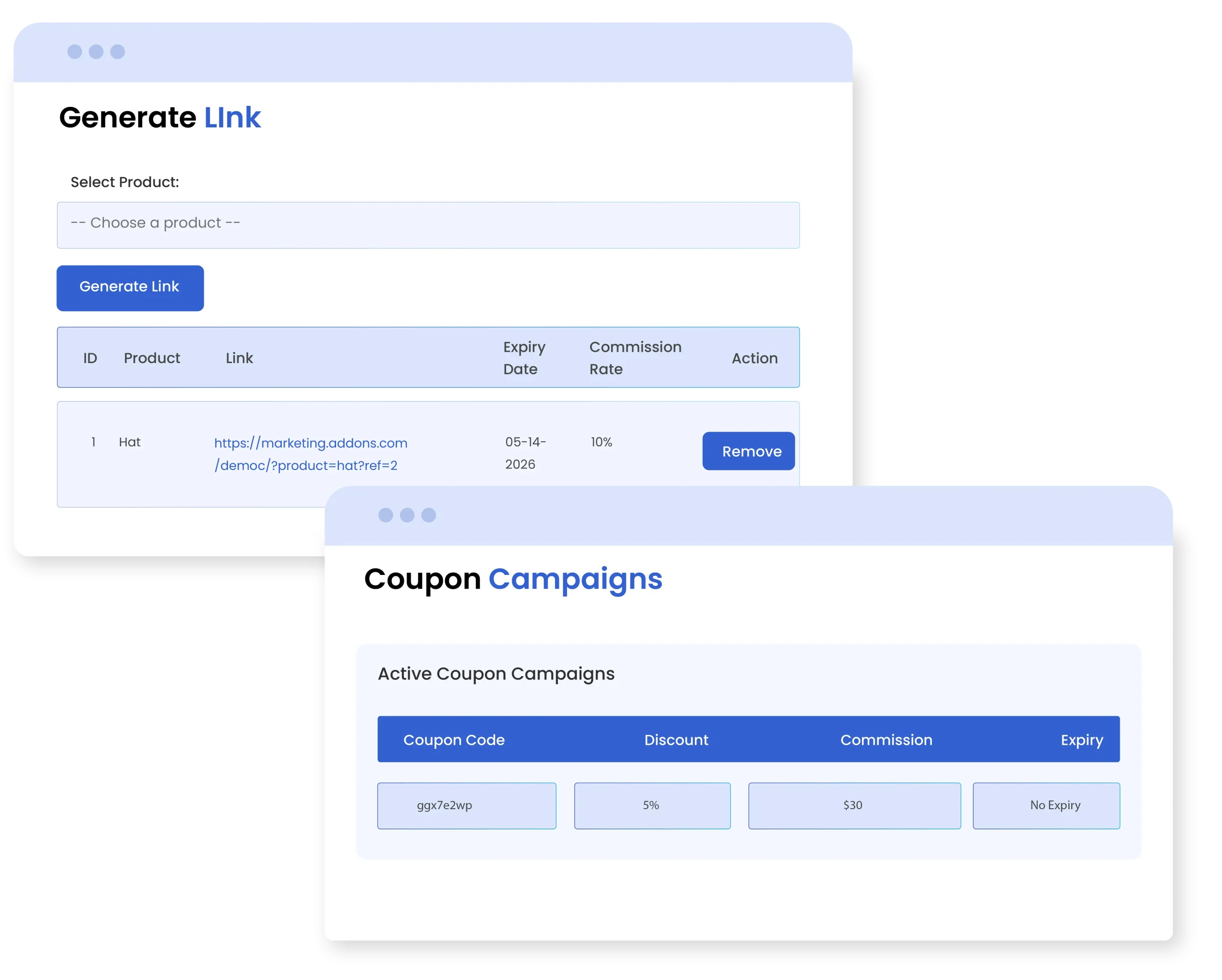
Allow Users to Promote Products Using Referral Links/Coupon
Admin can control how the product is promoted, allowing the affiliate to promote it via a referral link, a coupon code, or both.
Technical Compatibility
- Version1.0.0View changelog
- WooCommerce Version Required3.5.0 or higher
- WordPress version required4.6 or higher
- Multi-Site SupportYes
- LanguagesEnglish
- WPML CompatiblityWPML Supported
- TranslatableYes, Translation Ready
- CountriesWorldwide
Complete More Features List
- Create multiple affiliate campaigns for your store
- Enable affiliate program for specific:
- Products
- Categories
- Brands
- Add a minimum or maximum price range to include specific items for affiliate
- Inform affiliates about new campaigns via email
- Make affiliate commissions as:
- Fixed amount
- Percentage value
- Add custom commission rates:
- Per product
- Per user
- Globally
- Add an expiry date fr each affiliate campaign
- Get a separate log to manage the entire affiliate campaign
- For each customer, you can view the following details:
- Total earnings
- Paid earnings
- Unpaid earnings
- Commission earned
- Total clicks
- Refunds
- Manage account and payment details for each affiliate individually
- Set a withdrawal limit for each customer
- Choose to add manual or automatic payout rules
- View and manage payout details from a separate log
- Set the custom payout amount for each user manually
- Choose from the following payment methods:
- Direct bank transfer
- Credit / Debit card
- Stripe
- PayPal
- Set a payment threshold before releasing commissions
- Make payouts dependent upon custom:
- Dates
- Days
- Style affiliate registration form using custom fields
- Select affiliate requests default status as:
- Pending
- Rejected
- Choose to exclude specific users from being registered as affiliates
- Block specific affiliates from the campaign
- Add multi-tier pricing to offer higher or lower commissions
- Choose to restrict or allow self-reffreals
- Allow users to generate as many referrals links as they want
- Admins can view the following details from the dashboard:
- Commission rates
- Commission earned
- Refund status
- Products
- Order ID
- Top affiliates
- Customers can use coupons for affiliate links and discounts .
FAQs
How can users join the WooCommerce affiliate program?
Customers can visit your store and click on “Register as an Affiliate” from the main menu. By filling out a registration form, they can submit a request, which can then be approved manually or automatically by the admin.
Q2. How do affiliates promote products?
Affiliates can promote products using unique referral links or coupon codes, which they can share with their audience.
Can affiliates track their performance?
Yes, affiliates get access to a detailed dashboard where they can view total clicks, earnings, commissions, and payout history.
How can we manage affiliate payouts?
Admins can choose between automatic and manual payouts. Manual payouts are released by adding a custom commission for each affiliate individually. While automatic payouts require a specific threshold or a custom date/day to get released.
Can I run multiple affiliate campaigns at once?
Yes, you can create and manage multiple Wordpress and WooCommerce affiliate program by adding different rules, commissions, and conditions.
Customer reviews
Showing 1–6 of 0 reviews