


Attribute Price Markup & Discount For WooCommerce
As your store grows, manually updating prices for numerous products with multiple attributes and terms is both time-consuming and error-prone. Applying the wrong discounts or marking down prices for the wrong products can cost you alot of money and precious time. To do so efficiently, you can make use of the Attribute Price Markup and Discount plugin.
The extension lets you assign new prices to multiple product attributes and terms in bulk or individually. You can quickly choose from five price adjustment options to assign fixed, markup, or discount prices. The changes can be applied to regular or sale prices, and you can restrict price changes by user roles to target the right audience.
Features:
- Bulk assign prices to product attributes & terms through custom rules
- Attach fixed or choose to markup or discount prices
- Assign new prices to product attributes and terms individually
- Choose from 5 price adjustment modes to update sale or regular prices
- Restrict price changes by user roles
-

Marketplace Verified
-
Extension Partner
$4.08/month
Billed annually at $49 for 1 year
- 1 year free support
- 1 year extension updates
30 DAYS MONEY BACK GUARANTEE
Your money is secure with our buyer protection. Claim a full refund for any reason.
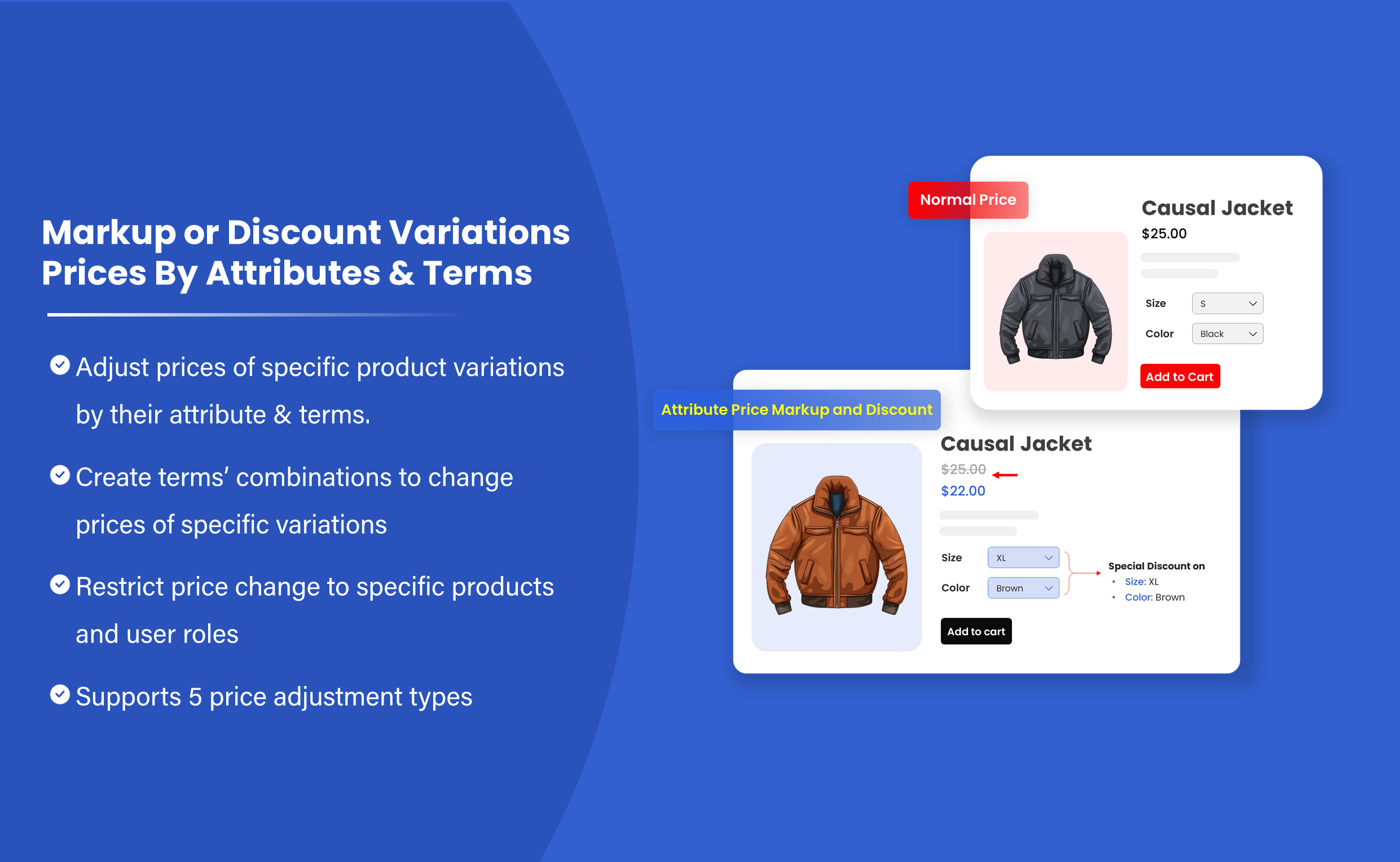
Detailed Features of Attribute Price Markup and Discount For WooCommerce
Where to Markup & Discount Prices by Attributes & Terms?
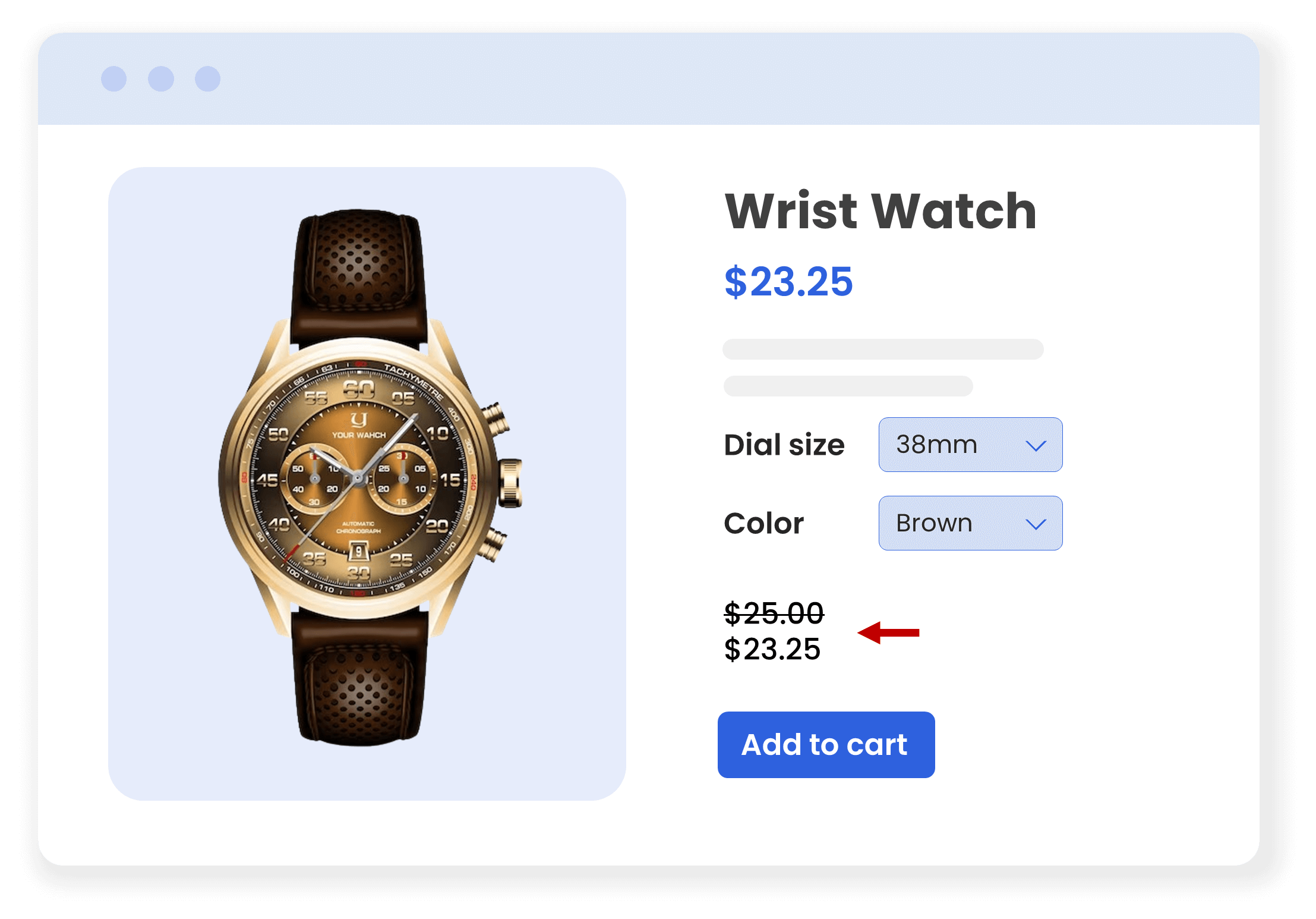
Discounted Prices
- 10% and 5% off on watches with dial sizes of 38mm & 42mm
Fixed Prices
- Assign $30 and $25 to metallic and silicon phone cases
Markup Prices
- 10% & 20% markup on silicon and leather smartwatch straps
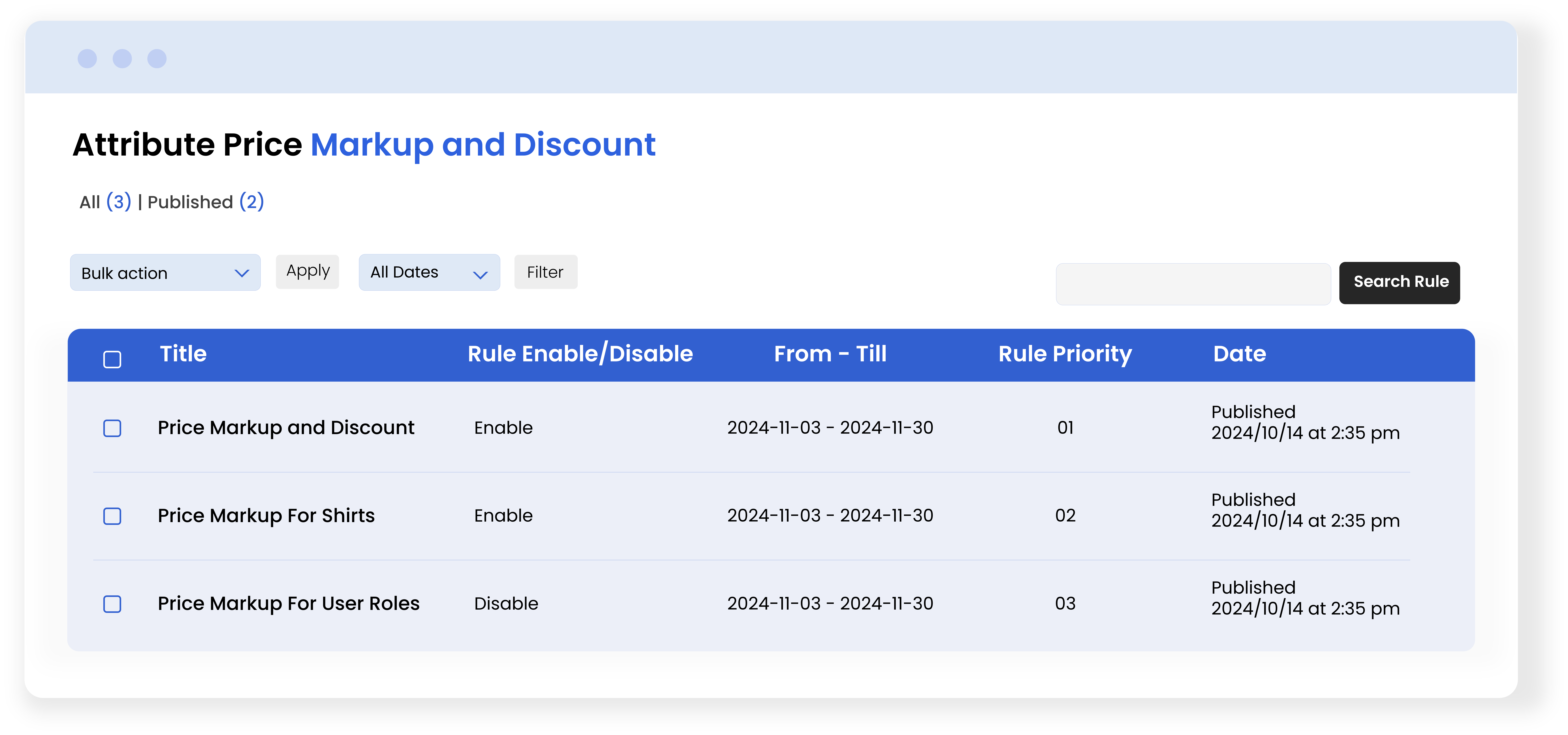
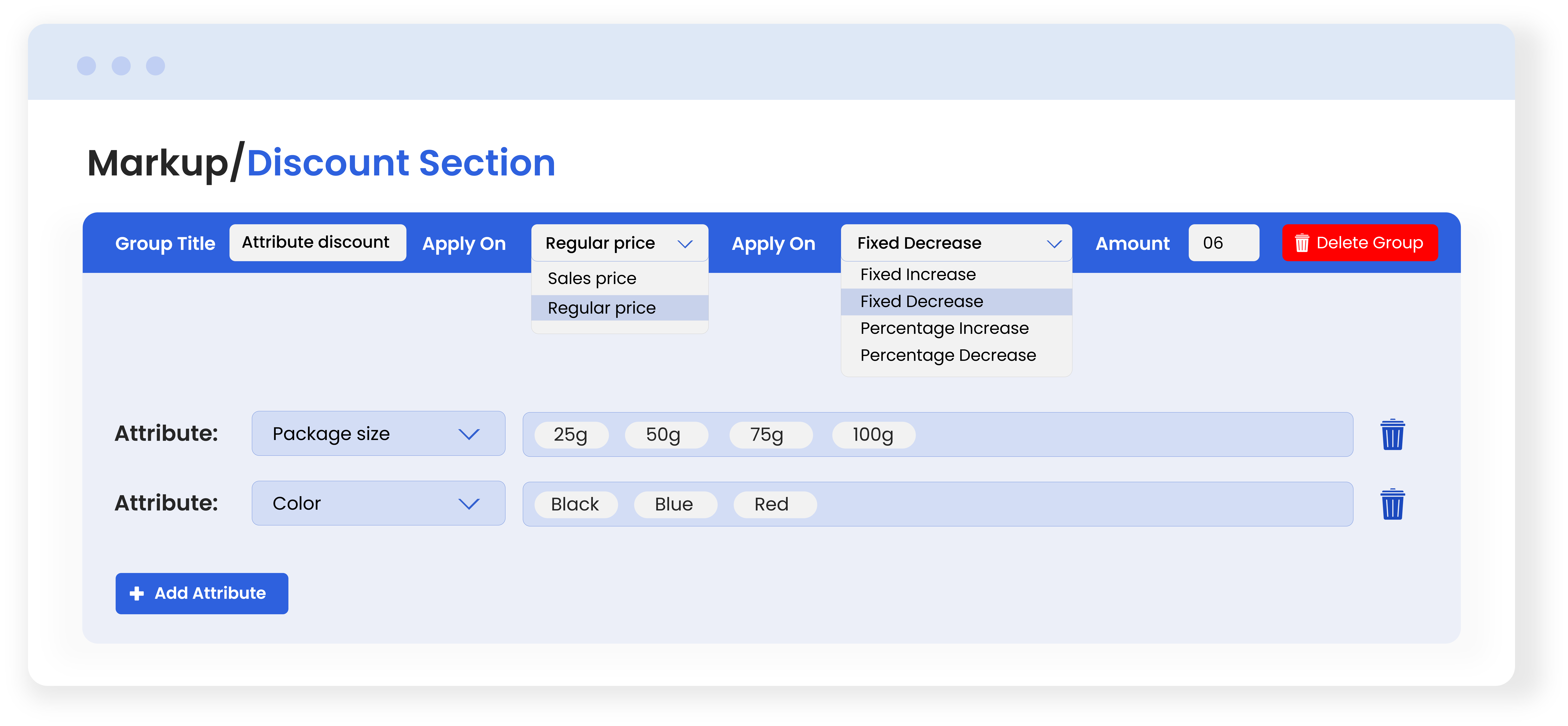
Assign New Prices to Multiple Product Attributes and Terms - Global Rules
Save time on updating prices by creating multiple rules. Choose the desired products and create groups of multiple attributes and terms you would like to make changes to.
Choose to markup or discount prices as you like with 5 price adjustment modes. Instead of changing prices manually, use the plugin’s rule-based feature. This will minimize the chances of errors and help you keep prices updated.
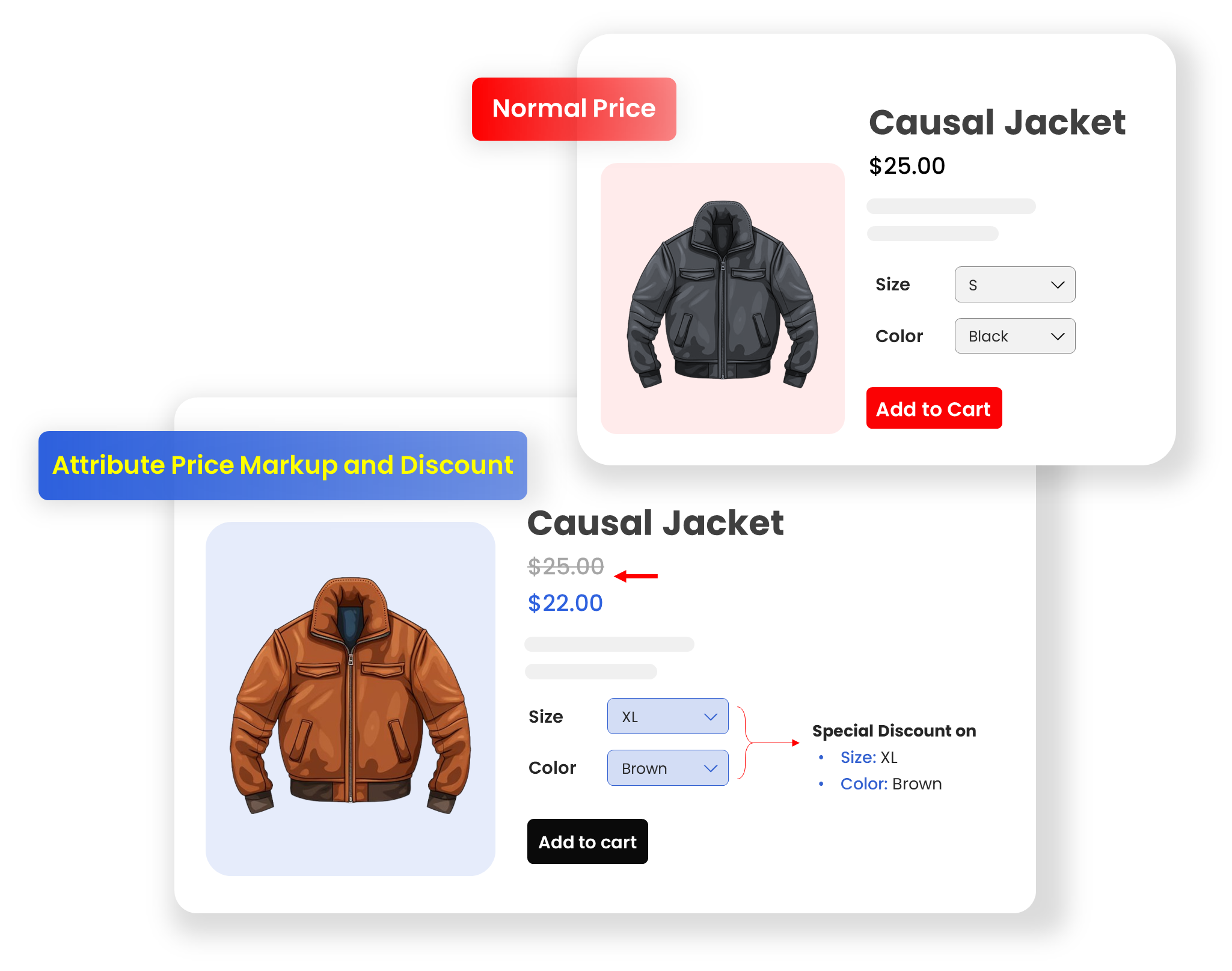
Markup or Discount Prices at Attribute and Term Level
Apart from making changes in bulk, the plugin also allows you to update prices for individual items at the product attribute and term level (Not available by default in WooCommerce).
With the plugin, you can select the desired attribute or term from the Products section and increase or decrease the price as you like. Choose from 5 price adjustments to quickly increase or decrease sales or regular prices.
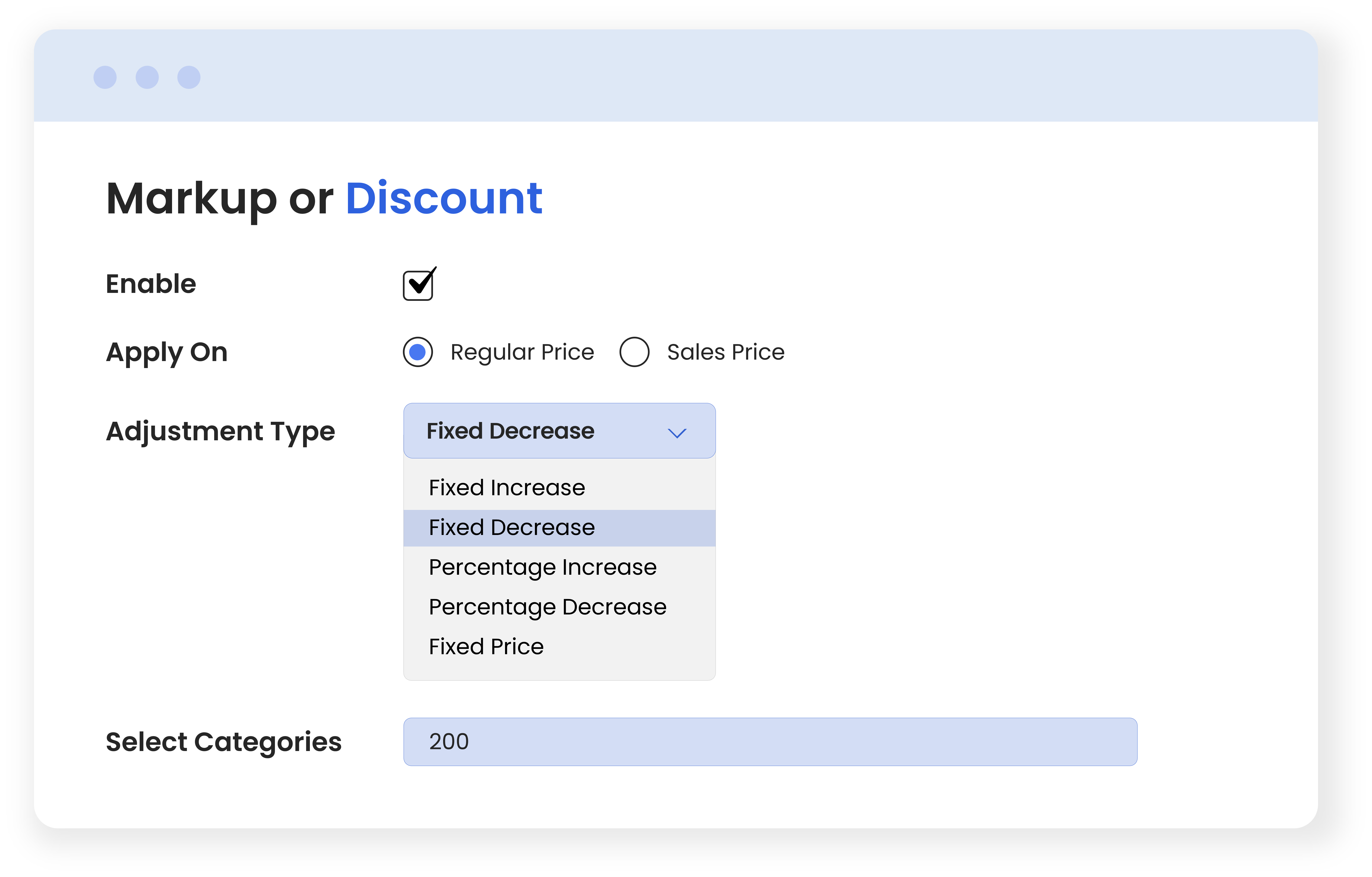
Choose to Increase or Decrease Prices - 5 Price Adjustment Modes
Quickly increase or decrease prices with a few clicks. You can assign a fixed price or choose to increase/decrease sales or regular prices using the following options:
- Fixed Price
- Fixed Increase
- Fixed Decrease
- Percentage Increase
- Percentage Decrease
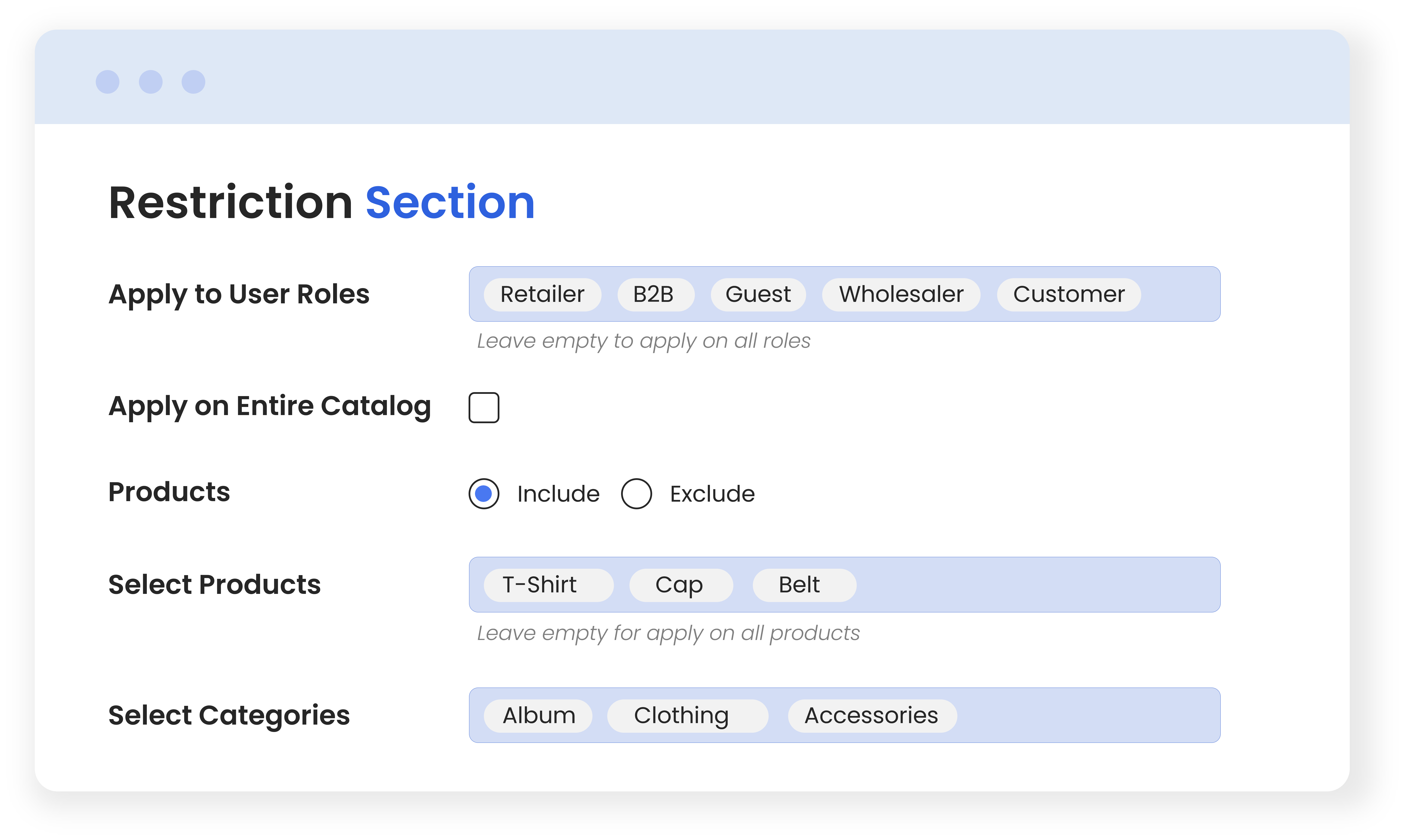
Restrict Prices by Products, Categories and User Roles
Offer specific prices to specific customers for desired products and categories. Apply restrictions to optimize your pricing strategy for the right products and the right audience. Using the plugin, you can choose to update prices for product attributes and terms for all or specific products and categories. Additionally, you can choose to exclude or include selected products and categories as needed.
Technical Compatibility
- Version1.0.0View changelog
- WordPress Version Required4.0.0 or Higher
- WooCommerce Version Required 3.5.0 or Higher
- Multi-Site SupportYes
- LanguagesEnglish
- TranslatableYes, Translation Ready
- CountriesWorldwide
More Features
- Create multiple rules to markup or discount prices
- Restrict price changes by desired user roles
- Apply price changes on the entire catalog or selected items
- Markup or discount product attributes and terms in bulk or individually;
- Select product attributes and terms to apply changes
- Offer discounts on cart level choose Discount Rule Type
- Sale Price
- Regular price
- Add a custom title for each group
- Add discount or markup amount on which price adjustment modes will apply;
- Update prices by choosing from the following price adjustment types:
- Fixed price
- Fixed increase
- Fixed decrease
- Percentage increase
- Percentage decrease