


Shopify Hide Shipping Methods
Control your checkout flow with Shopify Hide Shipping Method. The app helps you create flexible shipping rules that show or hide shipping methods based on products, cart quantity, shipping country or code, customer status, and other conditions. When conditions are met, it shows only the shipping method that is applicable to the customer’s order, making the checkout clearer, reducing confusion, and helping create a smoother shopping experience.
Key Features
- Apply flexible shipping rules with complete checkout control
- Show or hide shipping methods based on products, tags, or collections
- Set shipping rules by location, cart value, quantity, and weight
- Automatically hide shipping methods when conditions fail.
- Display only relevant shipping methods at checkout
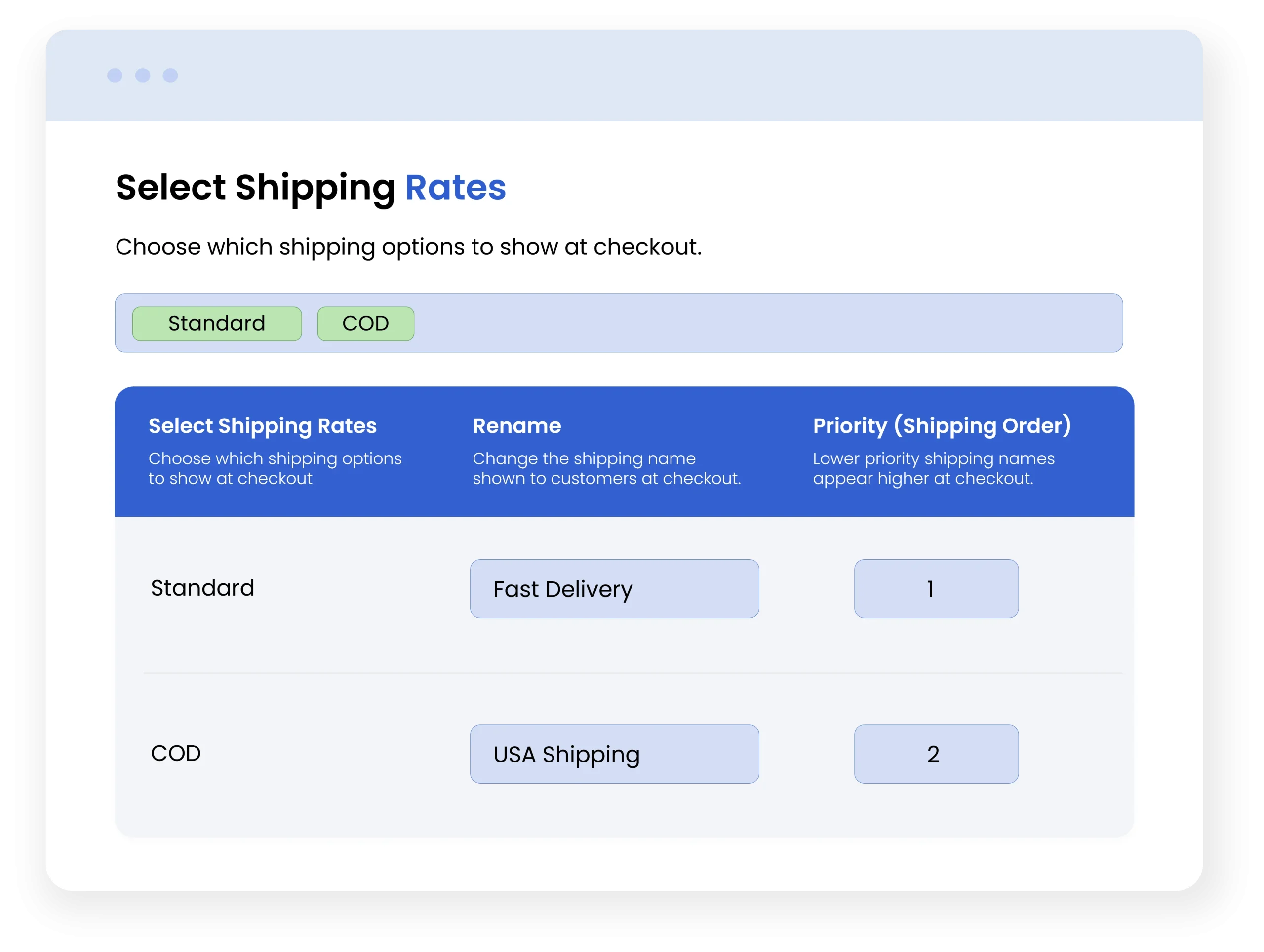
- Rename and reorder shipping methods for a clearer checkout experience

Shopify Market Place Approved. View Listing
-
Marketplace Verified
-
Extension Partner
- 1 year free support
- 1 year extension updates
30 DAYS MONEY BACK GUARANTEE
Your money is secure with our buyer protection. Claim a full refund for any reason.
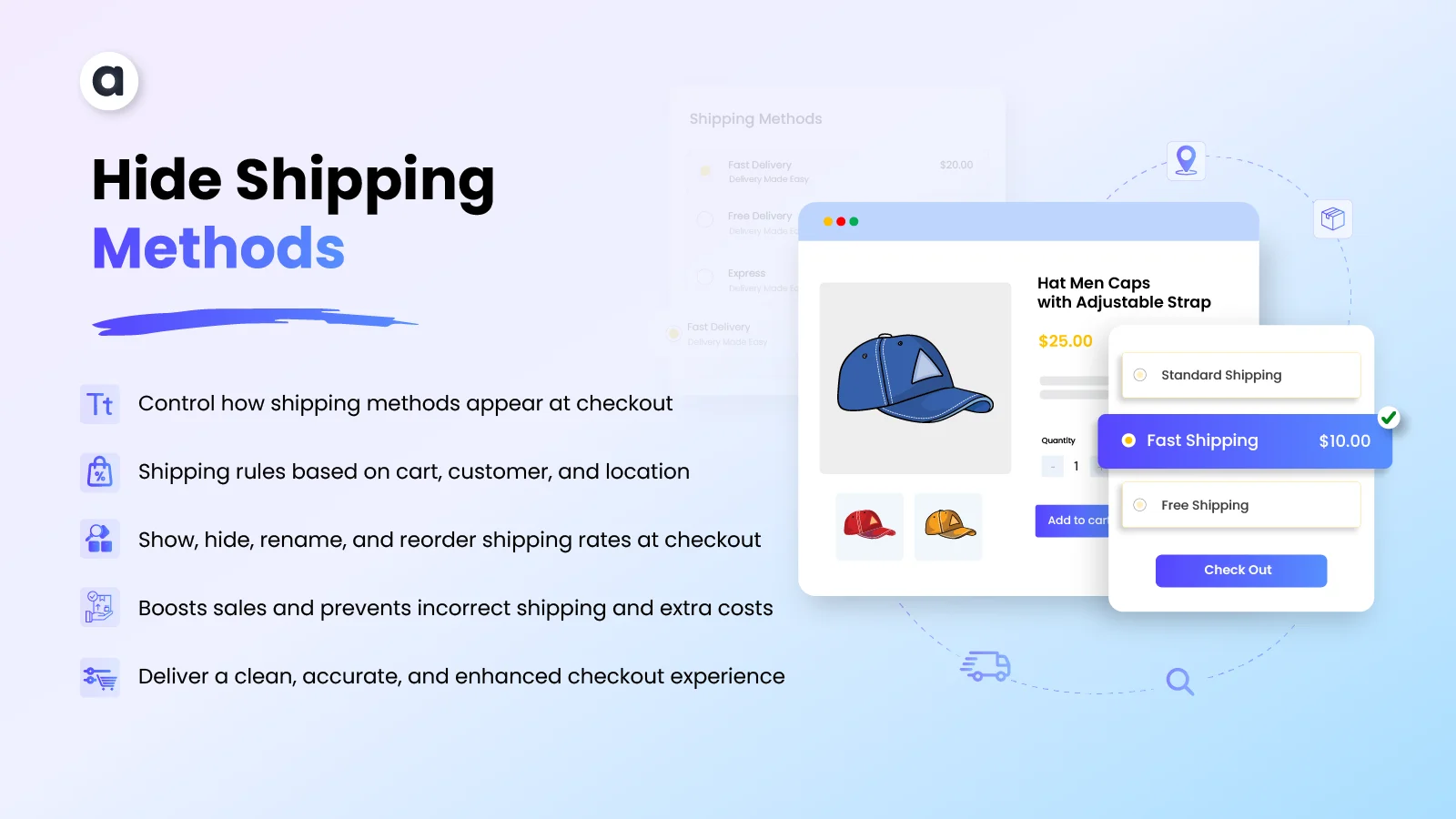
Detailed Features of Hide Shipping Methods
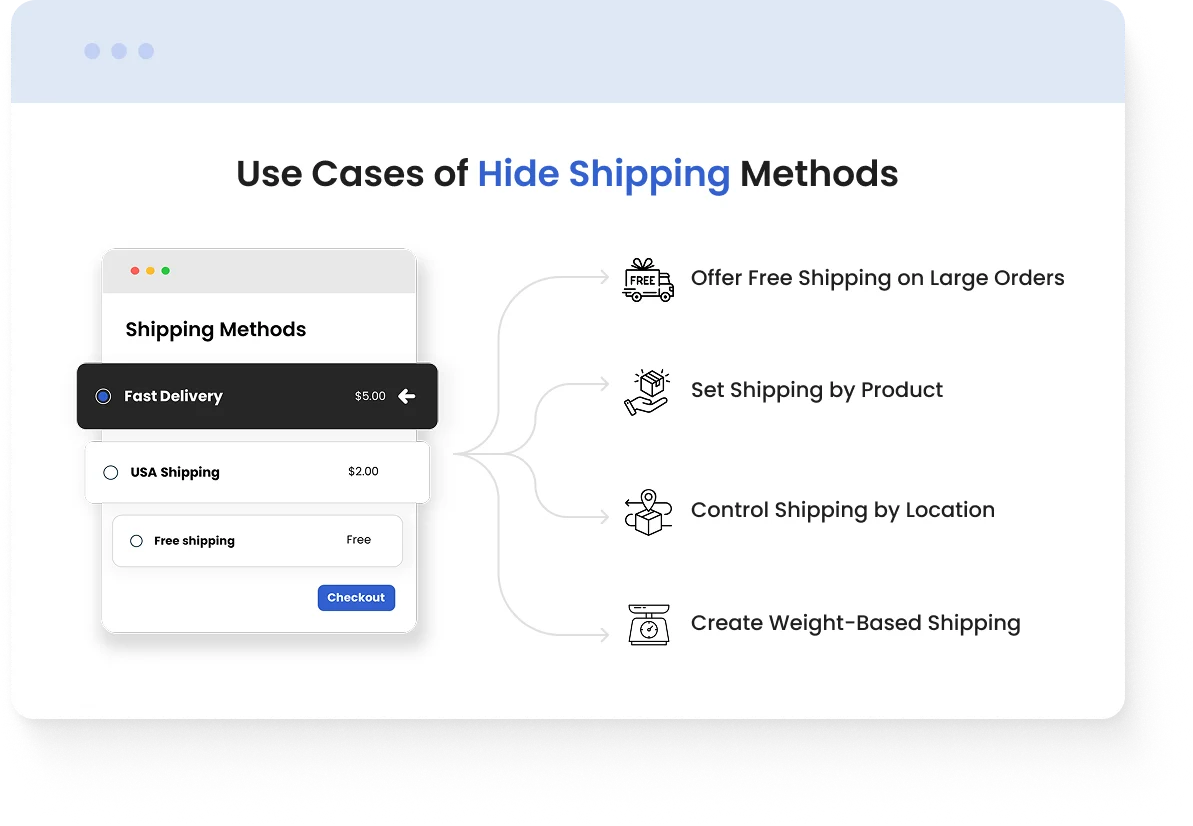
Use Cases
- Offer Free Shipping on Large Orders: A store can show free shipping when a customer’s cart reaches a specific subtotal, such as $100 or more.
- Set Shipping by Product: A store can display specific shipping methods for products that require special handling, such as fragile, oversized, or heavy items.
- Control Shipping by Location: A store can show different shipping options based on the customer’s country, city, or ZIP code.
- Create Weight-Based Shipping: A store can display suitable shipping methods based on the total weight of the cart, such as standard shipping for light orders and cargo/truck shipping for heavy orders.
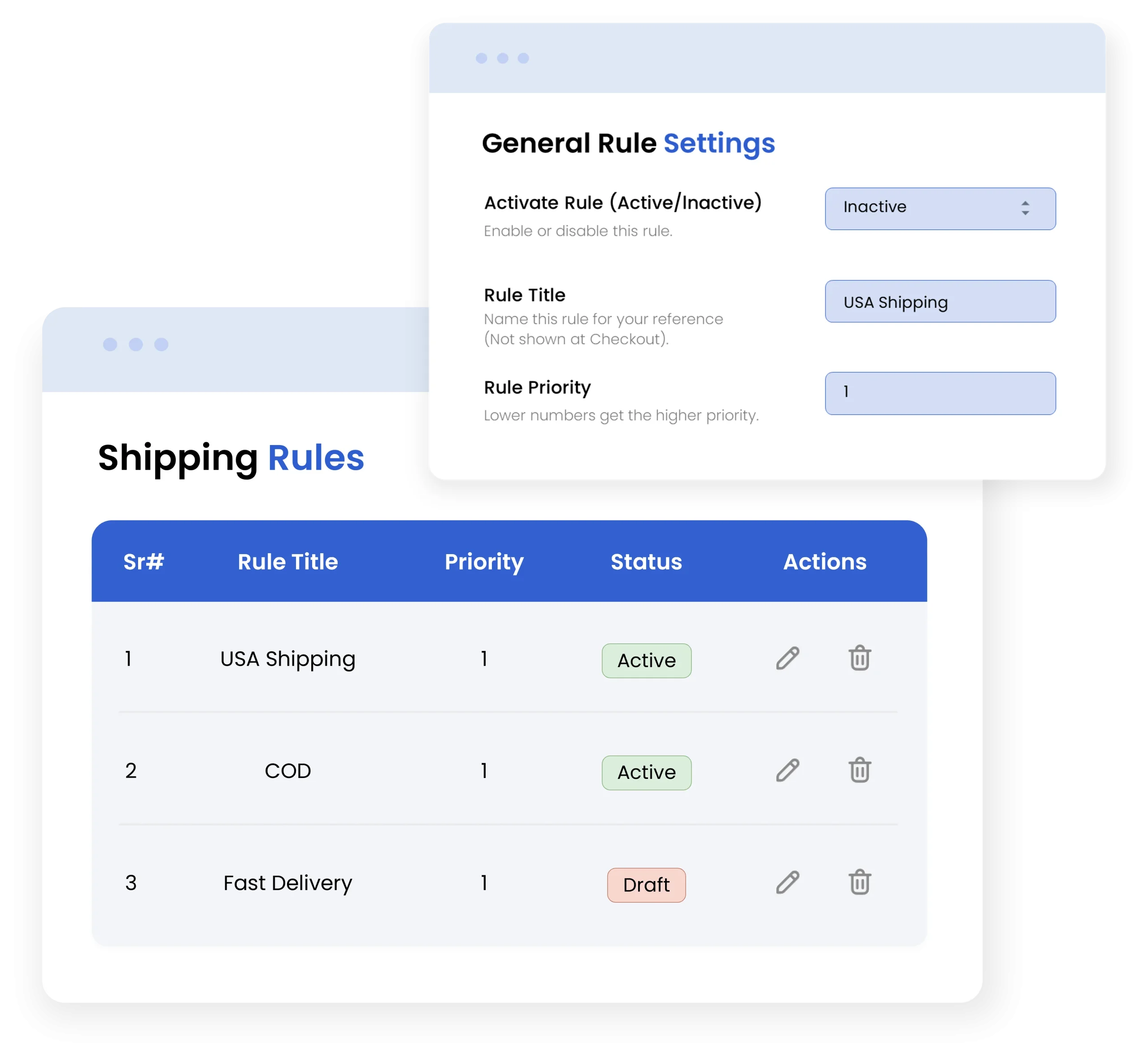
Customize Shipping Rules to Match Your Business Needs
Create multiple shipping rules tailored to your business and customize shipping logic to match your store’s requirements. Easily manage, enable, or disable rules anytime, giving you complete control over how shipping rates are displayed and applied at checkout.
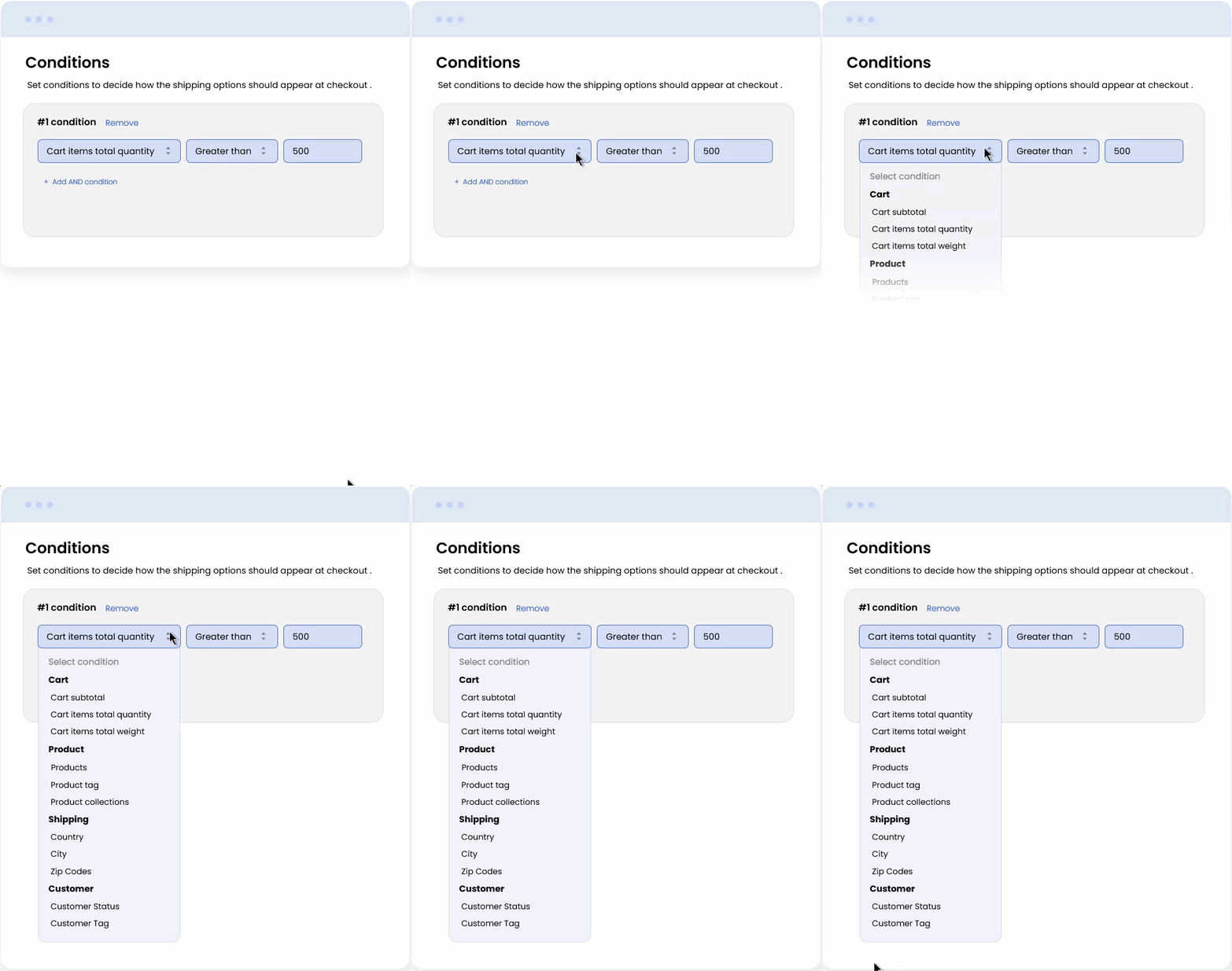
Apply Conditional Shipping Easily
You can easily add multiple conditions to create flexible shipping rules according to your store’s requirements
Customize shipping based on
- Products and collections
- Cart amount and quantity ranges
- Specific customers or customer groups
- Shipping location and more
Create Powerful Shipping Conditions
Create detailed shipping logic with flexible conditions that adapt to your store’s needs. Set precise shipping method rules while keeping the setup simple and easy to manage.
- Combine multiple conditions to control when a rule applies.
- Choose whether all conditions or any matching condition should trigger a rule.
- Add, edit, or remove conditions as your shipping requirements change.
- Build advanced shipping logic without a complicated setup.
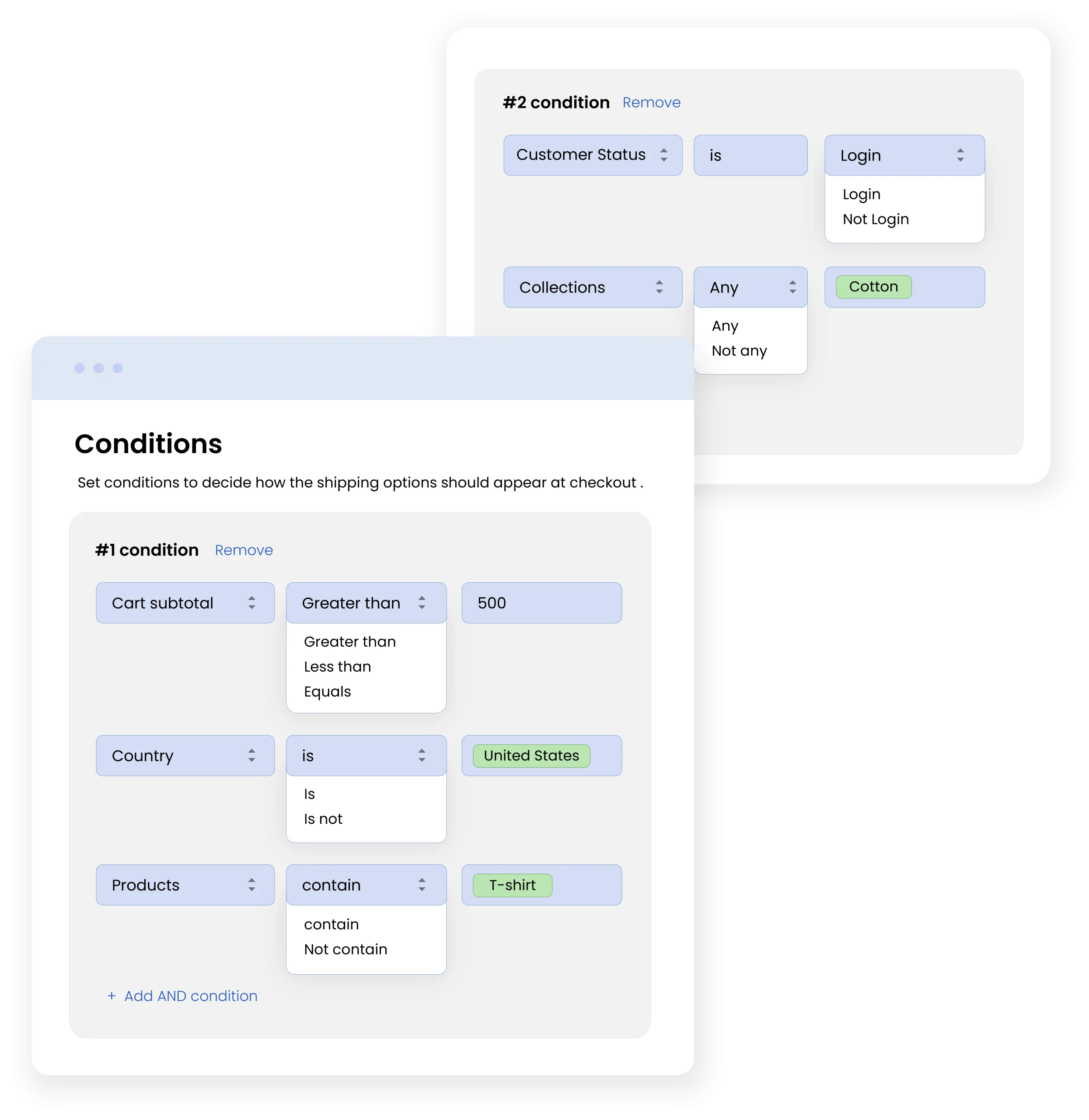
Control Shipping Method Rules at checkout
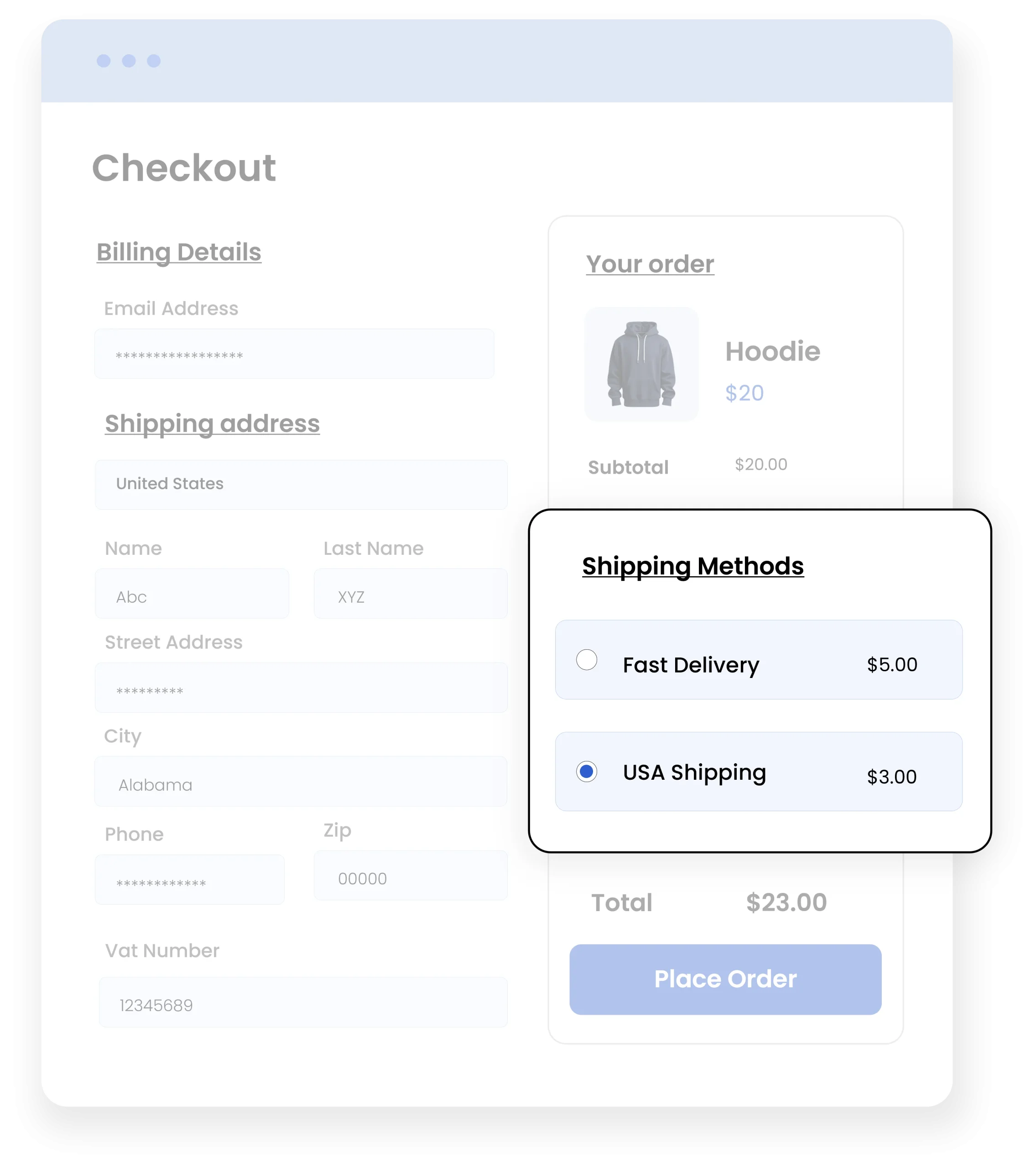
Take control of the shipping options customers see at checkout for a smoother and more accurate experience.
- Show only the right shipping methods at checkout
- Ensure accurate shipping rates
- Reduce customer confusion
- Deliver a faster, more reliable checkout experience
Complete Features List
- Enable or disable the app anytime without removing your settings.
- Activate, inactivate, and manage individual shipping rules
- Set a rule priority to control which rules are processed first
- Build rules based on cart, products, customers, and location.
- Show shipping methods based on the total cart value.
- Set shipping options according to the number of items in the cart.
- Apply shipping rules based on total cart weight.
- Create shipping rules for customer statuses or tags.
- Show, hide, rename, and reorder shipping methods for specific products, tags, and collections.
- Control shipping methods by customer country, specific cities, ZIP codes, or postal codes.
- Apply a rule when all selected conditions are met for greater precision.
- Apply a rule when any selected condition is met for greater flexibility.
- Use greater than, less than, or equal to define each condition.
- Prevent irrelevant shipping methods from appearing at checkout.
- Create separate rules for different products, customers, locations, or order types.