


PrestaShop Activate Deactivate Product Combinations Module
Easily manage product combinations and optimize catalog display using PrestaShop Activate Deactivate Product Combinations Module. You can simply make product combinations available or unavailable for a certain time period. Admins can hide out-of-stock combinations, display them as a single product, and restrict visibility based on products, categories, and user roles.
Moreover, you can choose to reactivate combinations automatically and manage their bulk updates via CSV file. With just one click, display combinations on product pages, maintain a simple catalog, activate them during seasonal sales, and have full control over the entire process.
Prefer buying from the Official PrestaShop Addons Marketplace? Check out our module Here
Key Features
- Activate or deactivate product combinations on desired dates.
- Set deactivated combinations to auto-activate with a single click
- Manage deactivated product combinations from a separate log
- Display combinations as a single product on home & product pages
- Show deactivated combinations as out-of-stock items or hide them completely
-

Marketplace Verified
-
Extension Partner
$79$69 Now
then billed annually at $20 / year and a $49 sign-up fee
- 1 year free support
- 1 year extension updates
30 DAYS MONEY BACK GUARANTEE
Your money is secure with our buyer protection. Claim a full refund for any reason.
Detailed Features of PrestaShop Activate Deactivate Product Combinations Module
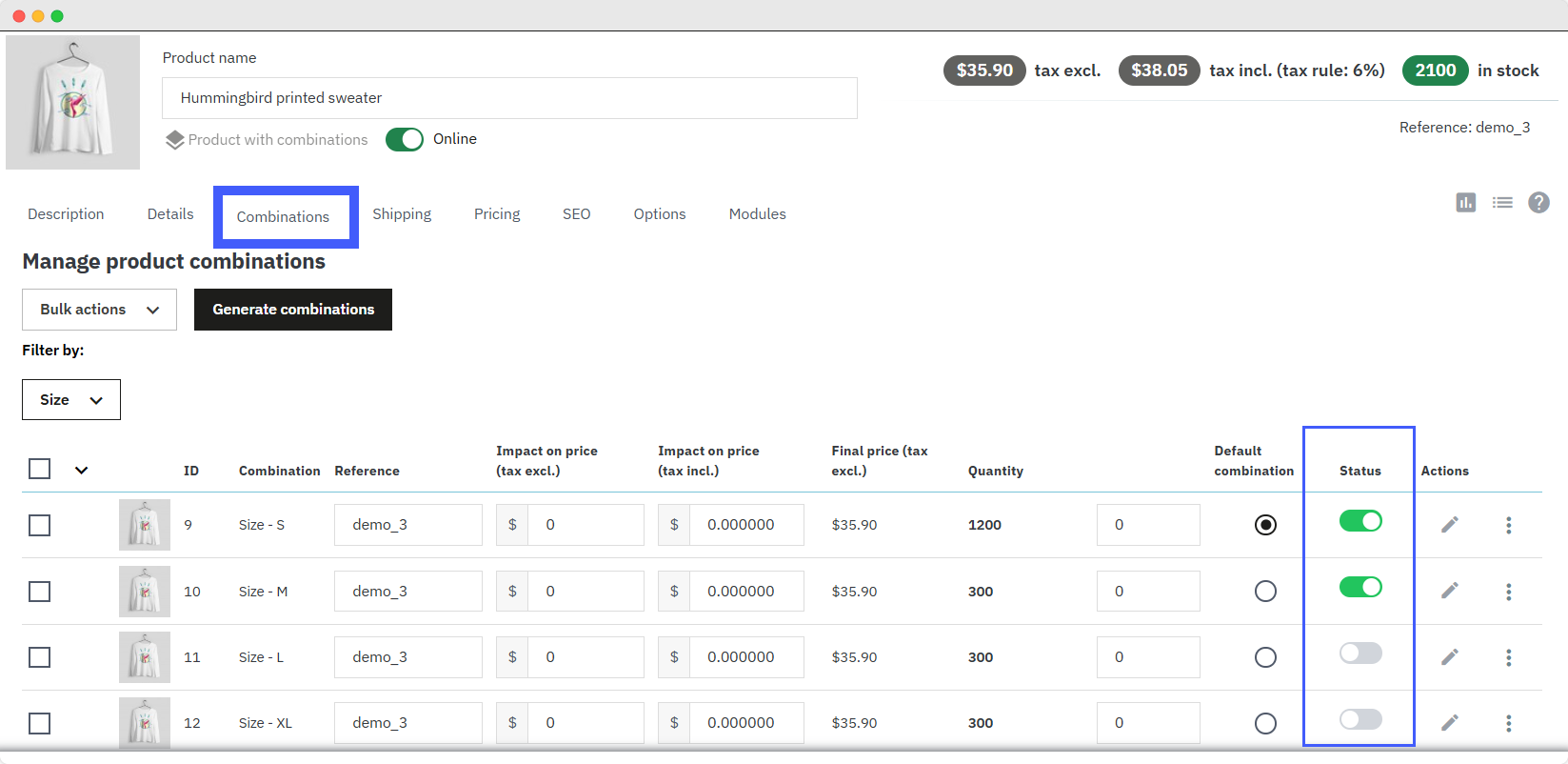
One Click Activate/Deactivate Product Combinations
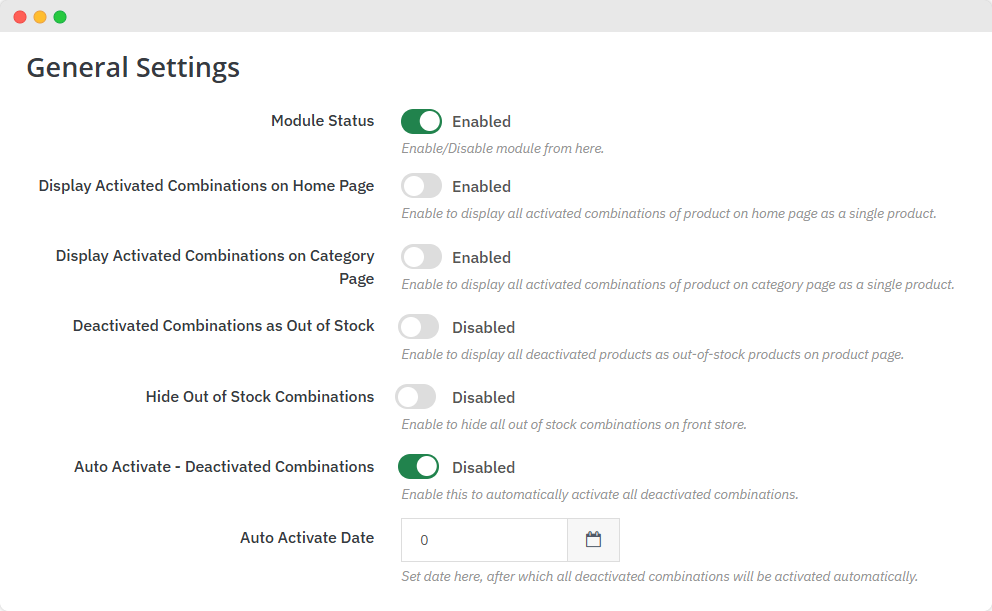
PrestaShop Smart Product Combinations Module gives you full control to manage product combinations. You can easily activate/deactivate product combinations, display them as a single product, hide out-of-stock variations, and auto-activate them on any custom date. Moreover, admins can define visibility rules for different Customer groups, Products, Categories, Manufacturers, and Suppliers. Simply optimize your catalog display and schedule reactivation for specific dates or promotional periods.
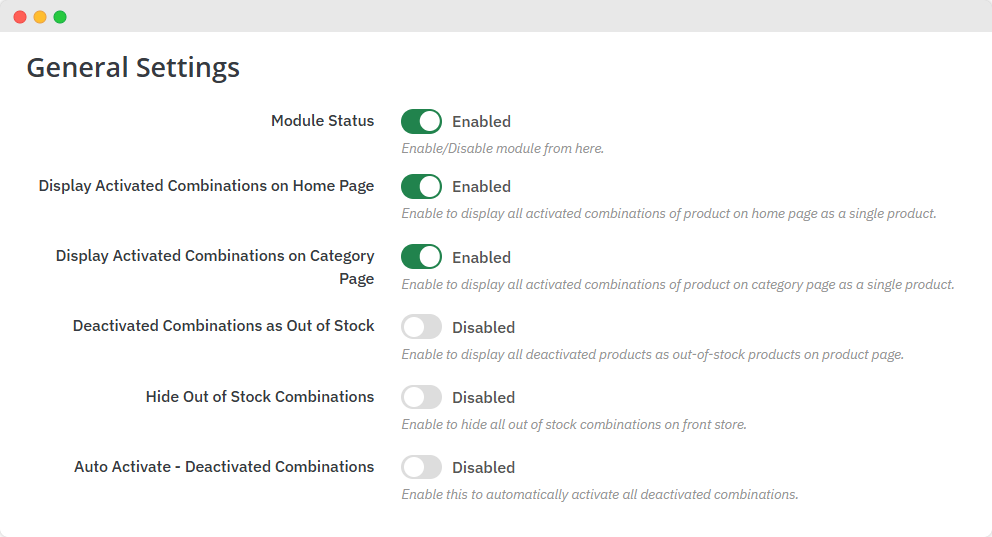
Display Active Product Combinations as a Separate Product
PrestaShop activate/deactivate product combinations module allows you to display product combinations as individual products on home and category pages. This means that each combination gets its own unique product listing, allowing customers to easily compare every variation in detail.
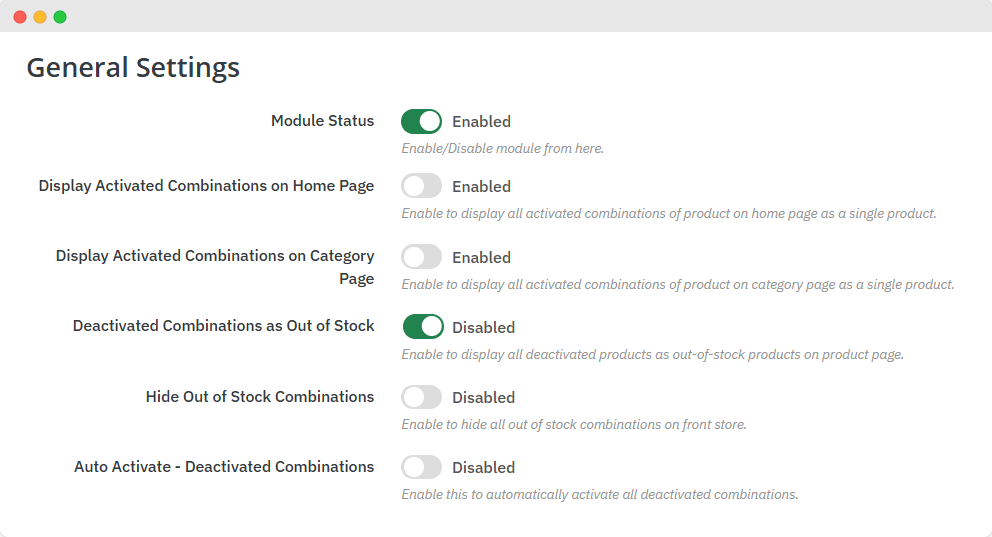
Display Deactivated Combinations as Out of Stock
Instead of hiding or removing out-of-stock combinations, you can simply make them unavailable for the customers and automatically restore their availability once the stock is updated. This transparency helps you retain SEO value and maintain a smooth shopping experience. Alternatively, admins can completely hide out-of-stock combinations from the store and present a clean and organized catalog layout.
Reactivate Product Combinations on a Scheduled Date
By using PrestaShop Product Combinations Module, you can set automation rules to automatically reactivate deactivated combinations on any desired date. This means that you can easily bring high-demand variations back during seasonal sales and boost revenue during peak shopping seasons.
Control Combination Visibility with Rules
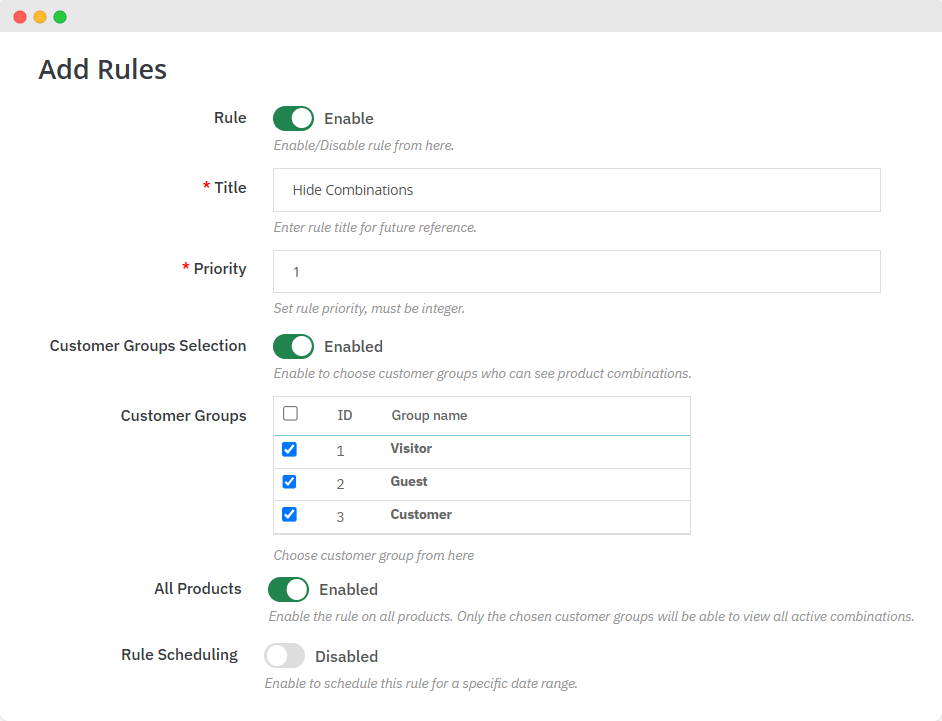
You can simply create rules to decide which combinations will be visible to whom. Following are the settings for rule implementation:
- Restrictions: Choose to restrict product combinations for specific products, categories, manufacturers, suppliers, and user roles. For example, you can show premium combinations to VIP members while hiding those for regular users.
- Rule Priorities: Add priority to each rule and control its hierarchy.
- Rule Scheduling: Select specific dates to automatically activate or deactivate rules as needed.
Manage Combinations in Bulk
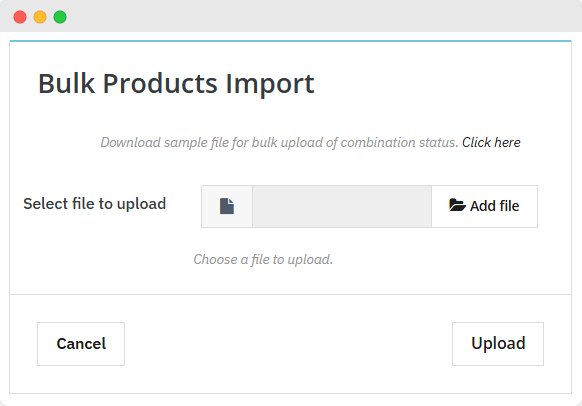
By using PrestaShop activate deactivate combinations module, you can simply manage large catalogs with ease. Simply download a sample CSV file, make bulk changes to combination statuses, and upload it back to activate or deactivate multiple combinations in one click.
View and Manage Deactivated Combinations
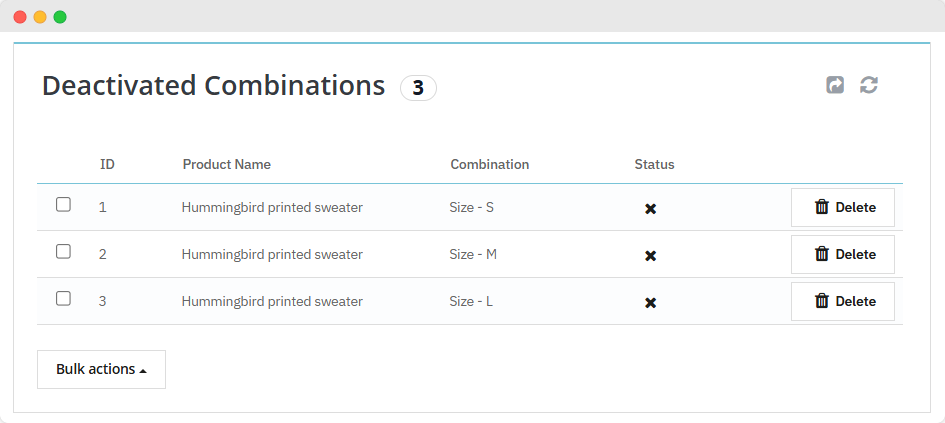
Module allows you to view all deactivated combinations from a separate log. Admins can review, filter, and reactivate combinations directly from the grid, making the entire process simple and efficient.
Technical Compatibility
- PrestaShop CompatibilityV1.7.0.0 - V9.0.0
- Current Version1.0.0
- Compatibility MultiShopYes
- LanguagesEnglish, German, Italian, French, Spanish, Polish, Portuguese, Dutch
More Features
- Display combinations as an individual product on home & category pages
- Show deactivated combinations as out-of-stock products
- Control product combination visibility by specific:
- Customer groups
- Product
- Categories
- Manufacturers
- Suppliers
- Apply visibility rules by specific products, categories, suppliers, and manufacturers
- Activate or deactivate product combinations easily
- Prioritize rules for complete automation
- Schedule visibility rules by adding custom start and end dates
- Bulk import and update combination statuses using a CSV file
- Choose to reactivate combinations on specific dates
- Manage deactivated combinations from one centralized tab
- Reactivate combinations at any selected time
Customer reviews
Be the first to get an exclusive offer and the latest news.