


Prestashop Advanced Pre Order Module
Turn any product into a pre-order and generate sales before it is officially launched. PrestaShop Advance Pre-Order module allows you to make upcoming or out-of-stock products available for pre-order. You can offer full, partial, or customer payment options and collect the required amount upfront. Admins can create multiple pre-order rules and restrict them to selected customer groups, products, or variants. Simply add a maximum order quantity, display live countdown timers, add specific payment options, and secure sales in advance.
Key Features:
- Make selected or out-of-stock products available for pre-order
- Offer full, partial, or custom payment options to customers
- Set a specific upfront payment percentage for customers
- Add a maximum pre-order quantity for each product
- Restrict pre-orders to specific customer groups
- Checkout – Complete Features of Prestashop Advanced Pre Order

V1.7.0.0 - V8.0.4
-
Extension Partner
$79$69 Now
then billed annually at $20 / year and a $49 sign-up fee
- 1 year free support
- 1 year extension updates
30 DAYS MONEY BACK GUARANTEE
Your money is secure with our buyer protection. Claim a full refund for any reason.
Features Of Prestashop Advanced Pre-Order Module
Make Any Product Available for Pre-Order
PrestaShop Advance Pre-Order module allows you to pre-sell products. You can let customers order upcoming or out-of-stock products before they are officially launched. Shop managers can create multiple pre-order rules, offer flexible payment options, and display live countdown timers to create excitement around new items. Easily generate early demand, secure multiple orders in advance, and increase your store’s overall revenue.
Sell Before You Stock
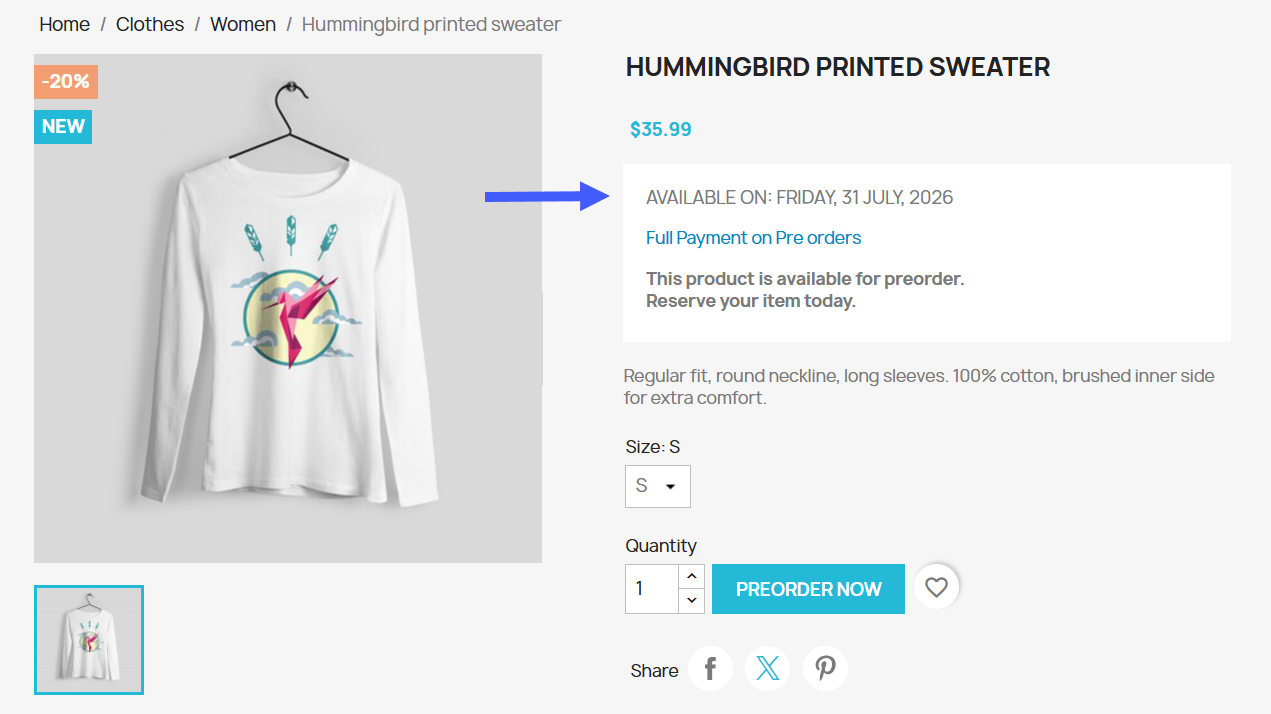
Merchants can make any product available for pre-order and start accepting orders before it is officially in stock. You can simply include any item, out-of-stock product, or specific product variant/combination for pre-order. For example, you can give customers the flexibility to purchase the premium range of the item before the launch and capture customer interest instantly.
Enable Flexible Payment Options
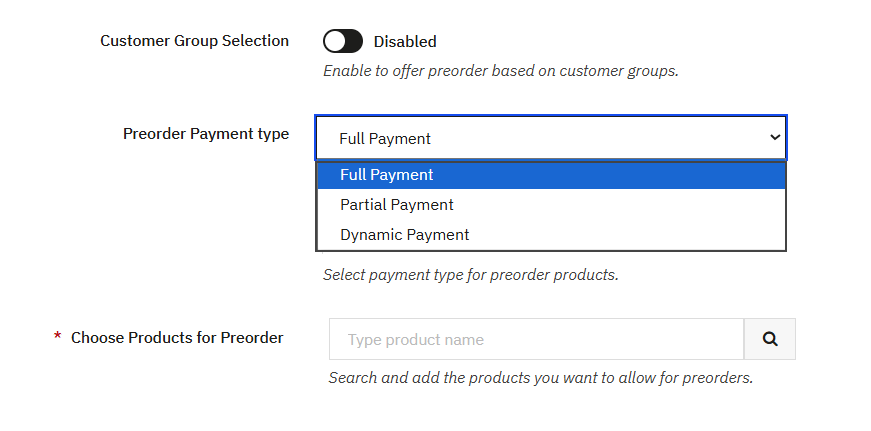
Admins can control how customers can pay for each pre-ordered product. You can choose to collect the full amount upfront, charge a fixed percentage as a partial deposit, or allow users to select a custom amount, while the remaining balance is collected once the product becomes available. You can also customize payment messages to clearly communicate the terms and use built-in price variables to automatically display the pre-order and original prices. Following are the available payment options:
- Pay in Full: Customers must pay the full product price at checkout
- Partial Payment: Customers can pay a portion of the price
- Custom Partial Payment: Customers can enter a custom amount to pay upfront
Create Targeted Pre-Order Rules
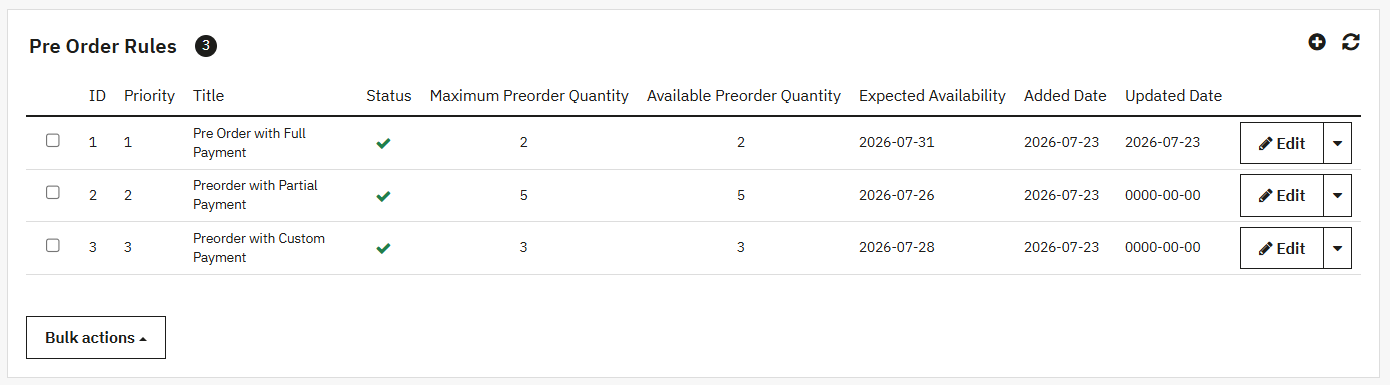
PrestaShop Advance Pre-order module allows you to create multiple pre-order rules. You can easily target specific customer groups and decide who can access pre-order products. Moreover, admins can also restrict the rule to specific products or combinations, set a maximum quantity per product, and add an availability date to keep customers in the loop.
Drive Urgency by Displaying Countdown Timers
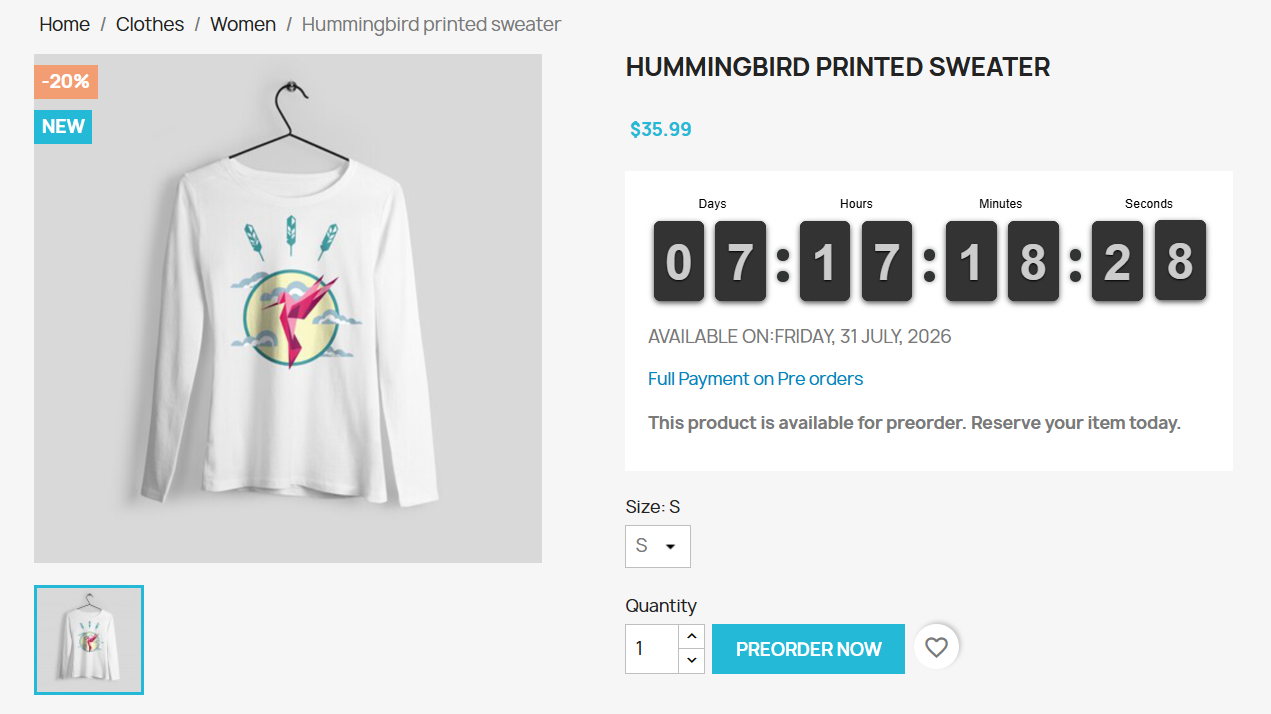
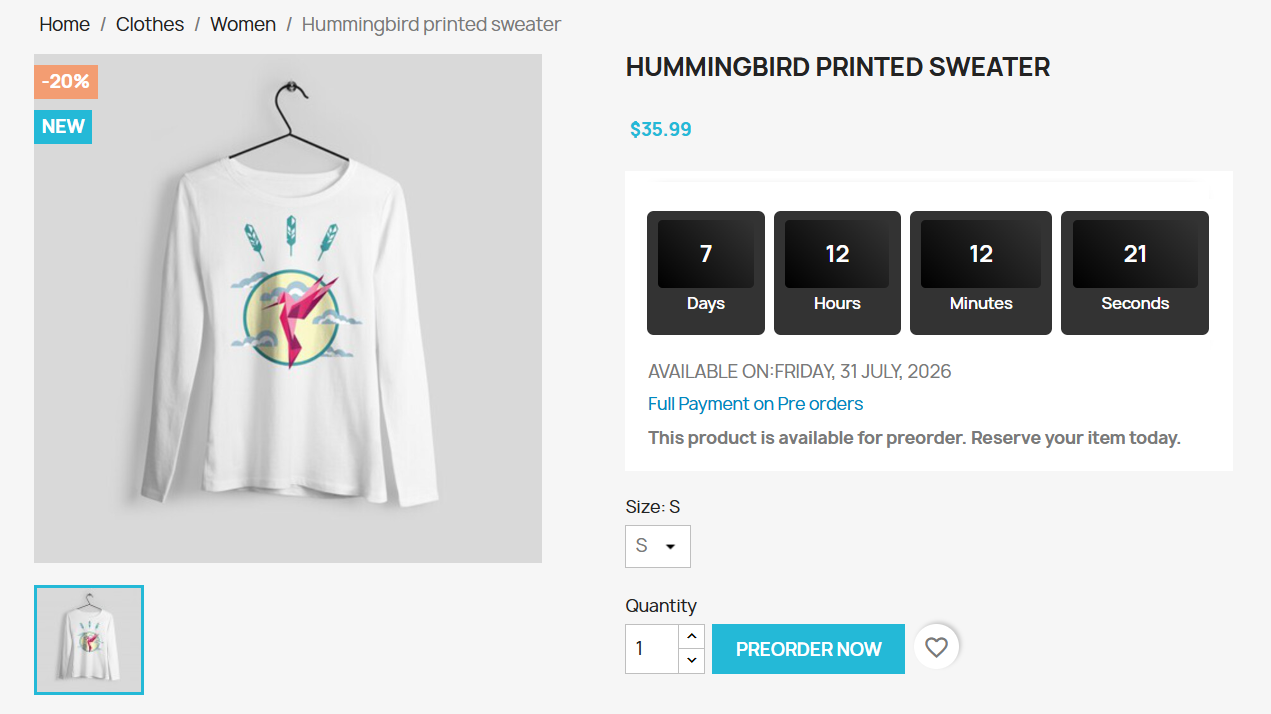
By using the module, you can show a countdown timer on the product page and display the expected availability date for the pre-order product. This can create a sense of urgency and encourage customers to reserve their favorite item before the launch.
Add a Suitable Payment Method Option for Pre-Orders
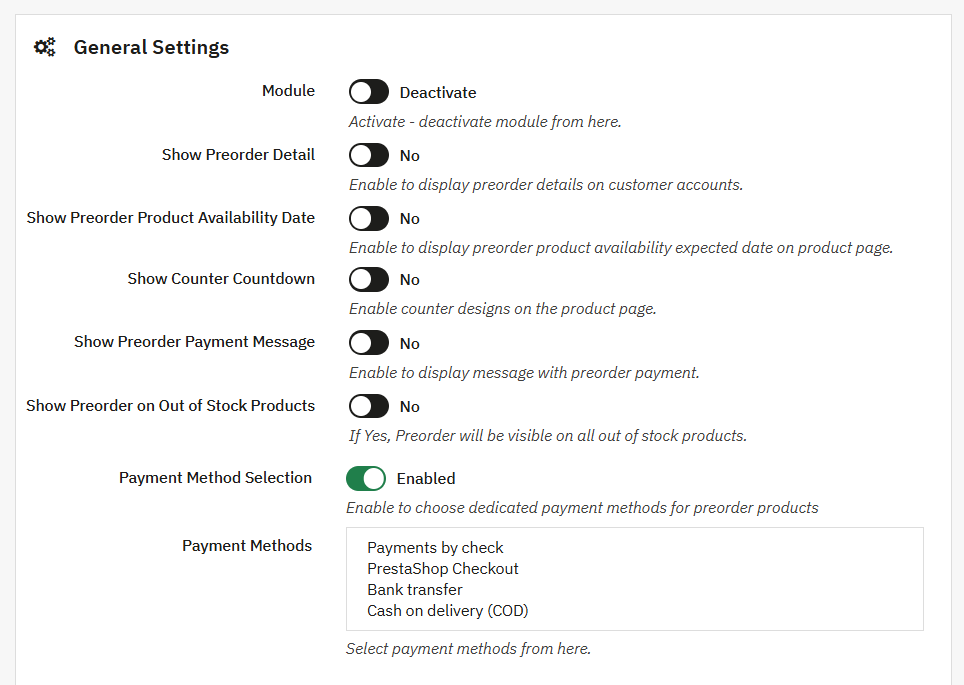
Limit pre-orders to the payment methods that work best for your store, such as cash on delivery, bank transfer, or payment by check. In this way, you can control how deposits are paid upfront and how the remaining balances are paid later.
Dedicated Pre-Order Log
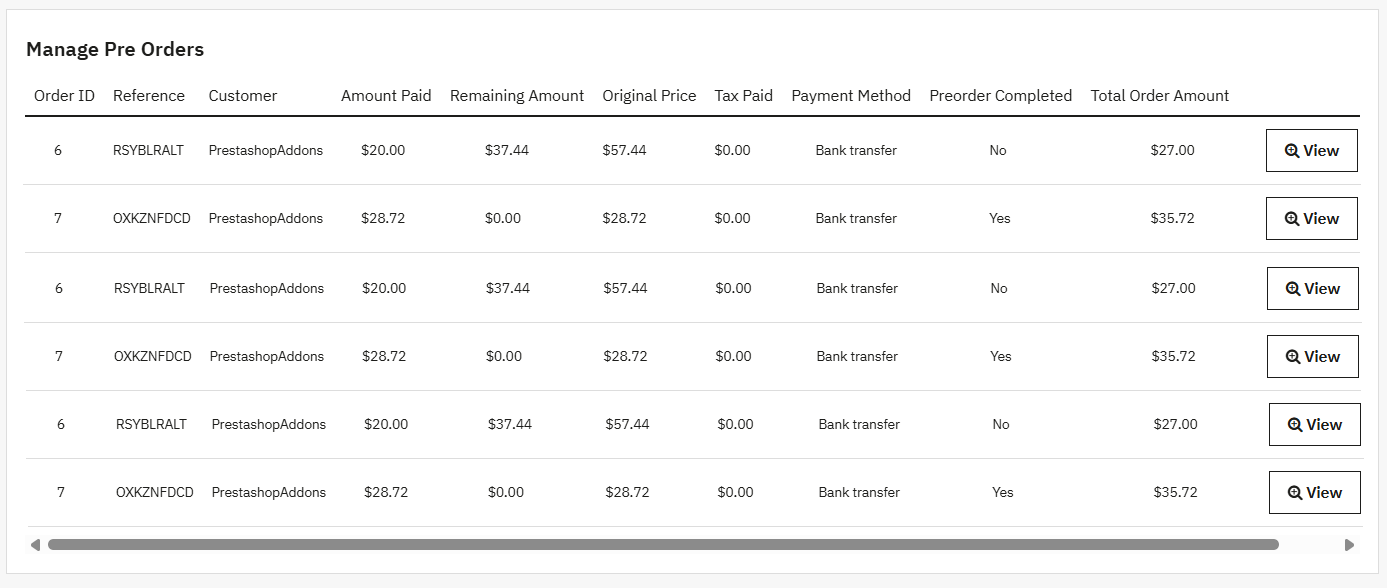
Admins can access a dedicated pre-order log to track important details, including the amount paid, remaining balance, tax, payment method, and order completion status. You can simply organize pre-order details from a single log and manage the entire process with ease.
Technical Compatibility
- PrestaShop CompatibilityV1.7.0.0 - V9.1.5
- Current VersionV 1.2.0
- Compatibility MultiShopYes
- Languages English, German, Italian, French, Spanish
More Features
- Make any product available for pre-order
- Display pre-order details on customer accounts
- Choose to show pre-order product availability date on product page
- Choose from three different styles for a live countdown timer
- Enable pre-order option for out-of-stock products
- Create pre-order rules and add their custom title and priority
- Restrict pre-order rules to specific customer groups, products, and variants
- Use a price variable to automatically display original price or pre-order cost
- Add pre-order payment method option as:
- Payment by check
- Bank transfer
- Cash on Delivery
- PrestaShop Checkout
- Write a pre-order payment message and display it on the product page
- Get a dedicated pre-order log to track:
- Order ID
- Reference number
- Customer name
- Amount Paid
- Remaining amount
- Original Price
- Tax Paid
- Payment Method
- Pre-order completion status
- Total order amount
- Date