


PrestaShop Advanced Reserved Stock Module
Shopping during peak seasons, flash sales, or limited-edition launches can be frustrating as products sell out, carts fill up quickly, and customers often miss out even after finding the perfect item. PrestaShop Advanced Reserved Stock resolves these issues by allowing customers to reserve products temporarily, giving them enough time to complete their purchase before the product goes out of stock. It allows customers to reserve specific products and quantities for a specific time period, track items through a dedicated reserved cart, and view real-time details for available units and remaining reservation time. Showing the clear reservation badges and notifications can keep customers informed about stock availability. This makes the buying process smoother and increases completed purchases.
Prefer buying from the Official PrestaShop Addons Marketplace? Check out our module Here
Key Features
- Manage the reserving stock temporarily before completing the purchase.
- Automatically reserve the stock based on specific time periods.
- Reserve the specific products based on specific customers, groups, product stock, and quantity.
- Display real-time reservation messages to create urgency.
- Show the custom badges to highlight the reserve products.
- Upload the separate custom icon for the reserved cart for shopping clarity.
- Maintain the history of reservations.
-

Marketplace Verified
-
Extension Partner
$79$69 Now
then billed annually at $20 / year and a $49 sign-up fee
- 1 year free support
- 1 year extension updates
30 DAYS MONEY BACK GUARANTEE
Your money is secure with our buyer protection. Claim a full refund for any reason.
Detailed Features of PrestaShop Advanced Reserved Stock Module
Smart and Time-Based Reservation
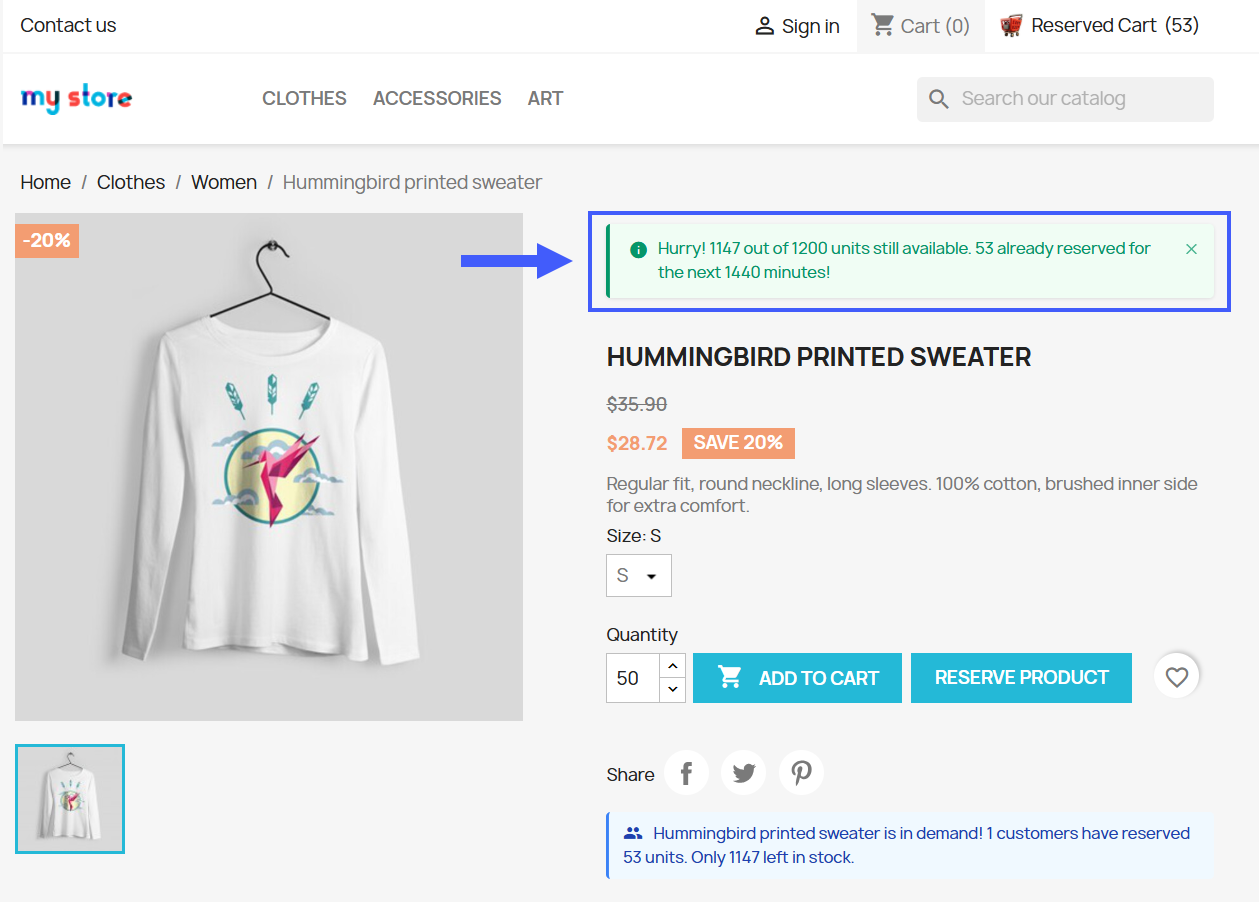
With PrestaShop Advanced Reserved Stock, you can set product reservations for specific time periods, including minutes, hours, or a custom duration. Customers can reserve and complete the product purchase in giving time periods. Once the reservation period ends, the product is automatically removed from the reserved cart. It can reduce overselling and ensure customers secure items during sales.
Reserved Stock Control Access Based on Rule
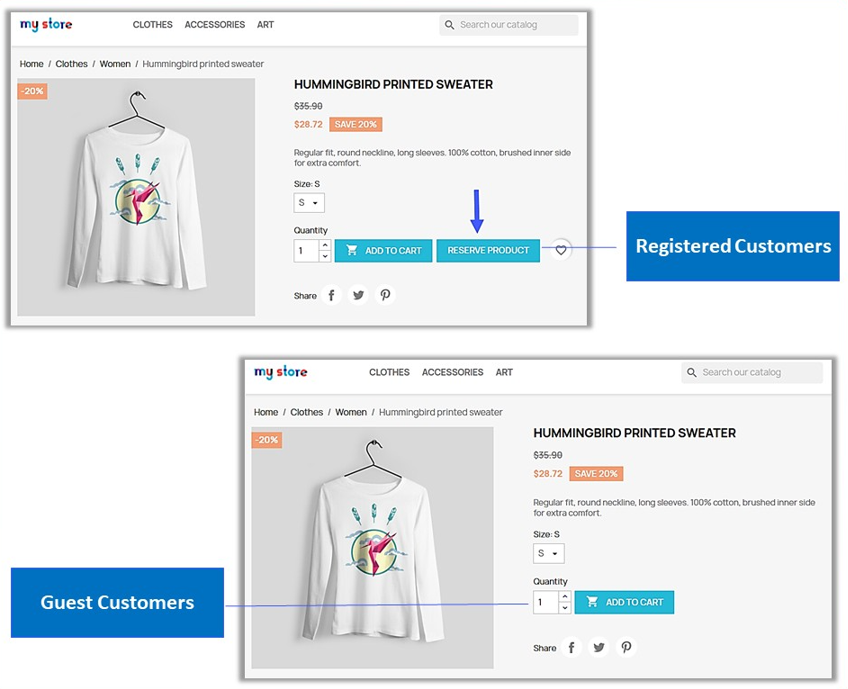
This module gives you the flexibility to create rules based on customer groups, individual customers, product stock, and quantity. Only specified customers can reserve selected products, while visitors or unauthorized users cannot. This ensures fair distribution during high-demand sales periods, especially for B2B businesses and wholesale operations, where customers clearly know when they are allowed to reserve and purchase products.
Display Live Stock Urgency Messages
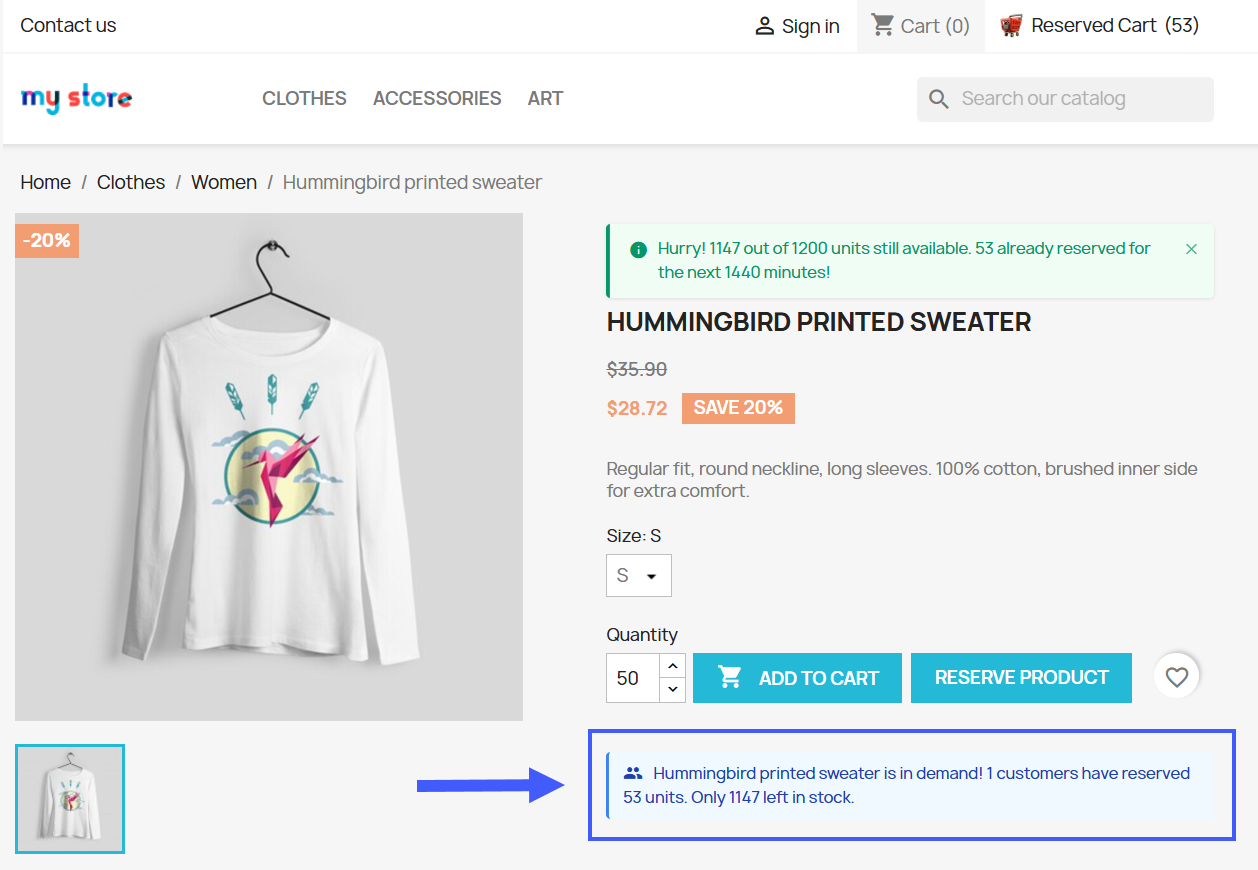
With PrestaShop Advanced Reserved Stock, the system automatically tracks reserved units and shows how many units are remaining for each product. It displays real-time messages that create a sense of urgency, encouraging customers to complete their purchase before the items become unavailable.
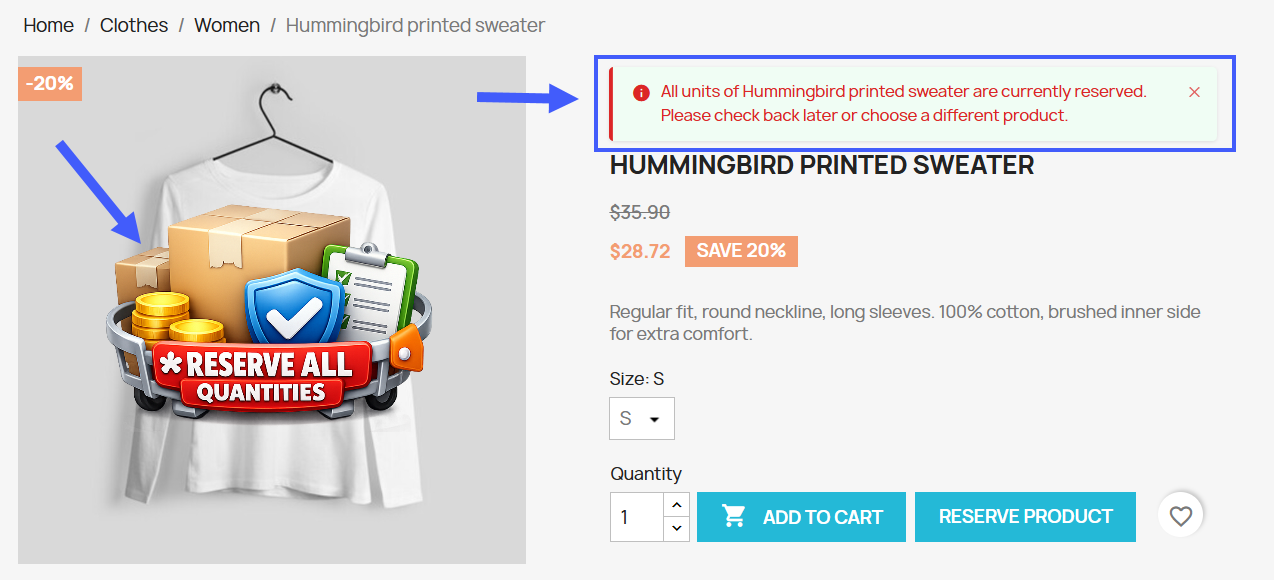
Show All Stock Reserved Badges
Grab customer attention by displaying reserved badges on products with this module. Once enabled, badges are automatically added to reserved items, immediately informing customers about product availability. These customized badges help prevent confusion, frustration, and unnecessary clicks.
Quantity Control Reservation
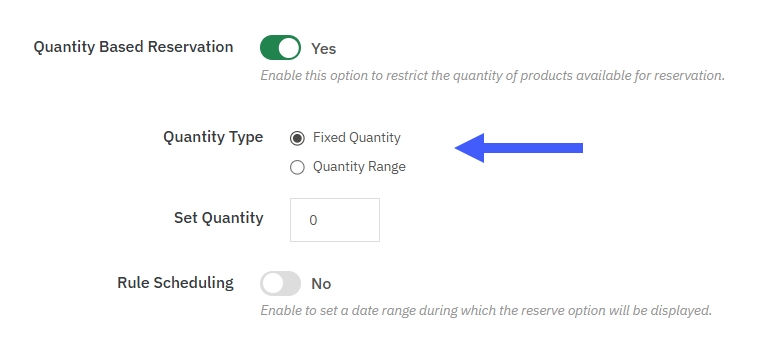
Control how many units each customer can reserve by setting quantity limits with PrestaShop Advanced Reserved Stock. You can define fixed quantities, quantity ranges, and set minimum and maximum reservation limits per customer. Only the specified quantity can be reserved by the customer. This helps ensure fair access and encourages more customers to secure their desired products during high-demand sales periods.
Dedicated Reserves Cart Experience
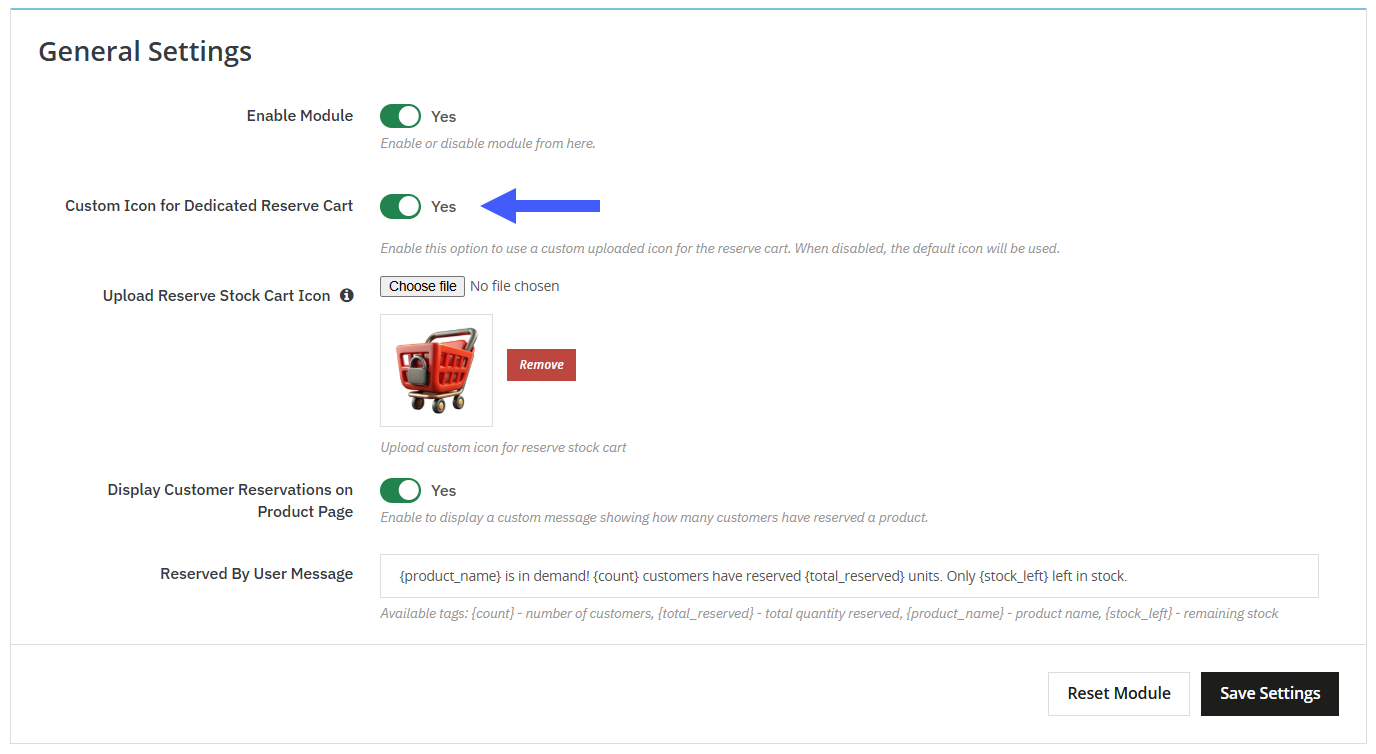
With this module, you can upload a separate icon for the reserved cart, giving customers clear visibility of their reserved items. Customers can easily track their reserved products, providing a smoother shopping experience and reducing checkout confusion.
Customized the Store Messaging for Reserved Products
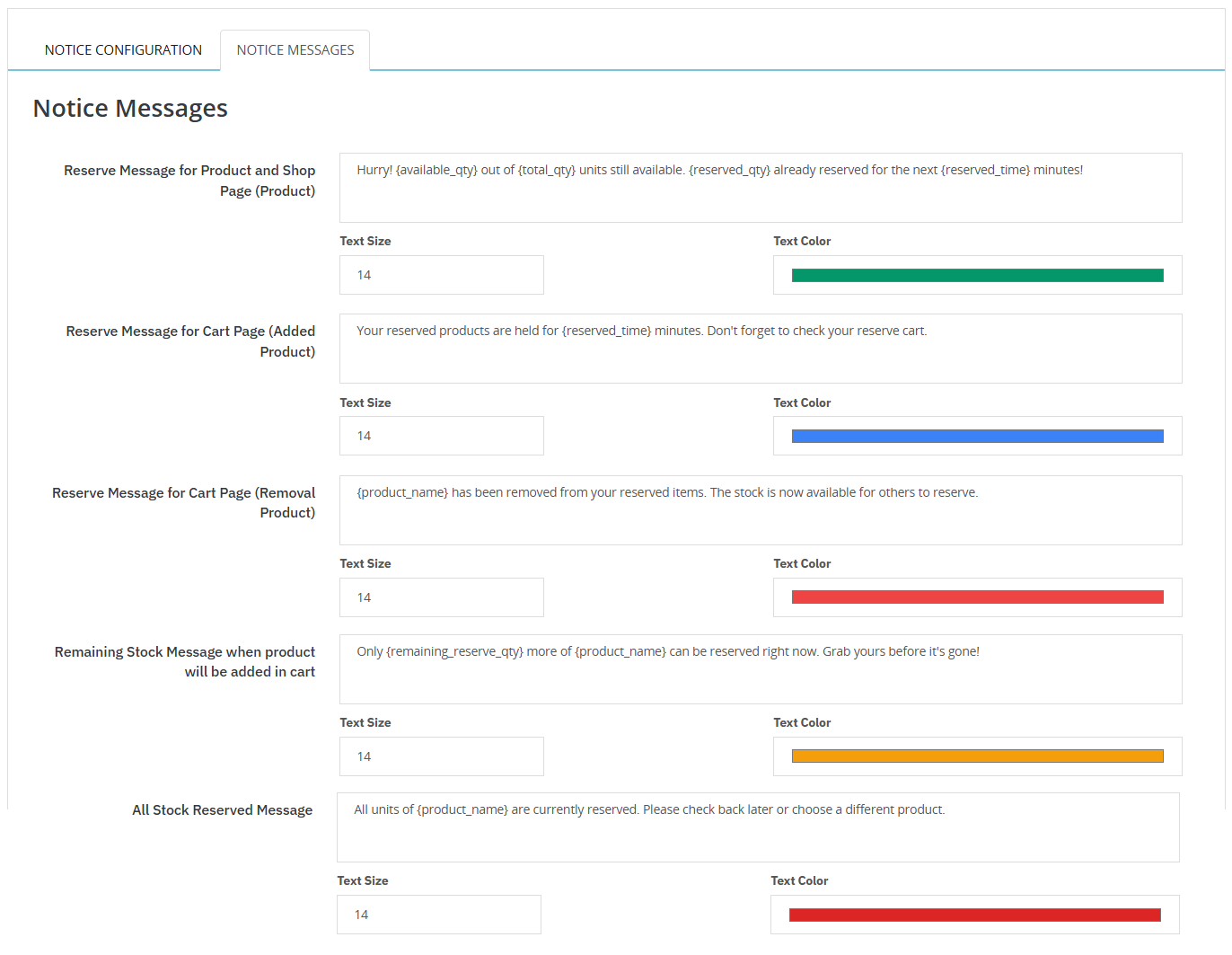
PrestaShop Reserved Stock allows you to customize reservation messages and display the reservation information to customers on the shop, product, or cart pages. These messages notify customers in real-time updates for stock reserved, which can reduce hesitation and allow them to complete their purchase confidently.
Technical Compatibility
- PrestaShop CompatibilityV1.7.0.0 - V9.1.0
- Current Versionv1.0.0
- Compatibility MultiShopYes
- LanguagesEnglish, German, Italian, French, Spanish, Polish, Portuguese, Dutch
More Features
- Display customer reservations on the product page.
- Show reservation messages with real-time updates.
- Display reservation badges on product, shop, and cart pages.
- Add custom text and images to reservation badges.
- Set the display position of badge text and images.
- Define rule priority and add a custom title for each rule.
- Easily enable customized notice messages.
- Control where reservation messages appear in the store.
- Customize message appearance with colors, font size, and custom text.
- Maintain, reset, and filter reservation logs.