


PrestaShop AI Product Image Generator (With Google Nano Banana) Module
AI Product Image Generator allows you to create, customize, and automatically save high-quality product images. It uses the Gemini 2.5 Flash Image model to generate realistic and professional product images. You can enter a custom prompt and define specific requirements for each image. Simply add custom watermarks, apply default resolution, and set negative prompts to avoid unwanted elements. With just one quick setting, you can create engaging product images and deliver a professional shopping experience.
Prefer buying from the Official PrestaShop Addons Marketplace? Check out our module Here
Key Features
- Generate product images using Gemini 2.5 Flash Image ( Nano Banana ) model
- Configure image aspect ratios, output resolution, and visual styles
- Global negative prompt configurations to prevent unwanted visuals
- Auto-apply custom watermarks to AI-generated product images
- Generate high-quality product images using Gemini 2.5 Flash Image Model
-

Marketplace Verified
-
Extension Partner
$79$69 Now
then billed annually at $20 / year and a $49 sign-up fee
- 1 year free support
- 1 year extension updates
30 DAYS MONEY BACK GUARANTEE
Your money is secure with our buyer protection. Claim a full refund for any reason.
Detailed Features of Prestashop AI Product Image Generator ( With Google Nano Banana) Module
Generate High-Quality Product Images Using AI
Improve your store’s visuals with the AI Product Image Generator for PrestaShop. It integrates directly with Google AI Studio, uses the Gemini 2.5 Flash Image ( Nano Banana) model, and helps you create high-quality product images in seconds. You can simply replace an expensive photoshoot and design your product graphics according to your specific needs.
Advance Global Settings for AI Product Image Generation
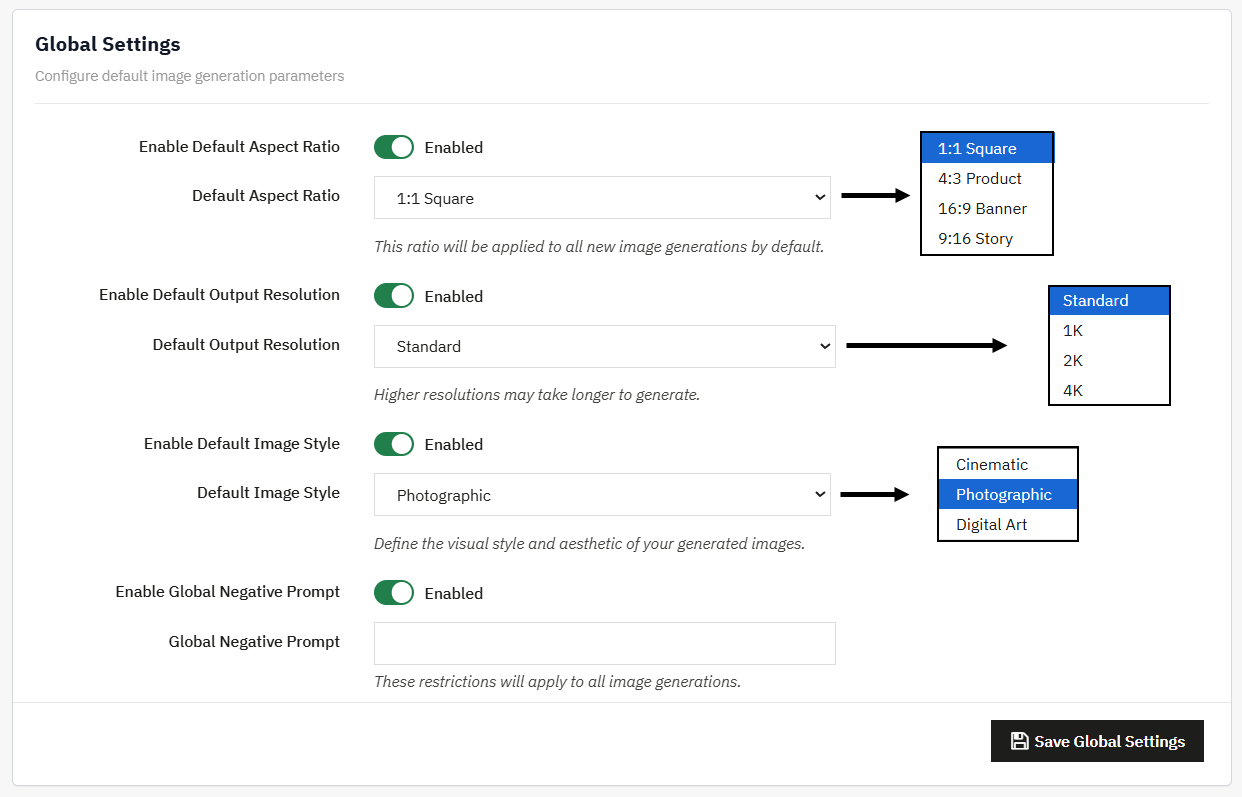
The module allows you to control configuration settings from a user-friendly interface. From Global settings, you can set default configurations that are automatically applied to newly generated images. This maintains the visual consistency across your product catalog and reduces manual effort.
- Enable Dimension Control: Set a default aspect ratio, such as 1.1 Square format, and create images according to the modern e-commerce layout.
- Resolution & Styling: Add default output resolution and choose from pre-designed visual styles such as cinematic, digital art, etc.
- Negative Prompts: Enable quality control by defining a global negative prompt to avoid unwanted texts or visual distortions.
Automated Image Processing and Workflow
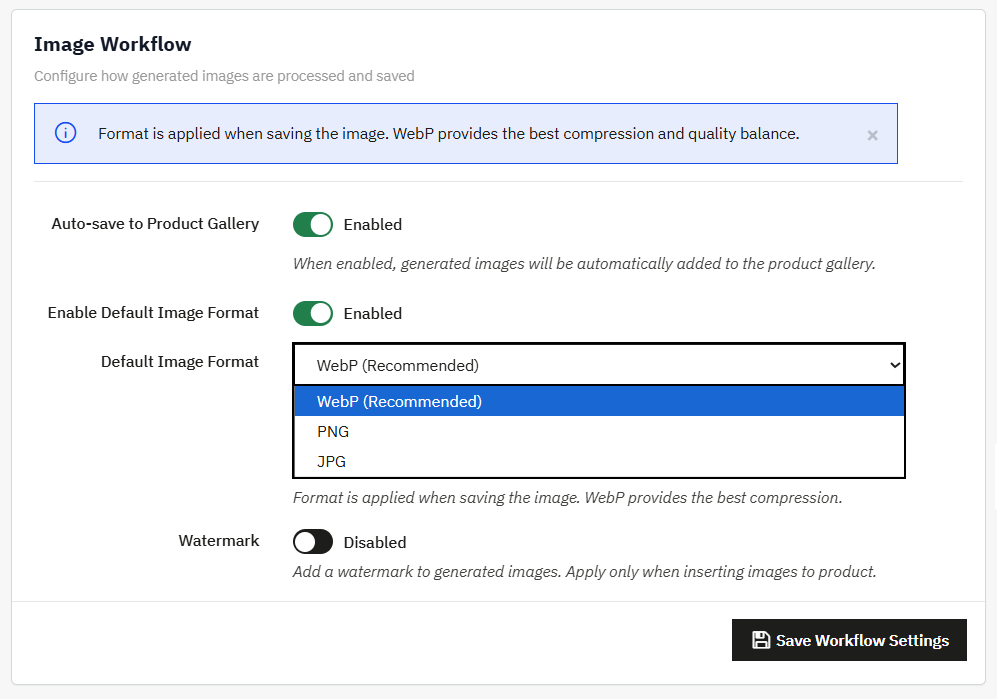
The module allows you to easily manage all generated files from the image workflow settings. You can configure various options to control how images are saved, optimized, and processed.
- Auto-save to Gallery: Enable the option to automatically save generated images directly to the product gallery
- Default image format: Choose to save images according to your preferred image format
- Watermark: Upload an image and add a custom watermark on generated visuals.
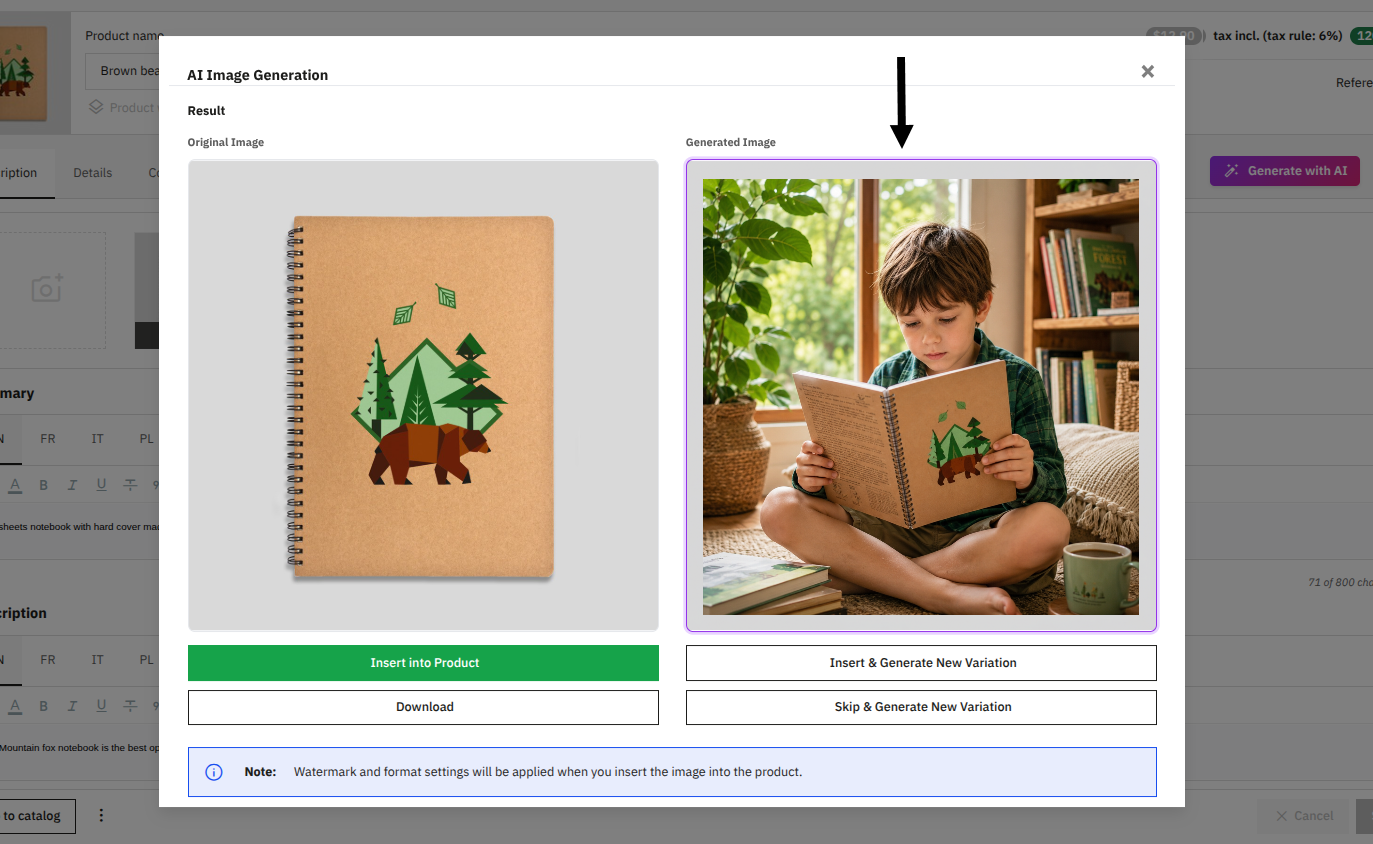
Product-Level AI Image Generation Workspace
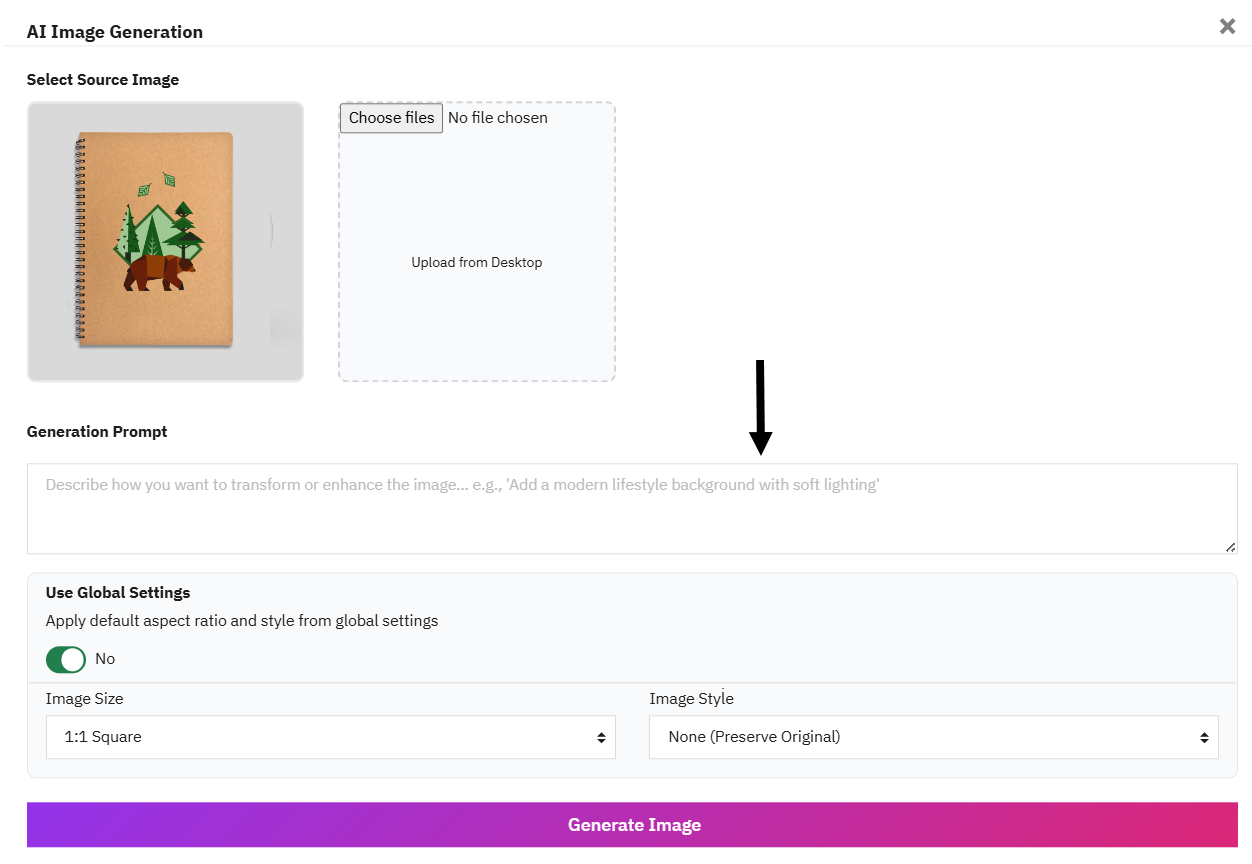
The module adds a dedicated “Generate with AI” quick action button to your product edit section and creates a live editing window where you can manage product visuals easily.
- Flexible image selection: use an existing image as a mockup or upload a new one directly from your device.
- Smart Prompt Control: Easily describe what kind of image you want. For example, place the product on a table or in a real-life scene.
- Preview and Compare: Before saving, view the original and new image side by side. Admins can simply download the image or quickly generate another version.
Technical Compatibility
- PrestaShop Compatibilityv 1.7.0.0 - v 9.1.0
- Current Versionv 1.0.0
- Compatibility MultiShopYes
- LanguagesEnglish, German, Italian, French, Spanish, Polish, Portuguese, Dutch
More Features
- Choose to generate images from the following AI models:
- Gemini 2.5 Flash Image ( Nano Banana)
- Gemini 3 Pro Image ( Nano Banana Pro)
- Gemini 3.1 Flash Image ( Nano Banana 2)
- Select default aspect ratio for your images as:
- 1.1 Square
- 4.3 Product
- 16.9 Banner
- 9.16 Story
- Choose default output resolution as:
- Standard
- 1K
- 2K
- 4K
- Upload custom watermark to align product images with your brand identity
- Generate specific product images from product-level settings
- Select the source image for image generation to upload a new one
- Easily get your Gemini API Key from Google AI StudioDefine the visual style and aesthetic of your generated images as:
- Photographic
- Digital Art
- Cinematic
- Add global negative prompt and restrict unwanted text or visuals
- Choose to auto-save generated images to the product gallery
- Set default image format as:
- WebP
- PNG
- JPG