


PrestaShop Buy More Save More – Smart Bulk Discounts Module
Research shows that offering incentives is an effective way to convert potential buyers into paying customers. Based on this, PrestaShop Buy More Save More module allows you to create quantity-based discounts for specific products, categories, and user roles. You can choose to add fixed bundles or set minimum/maximum quantities for tiered discounts that increase as customers add more items to their cart. Admins can apply fixed or percentage-based discounts, decide whether prices should be taxable or non-taxable, and have full control over the entire pricing strategy. You can display quantity-based discounts using attractive templates and encourage customers for faster purchase decisions. Simply run targeted promotional campaigns, drive sales, and boost the overall average order value.
Prefer buying from the Official PrestaShop Addons Marketplace? Check out our module Here
Key Features
- Offer quantity-based discounts on selected products, categories, and suppliers
- Apply discounts as a fixed price reduction or a percentage-based value
- Add discounts as a fixed bundle or set specific quantity ranges
- Choose whether discounts are calculated with or without tax
- Restrict discounts only to selected customer groups
-

Marketplace Verified
-
Extension Partner
$79$69 Now
then billed annually at $20 / year and a $49 sign-up fee
- 1 year free support
- 1 year extension updates
30 DAYS MONEY BACK GUARANTEE
Your money is secure with our buyer protection. Claim a full refund for any reason.
Detailed Features of PrestaShop Buy More Save More - Smart Bulk Discounts Module
Add Automatic Quantity Based Discounts
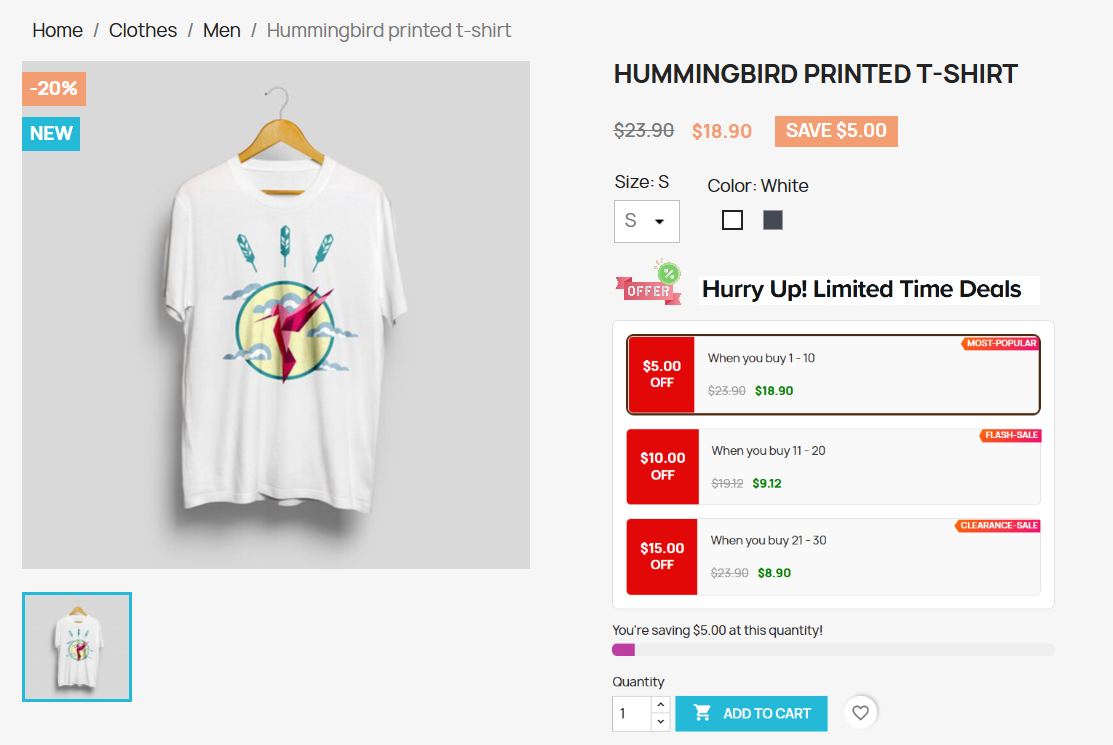
PrestaShop buy more save more module allows you to add quantity-based discounts on selected products and categories. You can encourage customers to purchase more and get better prices in return. Instead of static discounts, you can create quantity-based pricing rules that apply as users add more items to their cart. Merchants can choose to offer these discounts as a fixed bundle or define minimum/maximum quantity ranges. You can also display discounts in highly customizable layouts, restrict them to selected user roles, and create multiple pricing strategies to maximize conversions.
Offer Bundle or Tier-Based Discounts
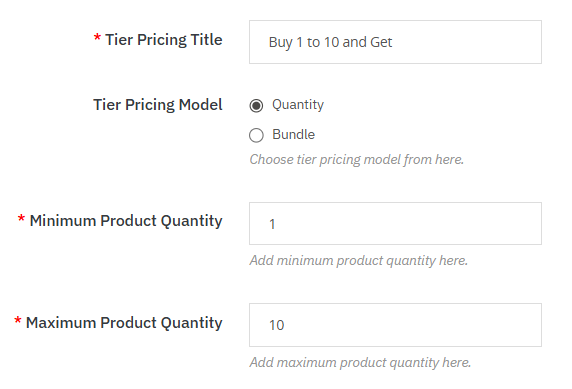
By using PrestaShop quantity-based discounts module, admins can choose to offer Buy More Save More offers as fixed bundles, such as “ Buy 5/10/15 items and get 20% off.” This encourages B2B customers to purchase larger quantities and increases overall sales volume. You can also set minimum/maximum quantities to apply tier-based discounts, where the discount percentage increases as customers add more items to their cart.
Allows to Add Attractive Discount Tags
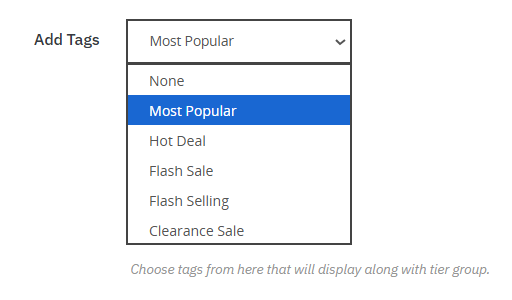
After creating multiple tiered-based discounts, admins can add tags such as Hot Deal, Most Popular, Flash Sale, or Clearance Sale to highlight special offers. These tags will help you make discounts more visible and persuade customers for quick purchase decisions.
Option to Choose Flexible Discount Types
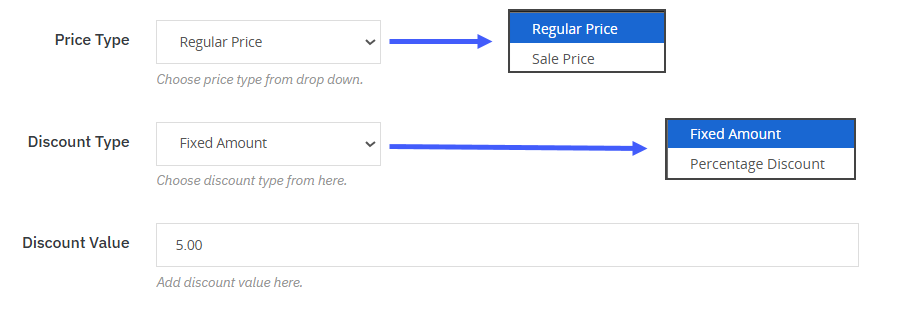
Admins can choose to apply discount types as a fixed amount or percentage-based, depending on the pricing strategy of your store. You can also decide whether these discounts will be taxable or non-taxable, and keep control over how the final price turns out. This flexibility allows you to add multiple discount strategies that align perfectly with your sales.
Advanced Rule Targeting
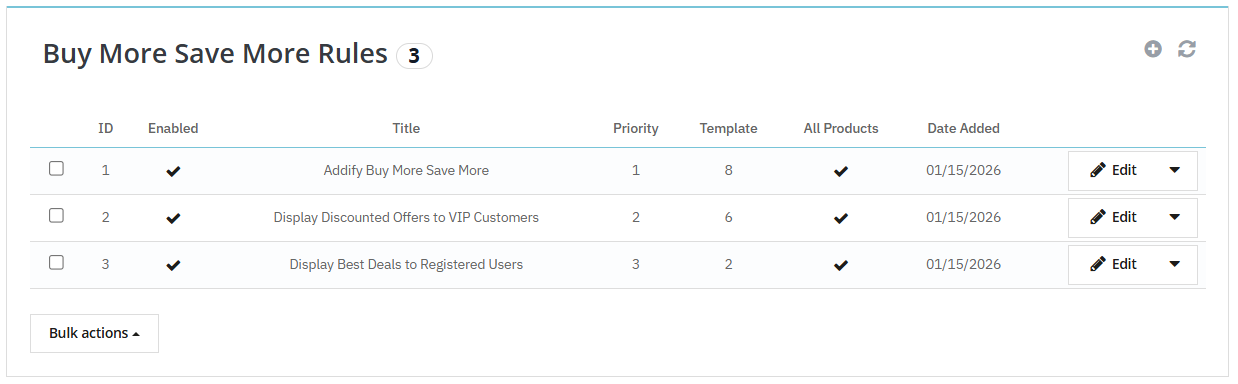
PrestaShop buy more save more module allows you to create multiple quantity-based rules for specific products, categories, suppliers, and manufacturers. You can simply tailor discounts according to different items, such as new arrivals, seasonal products, or bestsellers, and specify that each product segment receives the most effective promotional offer. Shop managers can also schedule rules according to their preferences and control the entire process effectively.
Display Discounts Based on Customer Group
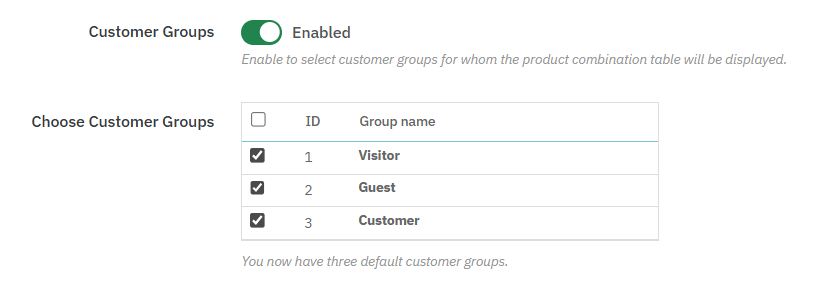
Shop managers can restrict quantity-based discounts to selected customer groups. In this way, you can target the right audience and encourage repeated purchases.
Customer Groups such as:
- Wholesale
- B2B
- VIP
- Guest
- Visitors
- Registered Users
Display Attractive Discounted Templates
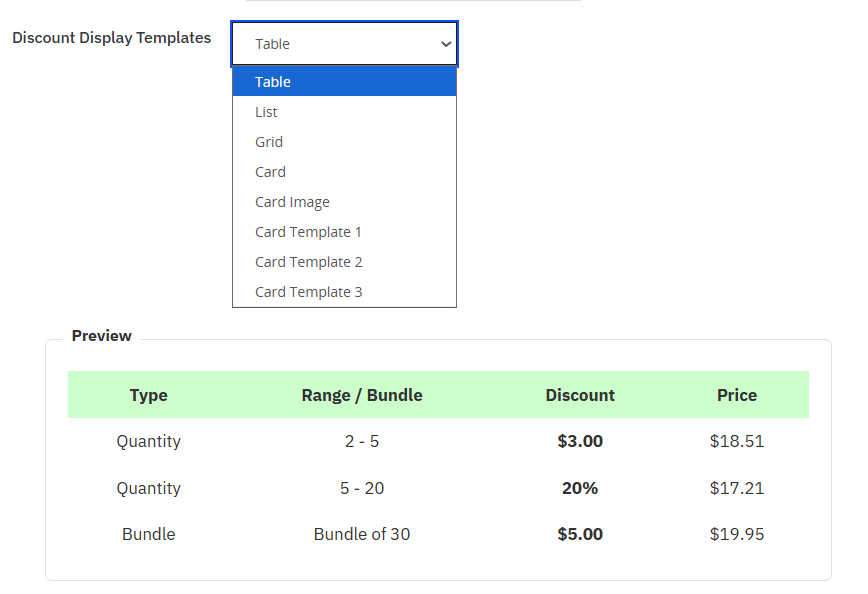
The module allows you to display quantity-based discounts in multiple layouts. All of these layouts can be customized using different fonts, colors and styling options.
- Table
- List
- Grid
- Card
- Card Image
- Card Template 1
- Card Template 2
- Card Template 3
Display Dynamic Progress Bar for Higher Conversions
PrestaShop quantity-based discounts module lets you display a real-time progress bar on the product page. It automatically updates as customers add items to their cart, clearly showing how close they are to unlocking their special discounts. This improves customer engagement, encourages larger purchases, and increases your store’s average order value.
Technical Compatibility
- PrestaShop CompatibilityV1.7.0.0 - V9.0.0
- Current Versionv1.0.0
- Compatibility MultiShopYes
- LanguagesEnglish, German, Italian, French, Spanish, Polish, Portuguese, Dutch
More Features
- Offer quantity-based discounts to your customers
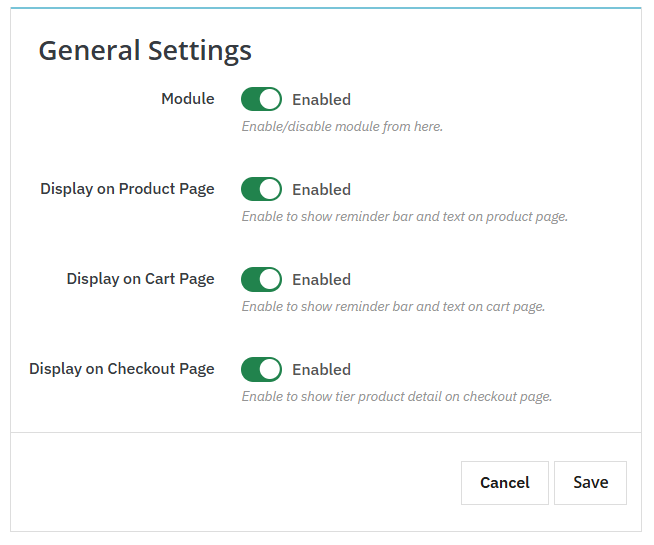
- Display reminder bar and text on:
- Product page
- Cart page
- Checkout page
- Choose to add tier pricing rules in form of:
- Quantity
- Bundle
- Set minimum/maximum quantity ranges for discounts
- Apply discounts on:
- Regular price
- Sale price
- Choose discount type as:
- Fixed Amount
- Percentage-based
- Make discount prices taxable or non-taxable
- Add custom rule title and priority
- Add following tags to display along with tier discounts:
- Most popular
- Flash sale
- Clearance sale
- Flash selling
- Hot deal
- Create multiple rules to offer quantity based discounts on:
- All products
- Specific products
- Selected categories
- Manufacturers
- Suppliers
- Schedule rule by adding:
- Start and end date
- Restrict quantity-based discounts to specific customer groups
- Choose to display discounts in form of
- Table
- List
- Grid
- Card
- Card image
- Card template 1
- Card template 2
- Card template 3
- Customize tiered templates by adding custom:
- Text
- Font size
- Top icon
- Background, text and row color