


PrestaShop Hide Price & Add to Cart by User Group, Stock & Price Module
Use the PrestaShop Hide Price & Add to Cart Module to take complete control over how product prices and purchasing options are displayed in your store. If you’re running a B2B, wholesale, catalog, or inquiry-based store, this module allows you to hide prices and the Add to Cart button using flexible rule-based conditions. Instead of displaying product prices, you can show a custom message, a Login to View Price button, or an Ask for Price button. You can replace the default Add to Cart button with a custom button that redirects customers to any page, including a contact page, inquiry form, or even a WhatsApp chat. Moreover, you can also create rules based on specific products, categories, suppliers, manufacturers, customer groups, stock availability, price ranges, and schedules to deliver a customized shopping experience by managing price visibility automatically, without any manual changes to your store.
Prefer buying from the Official PrestaShop Addons Marketplace? Check out our module Here
Key Features:
- Hide the product price and the Add to cart button with flexible rule-based conditions.
- Show a Login to View Price button for guest users.
- Display an Ask for Price button with a customizable inquiry form.
- Replace the Add to Cart button with a custom redirect button.
- Redirect customers to WhatsApp or any custom URL.
- Enable or disable inquiry form fields.
- Easily hide the price and cart button for specific customer groups.
- Apply rules to products, categories, suppliers, and manufacturers.
- Hide prices using price range and stock conditions.

V1.7.0.0 to V9.0.0
-
Marketplace Verified
-
Extension Partner
-
$99$89 Now
then billed annually at $30 / year and a $59 sign-up fee
- 1 year free support
- 1 year extension updates
30 DAYS MONEY BACK GUARANTEE
Your money is secure with our buyer protection. Claim a full refund for any reason.
Detailed Features of PrestaShop Hide Price & Add to Cart by User Group, Stock & Price Module
Customize Product Price & Purchase Visibility
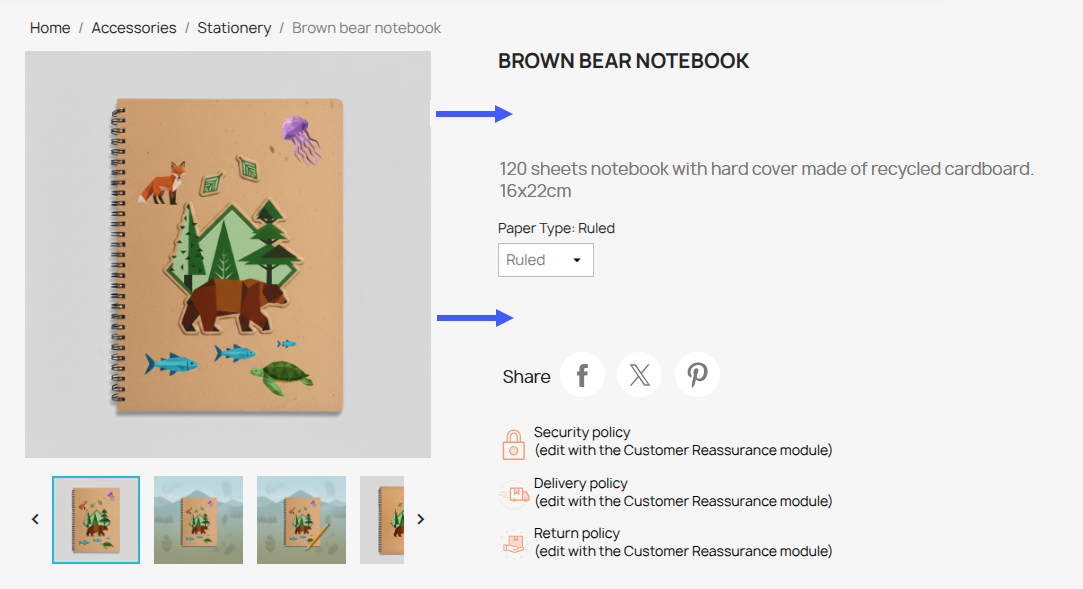
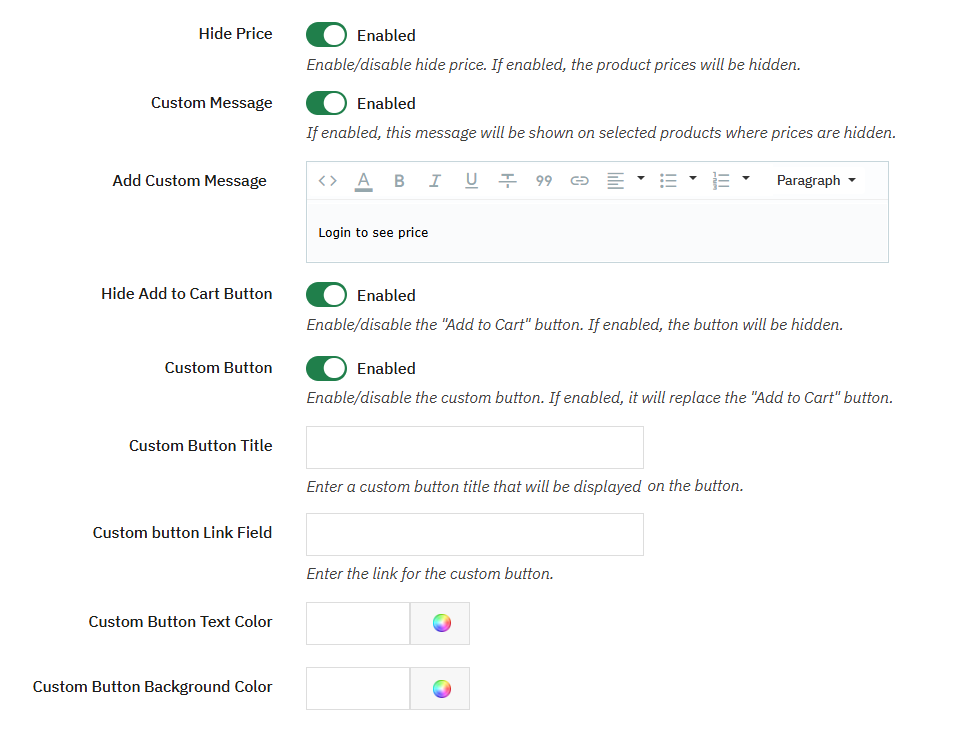
With this module, you can easily hide product prices and the Add to Cart button across your entire store or for specific products using flexible rules. Instead of showing the price, display a custom message, a Login to View Price button, or an Ask for Price button to encourage customers to interact with your business. You can also replace the Add to Cart button with a custom button that directs customers to the next step.
Engage Customers with Custom Price Messages
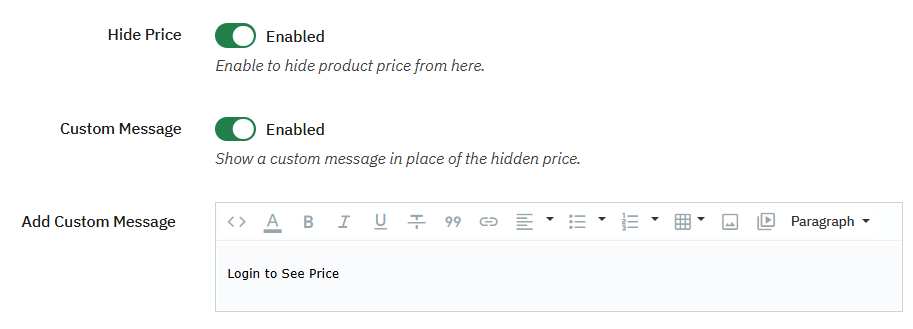
You can replace the price with a custom message such as “Login to View Price,” “Price Available on Request,” or any other engaging messages with formatted text, links, images, videos, lists, and other rich content to inform customers why the price is hidden and guide them toward the next action.
Redirect Customers with Custom & WhatsApp Buttons
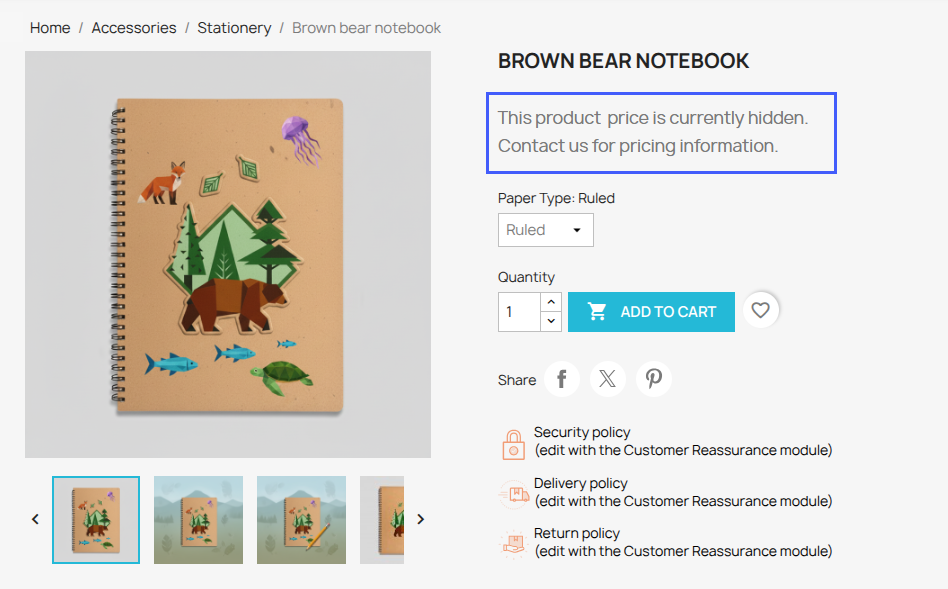
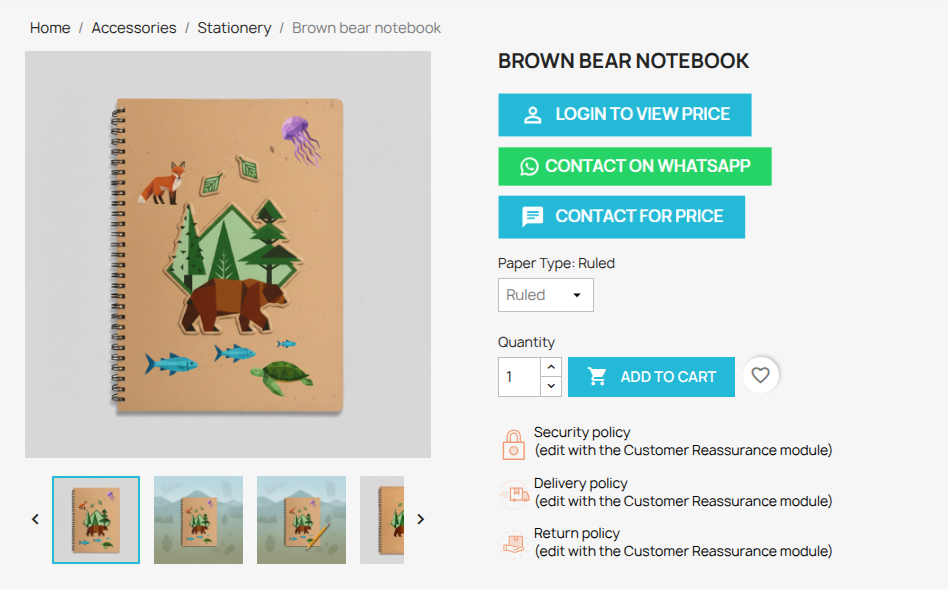
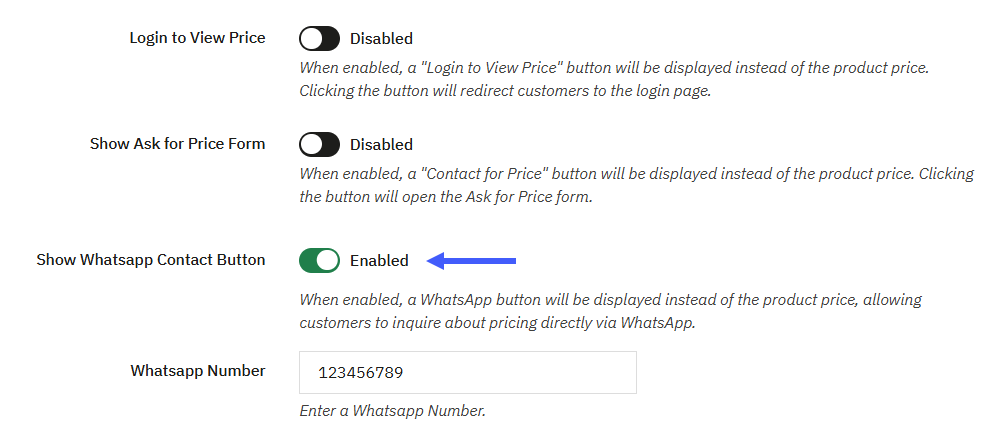
Easily replace the traditional Add to Cart button with a fully customizable button using this module. You can set the button title, background color, text color, and destination URL. Additionally, it also allows you to enable the WhatsApp button by entering your WhatsApp number to redirect the customers to WhatsApp. Customers can easily start a chat with you directly and help you to redirect customers to a product page, contact page, inquiry form, external website, or WhatsApp for quick and hassle-free communication.
Collect Customer Inquiries with the Ask for Price Form
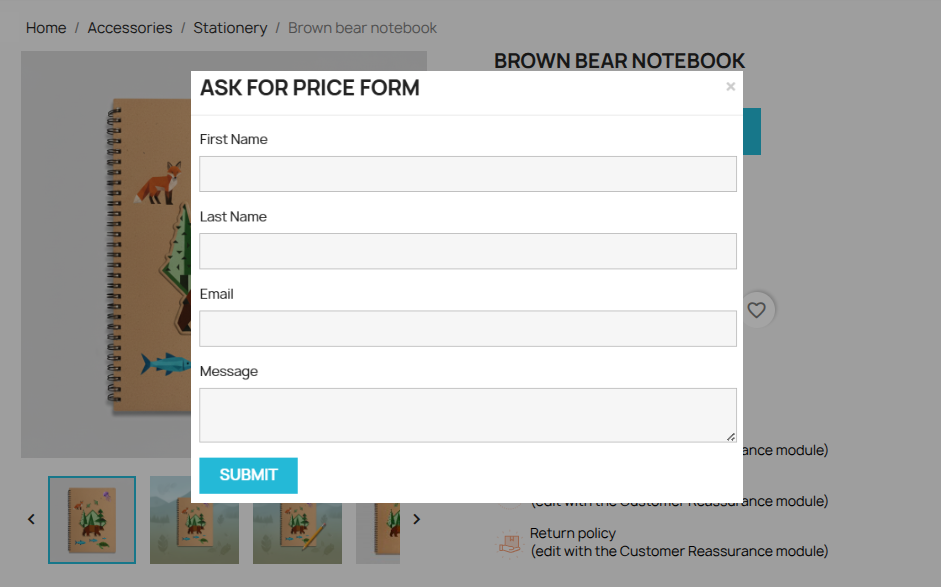
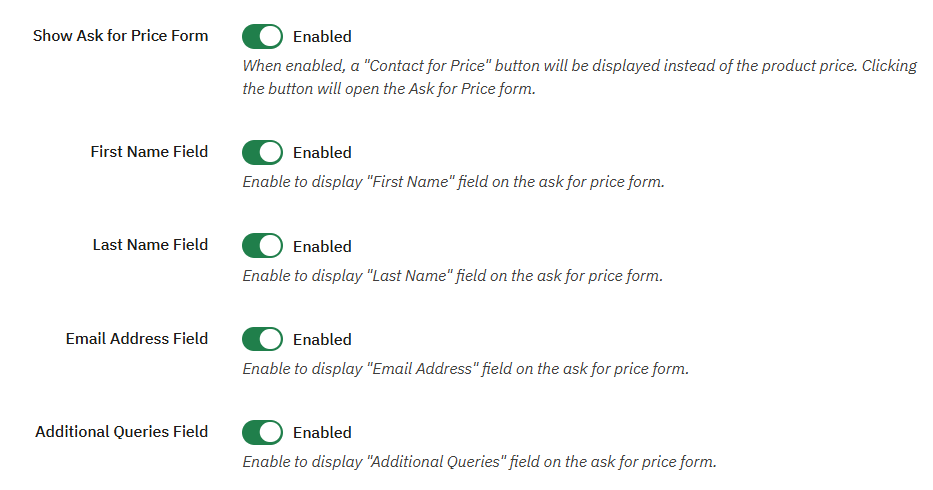
It allows you to enable the built-in Ask for Price form and gives customers a chance to request pricing directly from the product page. You can customize the form by enabling or disabling fields such as First Name, Last Name, Email Address, and Additional Queries to easily collect your desired information.
Create Flexible Hidden Price & Add to cart Rules
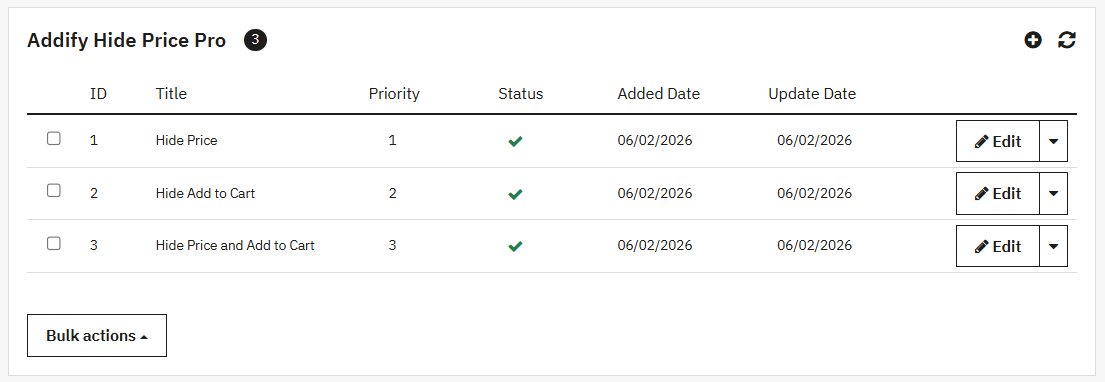
With this feature, you can easily create multiple hide-price rules and decide exactly where they apply. Enable or disable rules at any time, assign rule priorities, and manage multiple rules without affecting your entire store.
Apply Smart Rules to Products with Advanced Conditions
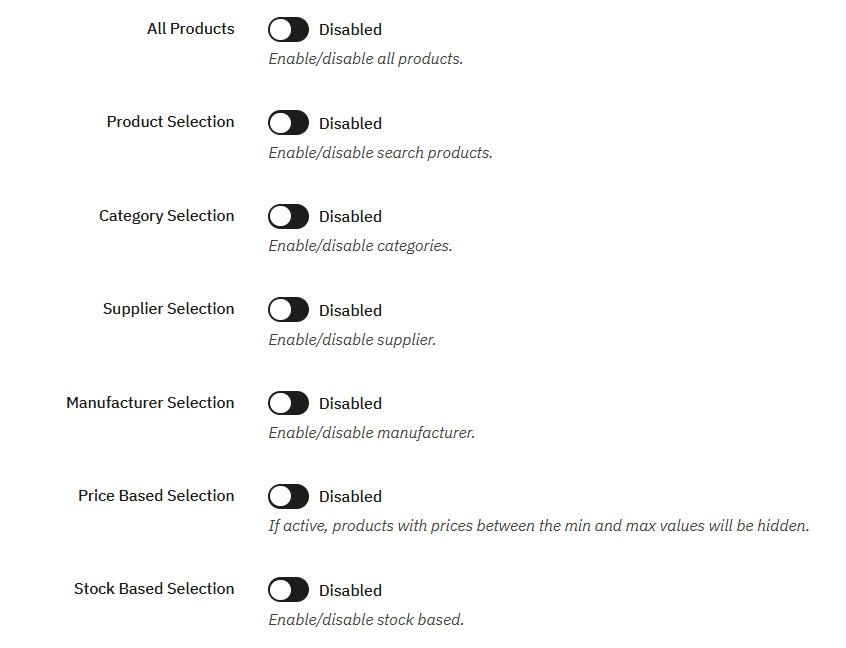
Apply rules across your entire store or target specific products, categories, suppliers, and manufacturers with advanced price and stock conditions. You can define minimum and maximum price ranges, target out-of-stock products, or set custom stock thresholds, giving you complete control to automatically manage product visibility without any manual effort.
Control Visibility by Customer Groups
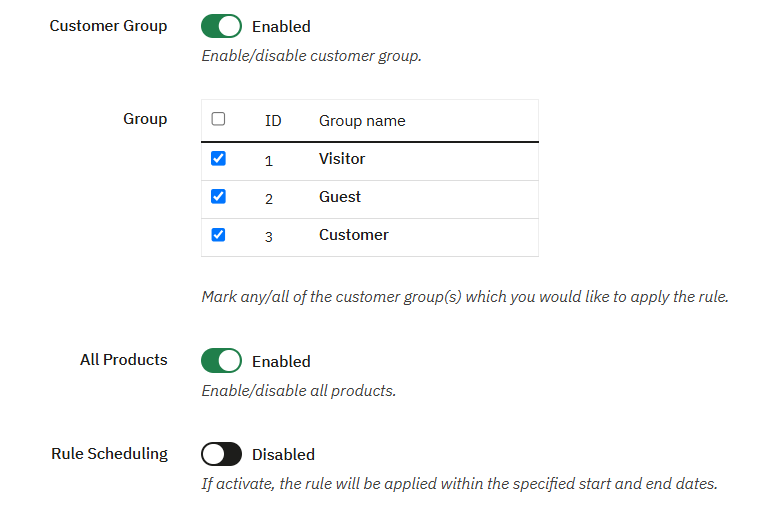
With this module, you can create a personalized shopping experience for different customer groups. Show or hide product prices and purchasing options for guests, registered users, wholesalers, retailers, or any customer group available in your store. Additionally, you can also display customized messages when prices are hidden to inform customers or encourage the next action, helping improve the overall shopping experience.
Technical Compatibility
- PrestaShop CompatibilityV1.7.0 - V9.0.0
- Current Version1.6.0
- Compatibility MultiShopYes
- LanguagesEnglish, German, Italian, French, Spanish, Dutch, Polish & Portuguese
More Features
- Easily enable or disable the module at any time.
- Create multiple hide prices and add-to-cart rules.
- Add a custom rule title.
- Set the rule priority to handle multiple rules simultaneously.
- Easily activate or deactivate the individual rules at any time.
- Hide product prices by:
- Displaying a custom message
- Images
- Videos
- Hide the Add to Cart button by
- Replace the Add to Cart button with a custom button.
- Add a custom redirect link
- Customize the button background color.
- Customize the button text color.
- Enable or disable the “Login to View Price” button based on your business needs.
- Hide prices using minimum and maximum price conditions.
- Configure rules based on zero stock or custom stock quantity.
- Enable the Price Request Form and choose which fields to display:
- First Name
- Last Name
- Email Address
- Additional Query
- Enable the WhatsApp Contact button to redirect customers directly to WhatsApp.
- Restrict rule visibility for specific customer types, such as:
- Guests
- Visitors
- Registered Customers
- Apply rules to:
- All Products
- Specific Products
- Specific Categories
- Specific Suppliers
- Specific Manufacturers
- Schedule rules by setting start and end dates.
Customer reviews
- What I love about prestashop hide price and add to cart pro is customization it offers and the support by Addify, top notch products and top notch support, highly recommended
- I use prestashop hide price and add to cart on some of my products so the customer can first tell us his desired quantity and then we tell him the rate, so far no issues and I would recommend it.
- We made the store for catalogs display and the deals occur once we receive the quote, so prestashop hide price & add to cart pro is of great value to us
- Support très réactif et très compétent.
- In love with the plugin and people of support who answer doubts very fast.
Roco Fashion –
In love with the plugin and people of support who answer doubts very fast.
Cercleagri –
Support très réactif et très compétent.
Russel Davidson –
We made the store for catalogs display and the deals occur once we receive the quote, so prestashop hide price & add to cart pro is of great value to us
Mellinda Hanks –
I use prestashop hide price and add to cart on some of my products so the customer can first tell us his desired quantity and then we tell him the rate, so far no issues and I would recommend it.
Salvador Johns –
What I love about prestashop hide price and add to cart pro is customization it offers and the support by Addify, top notch products and top notch support, highly recommended