


Prestashop Image Watermark Pro – Protect Product Images Module
In a competitive E-commerce market, protecting your original product images is important for maintaining brand identity and preventing unauthorized use. PrestaShop Image Watermark PRO module automatically adds custom image or text watermarks to your product images. You can simply apply watermarks to your entire catalog or select specific products or categories. Customize the watermark’s position, orientation, opacity, and choose whether to repeat it across the image or display it once. Reduce manual effort with automated watermark management and protect your images with ease.
Prefer buying from the Official PrestaShop Addons Marketplace? Check out our module Here
Features
- Automatically apply text or image watermarks to products and categories
- Adjust watermark transparency by setting the desired image opacity value
- Choose whether to repeat the watermark across the image or display it once
- Choose to apply watermarks to products in a specific price range or stock value
- Place the watermark precisely using nine different alignments & custom pixel options

7.0.0 - V9.2.0
-
Marketplace Verified
-
Extension Partner
$79$69 Now
then billed annually at $20 / year and a $49 sign-up fee
- 1 year free support
- 1 year extension updates
30 DAYS MONEY BACK GUARANTEE
Your money is secure with our buyer protection. Claim a full refund for any reason.

Features of PrestaShop Image Watermark Pro - Protect Product Images Module
Protect Product Images with Watermarks
PrestaShop Image Watermark module allows you to add custom image or text watermarks across your product catalog. You can simply apply watermarks to specific products, categories, suppliers, or manufacturers. The module automatically overlays your selected watermark onto product images and helps you protect your visual content while strengthening the brand identity.

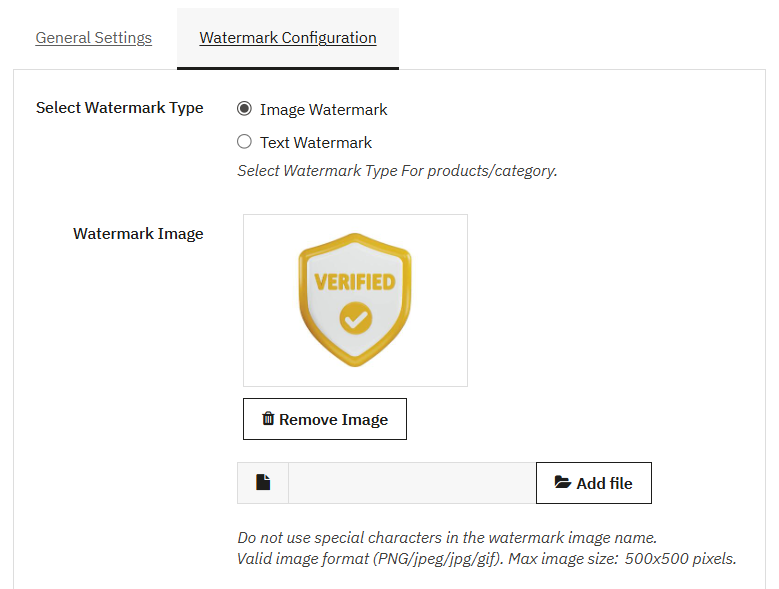
Choose Between Image and Text Watermarks
The PrestaShop Image Watermark module gives you the flexibility to protect your product images using either:
- Image Watermarks
- Text Watermarks.
Upload your company logo or any custom image to reinforce your brand identity, or create a professional text watermark with customizable font, size, color, and styling. Both watermark types are automatically applied to your selected product images, helping you prevent unauthorized use while maintaining a consistent and professional brand appearance.
Apply Watermarks with Flexible Rules
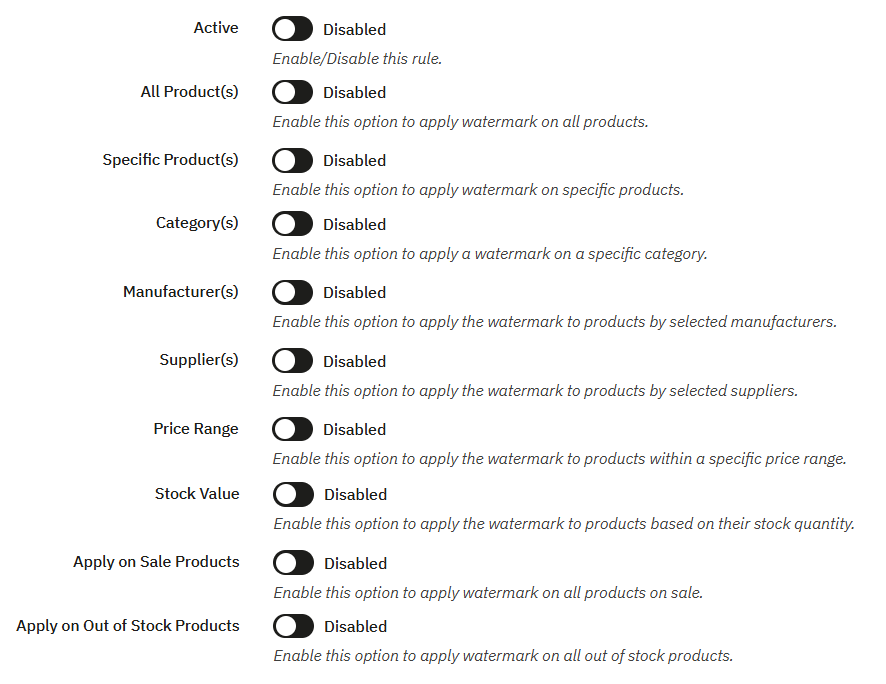
Product Watermark Pro includes a highly targetable, rule-based configuration system that controls when and where the watermarks will appear. Instead of complex global settings, you can create multiple rules and target watermarks based on:
- Catalog: choose to apply watermarks for all products or select specific items, categories, manufacturers, or suppliers.
- Commercial Logic: Display watermarks based on products with specific price ranges or stock values.
- Product Status: Automatically activate or deactivate watermarks for items marked as “on Sale” or “out of stock”.
- Advance Schedule: Set desired dates to schedule watermarks for seasonal campaigns or limited-time offers.
Advanced Watermark Customization and Positioning
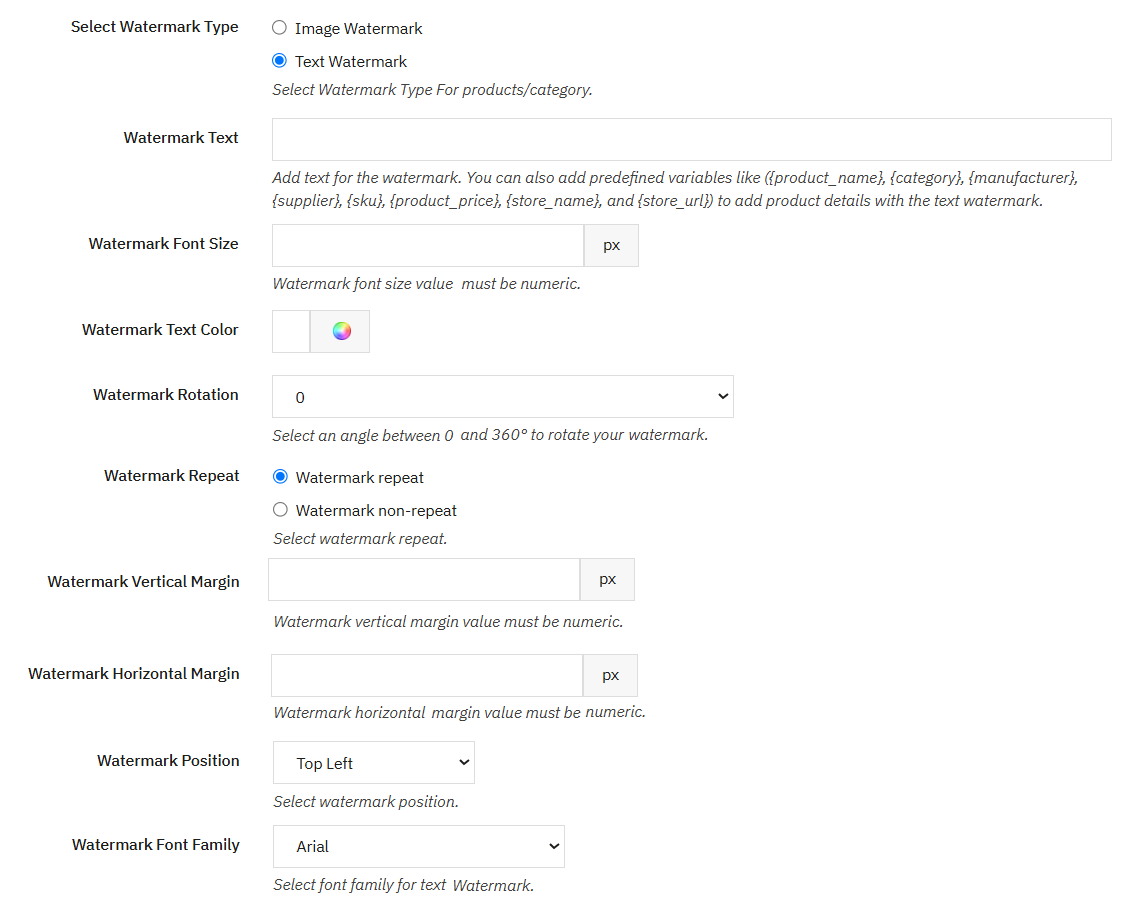
PrestaShop Watermark Pro module allows you to customize the watermark placement and design without obscuring critical product details. You can easily upload custom watermark images in different formats or create text-based watermarks using preferred font size, color, and opacity. From the backend, you can control:
- Orientation: Choose an angle from 0° to 360° to display the watermark at your preferred orientation
- Opacity: Adjust the opacity value to make the watermark more or less transparent without affecting product visibility
- Layout and Grid Positions: Choose from nine different placement positions and modify them using custom horizontal and vertical margin values.
- Pattern Repetition: Choose whether to repeat the watermark across the entire image or display it only once.
Restore Watermarks from Product Images
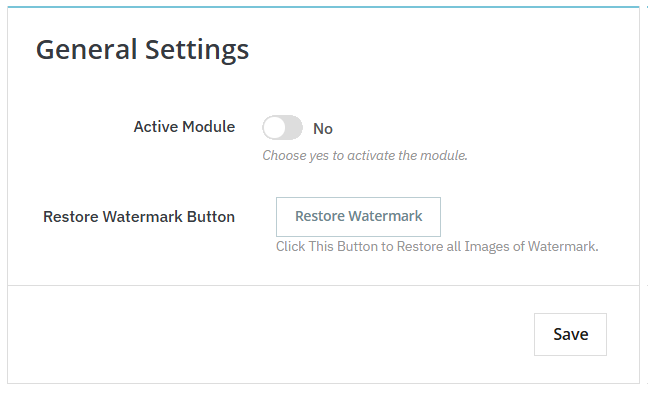
This module backs up original product images and allows you to restore original product images without a watermark with a single click. Once you enable the restore images option then, you can run a cronjob URL to restore the original images.
Automated Processing and Activity Log
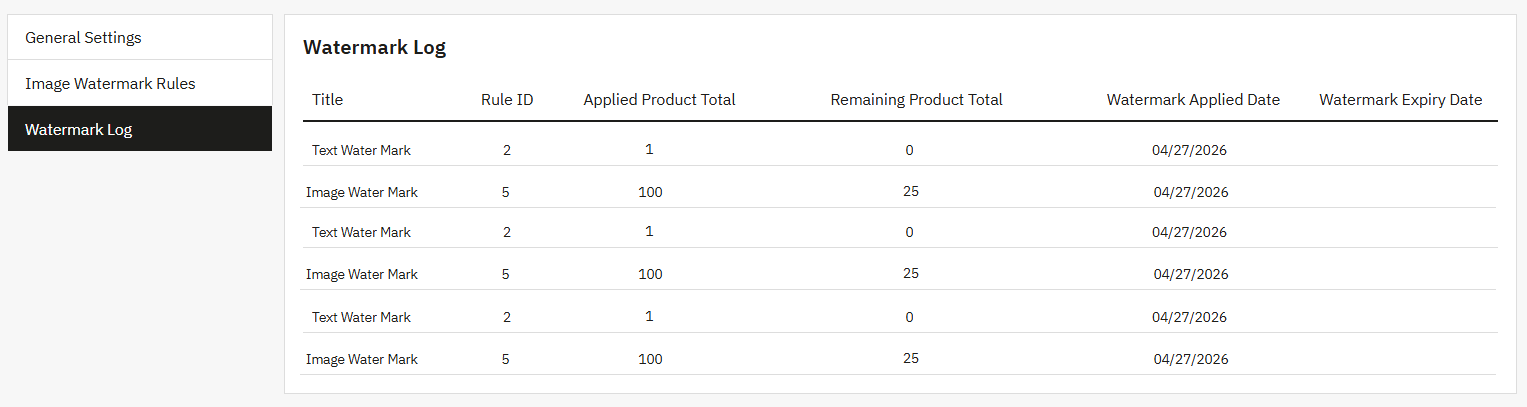
The module offers a dedicated cron job URL that automates background image processing and applies updates at scheduled intervals. Moreover, admins can also refresh or reset the original catalog using a one-click “Restore Watermark” button. Simply track watermark rules, updated products, application dates, and expiry dates from a centralized activity log.
Technical Compatibility
- PrestaShop Compatibilityv 1.7.0 - v 9.2.0
- Current Versionv 1.1.2
- Compatibility MultiShopYes
- Languages English, German, Italian, French, Spanish, Dutch, Polish & Portuguese
More Features
- Use Cron job URL to automatically update watermark after a scheduled interval
- Add custom rule title and set its priority
- Choose to apply watermarks to products within a specific price range
- Add a minimum and maximum price for the product
- Apply custom watermarks to products within specifc stock quantity
- Add minimum and maximum stock values for the product
- Add watermarks to sale or out-of-stock products
- Schedule watarmark on desired dates
- Upload a custom image for the watermark
- Select an angle between 0 and 360 to rotate your watermark accordingly
- Add numerical image opacity value
- Automatically add image or text watermarks to entire catalog or select specific:
- Products
- Categories
- Manufacturers
- Suppliers
- Restore or refresh the original catalog with the one-click Restore Button
- Create multiple image or text watermark rules
- Use a dedicated log to manage the following rule details:
- ID
- Title
- Priority
- Status
- Added date
- Updated date
- Choose whether to repeat the watermark across the entire image or not
- Add a vertical or horizontal margin value
- Choose from nine different watermark placement positions:
- Top Left
- Top Middle
- Top Right
- Middle Left
- Middle Middle
- Middle Right
- Bottom Left
- Bottom Middle
- Bottom Right
- Choose to add custom watermark text and set its:
- Font size
- Text color
- Watermark rotation and repetition
- Verticle and horizontal margin
- Font family
- Manage a detailed watermark log history and track:
- Rule Title
- Rule ID
- Applied Product Total
- Remaining Product Total
- Watermark Applied Date
- Watermark Expiry Date
Reviews
There are no reviews yet.