


PrestaShop Merge Carts After Login Module
By default, users’ carts are cleared when they log in, causing them to lose all the items they have added as guests. PrestaShop Merge Carts Module solves this issue by automatically merging guest carts into logged-in users’ carts. This flexibility provides a smooth shopping experience and helps customers continue without losing any products. Admins can also allow users to manually select which items to merge from the old cart to the new one. You can simply delete the old cart, track merged cart analytics, and manage each detail from a separate log.
Prefer buying from the Official PrestaShop Addons Marketplace? Check out our module Here
Key Features:
- Automatically combine guest cart items with users’ existing cart after login
- Choose to remove old guest cart items once it’s merged with logged-in cart
- Allow users to manually select items from the old cart and merge them with new ones.
- Manage complete merged cart details from a separate log
- Track merged cart analytics from a backend dashboard
-

Marketplace Verified
-
Extension Partner
$79$69 Now
then billed annually at $20 / year and a $49 sign-up fee
- 1 year free support
- 1 year extension updates
30 DAYS MONEY BACK GUARANTEE
Your money is secure with our buyer protection. Claim a full refund for any reason.
Detailed Features of PrestaShop Merge Carts After Login Module
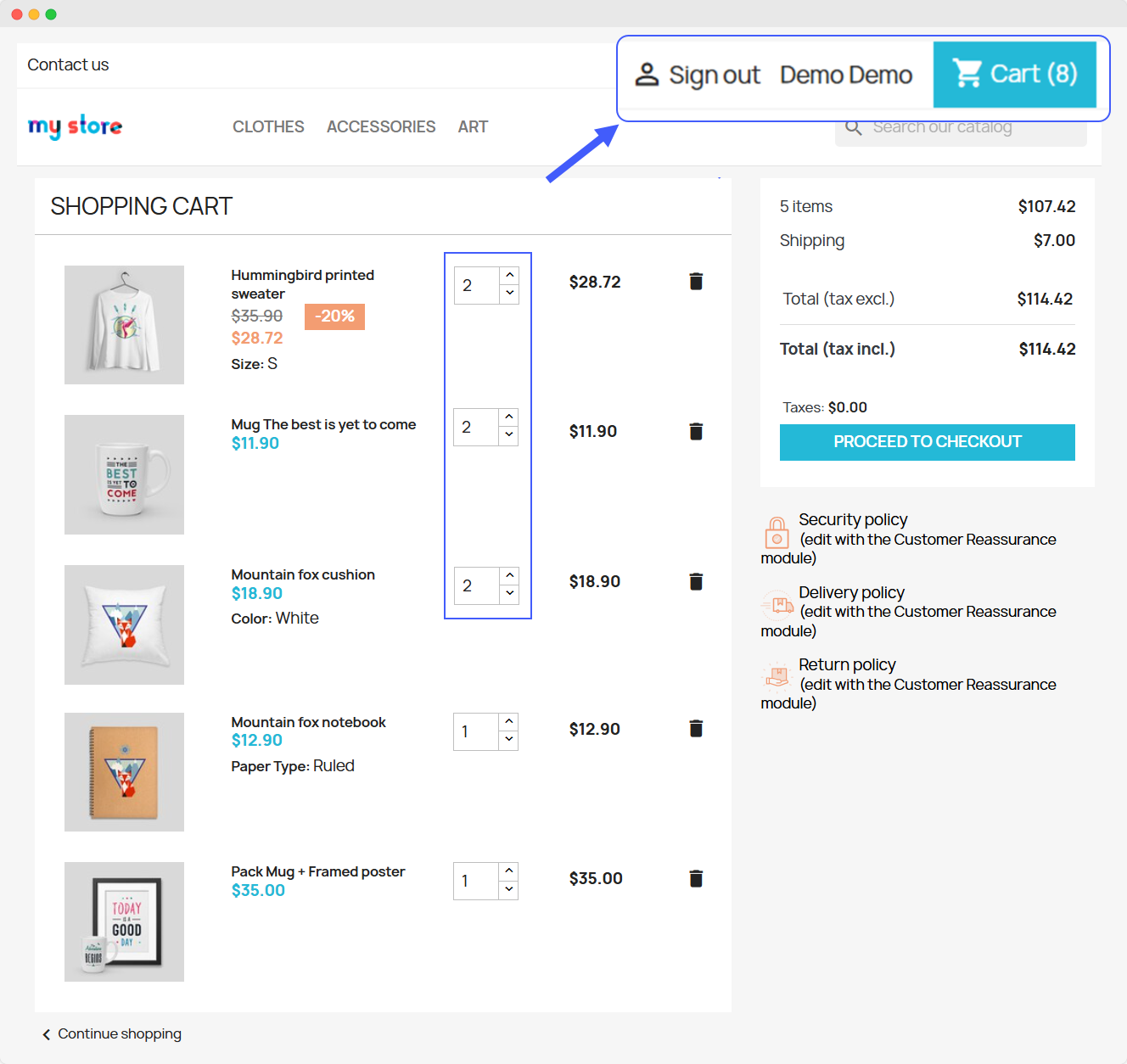
Merge Carts After Login
PrestaShop Merged Carts Module allows you to automatically merge guest users’ carts into customers’ logged-in carts. This means that customers won’t lose the items they have added and can continue shopping where they left off. You can also allow users to manually select the items they want to add from the guest cart to the logged-in cart. Simply track merged cart analysis, manage cart details, and improve overall user experience.
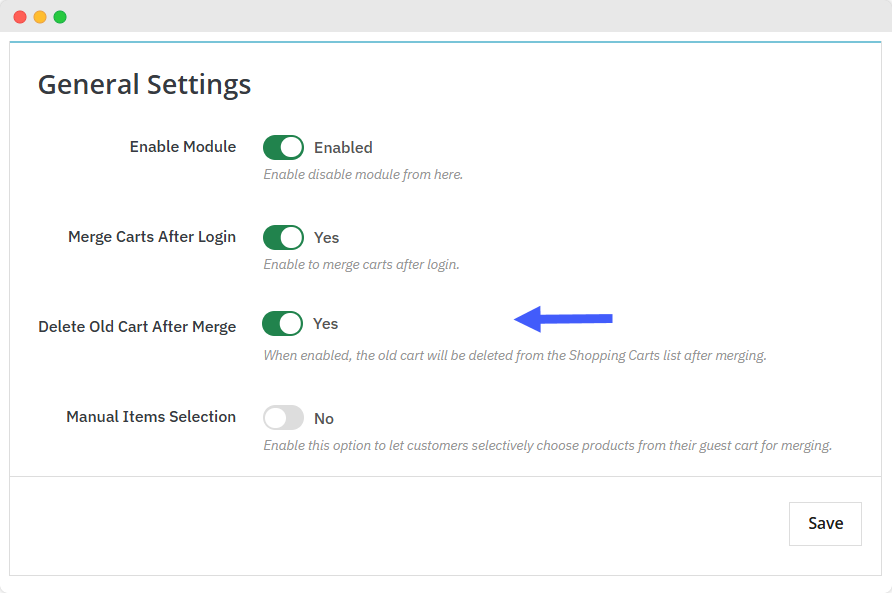
Delete Old Carts After Merge
PrestaShop Merge Cart Module allows you to delete the old guest cart once it’s merged with a logged-in user’s cart. This prevents duplication and helps customers to see updated and accurate cart details.
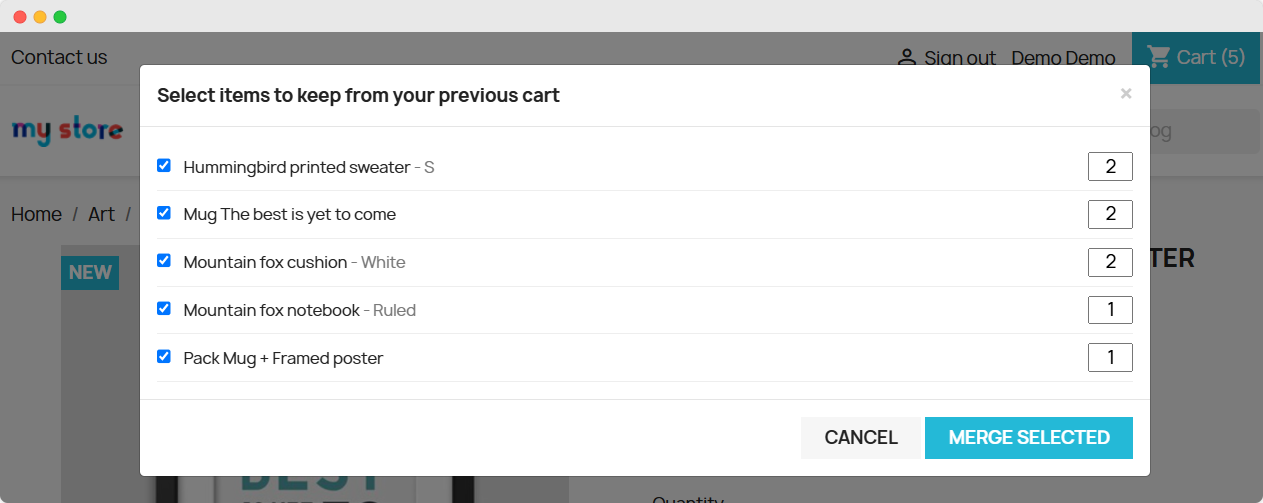
Manual Items Selection
By using the module, you can provide customers the option to manually select products from the guest cart and merge them to the logged-in cart. This creates a personalized shopping experience and allows users to keep the items they truly want.
View Detailed Merged Cart Analytics
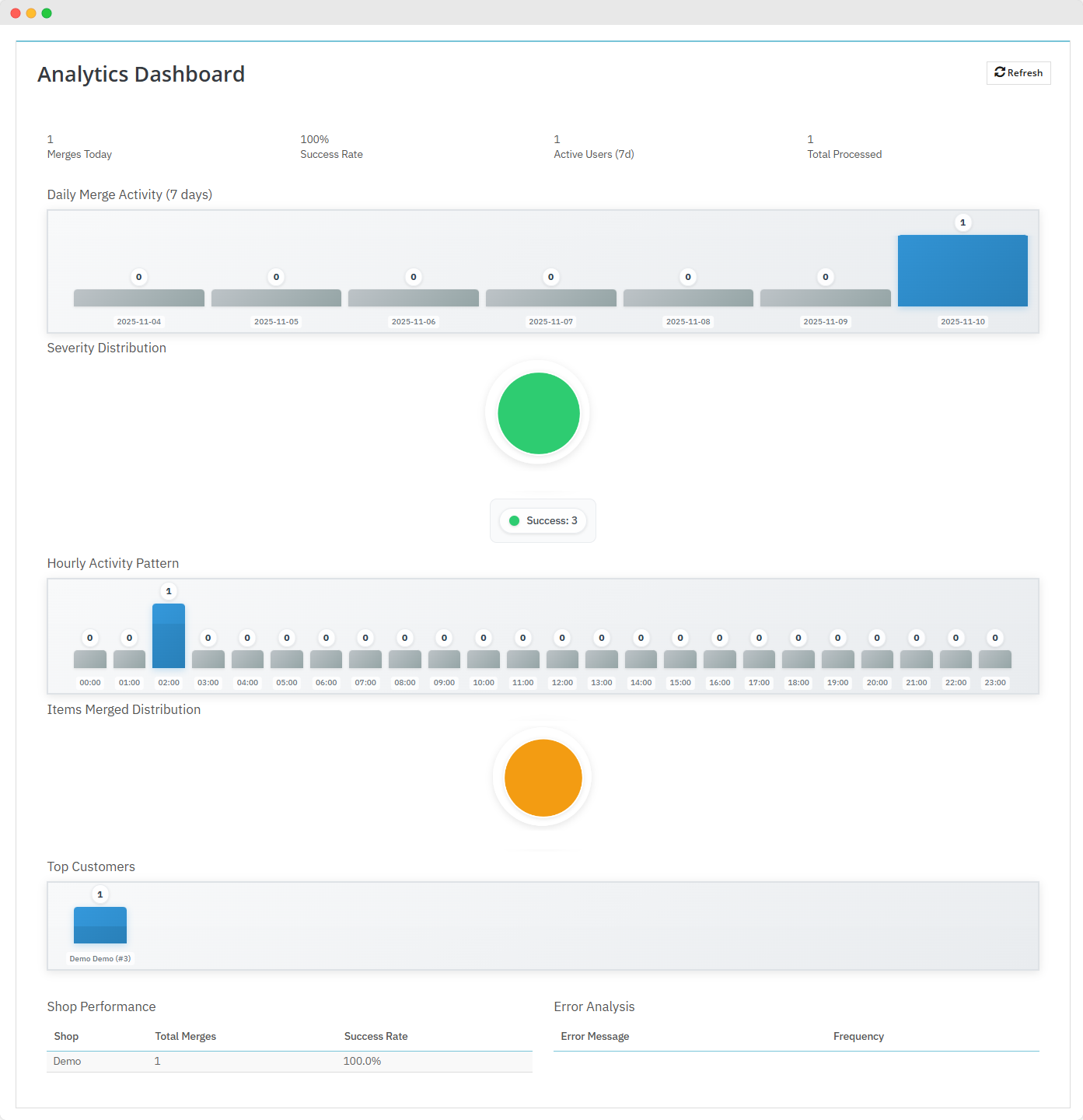
PrestaShop Advanced Cart Merges Module provides admins a detailed dashboard from which they can track total merged carts, active users, and success rate. You can also view activity from the last 07 days and gain insights about:
- Hourly Activity Pattern
- Items Merged Distribution
- Top Customers
- Shop Performance
- Error Analysis
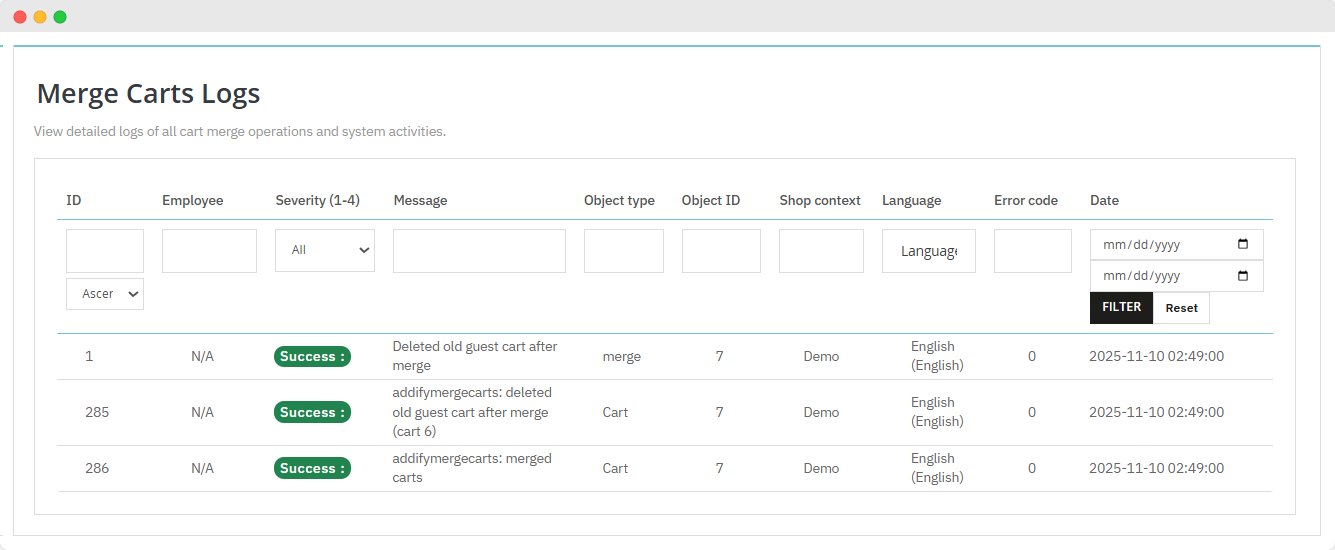
Merge Carts Logs
From this log, you can view all cart merge operations and system activities along with details like:
- Object Type
- Object ID
- Shop Context
- Language
- Error Code
- Date
Technical Compatibility
- PrestaShop CompatibilityV1.7.0.0 - V9.0.0
- Current Version1.0.0
- Compatibility MultiShopYes
- LangaugesEnglish, German, Italian, French, Spanish, Polish, Portuguese, Dutch
More Features
- Merge guest user’s cart into logged-in user’s cart
- Delete old cart once it is merged with the new one
- View and manage complete merged cart details from a separate log
- Allow users to manually pick items from old cart and merge them into new one
- Get a backend dashboard to track merged cart’s recent analytics
- Encourage users to complete their purchases by retaining their carts