


PrestaShop Multi UOM: Sell By Weight, Length, Volume & Custom Units Module
Selling measurement-based products is quite challenging, especially when you need to handle multiple units and avoid manual calculations. To solve this, the PrestaShop Multi UOM module allows you to sell products by weight, length, volume, and more. You can simply set a base unit and add as many related units as needed. For customizable or special products, you can create a new unit of measurement and define conversion rates that align with your existing pricing strategy. Easily sell fabric by meters or yards, food items by kilograms or ounces, liquids by liters or milliliters, and bulk products by cartons or bundles.
Prefer buying from the Official PrestaShop Addons Marketplace? Check out our module Here
Key Features
- Sell products by weight, length, volume, height, time, power, capacity, or more
- Add a base unit and set unlimited sub-units with precise conversion rates
- Create and configure your own units of measurement for niche products
- Automatically apply variant prices according to the selected UOM quantity
- Sell products by length, volume, weight, area, time, capacity, and power
-

Marketplace Verified
-
Extension Partner
$116$103 Now
then billed annually at $40 / year and a $63 sign-up fee
- 1 year free support
- 1 year extension updates
30 DAYS MONEY BACK GUARANTEE
Your money is secure with our buyer protection. Claim a full refund for any reason.
Detailed Features of Prestashop Multi UOM: Sell By Weight, Length, Volume & Custom Units Module
Take Full Control Over Unit Conversions
Multi UOM Product Sale module provides you with an advanced unit conversion system. It allows you to set a “Base Unit” for any category and gives an option to add all other units related to it. This means that every product can have a single standard unit for accurate calculations while still giving you the flexibility to sell the same product in multiple units, such as a kilogram can be the standard unit and sub-units can be grams, pounds, ounces, etc.
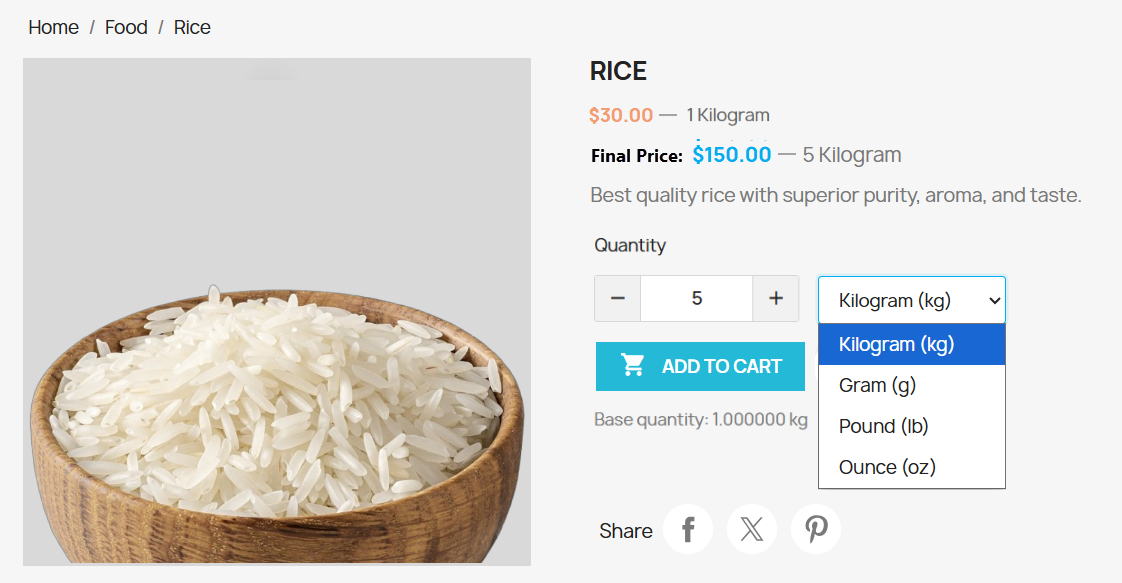
Display Pricing in Multiple Formats
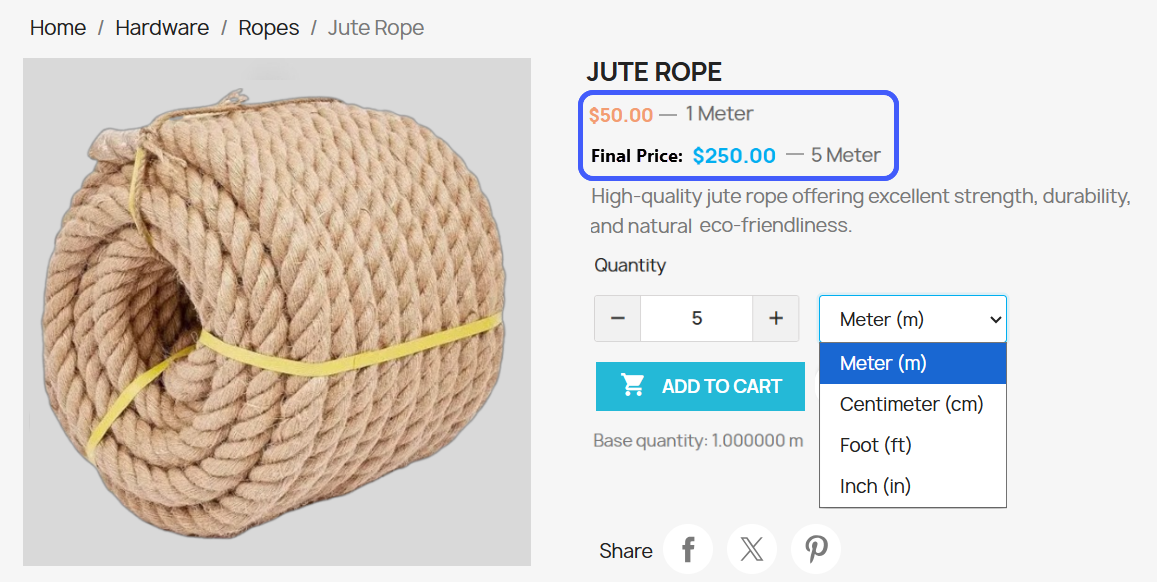
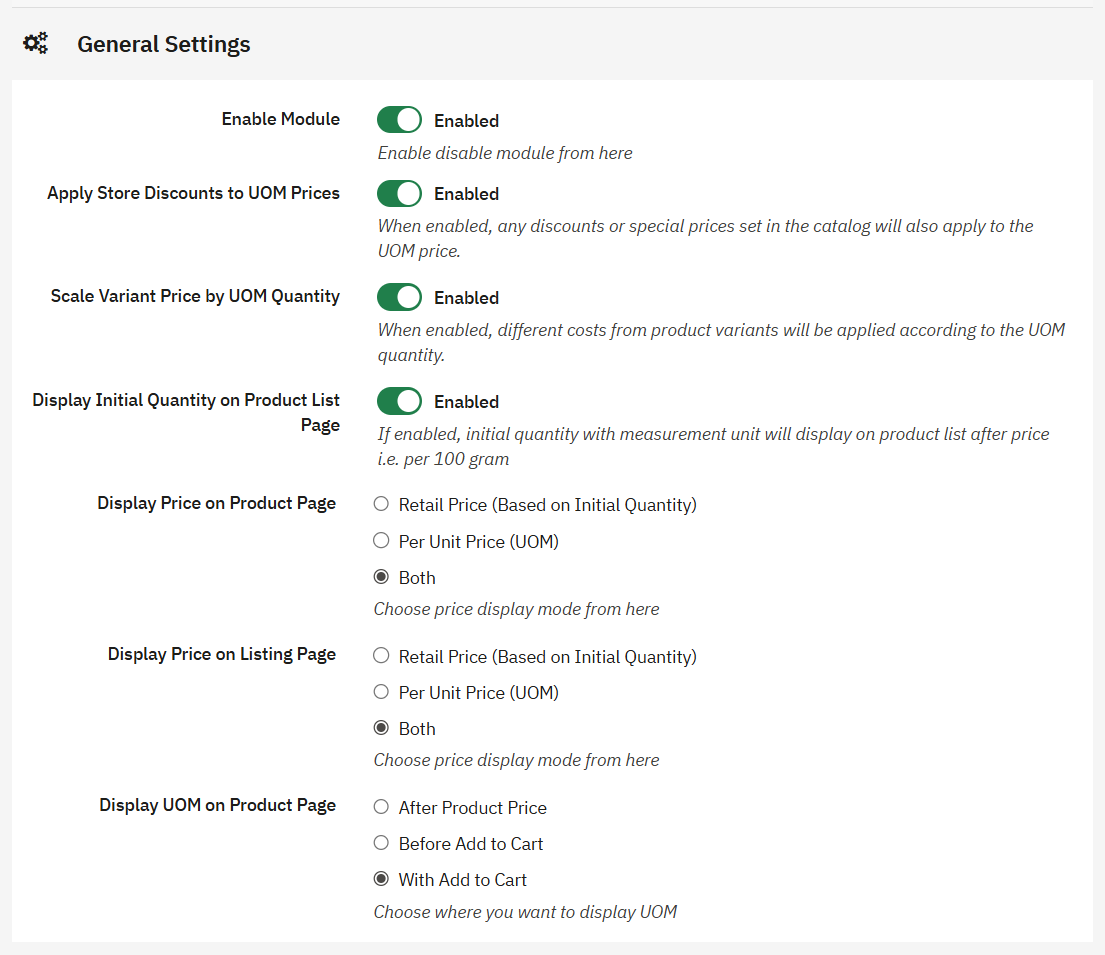
Merchants can easily choose from multiple pricing modes and provide customers with the clarity they need. You can display the standard retail price, set a specific unit price such as $3.00 per 100g, or show both formats together. This provides complete transparency and helps customers understand how prices are calculated for different quantities.
Add Unlimited Custom Measurement Types
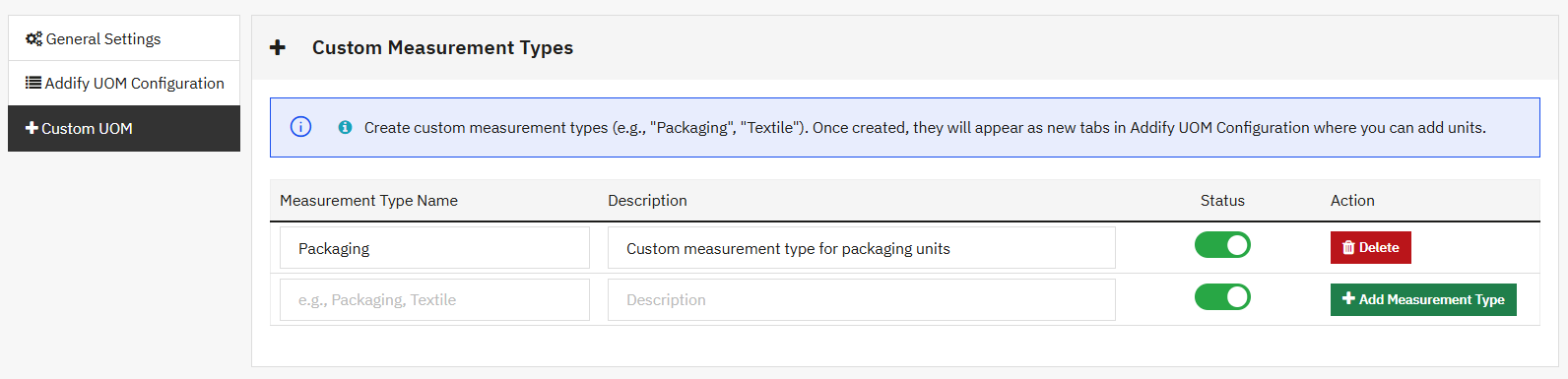
For specialized industries, standard units are not enough to represent unique product requirements. This module offers a Custom UOM builder that allows you to create a new measurement category customized according to your specific business needs. Simply define your own unit, set conversion rule, and assign it to any product. This can also help you target wholesalers or manage items sold in bulk formats such as cartons, bundles, or bags.
Catalog Integration and Global Settings
By using the module, you get a streamlined backend interface. Admins can easily enable or disable the module anytime they want and choose to display the UOM label after the price or before/with the add-to-cart button. You can also decide whether the storewide discounts should apply to UOM prices or not. Moreover, from product-level settings, you can access a dedicated configuration tab that allows you to toggle measurement sales for individual items and select the relevant unit for that specific item.
Smart Discount & Variant Integration
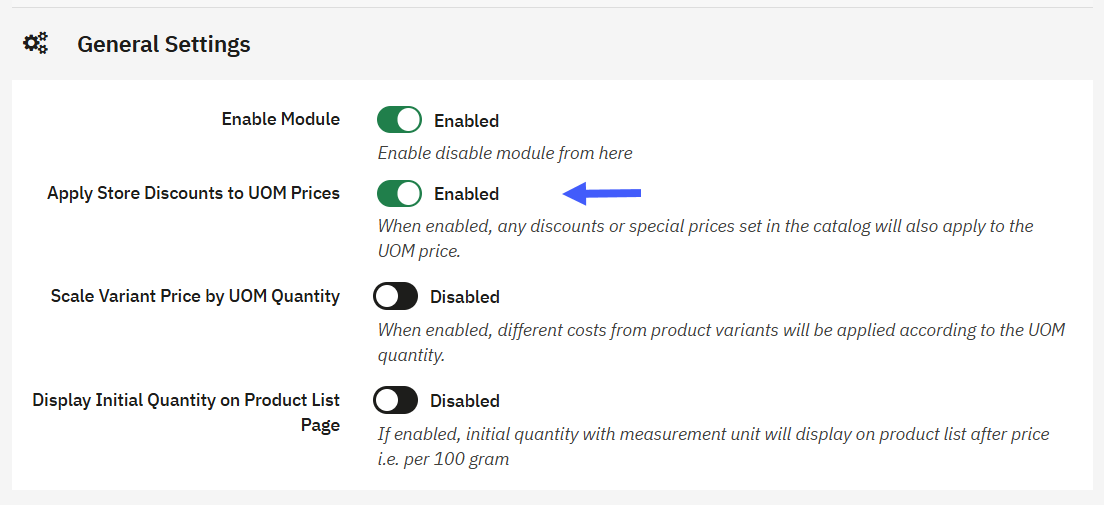
PrestaShop Multi UOM module automatically applies catalog-wide discounts or special offers directly to your unit of measurement rates. Also, if a product variant ( like premium material or specific color) has a different price, the system automatically adjusts it based on the selected UOM quantity. In this way, customers can experience an accurate pricing structure while you can maintain consistent profit margins.
Technical Compatibility
- PrestaShop Compatibilityv1.7.0 - v 9.1.0
- Current Version1.0.1
- Compatibility MultiShopYes
- LanguagesEnglish, German, Italian, French, Spanish, Polish, Portuguese, Dutch
More Features
- Add a base unit and define unlimited sub-units with accurate conversion rates
- Enable /disable the module anytime you want
- Choose to apply existing store discounts to UOM prices
- Automatically add variant costs according to the selected UOM quantity
- Display initial quantity with measurement unit on the product list page
- Choose price display mode on product page as:
- Retail price ( based on initial quantity)
- Per unit price (UOM)
- Both
- Create your own unit of measurement types
- Choose price display mode on listing page as:
- Retail price ( based on initial quantity)
- Per unit price (UOM)
- Both
- Choose where you want to display UOM on product page:
- After product price
- Before add-to-cart
- With add-to-cart
Customer reviews
Be the first to get an exclusive offer and the latest news.