


PrestaShop Price Change and Stock Alert Pro Module
PrestaShop Price Change and Stock Alert Pro helps recover lost sales by automatically notifying customers when a product is back in stock or change in price. Customers can subscribe to alerts, allowing you to re-engage them at the right time and increase conversions with the PrestaShop product alert module. This module offers full design customization for buttons and forms, advanced targeting based on customer groups, countries, currencies, and products, plus detailed logs to track subscription and triggered notifications for better strategy optimization.
Prefer buying from the Official PrestaShop Addons Marketplace? Check out our module Here
Key Features
- Notify customers instantly when products are back in stock or prices change.
- Restrict alerts by customer groups or specific users,
- Display the alerts button based on countries, currencies, languages, or product attributes.
- Create unlimited rules with priorities, turn on/off individually, and schedule alerts.
- Fully customizable subscription buttons and subscription forms.
- Fully customizable messages, and unsubscribe options to match your store’s branding.
- Track all subscriptions and trigger alerts with detailed logs to monitor customer interest.
Let your customers subscribe to back-in-stock and price alerts so you never miss a sale. It’s fully customizable and lets you target the right audience with precision. Simple, powerful, and built to increase conversions.
-

Marketplace Verified
-
Extension Partner
$79$69 Now
then billed annually at $20 / year and a $49 sign-up fee
- 1 year free support
- 1 year extension updates
30 DAYS MONEY BACK GUARANTEE
Your money is secure with our buyer protection. Claim a full refund for any reason.
Detailed Features of PrestaShop Price Change and Stock Alert Pro Module
Turn Missed Opportunities into Sales
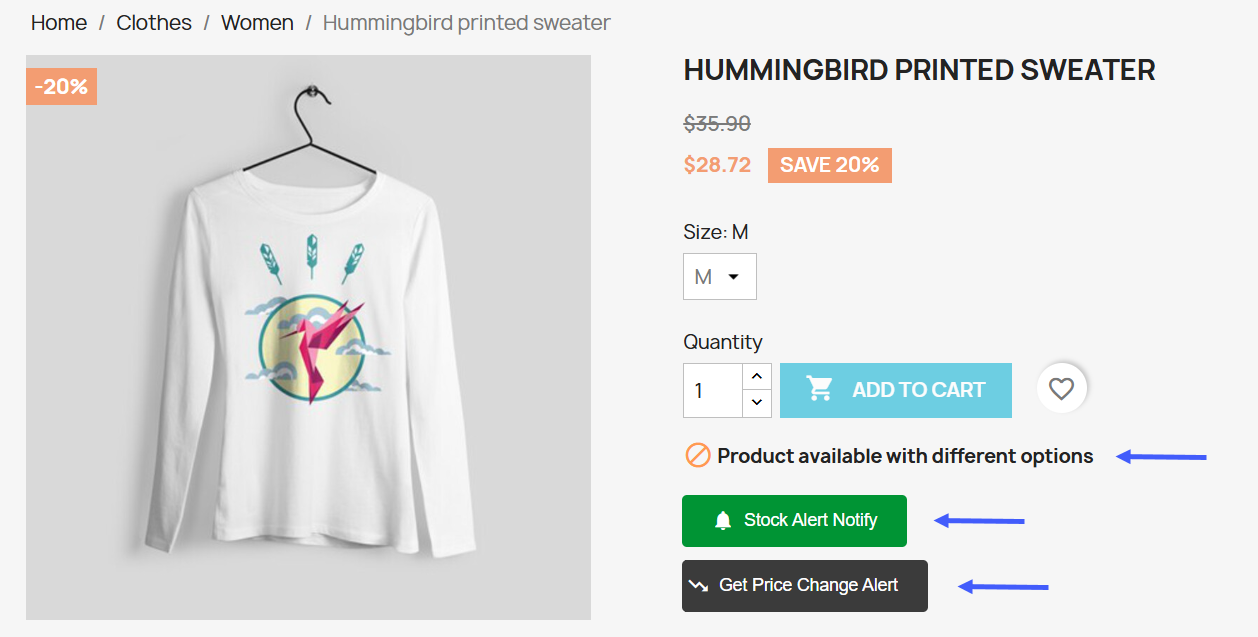
When products go out of stock or prices change, potential sales are often lost. With PrestaShop Price Change and Stock Alert Pro, customers can subscribe to stock and price alerts and are automatically notified when items are back in stock or prices drop. This proactive approach keeps customers engaged, brings them back to your store at the right moment, and boosts conversions without additional marketing effort. It ensures no opportunity is wasted and helps maximize revenue from interested buyers.
Customizable Subscription Button
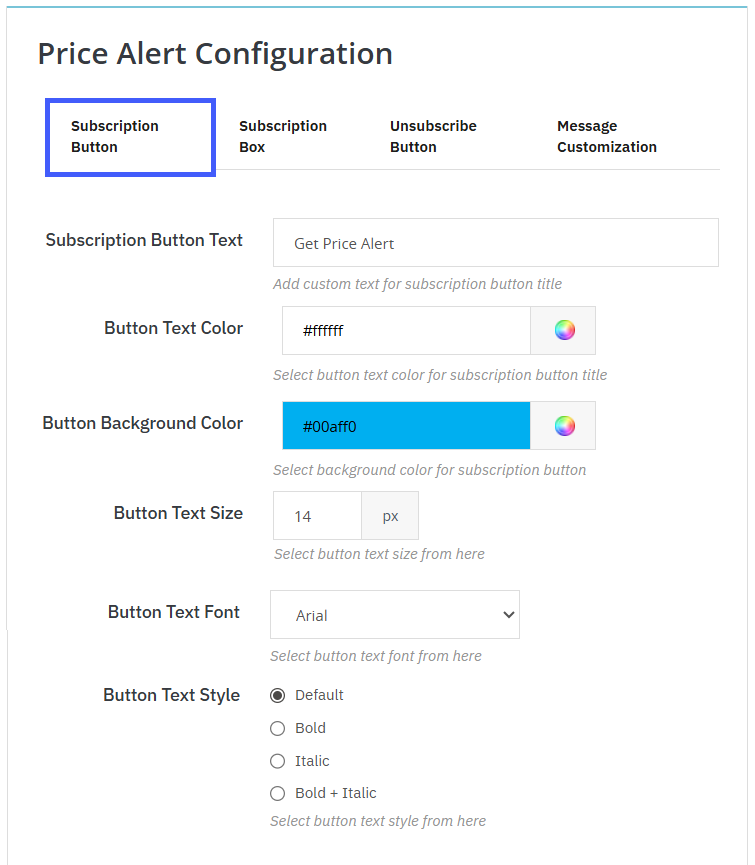
With this module, you can fully customize the subscription buttons for both stock alerts and price change alerts, giving you control over text, appearance, and style to match your brand. You can set the button text as “Notify Me” for stock alerts or “Get Price Alert” for price changes to communicate the action to users clearly. Visual customization options include selecting the text color, background color, font, text size, and text style (Default, Bold, Italic, or Bold + Italic). Making your call-to-action button visually appealing and engaging.
Build Your Own Subscription Box
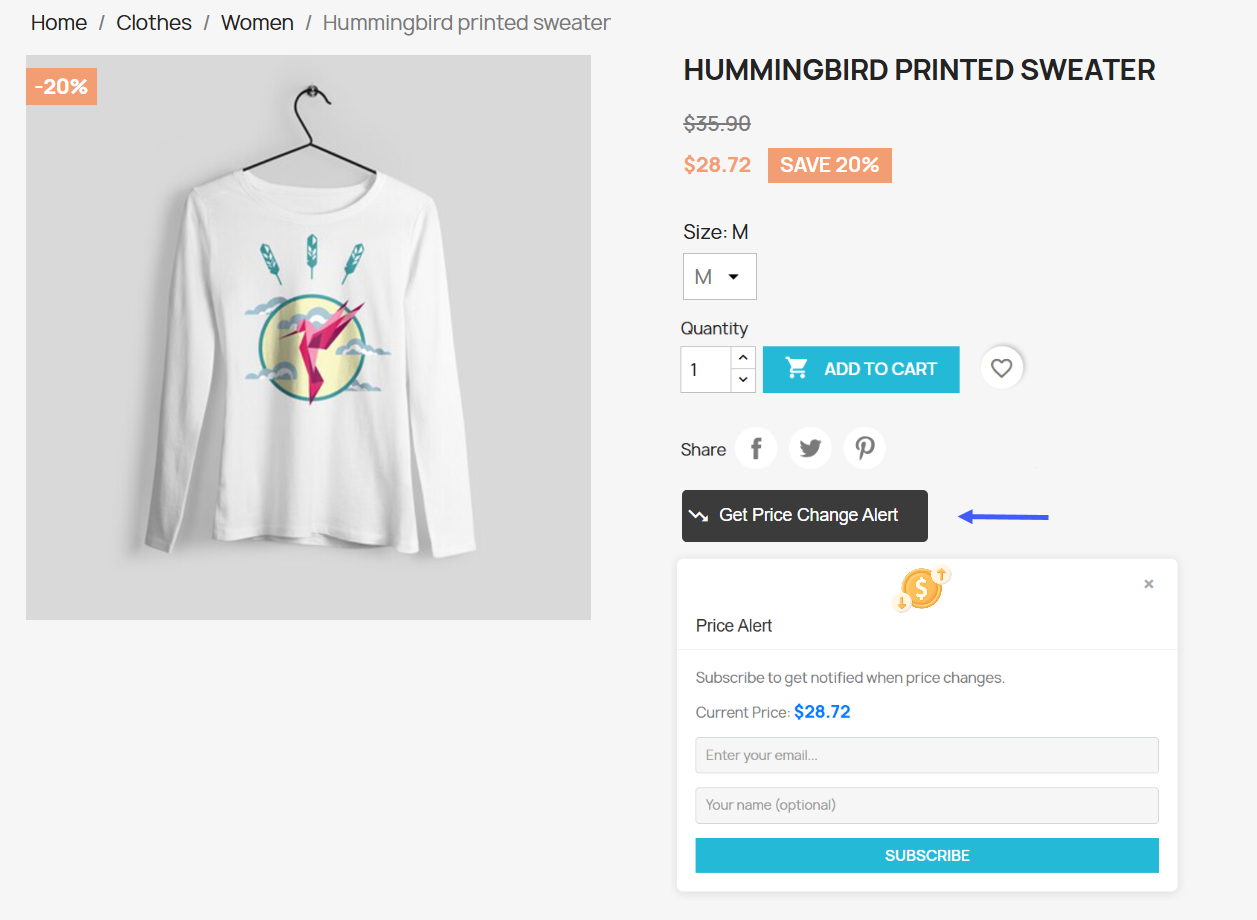
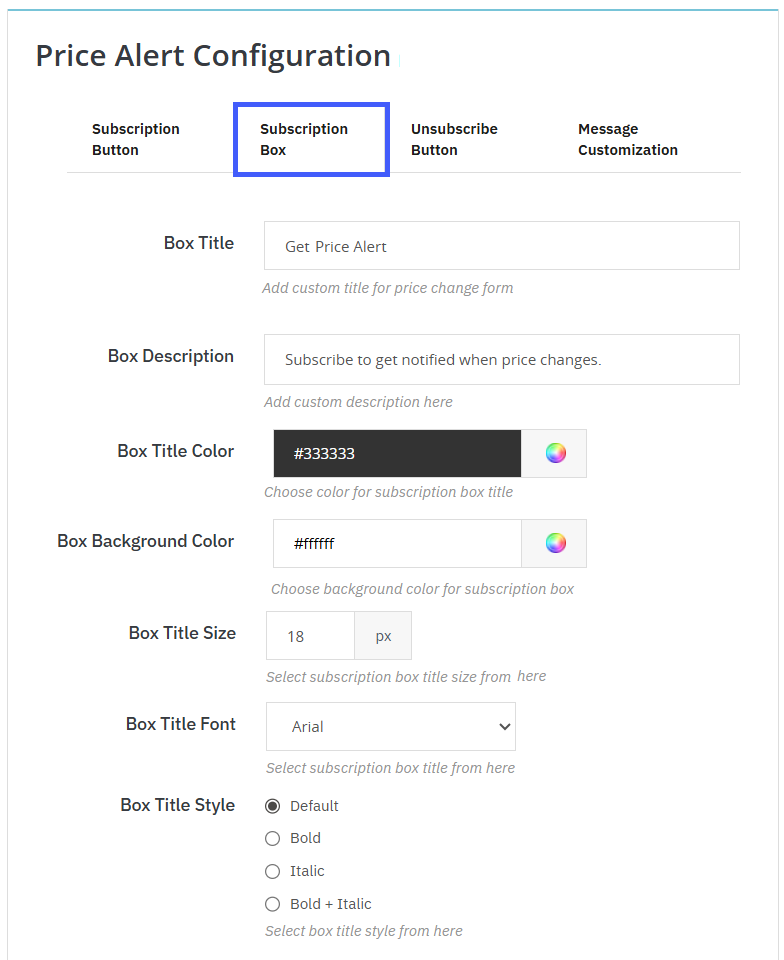
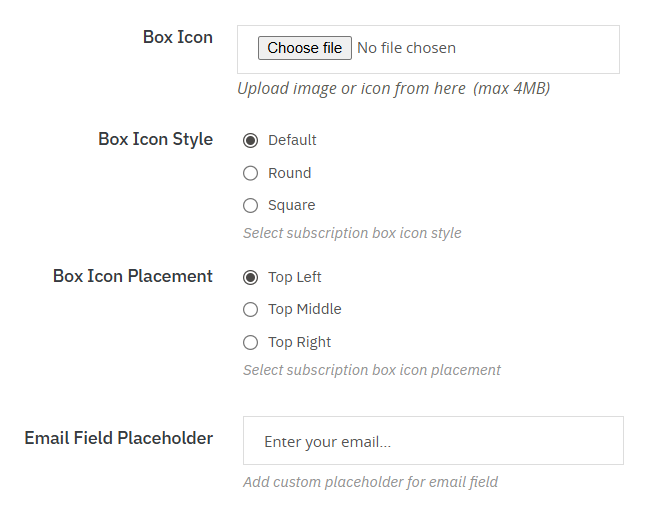
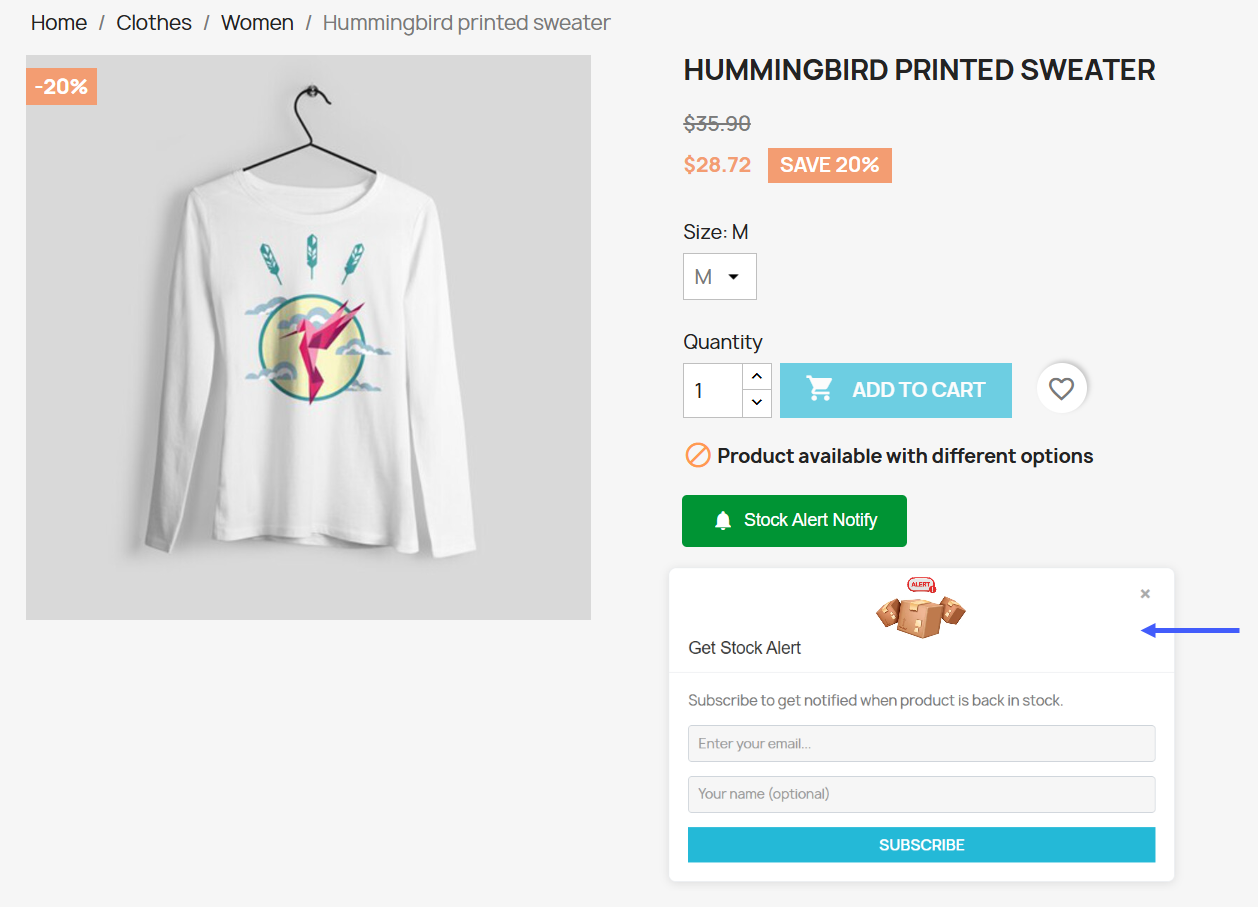
This module lets you fully design and personalize subscription boxes for both stock and price change alerts, ensuring a consistent and engaging user experience. A core part of the PrestaShop product alert module, it helps store owners keep customers informed and engaged. You can set a custom title and description for each form to clearly explain the subscription purpose. Visual customization lets you adjust the title color, background color, size, font, and text style. You can add a custom icon, select its style (default, round, square), position it (top left, middle, top right), and personalize the email field placeholder. These options keep subscription boxes visually appealing, user-friendly, and aligned with your brand.
Smart Customer Alert Messages
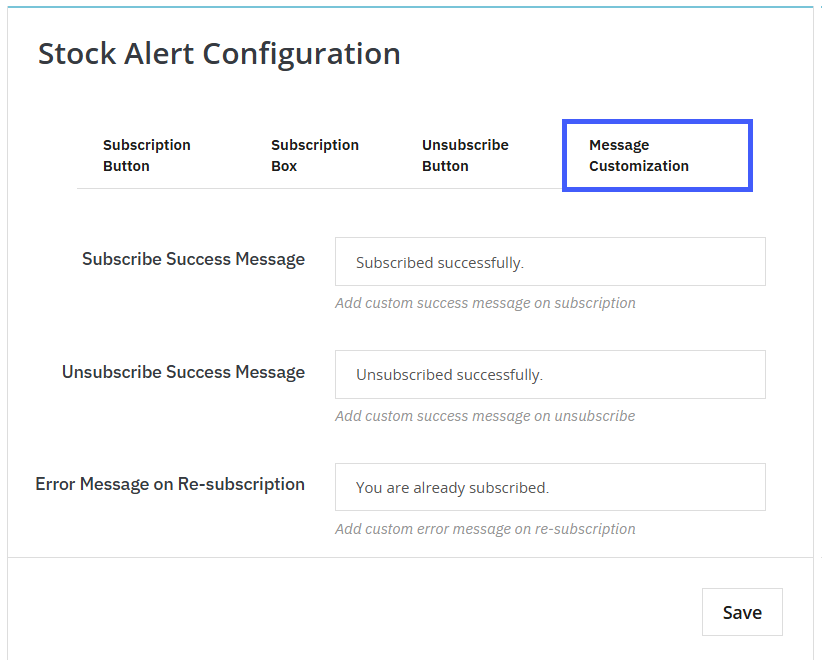
This module allows you to customize user feedback messages for both stock alerts and price change alerts. You can define a subscription success message (e.g., “Subscribed successfully”) to confirm when a user signs up for either alert type. Similarly, an unsubscribe success message (e.g., “Unsubscribed successfully”) provides clear confirmation when users opt out. Additionally, an error message for re-subscription ensures users are properly informed if they attempt to subscribe again.
User Friendly Unsubscribe Button
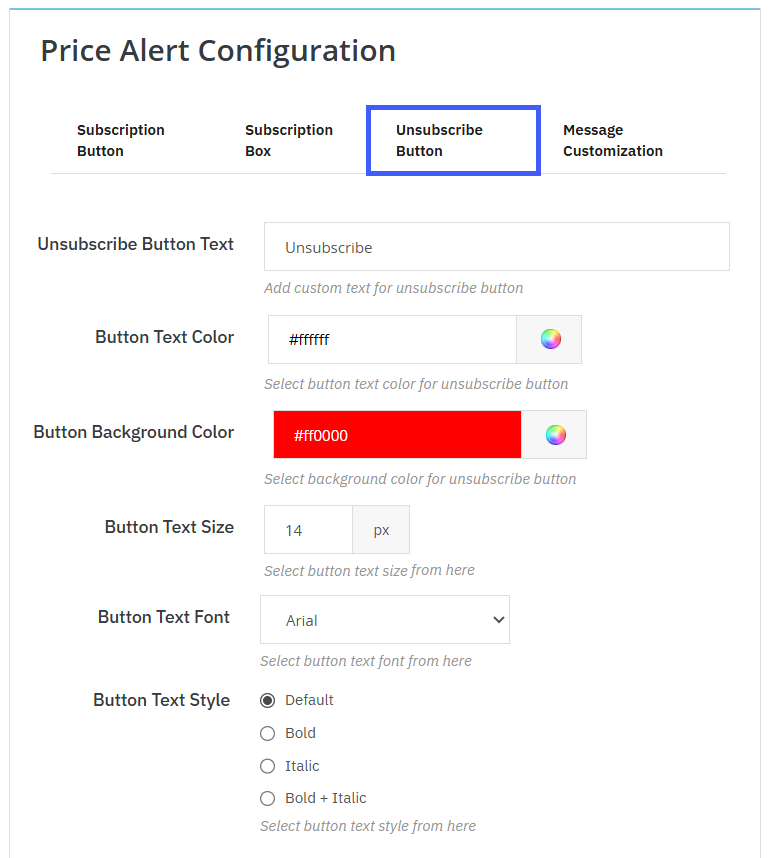
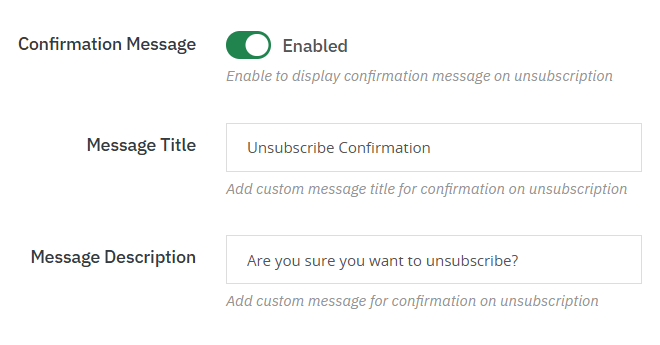
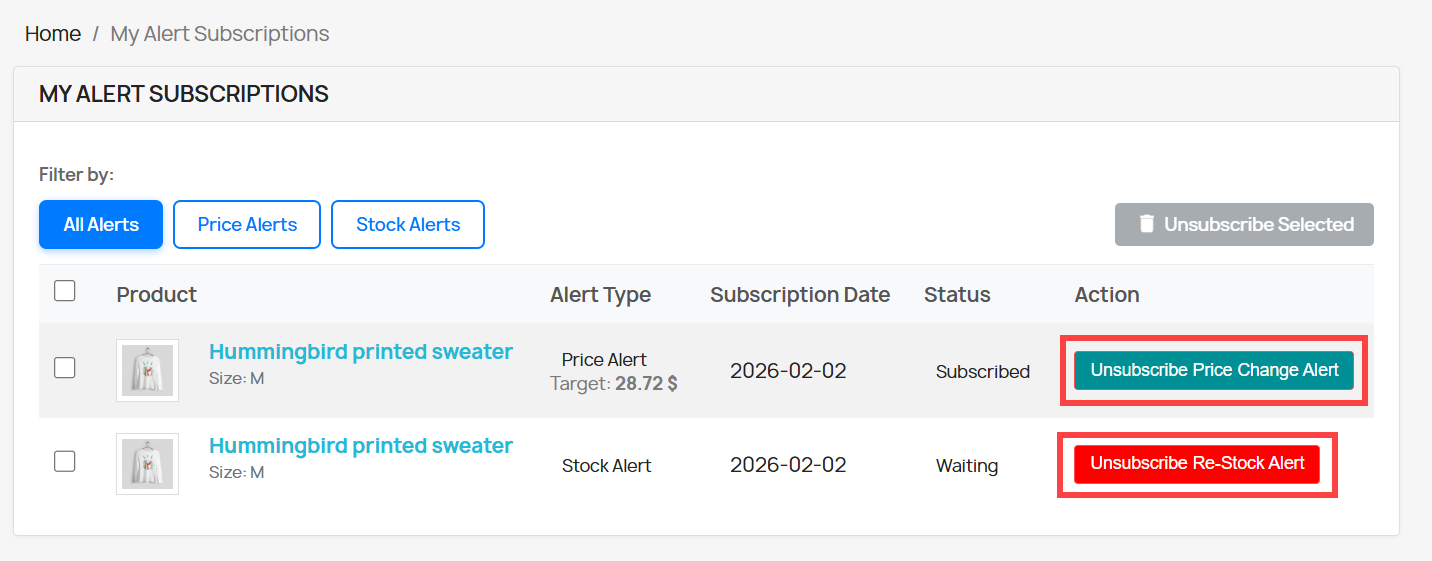
This feature lets you customize the unsubscribe button for both stock alerts and price change alerts. You can set the button text (e.g., “Unsubscribe”), adjust text color, background color, font, size, and style (Default, Bold, Italic, or Bold + Italic). You can also enable a confirmation message with a custom title and description to prevent accidental unsubscribe. This ensures a consistent, clear, and user-friendly unsubscription experience across both alert types, making it a key part of the PrestaShop product alert module.
Advanced Rule-Based Management
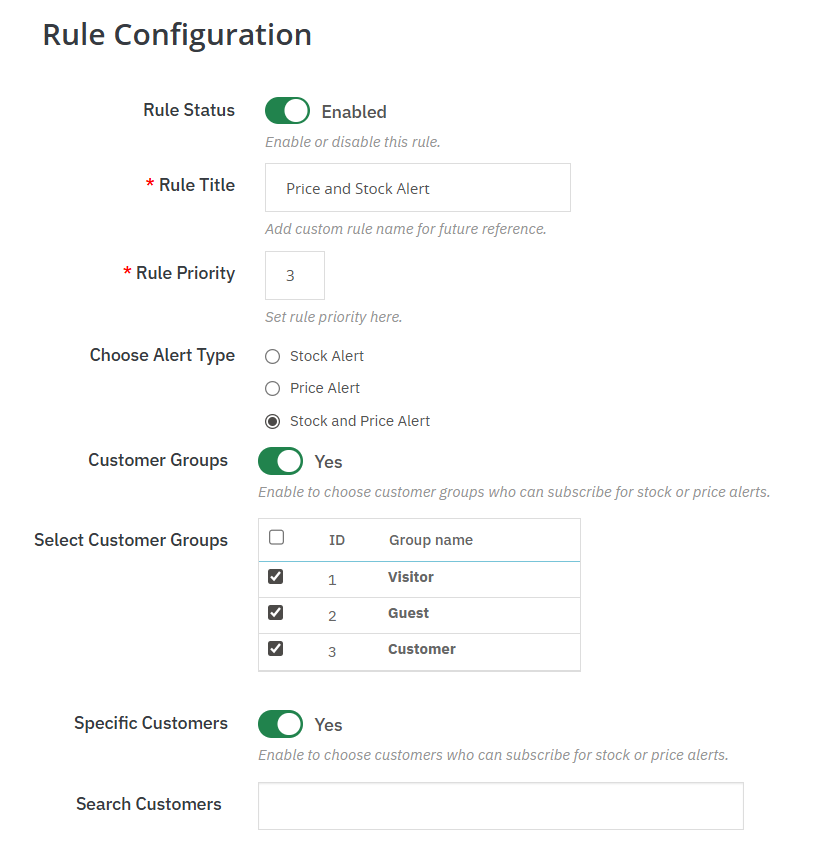
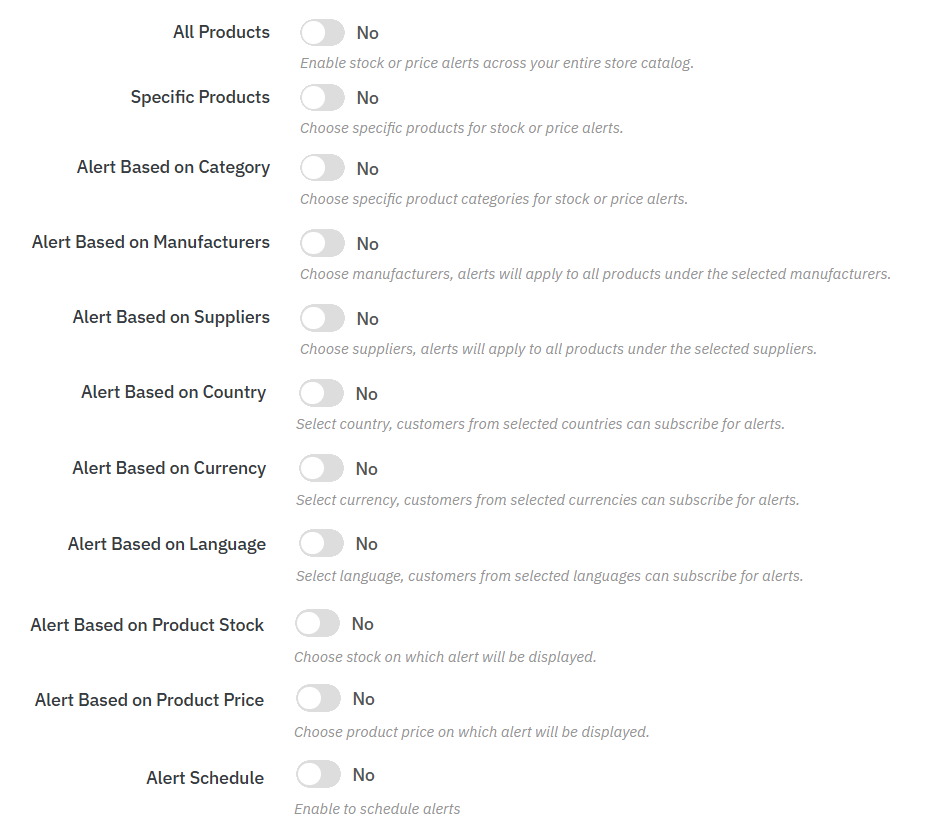
The module enables merchants to develop infinite rules of alerts and have full control over how notification works out. To prioritize between different rules, you can choose priority per rule, and the alerts you would like to apply first are selected. This is to say that you have control over who is to be subscribing to the alerts, like certain customer groups or individual users, what products should be woken by the alerts, and on what terms, say, stock levels of certain products or price levels.
Stay Informed with Real-Time Tracking
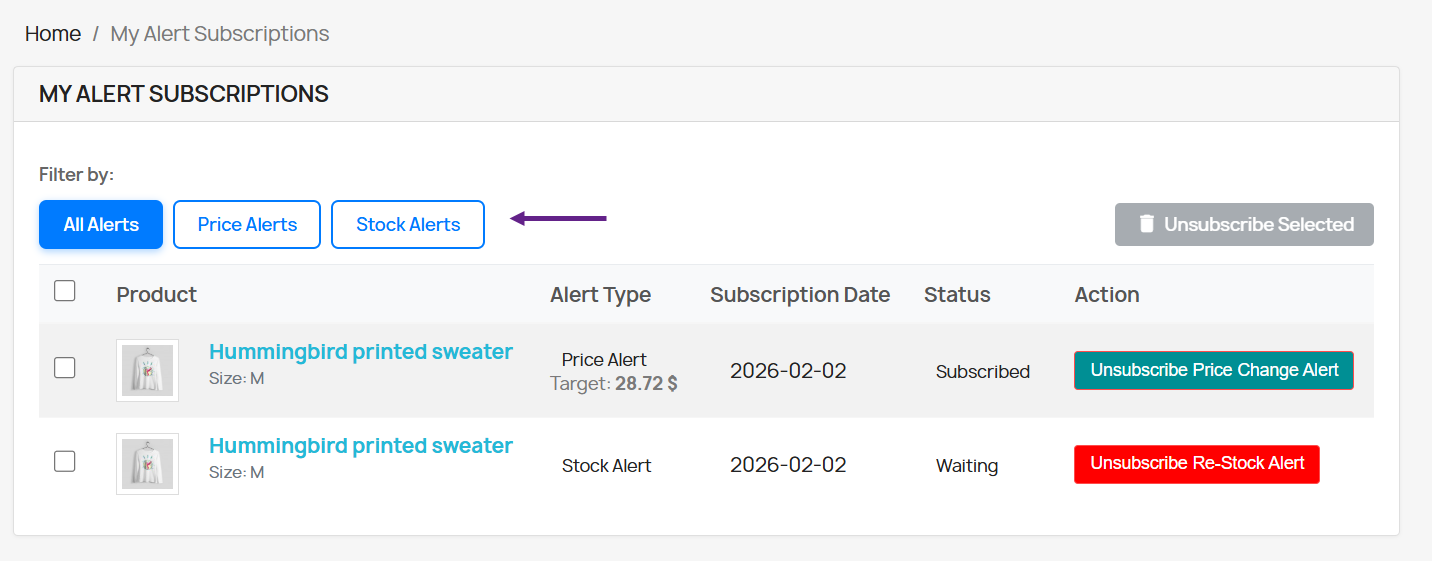
The built-in stock and price alert logs provide you with a transparent and arranged account of all customer subscriptions in a single spot, which is in favor of your PrestaShop price drop notification plan. It is easy to understand what products customers are observing and the number of those who have requested price or restocking notices. This can assist you in knowing what will be popular with the products and how you will better plan how to carry them or set a price. Armed with this information, you can make better business choices based on actual customer interest.
Technical Compatibility
- PrestaShop Compatibilityv 1.7.0.0 - v 9.1.0
- Current Versionv 1.0.0
- Compatibility MultiShopYes
- LanguagesEnglish, German, Italian, French, Spanish, Polish, Portuguese, Dutch
More Features
- Design a fully customizable subscription button with adjustable text, color, fonts, sizes, and text styling options.
- Personalize the subscription button’s appearance with flexible background and text design controls
- Upload and display a custom icon for the subscription box with selected styles, such as default, rounded, or square.
- Position the icon anywhere within the subscription box, including top-left, centre, or right alignment.
- Select the icon position inside the subscription box, such as top-left, center, or right alignment
- Customize the placeholder text displayed in the email subscription input field
- Include a fully customizable unsubscribe button with adjustable text, colors, fonts, size, and styling options
- Activate unsubscribe confirmation pop-ups with customization
- Show personalized success messages after a successful subscription
- Display tailored success messages upon successful unsubscription
- Present custom error messages when customers try to subscribe again
- Configure all design and messaging settings independently for price alerts
- Turn individual alert rules on or off as needed
- Set custom titles for each rule to simplify management
- Assign priority levels to control the order in which rules are executed
- Activate Stock Alerts to inform customers when items are back in stock
- Enable Price Alerts to notify customers of product price changes
- Combine Stock and Price Alerts within a single rule for unified notifications
- Limit alert subscriptions to specific customer groups
- Restrict alert subscriptions to selected individual customers
- Activate alerts for the entire store catalog
- Enable alerts for specific selected products only
- Trigger alerts based on chosen product categories
- Configure alerts according to selected manufacturers
- Set up alerts based on specific suppliers
- Limit alert subscriptions by customer country
- Restrict alert access based on customer currency
- Control alert availability according to customer language
- Display alerts when products reach defined stock levels
- Show alerts based on specific pricing conditions
- Schedule alerts using customizable date-based settings
- Access detailed Stock Alert logs, including customer name, email, product, and date
- Review detailed Price Alert logs with customer name, email, product, and date
- Filter alert logs by status and execution date