


PrestaShop Private Product By Price and Stock Module
Increase engagement and drive sales by allowing targeted customers to view content that is only meant for them. PrestaShop Private Product by Price and Stock module allows you to restrict product visibility and purchase based on multiple conditions like price, stock level, user roles, and specific customers. Merchants can choose to privatize the entire product or just hide the add-to-cart/price button. Simply restrict the access when product price reaches a defined range, or stock goes out. With just a few clicks, you can manage multiple targeted campaigns, add special offers, provide temporary access, and redirect customers to any page of your choice.
Prefer buying from the Official PrestaShop Addons Marketplace? Check out our module Here
Key Feature
- Apply full or partial restrictions for specific products, customers, user roles, and pages.
- Give access to restricted items while hiding its price and add-to-cart button
- Show custom messages to users or redirect them to any other external link
- Choose to hide items based on their prices or stock levels
- Apply purchase restriction for products in or out of stock
-

Marketplace Verified
-
Extension Partner
$79$69 Now
then billed annually at $20 / year and a $49 sign-up fee
- 1 year free support
- 1 year extension updates
30 DAYS MONEY BACK GUARANTEE
Your money is secure with our buyer protection. Claim a full refund for any reason.
Detailed Features of PrestaShop Private Product By Price and Stock Module
Privatize Your Store by Price and Stock
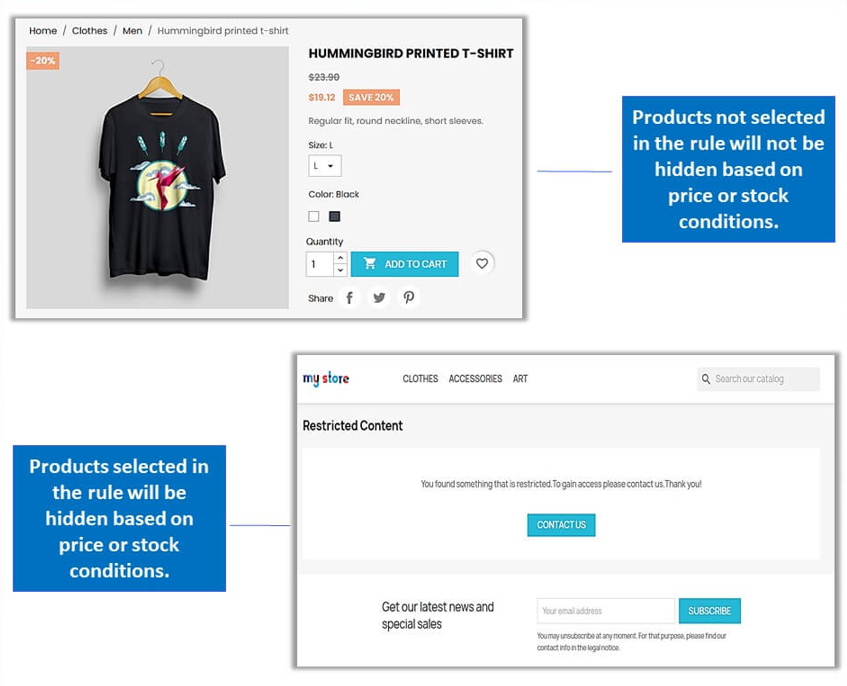
PrestaShop Restrict products by Price and Stock module allows you to completely control product visibility and purchasing access based on multiple conditions like price, stock level, and customer group. Shop managers can freely decide whether to hide products completely or just disable the price and add-to-cart button. Moreover, you can also create advanced restriction rules and choose to apply it on all or selected products/categories. Simply manage premium products’ visibility, limited stock issues, exclusive collections, and create multiple seasonal campaigns effectively.
Apply Advanced Product Restriction Rules
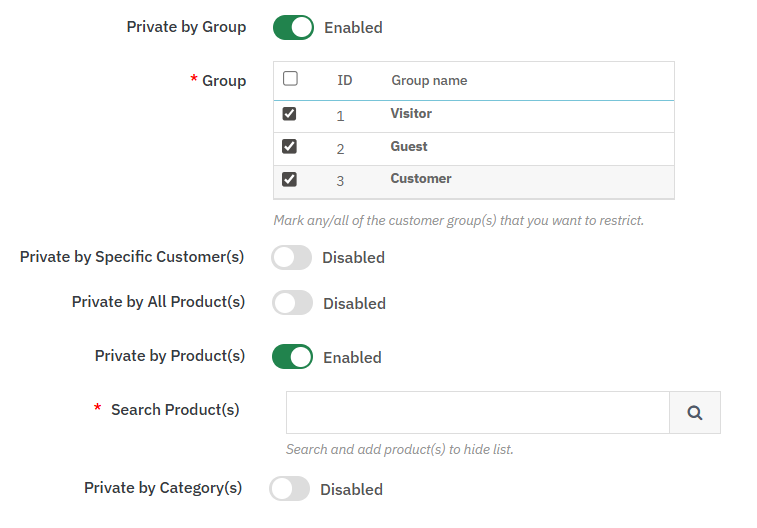
Merchants can create multiple rules and choose to restrict them based on specific conditions, such as:
- Customer Groups: Run targeted sales by restricting exclusive items to VIP members, wholesalers’ products to B2B merchants, and regular inventory to all customers
- Specific Customer: Block access for specific customers or choose to give temporary access.
- Products/Categories: Restrict access for premium products while setting standard items and categories for all.
Configure Price and Stock-Based Control
Admins can control the privatization of specific products and categories based on:
- Price: Apply restriction when product’s price falls within a specific range, preventing price conflicts between different customer segments.
- Stock Value: Control visibility according to the available stock and block access when inventory reaches a certain limit.
- Stock: Privatize products that are out-of-stock or low in quantity to maintain better inventory control.

Add Full - Partial or Redirect Restriction
Merchants can choose from the following restriction types:
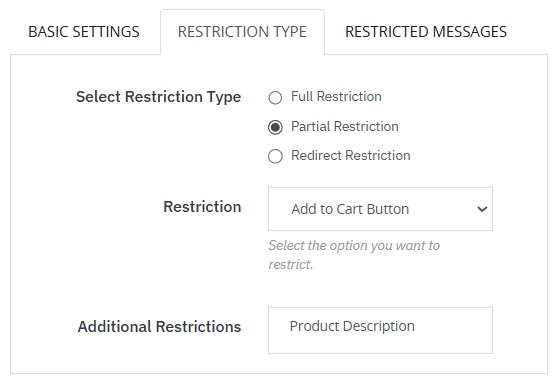
- Full: Apply complete restriction if you don’t want a specific customer group to view selected products or categories.
- Partial: Add partial restriction if you want your audience to view restricted products, while just removing the add to cart and price buttons. You can also add custom messages and guide users about the privatization
- Redirect: It allows you to redirect your customers to any other link, such as login, registration, or custom pages.
Easy Rule Management
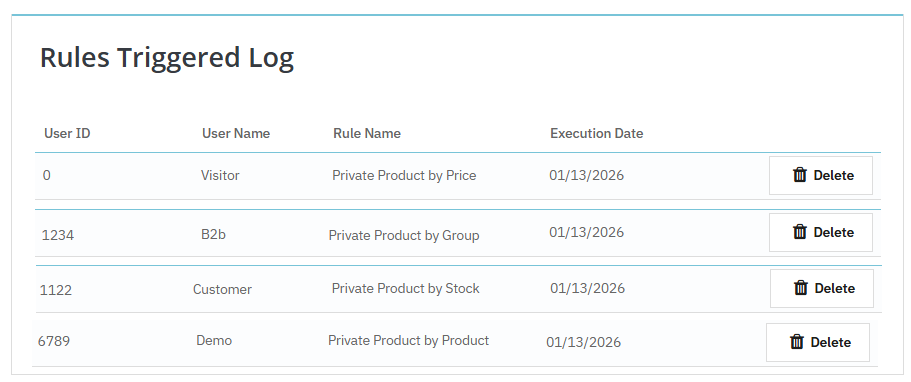
Merchants can enable or disable rules anytime and maintain full control over product visibility. Moreover, you can view user details such as ID, name, and purchase date from a separate log for better tracking and complete management.
Technical Compatibility
- PrestaShop CompatibilityV1.7.0.0 - V9.0.0
- Current Version1.0.0
- Compatibility MultiShopYes
- LanguagesEnglish, German, Italian, French, Spanish, Polish, Portuguese, Dutch
More Features
- Choose to add restriction rules for specific:
- User roles
- Customers
- Products
- Categories
- Add restriction for all or specific products based on their:
- Maximum or minimum prices
- Maximum or minimum stock
- Schedule the rule by adding:
- Start and end date
- Select restriction type as:
- Full
- Partial
- Redirect
- Give access to product pages while restricting:
- Price button
- Add-to-cart button
- Or both
- Add additional restrictions for product:
- Images
- Name
- Description
- Redirect users to any page of your choice
- Add custom messages for full or partial restriction
- View following user details from a separate log:
- ID
- Name
- Purchase date