


PrestaShop Private Product by Purchase History Module
Restricting and managing exclusive products can be challenging for ecommerce businesses, especially when offering certain items only to loyal or selected customers. To address this, PrestaShop offers an advanced solution, the Private Product by Purchase History module. It allows you to create custom rules to restrict product visibility based on purchase history, customer groups, or specific categories. You can also track logs, schedule product availability, apply partial or full restrictions, and set redirection links to improve user experience and increase store conversions.
Prefer buying from the Official PrestaShop Addons Marketplace? Check out our module Here
Key Features
- Restrict the product based on the customer’s previous history or previous purchase.
- Easily private your product based on specific customers or groups.
- Apply retraction based on a specific product or category.
- Enable the partial, full, or redirection-based restriction.
- Show the custom redirection messages.
- Maintain the activity logs.
-

Marketplace Verified
-
Extension Partner
$79$69 Now
then billed annually at $20 / year and a $49 sign-up fee
- 1 year free support
- 1 year extension updates
30 DAYS MONEY BACK GUARANTEE
Your money is secure with our buyer protection. Claim a full refund for any reason.
Detailed Features of PrestaShop Private Product by Purchase History Module
Apply Purchase History Based Product Restrictions
Control your product visibility based on customers’ previous purchases and provide a flexible shopping experience with PrestaShop’s Private Product by Purchase History module. To apply this restriction, you can simply enable the purchase history option and select specific products to restrict. This feature is ideal for granting access to loyal customers and offering exclusive items to specific customers or groups.
Create a Flexible Privacy Rule With Priority Control
PrestaShop product purchase history allows you to easily create a privacy rule with a custom title and priority. Setting the rule priority can help you to apply the most important rule first. It also gives you complete control over how and when restrictions are applied to your store. Moreover, you can easily enable or disable the rule and reschedule the rule based on the previous purchase history date range.

Restrict Product Visibility by Specific Customers, Group, or Category
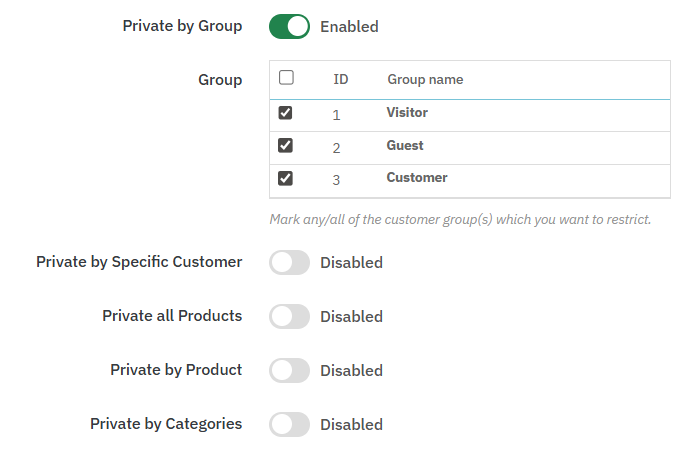
Make your product private or restrict the product based on a specific customer, group, or entire category with the PrestaShop Private product by purchase feature. It allows you to provide a customized shopping experience for B2B, wholesale, or VIP customers and also hide the specific product from unauthorized users. Additionally, with this flexibility, you can also create a membership-based store and limit the product visibility.
Apply Full, Partial, and Redirection Based Restriction
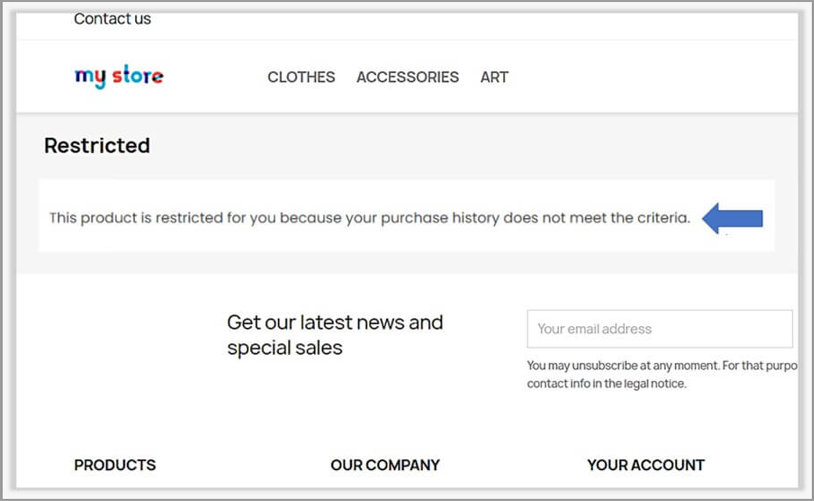
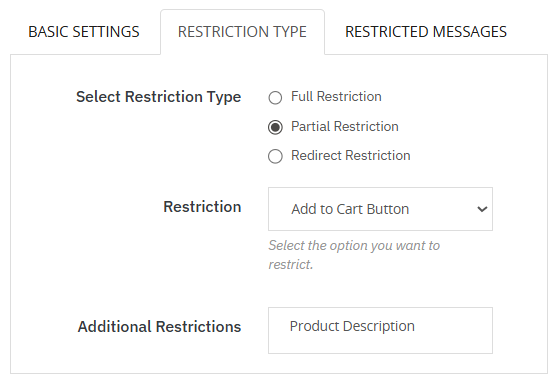
Maintain a professional shopping experience by applying the right type of restrictions across your store. With this feature, you can completely hide products, partially restrict product visibility, or redirect users to another page with a custom or default restriction message. This process can help you to ensure clear communication and provide a smooth user experience.
Maintain Detailed Rule Execution Logs
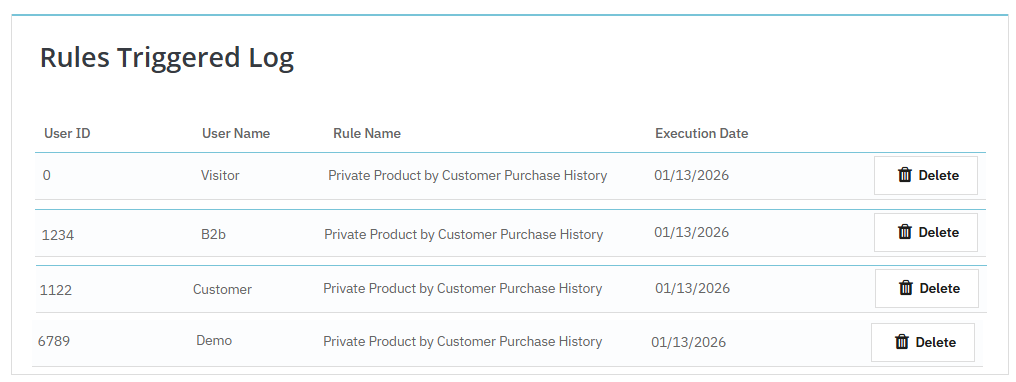
By using this module, you can easily track the rule execution through detailed logs. It allows you to view the Customer ID, username, applied rule name, and execution date, which helps you to easily monitor how the restriction can be applied, work, and control product access.
Technical Compatibility
- PrestaShop CompatibilityV1.7.0.0 - V9.0.0
- Current Versionv1.0.0
- Compatibility MultiShopYes
- LanguagesEnglish, German, Italian, French, Spanish, Polish, Portuguese, Dutch
More Features
- Easily restrict product access based on purchase history.
- Add a custom title for each rule.
- Set rule priority to manage multiple rules simultaneously.
- Reschedule purchase rules based on previous purchases within a defined time frame.
- Enable or disable rules anytime as needed.
- Schedule rules by setting start and end dates.