


PrestaShop Quick Checkout Modal – One Page Popup Checkout Module
A long and complicated checkout process can frustrate customers, causing them to lose interest before completing their purchase. Stop worrying and use the PrestaShop Quick Checkout Modal to simplify the checkout process with a one-page checkout popup that allows customers to complete their order without leaving the product page or visiting a separate cart or checkout page. You can open the checkout modal using the Add to Cart button, header cart, custom links, or other supported store elements. It allows you to use a URL hash such as #checkout-now or a custom CSS class to open the checkout modal automatically. Moreover, it provides built-in GDPR, newsletter, and marketing opt-in options, along with flexible design settings. You can also customize the checkout appearance to create a faster, smoother, and more convenient shopping experience that perfectly matches your store.
Prefer buying from the Official PrestaShop Addons Marketplace? Check out our module Here
Key Features
- Provide a one-page quick checkout that allows customers to complete their purchases without leaving the product page.
- Open the checkout from the Add to Cart button, header cart, links, or custom elements.
- Automatically open the checkout using a shared link with a URL hash.
- Add GDPR consent, newsletter subscriptions, and partner or marketing offer opt-ins directly to the checkout.
- Customize the checkout button appearance with colors, hover effects, animations, loader styles, and more.
- Compatible with PrestaShop 9.
-

Marketplace Verified
-
Extension Partner
$79$69 Now
then billed annually at $20 / year and a $49 sign-up fee
- 1 year free support
- 1 year extension updates
30 DAYS MONEY BACK GUARANTEE
Your money is secure with our buyer protection. Claim a full refund for any reason.
Detailed Features of PrestaShop Quick Checkout Modal Module
Create a Faster Checkout Experience
PrestaShop One Page Checkout makes the buying process faster and easier by allowing customers to complete their orders directly on the product page. It displays the complete checkout process in a one-page popup, so customers can place orders without being redirected to another page or a separate checkout page. This simplifies the purchasing process and helps customers to complete their orders without unnecessary steps.
Multiple Ways to Access Checkout
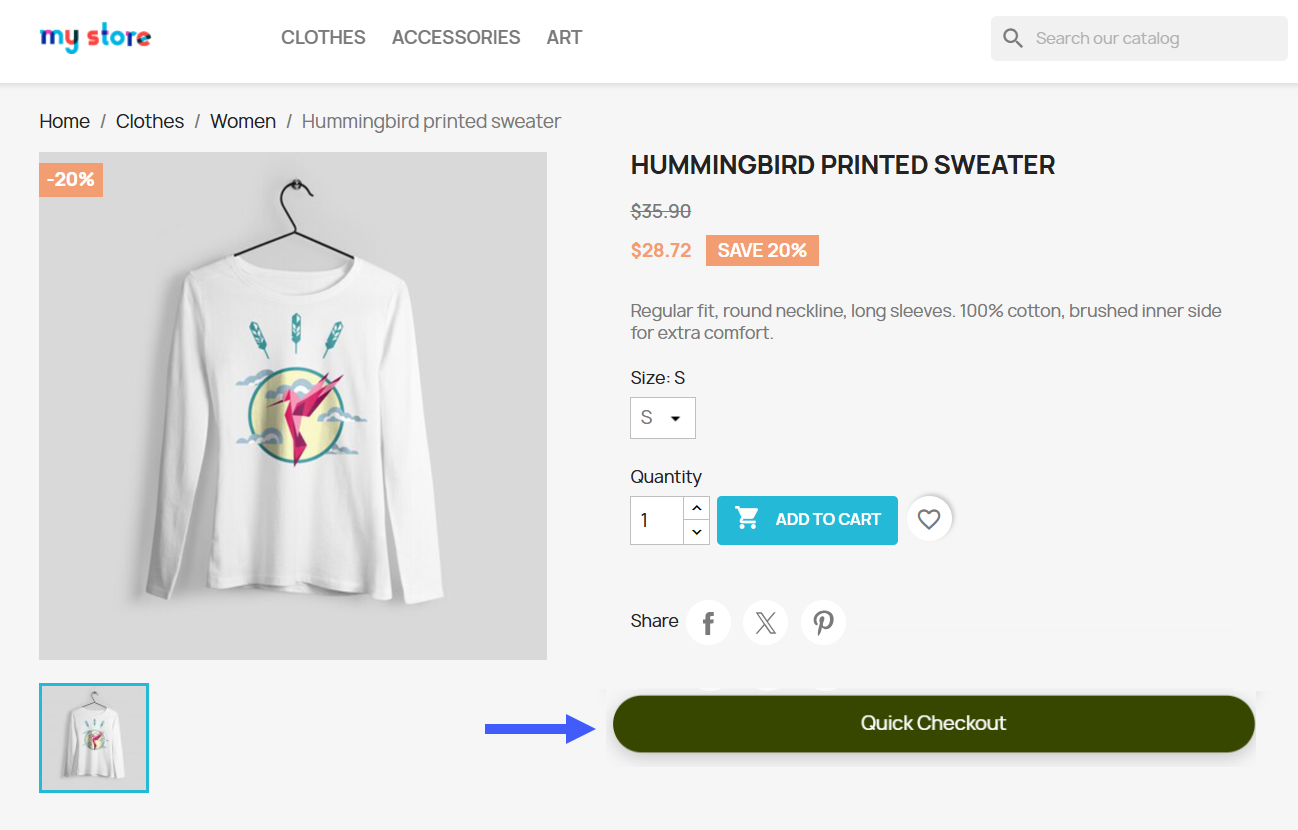
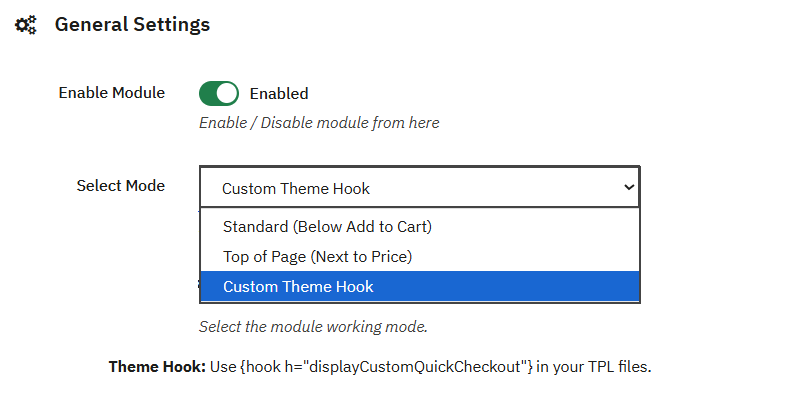
With this you can easily access the checkout modal in multiple ways to make your purchasing process more convenient. It allows you to display the checkout button below the Add to Cart button or allows customers to open the checkout through the header cart without redirecting them to another page. If your theme uses a custom cart icon, It can simply use the CSS selector to connect this with the Quick Checkout Modal.
Open checkout with URL Hash
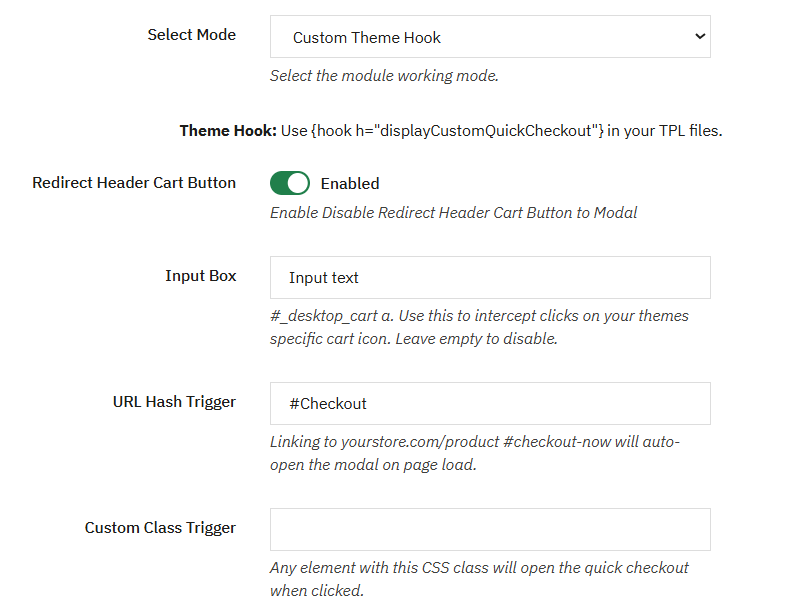
It allows you to make your product links more effective by opening the checkout modal directly using a URL hash, such as #checkout-now. When customers open the link, the checkout modal automatically appears instead of taking them to the cart page. This is useful for email campaigns, advertisements, social media promotions, and other marketing campaigns where you want customers to move directly to checkout.
Collect Consent During Checkout
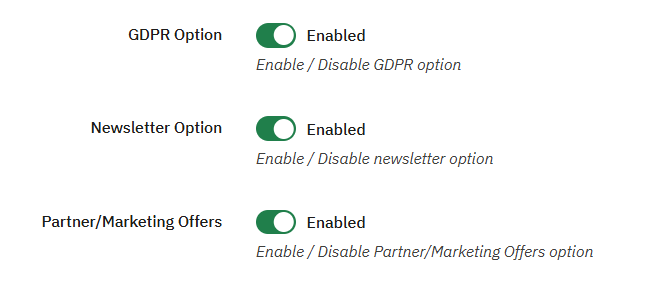
Manage your customers’ consent and marketing preferences directly from the checkout module with PrestaShop quick checkout. You can enable the GDPR consent, newsletter subscription, and partner or marketing offer opt-ins. Each option can be managed separately according to your store requirements.
Customized the Checkout Modal
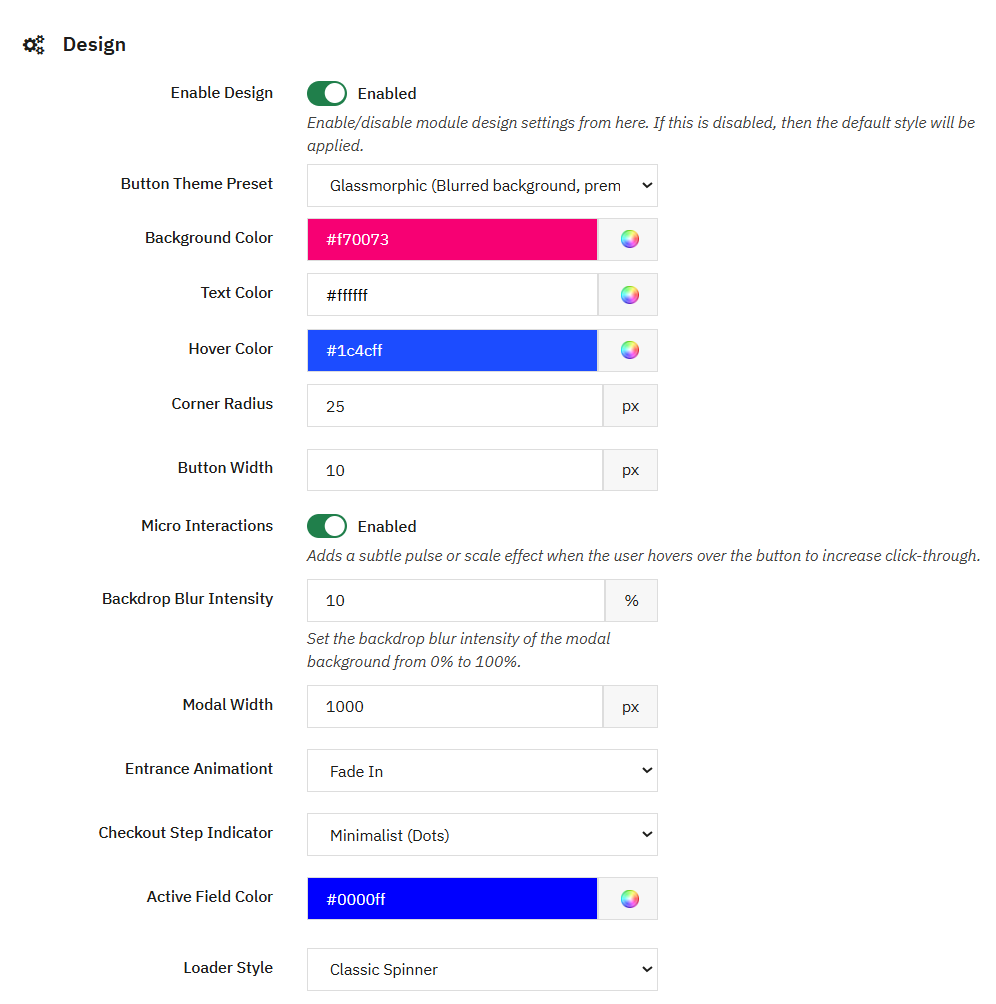
With this you can customize the checkout module by using the default style or enabling custom styling. Once enabled, you can configure the checkout button theme, background, text and hover colors, corner radius, and button width. Make the button more noticeable with hover animations such as pulse or scale effects. Moreover, you can also customize the checkout modal width, backdrop blur, entrance animation, checkout step indicator, active field color, and loader style that perfectly match your store theme.
Technical Compatibility
- PrestaShop Compatibilityv1.7.0 - v9.1.0
- Current Version1.0.0
- Compatibility MultiShopYes
- LanguagesEnglish, French, German, Italian, Polish & Spanish
More Features
- Enable or disable the quick checkout modal at any time.
- Display checkout below the Add to Cart button.
- Redirect the header cart button to the checkout modal.
- Use CSS selectors for custom theme cart icons.
- Automatically open checkout using a URL hash.
- Use custom CSS classes as checkout triggers.
- Add GDPR consent to the checkout.
- Enable newsletter subscription options.
- Enable partner and marketing offer opt-ins.
- Choose between default and custom design.
- Select from different button theme presets.
- Customize button background, text, and hover colors.
- Adjust button corner radius and width.
- Add pulse or scale hover effects.
- Control backdrop blur intensity from 0 to 100%.
- Adjust the checkout modal width.
- Choose different entrance animations.
- Customize checkout step indicator styles.
- Set the active field highlight color.
- Select different loader styles.