


PrestaShop Stock Alert – Back in Stock Notifications Module
Capture demand for out-of-stock products and convert it into sales using PrestaShop Back in Stock Notifications Module. It lets you add a “Notify Me”/ “Subscribe” button on out-of-stock products and allows customers to sign up in order to get instant alerts whenever the product is available again. This brings interested customers back to the store and increases the chances of repeated purchases. You can customize subscription forms using custom text, font size, and icon.
Prefer buying from the Official PrestaShop Addons Marketplace? Check out our module Here
Key Features
- Display a subscription button on all out-of-stock products
- Show a dedicated Stock Alert Tab in customers’ My Account Page
- Send automated email notifications when products are back in stock
- Allow customers to subscribe for the specific item and get timely alerts
- Give customers the option to unsubscribe alerts anytime they want

V1.7.0.0 - V9.1.1
-
Marketplace Verified
-
Extension Partner
$79$69 Now
then billed annually at $20 / year and a $49 sign-up fee
- 1 year free support
- 1 year extension updates
30 DAYS MONEY BACK GUARANTEE
Your money is secure with our buyer protection. Claim a full refund for any reason.
Features of PrestaShop Stock Alert - Back in Stock Notifications Module
Never Miss a Sale with Back-in-Stock Alerts
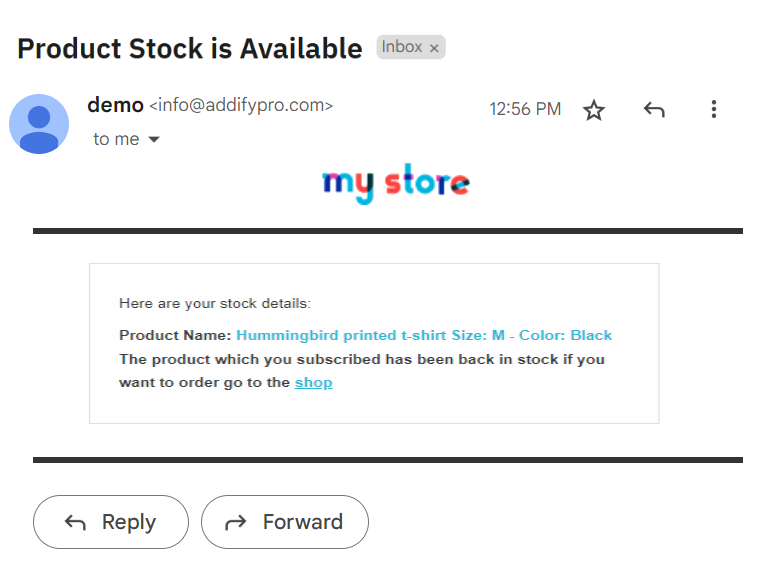
Recover lost sales and improve customer engagement by using PrestaShop Stock Alert module. It allows you to send email notifications to customers when the product is back in stock and helps them complete the purchase without missing the opportunity. You can display a subscription form on product pages and ask customers to subscribe and get stock updates in real-time. You can also view user details from the backend, customize subscription buttons, allow users to unsubscribe anytime, encourage returned visits, and improve overall revenue.
Display Notify Me Button on Out-of-Stock Products
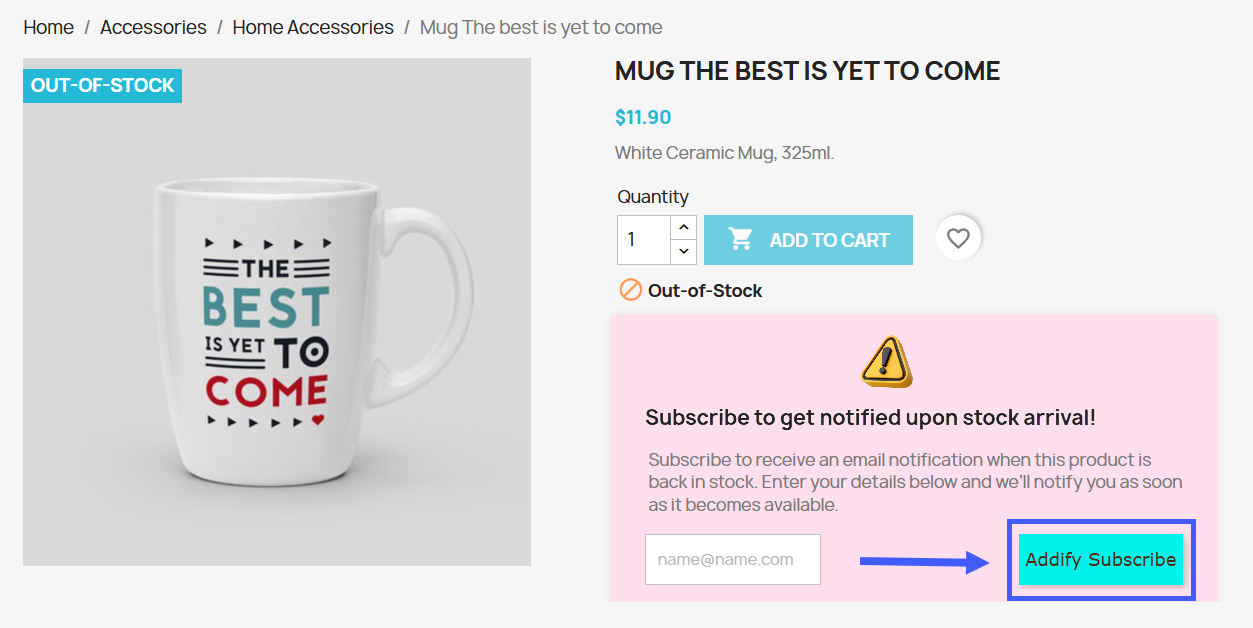
With the PrestaShop Back in Stock Notifier, you can display a Notify Me or Subscribe button on out-of-stock product pages, allowing customers to subscribe for instant stock notifications. Once the product is restocked, subscribed customers automatically receive an email alert, encouraging them to return and complete their purchase. This helps retain customer interest, recover lost sales, and improve conversions even when products are temporarily unavailable.
Manage Stock Alerts from My Account
The module automatically creates a new “Stock Alert” section on customers’ My Account Page, allowing users to view and manage all types of stock alert subscriptions in one place. Users can also unsubscribe from alerts they no longer need with a single click. This process helps them track updated stock information and improves overall user experience.

Customize Subscribe & Unsubscribe Button Appearance
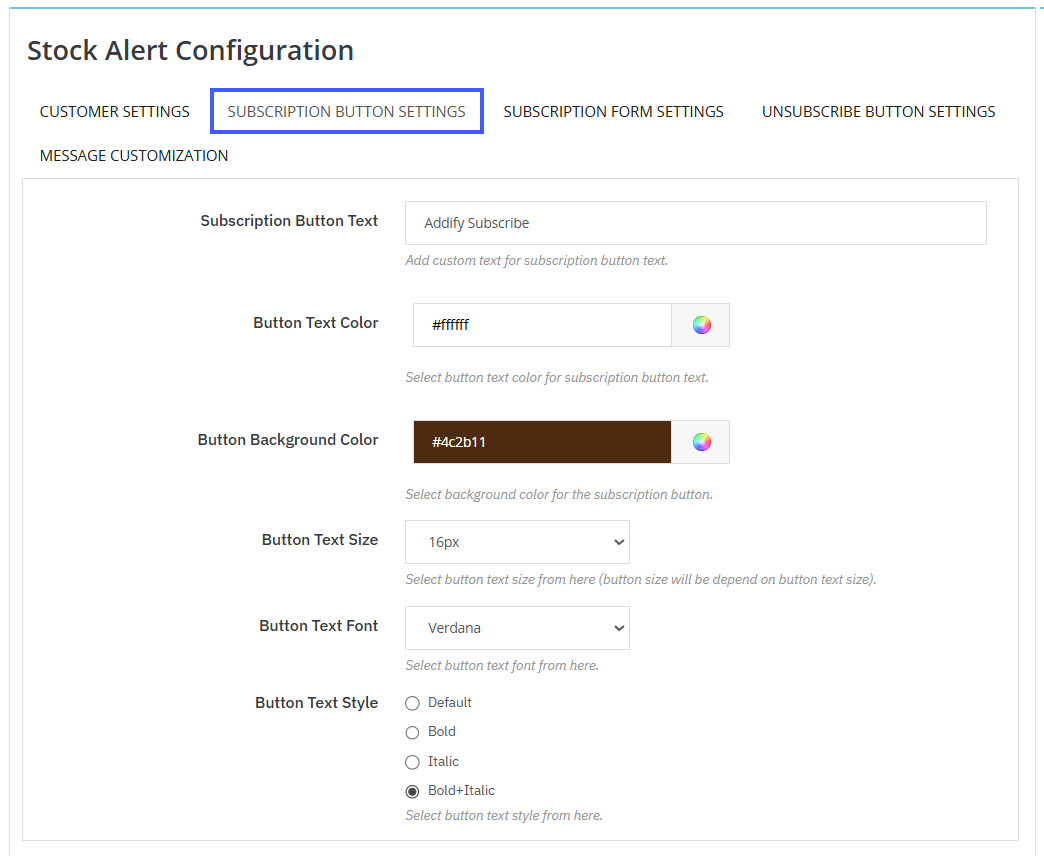
Easily customize the appearance of the Subscribe and Unsubscribe buttons to match your store’s branding. Personalize the button text, text color, font size, and choose from multiple font styles, including Default, Bold, Italic, or Bold + Italic. Create visually appealing buttons that enhance customer engagement and provide a seamless subscription experience.
Design Smart & Engaging Subscription Forms
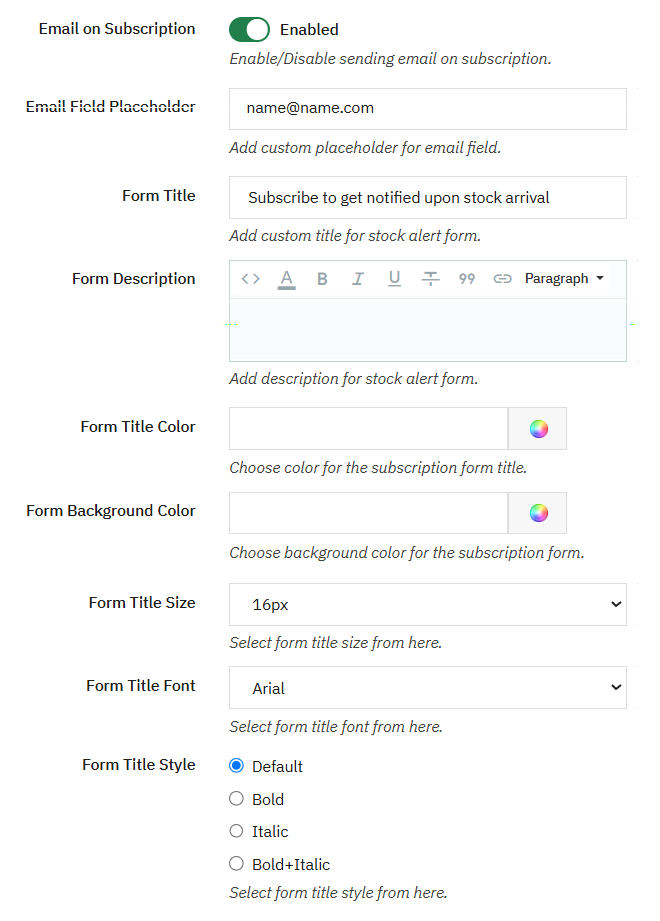
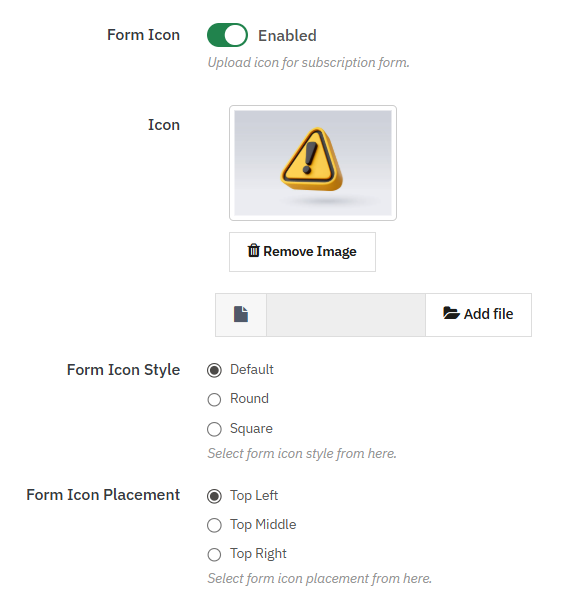
PrestaShop Advanced Stock Alert Module allows you to enable email notifications for subscription forms and automatically notify customers as soon as the product is back in stock. You can fully customize the form by adding a custom title, description, text color, title size, and font to match your store’s design. Moreover, you can add a custom icon, select its style, set its position, and control its appearance to make the subscription form attractive and engaging.
Add Custom Messages for Subscription Alerts
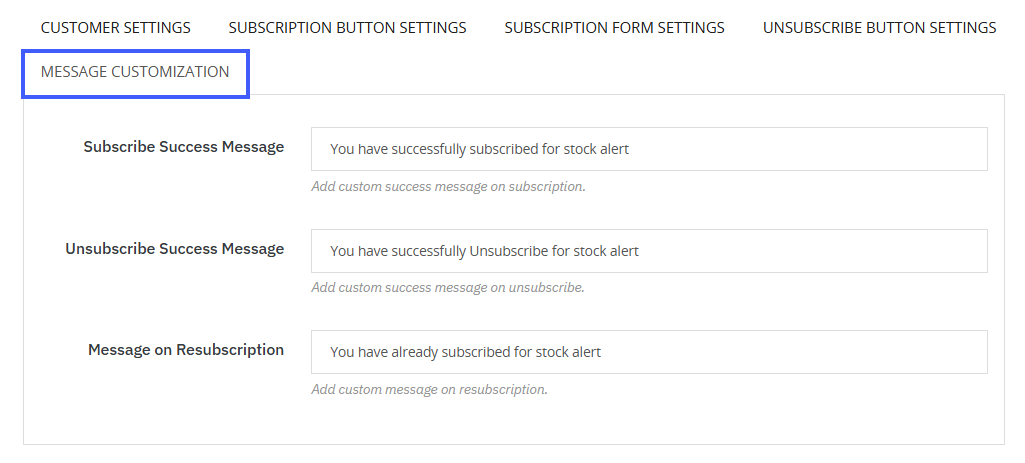
By using the module, you can add subscribe and unsubscribe success messages for customers and set specific text for resubscription. This helps clearly inform customers about each action and improves their overall experience in your store.
View & Manage Stock Alert Subscribers
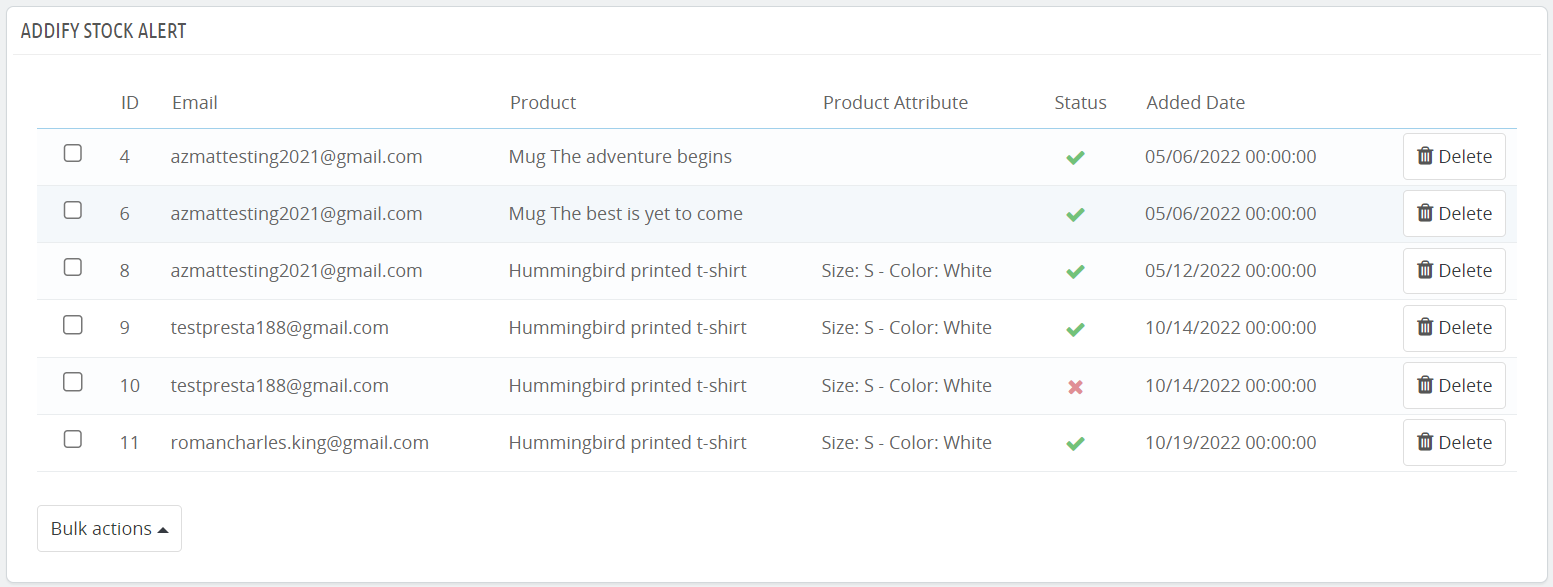
PrestaShop back in stock notification module allows you to manage a complete log of customers who have subscribed to stock alerts. You can view customer emails, product data, current status from the log and gain valuable insights that can help you make data-driven restocking decisions.
Technical Compatibility
- PrestaShop CompatibilityV1.7.0.0 - V9.1.1
- Current VersionV 1.2.0
- Compatibility MultiShopYes
- Languages English, French, German, Italian, Polish, Portugues, Spanish and Dutch
More Features
- Allow customers to subscribe to your store and get restock alerts
- Show a new “Stock Alert” tab on customers’ My Account Page
- Display the following user details on customer account:
- Product image
- Product name
- Status
- Subscription date
- Action
- Allow customers to subscribe or unsubscribe from email alerts anytime
- For subscription button, you can add custom:
- Text
- Text color
- Background color
- Text size
- Text font
- Select subscription button text style as:
- Default
- Bold
- Italic
- Bold + italic
- Display a subscription button on out-of-stock products
- Upload a unique icon for subscription form
- Select icon style as:
- Default
- Round
- Square
- Select ico position as:
- Top left
- Top middle
- Top right
- Enable email notifications for subscription button
- Add placeholder for subscription email
- For stock alert form, you can add custom
- Title
- Description
- Title color
- Background color
- Title size
- Title font
- Add form style as:
- Default
- Bold
- Italic
- Bold + Italic
- Add custom text for unsubscribe button
- For unsubscribe button, you can add custom:
- Text color
- Background color
- Text size
- Text font
- Add unsubscribe button text style as:
- Default
- Bold
- Italic
- Bold + Italic
- Display confirmation messages for unsubscription
- Add custom messages for confirmation on unsubscription
- You can add custom:
- Success message on subscription
- Success message on unsubscription
- Message on resubscription
Reviews
There are no reviews yet.