


Shopify Payment Method Fee and Discount
PayPal or Google Pay deducts an extra cost of up to 3% per transaction, which instantly reduces your profit margins. To solve this, the Shopify Payment Method Fee App allows you to apply discounts or fees based on multiple payment methods. You can simply add special offers on easy payouts like COD and apply an additional cost on bank transfers or debit cards. Moreover, you can set advanced conditions to restrict fees/discounts by customer groups, products, collections, and countries. Easily protect your overall profitability and create transparency for customers.
Key Features
- Add fees or special discounts on selected payment methods.
- Choose to make the discount type as fixed or percentage amount
- Restrict payment-based fees to specific customer tags
- Apply fees/discount based on the customer’s total cart value
- Include/exclude desired countries and items from the payment-based fee
-

Marketplace Verified
-
Extension Partner
- 1 year free support
- 1 year extension updates
30 DAYS MONEY BACK GUARANTEE
Your money is secure with our buyer protection. Claim a full refund for any reason.
Detailed Features of Shopify Payment Method Fee and Discount
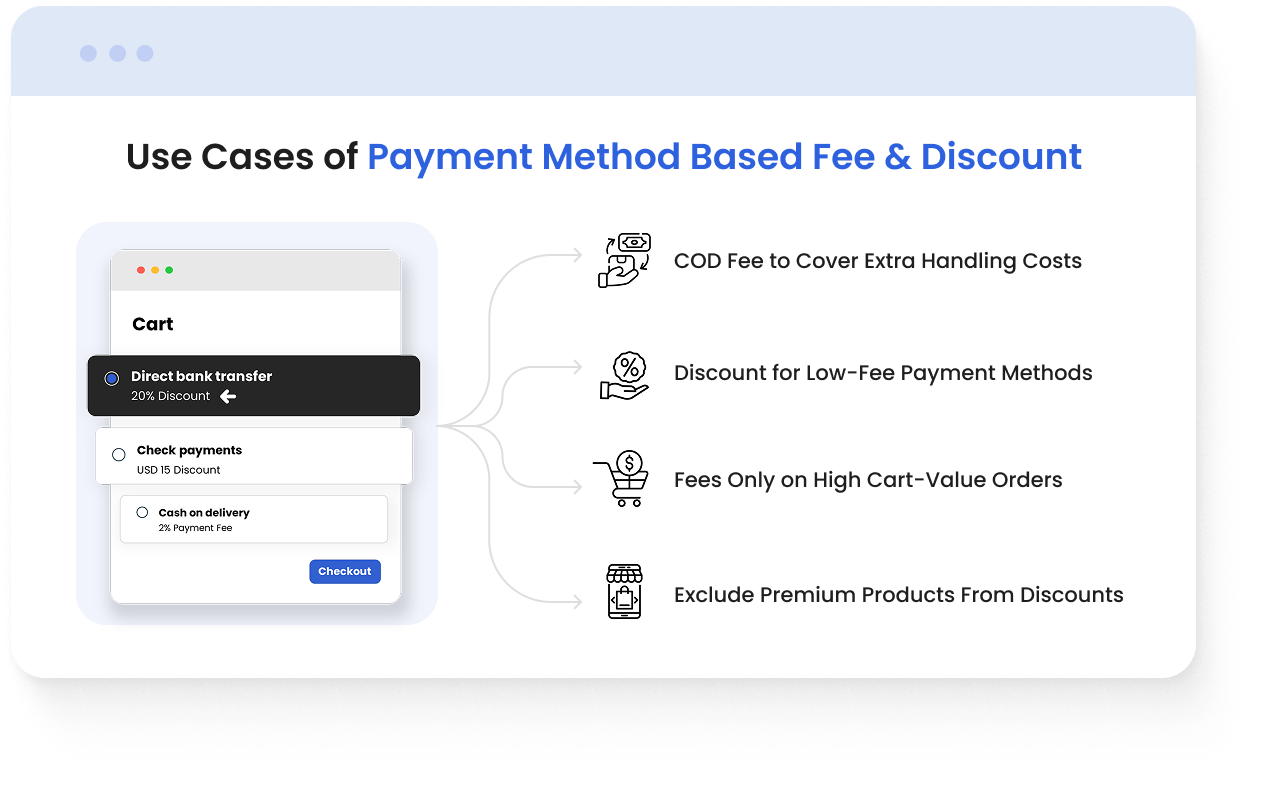
Use Cases of Shopify Payment Method Fee and Discount
- COD Fee to Cover Extra Handling Costs
A home decor store can add a $3 COD fee to cover courier charges and prevent profit loss on low-margin items. - Discount for Low-Fee Payment Methods
A fashion store can apply a 2% discount on bank transfers and persuade users to select cost-effective options that save the store up to 3% per transaction. - Fees Only on High Cart-Value Orders
Recover expensive gateway fees on big-ticket purchases by adding 2.5% fee only when the cart total exceeds $300. - Exclude Premium Products From Discounts
Keep your promotions profitable and under control by excluding premium or customizable products from payment method discounts.
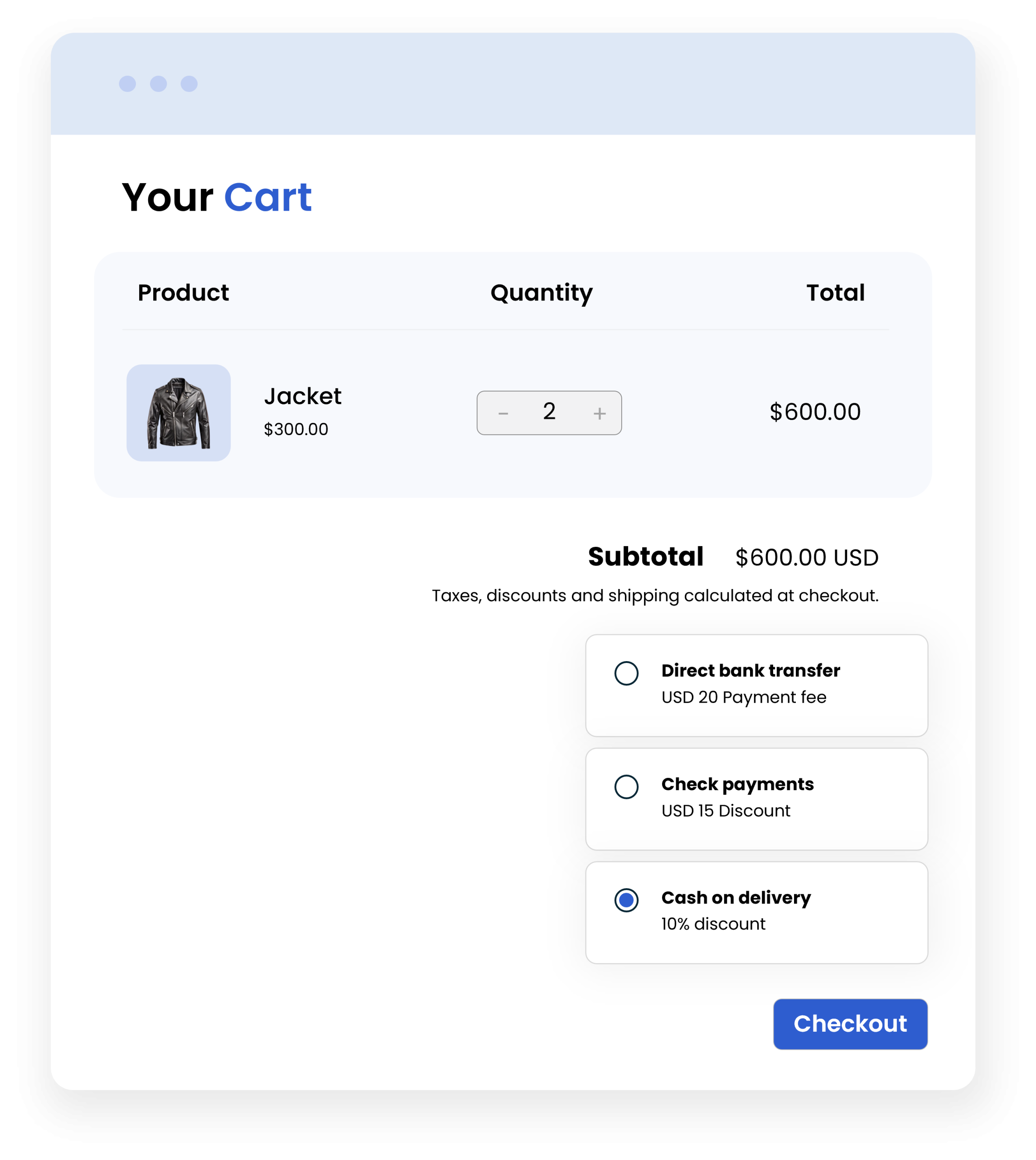
Display Payment Options on the Cart Page
You can show customers the available payment methods and associated fees/discounts upfront. This improves transparency, reduces checkout surprises, and helps build trust. You can also apply rules based on cart value and automatically trigger a fee or discount only when the cart total meets your set criteria. For example:
- Add a COD fee only for orders under $50
- Offer a 10% discount for large cart values to boost the average order value
Note: If the user proceeds directly to the checkout, then any payment gateway that includes an additional fee will not be shown on that page.
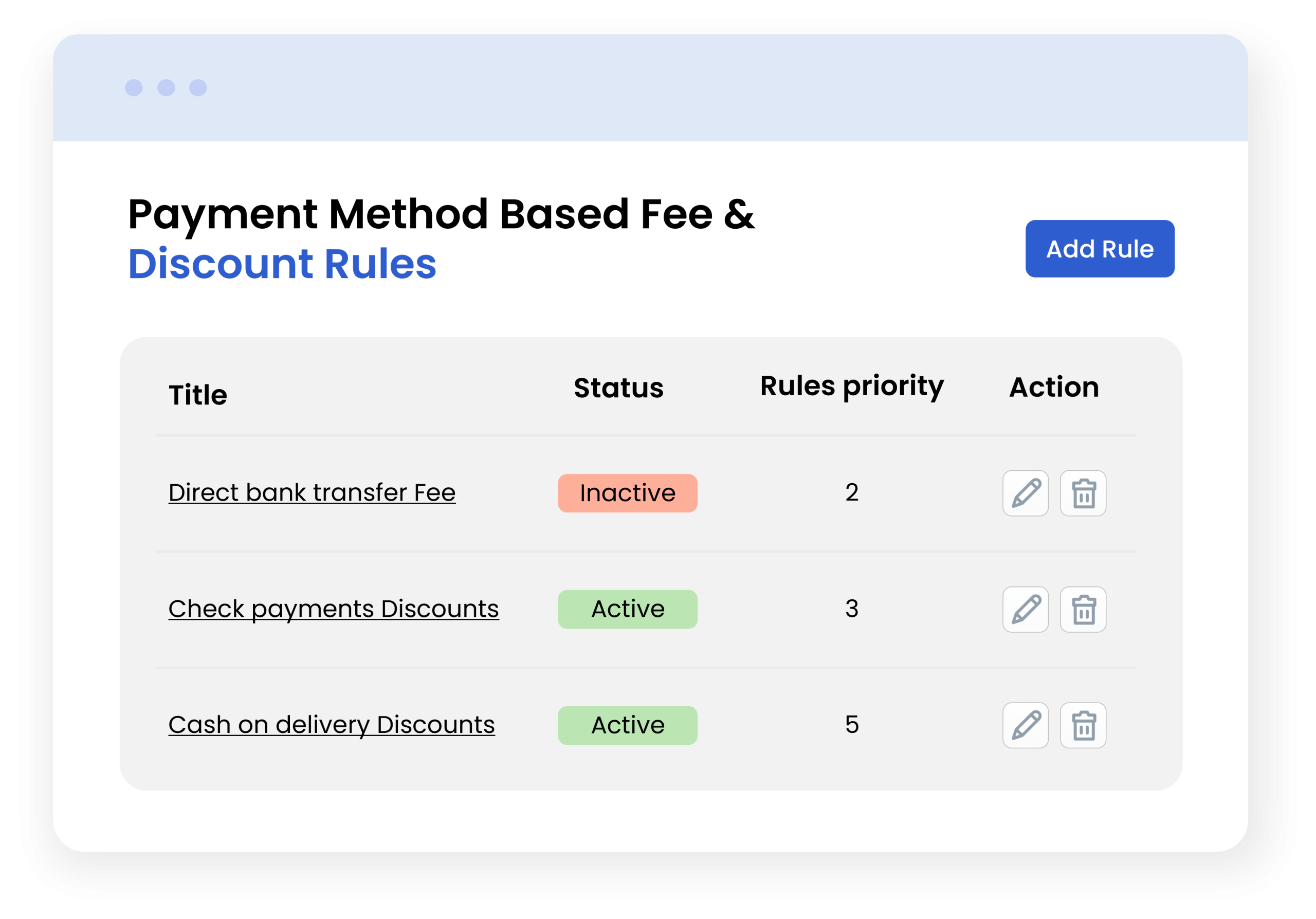
Fee & Discount Rule
Shopify Payment Method Fee App allows you to create multiple discounts and fees from a single dashboard. You can simply add special discounts on low-cost payments like bank transfers or credit cards, and encourage customers to choose cheaper options. On the other hand, admins can add an extra fee for high-cost methods such as COD or Google Pay. You can also select a discount type and restrict it to specific customer tags. With all rules managed from one place, merchants can offer easy payouts and improve the entire checkout experience.
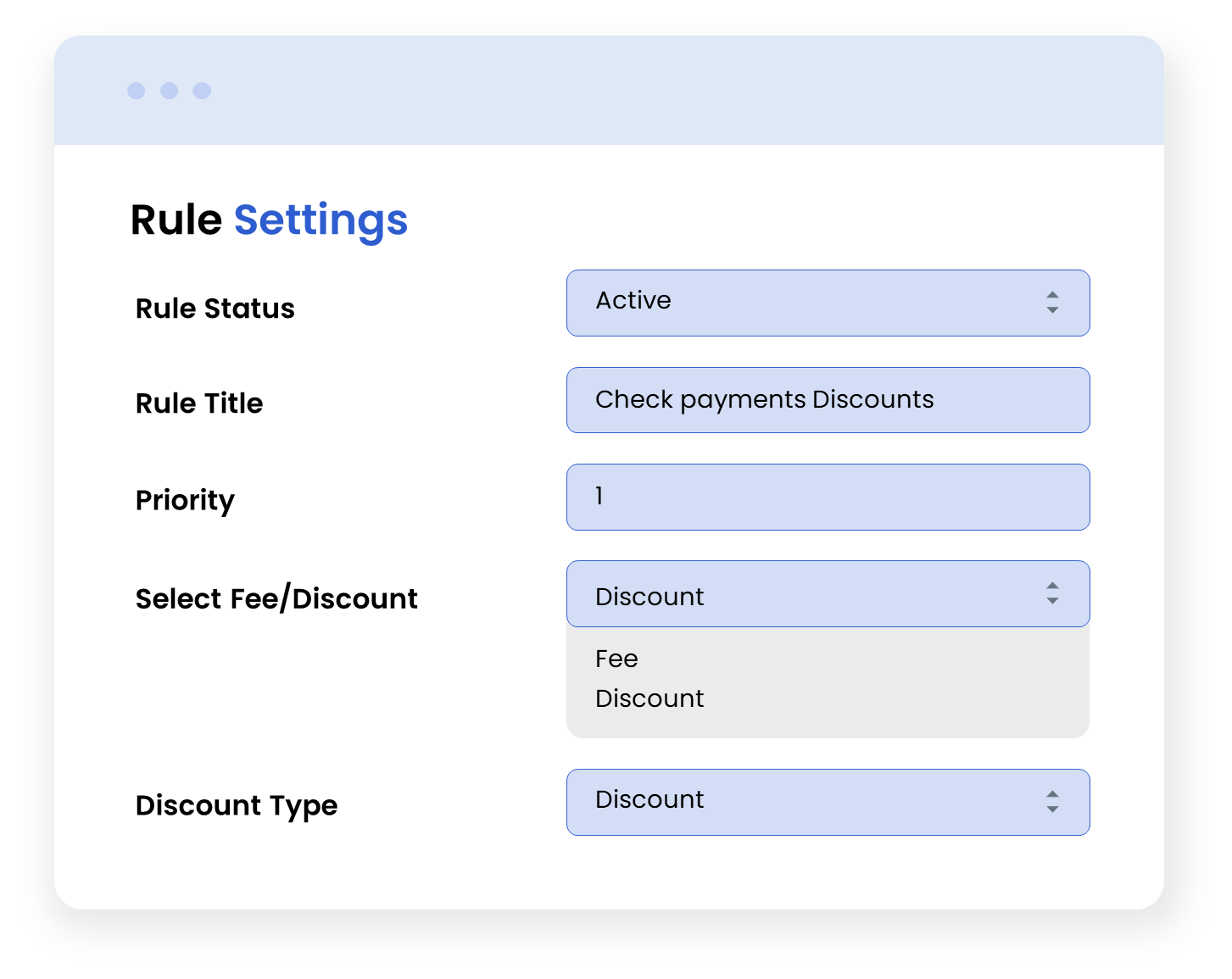
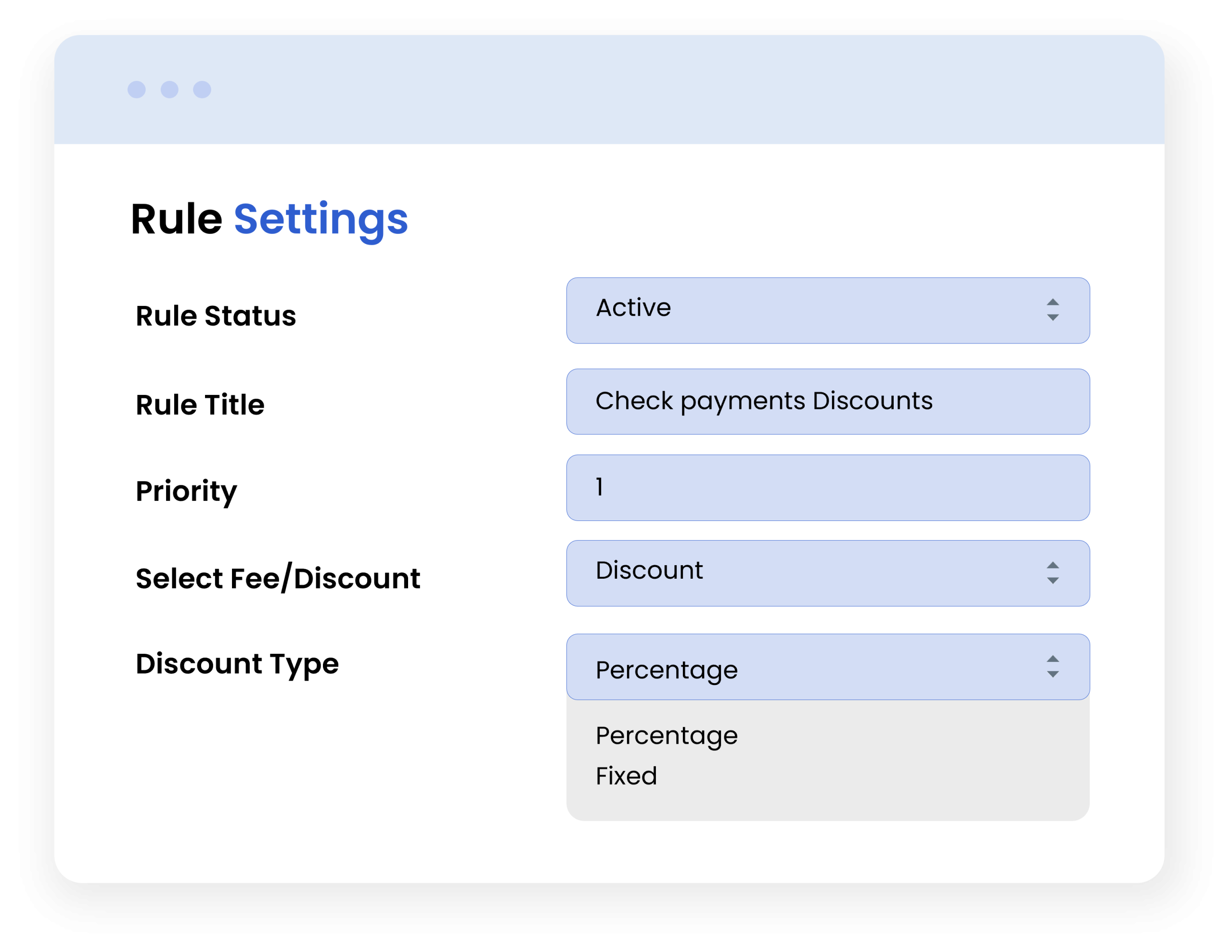
Choose Between Fixed or Percentage-Based Adjustments
Merchants can choose to make a fee/discount as a fixed or a percentage-based price. This allows you to apply your store’s existing pricing strategy and manage large orders with ease.
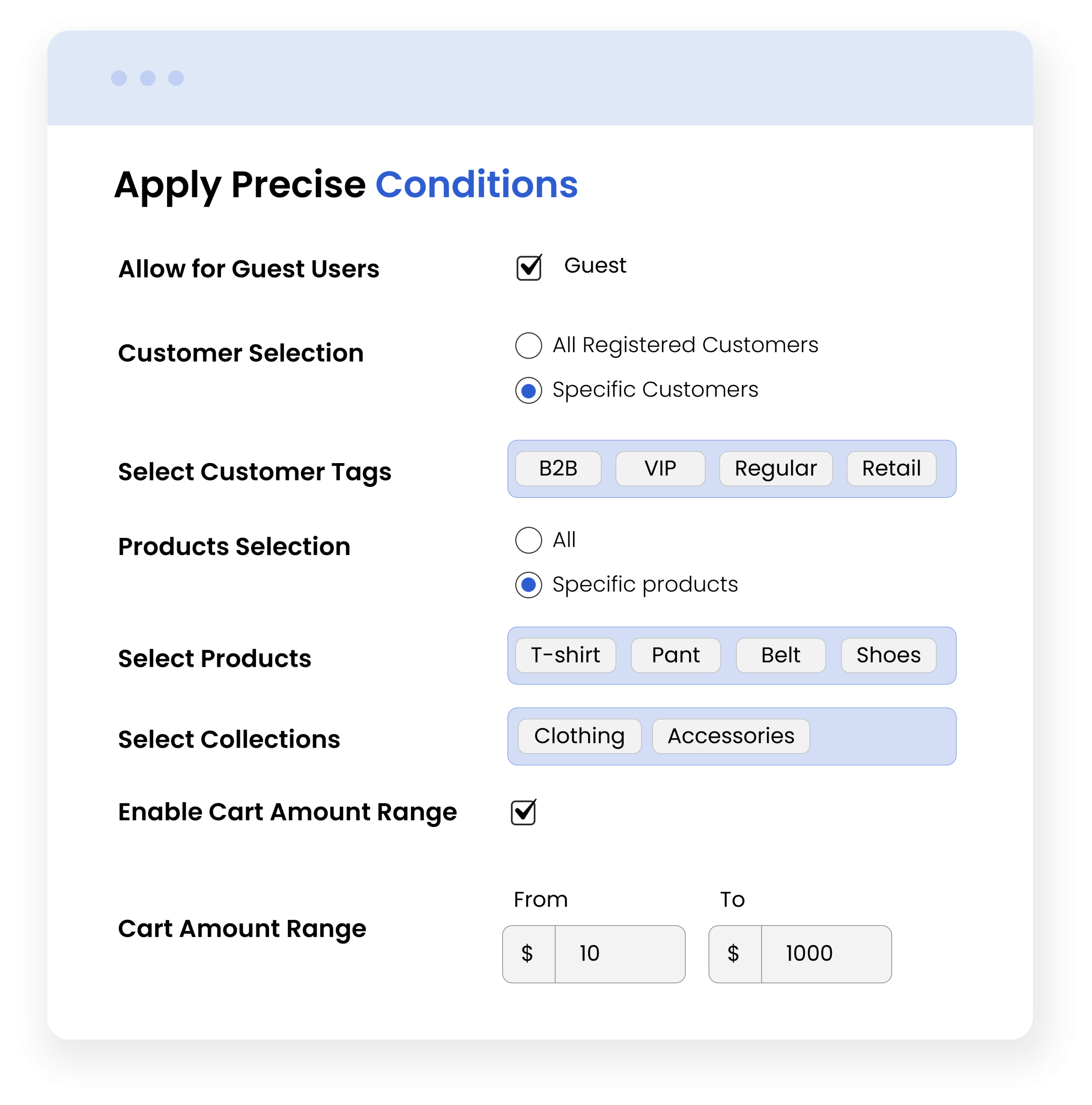
Set the Advance Rule Conditions
The App lets you set advanced conditions to control when a shopify payment method discount or fee should apply. You can restrict rules based on customer type, specific products, or selected collections. Moreover, admins can select a specific cart amount range and make sure that the discount/fee is applied only when the order value meets the selected criteria.
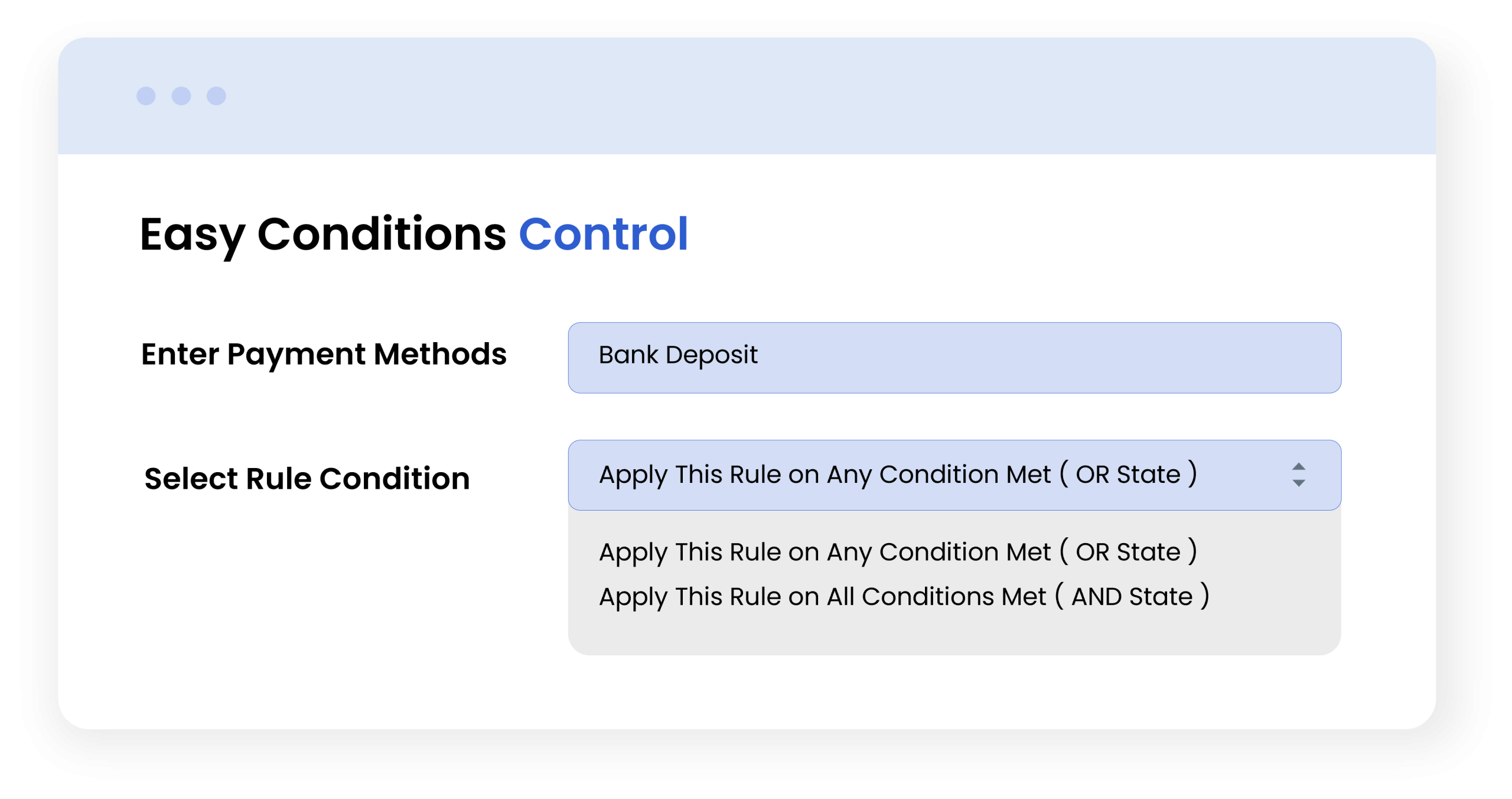
Choose All or Any Condition to Apply a Rule
Shopify Discount for Payment Method app allows you to choose whether your previously selected conditions should apply when only one of them is met, or when all of them are fulfilled. This gives you control over how flexible each rule should be and helps you set precise strategies that match your business needs.
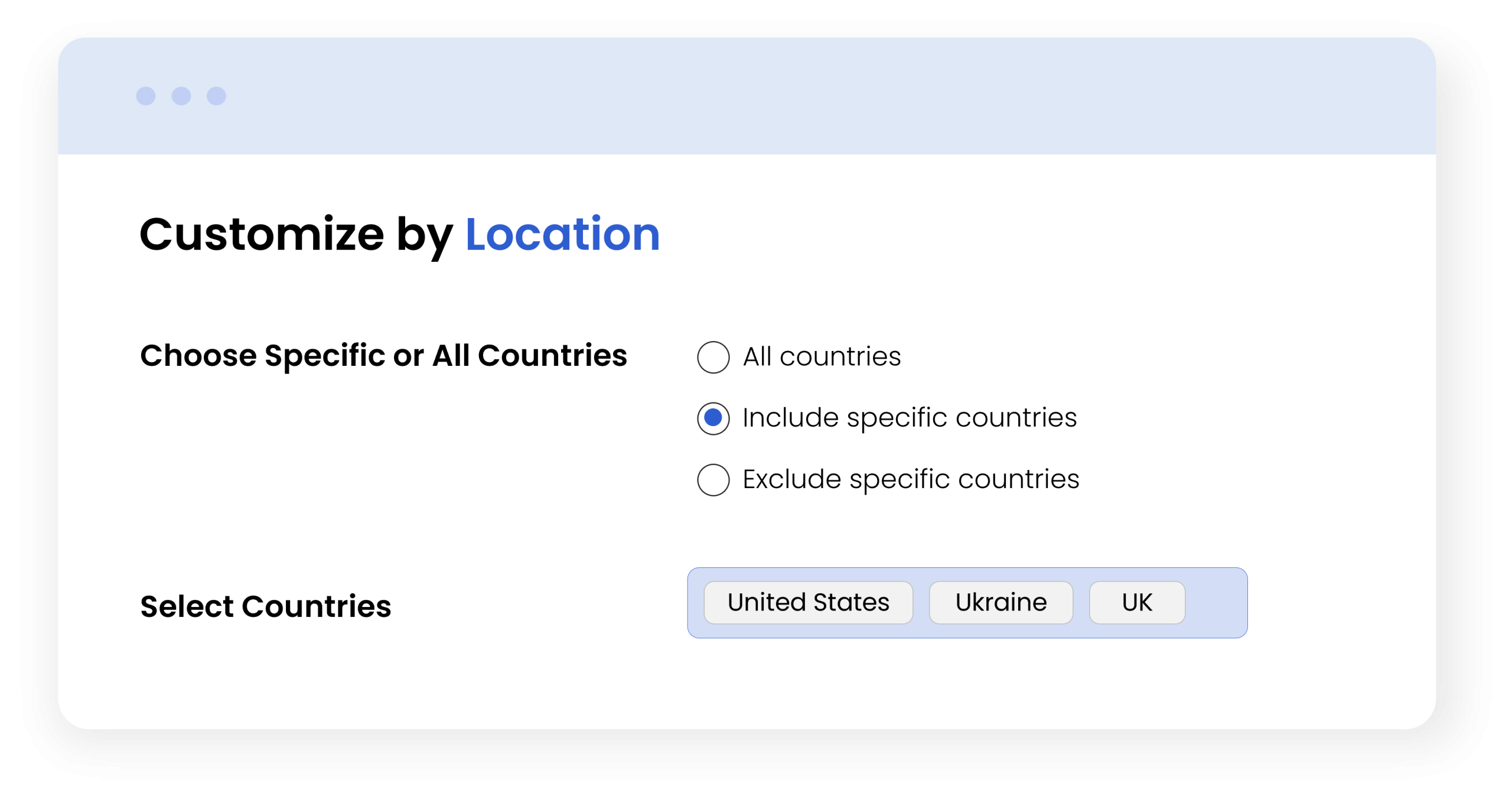
Location-Based Restrictions
You can choose to include or exclude specific countries for payment-based discounts/fees. This helps you apply offers for targeted regions and optimizes the shopping experience for international customers.
More Features
- Add a fee or offer discounts based on selected payment methods
- Set advanced conditions by:
- Customer group
- Products
- Cart value
- Country
- Collections
- Create multiple rules to add fees/discounts
- Choose to apply prices as a fixed or a percentage value
- Set rule title, priority, and status according to your needs
- Choose to set rule conditions as:
- Apply this rule to any condition met
- Apply this rule to all conditions met
Frequently Asked Questions
Can I apply different fees or discounts for different payment methods?
Will customers see the applied payment method fee or discount before checkout?
Can I restrict fees or discounts for specific products or customer tags?
Be the first to get an exclusive offer and the latest news.