

Shopify Product Options and Add-ons
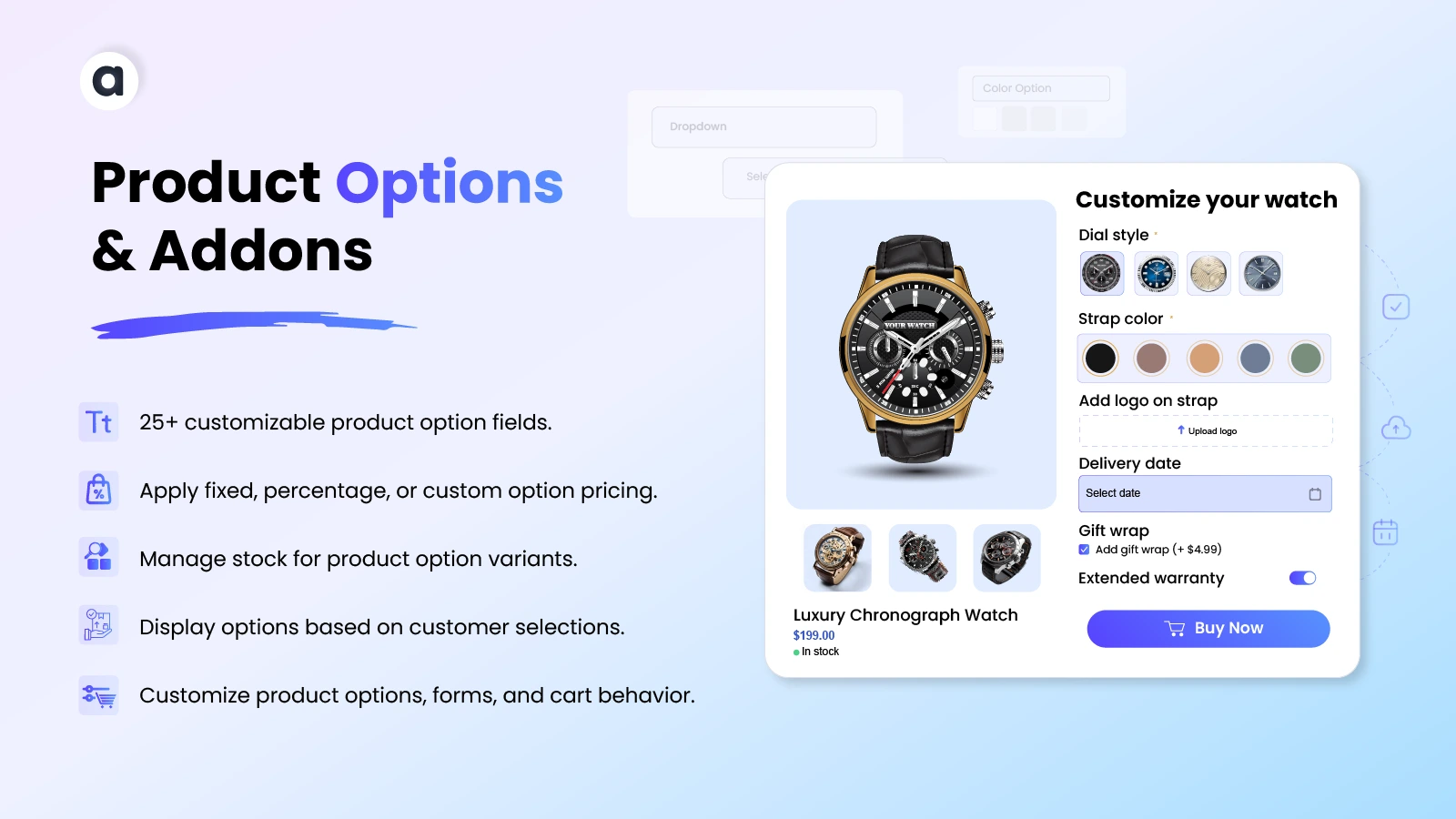
Customize Shopify product options with 25+ field types, add-ons, conditional options, flexible pricing, and stock management. Create tailored product experiences for personalized products, custom orders, and more. Control option visibility, pricing, labels, and storefront styling while giving customers more ways to customize their purchases and helping increase order value.
Key Features
- Support 25+ product options, including text, dropdowns, swatches, and tables.
- Manage flexible and per-character pricing adjustments.
- Show or hide custom product options based on conditional logic.
- Manage stock, track sales, and control out-of-stock availability.
- Customizable product option styling and storefront display
- Set minimum and maximum quantities for selected product add-ons.

Shopify Market Place Approved. View Listing
-
Marketplace Verified
-
Extension Partner
- 1 year free support
- 1 year extension updates
30 DAYS MONEY BACK GUARANTEE
Your money is secure with our buyer protection. Claim a full refund for any reason.
Detailed Features of Shopify Product Options and Add-ons
Use Cases Example
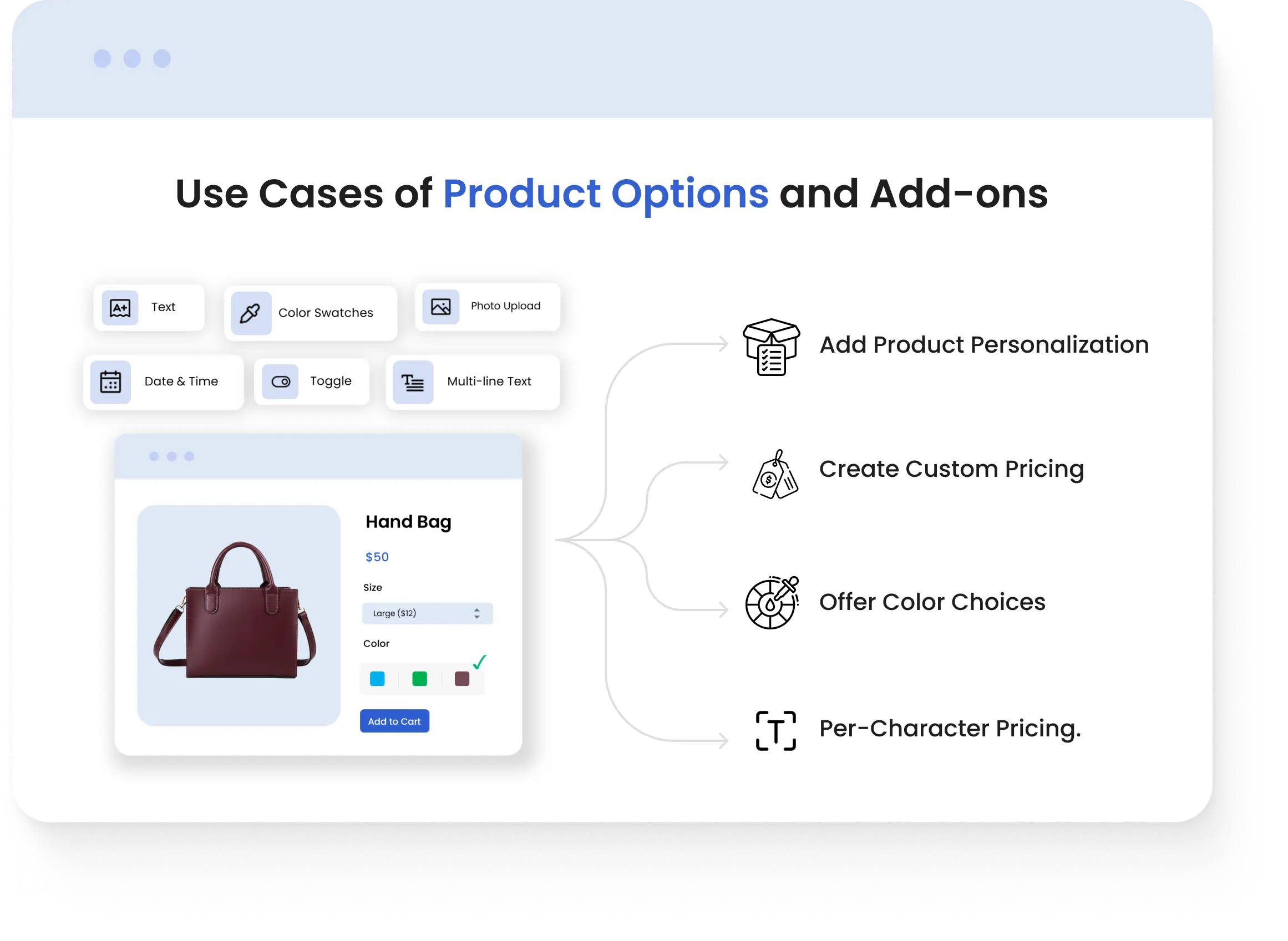
- Add Product Personalization: A gift store can let customers add names, messages, or custom text to products for personalized purchases.
- Create Custom Pricing: A premium store can charge fixed or percentage-based prices for selected product options and add-ons.
- Offer Color Choices: A fashion or furniture store can display colors as swatches to make product customization easier.
- Per-Character Pricing: A print store can charge customers based on the characters entered for personalization.
Configure Rule Details
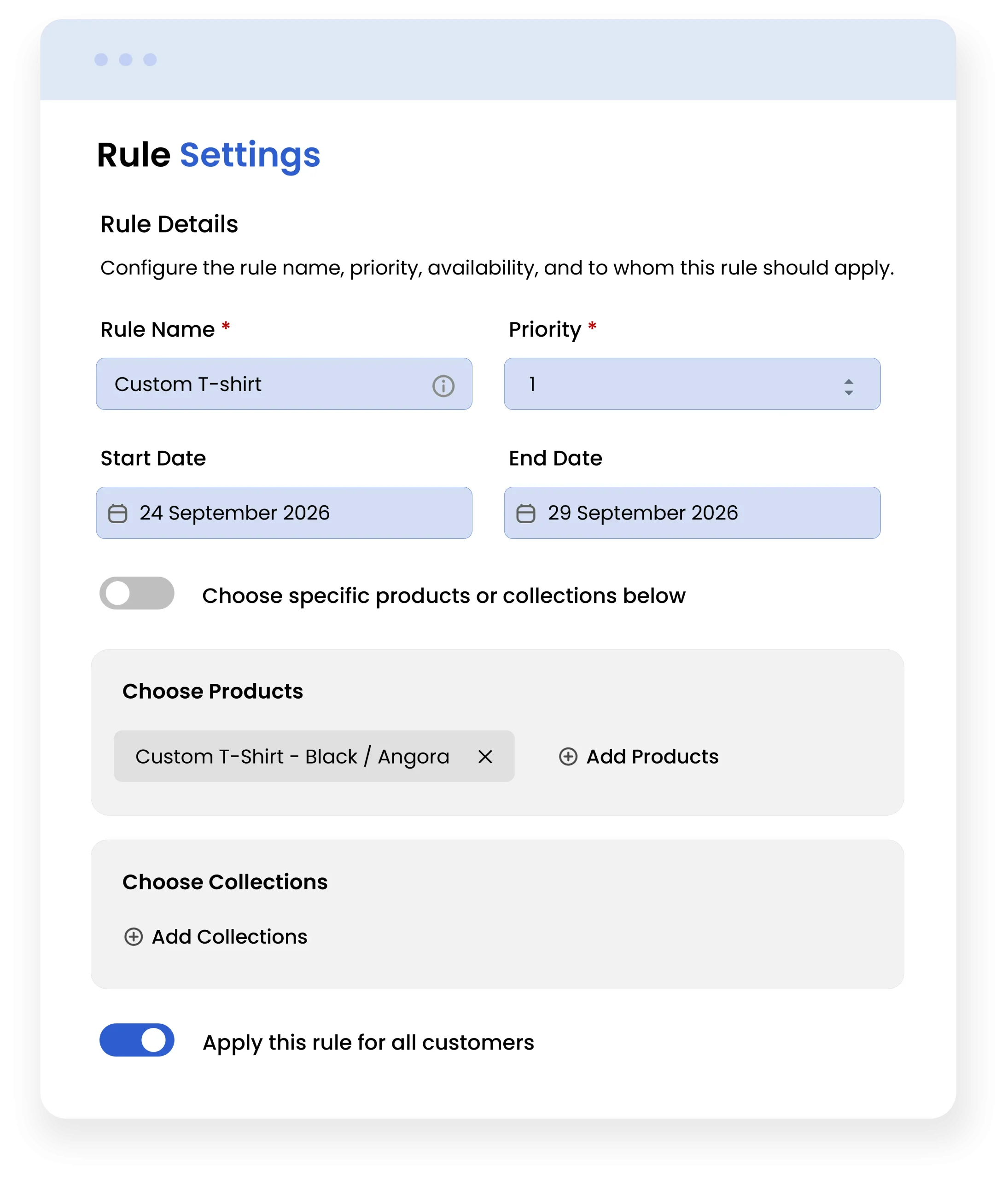
Create and configure rules by defining the rule name, priority, availability dates, and the products or customers they apply to. Set flexible rules to control dynamic product options across your store.
You can configure the rule settings
- Enter a rule name
- Set a rule priority
- Enter a start date
- Enter an end date
- Apply the rule to all products
- Apply the rule to all customers
Easily manage your store by configuring the rule settings that best suit your requirements. Save the rule and add additional options.
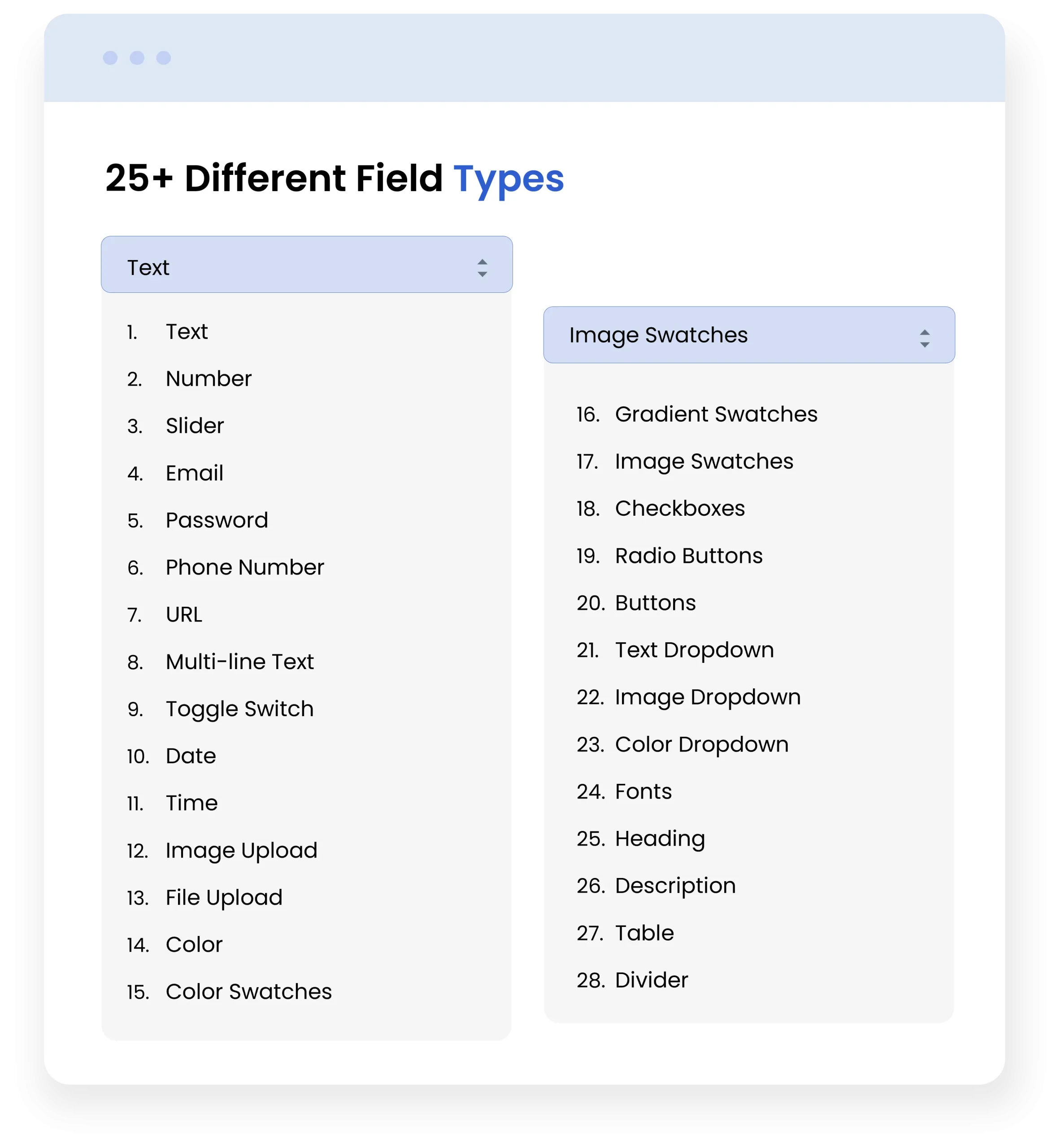
Add 25+ Different Field Types
Shopify product options and add-ons provide flexible field types to help merchants collect product-specific information and personalize customer selections.
Choose from 25+ field types, including text, number, sliders, dropdowns, swatches, uploads, checkboxes, radio buttons, date, time, and more:
- Text: Let customers enter personalized text or short messages.
- Image Upload: Allow customers to upload images for personalization.
- Color Swatches: Let customers select colors using visual swatches.
With flexible input and selection fields, you can easily add options to products and create a more personalized shopping experience.
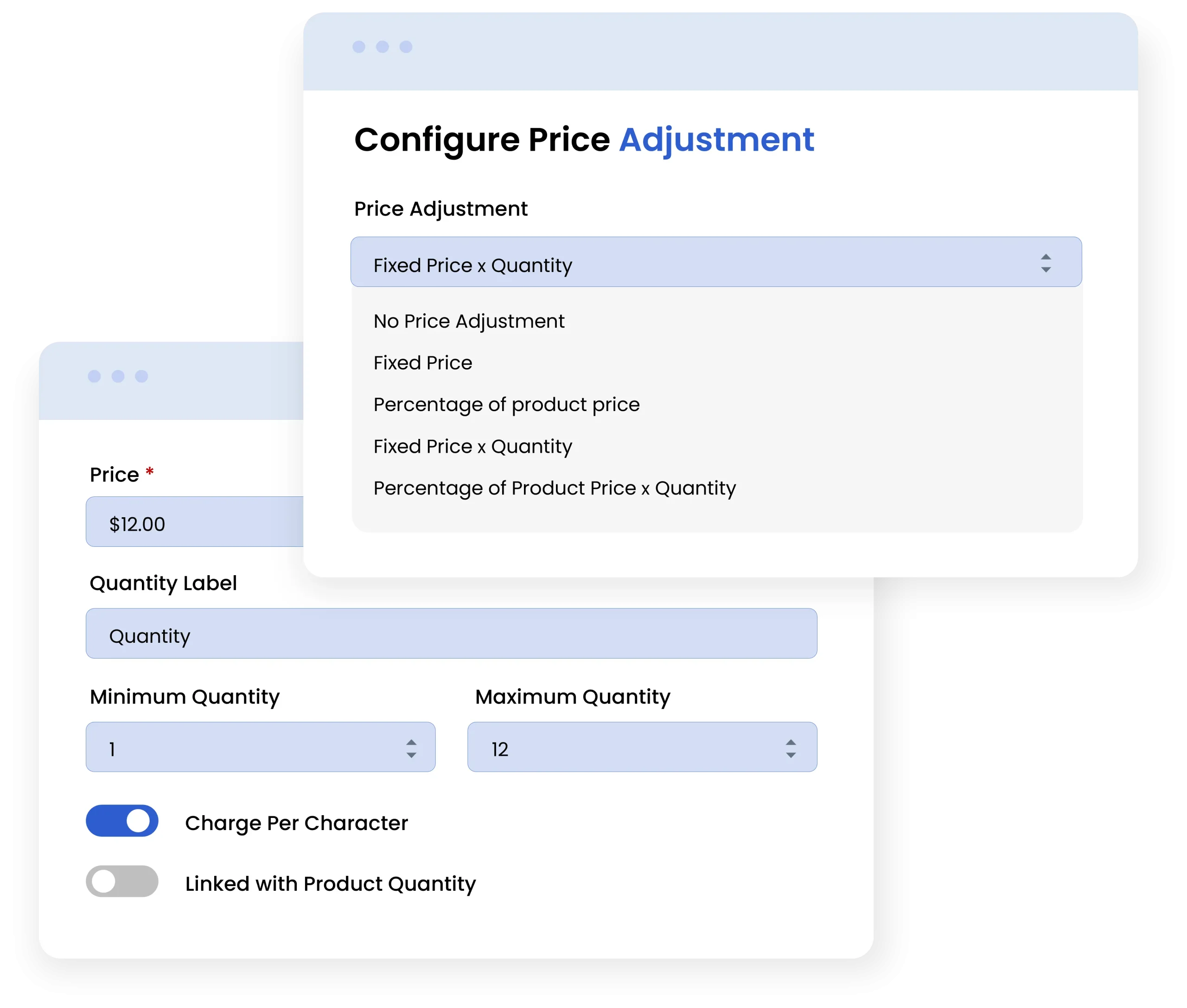
Configure Price Adjustment
It allows merchants to select their preferred pricing type and control how an additional cost or adjustment is applied to a product.
Below are the price adjustment options you can configure.
- No price adjustment: No additional cost is added to the product.
- Fixed: Adds a fixed amount to the product price.
- Percentage of Product Price: Adds a percentage of the product’s base price.
- Fixed Price × Quantity: Adds a fixed amount for each unit purchased.
- Percentage of Product Price × Quantity: Applies a percentage-based adjustment to each unit purchased.
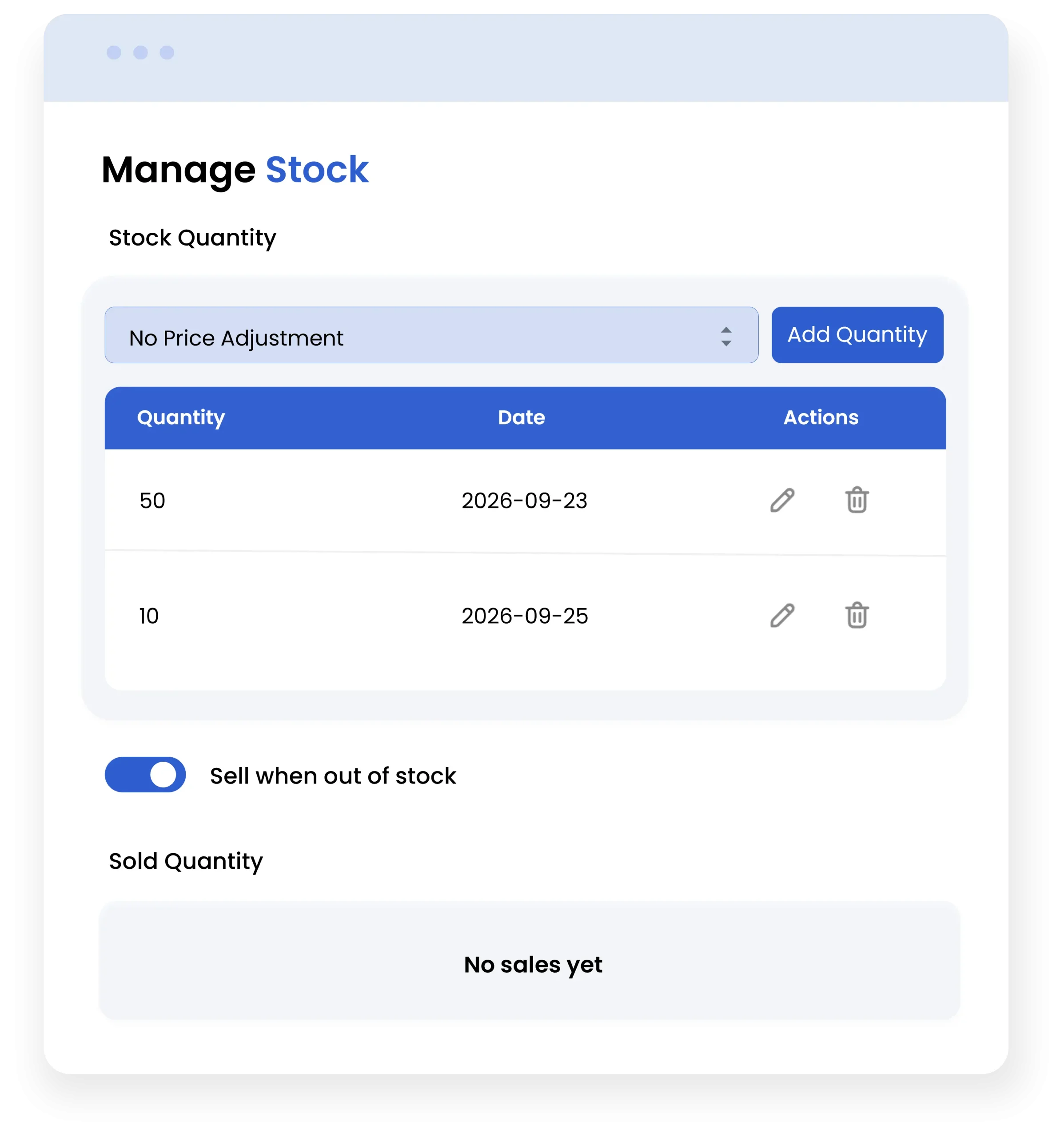
Stock Management
The Manage Stock option allows merchants to track and control inventory available for product options and variants. Merchants can set stock quantities, monitor inventory changes, and keep track of sold quantities. It also provides the flexibility to continue selling products when inventory reaches zero, helping merchants manage stock availability according to their business needs.
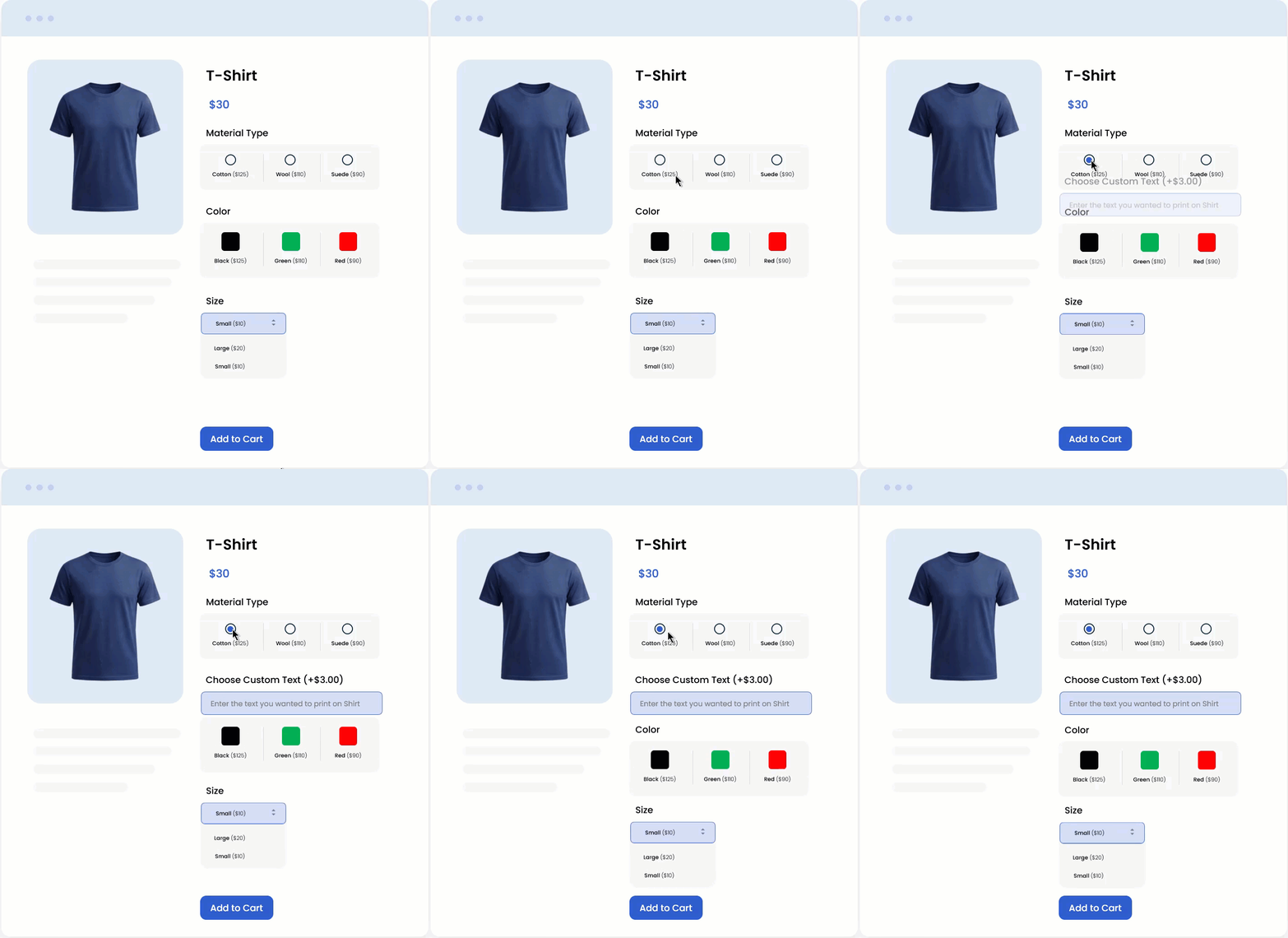
Configure Dependency Settings
The dependency settings allow merchants to control when a custom product option is displayed based on the selection made in other option fields. This makes it possible to create conditional options and show customers only the fields that are relevant to their previous selections.
Customize Storefront & Cart Button
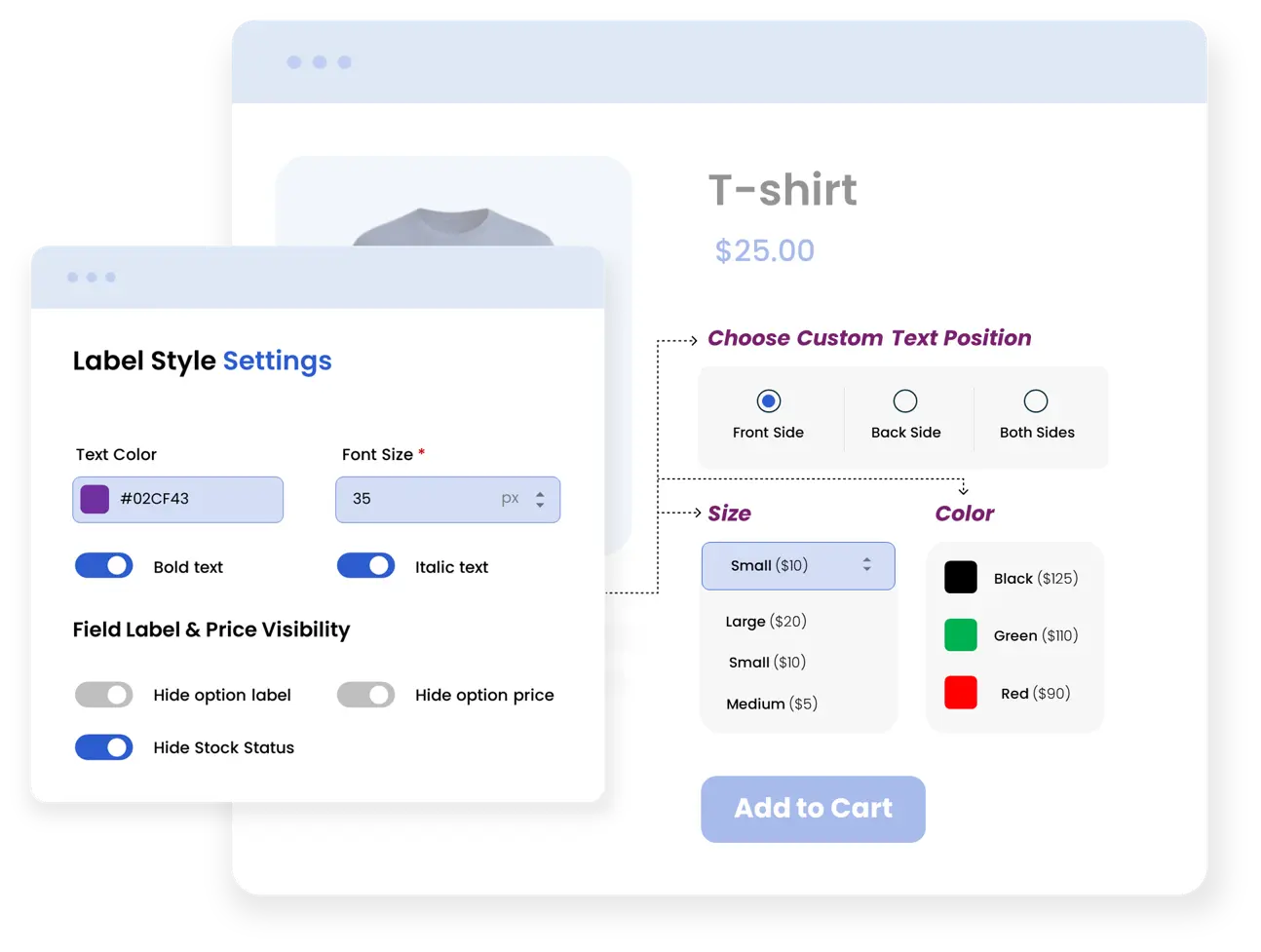
Customize Product Option Styles
Control how your product options and variants appear on the storefront with flexible styling and visibility settings.
- Customize label color, font size, bold, and italic styles.
- Show or hide option prices and stock status.
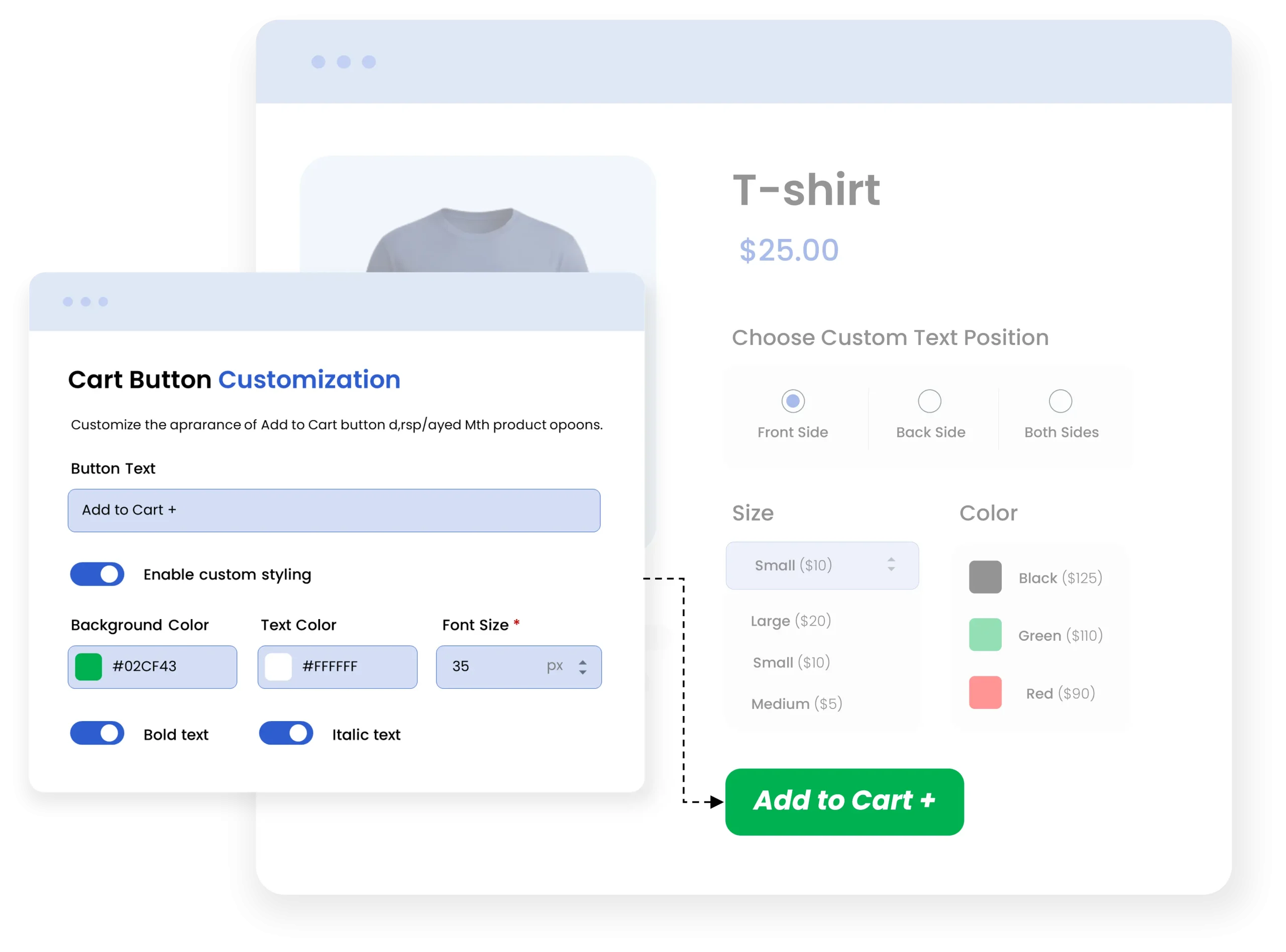
Customize Add to Cart Button
Personalize the Add to Cart button to match your store’s branding.
- Change button text, background color, and text color.
- Adjust font size, bold, and italic styling.
Customize Appearance of the Product Option Form
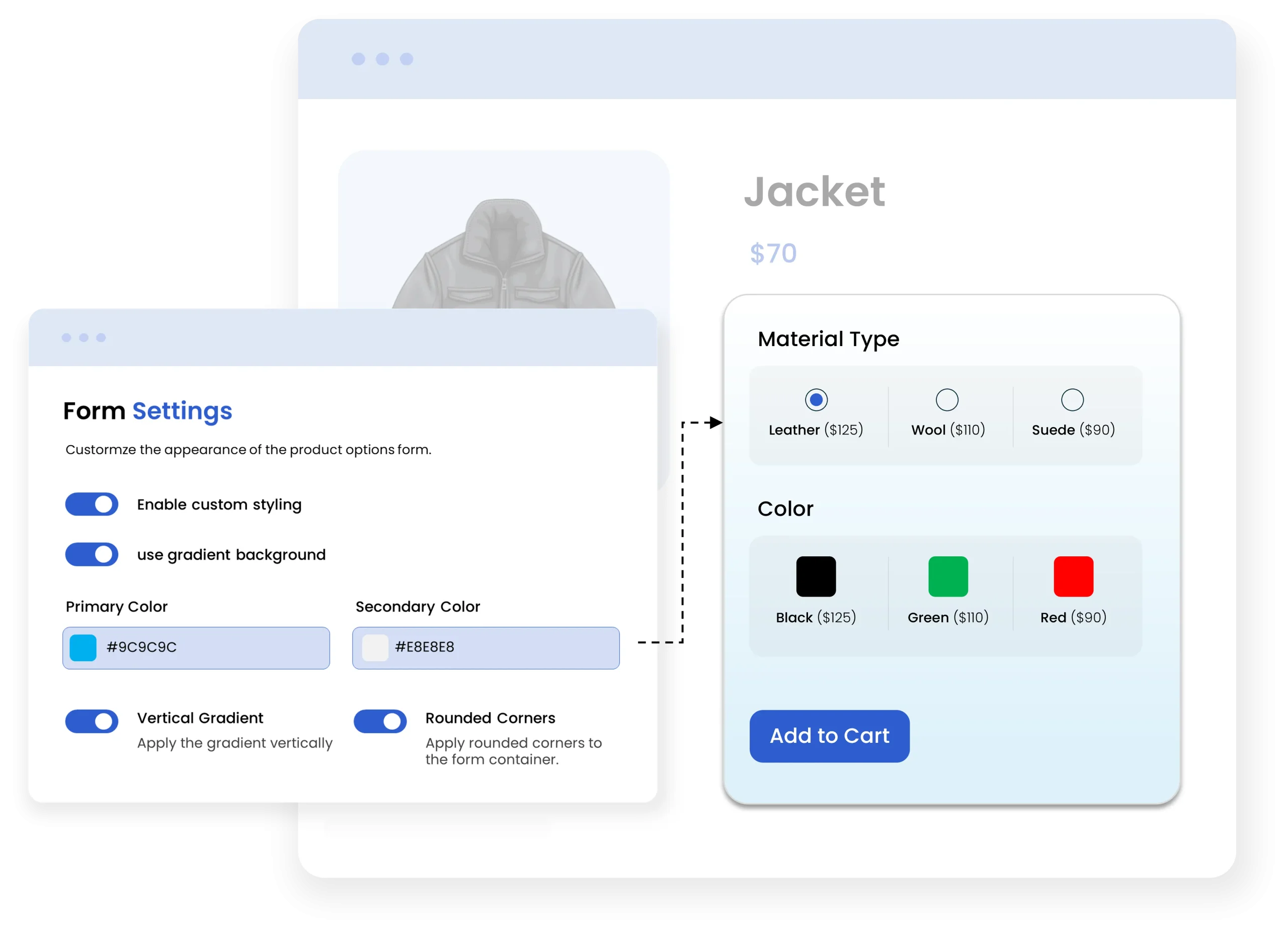
Customize the appearance of the product options form to match their storefront design. Adjust colors, backgrounds, gradients, and corner styles to create a clean and consistent look for product options across the storefront.
Customize the form appearance using the following settings:
- Custom Styling: Enables custom styling for the product options form.
- Gradient Background: Applies a gradient background to the form.
- Primary Color: Sets the primary color of the form.
- Secondary Color: Sets the secondary color of the form.
- Vertical Gradient: Applies the gradient vertically across the form.
- Rounded Corners: Adds rounded corners to the form container.
Manage Pricing Visibility
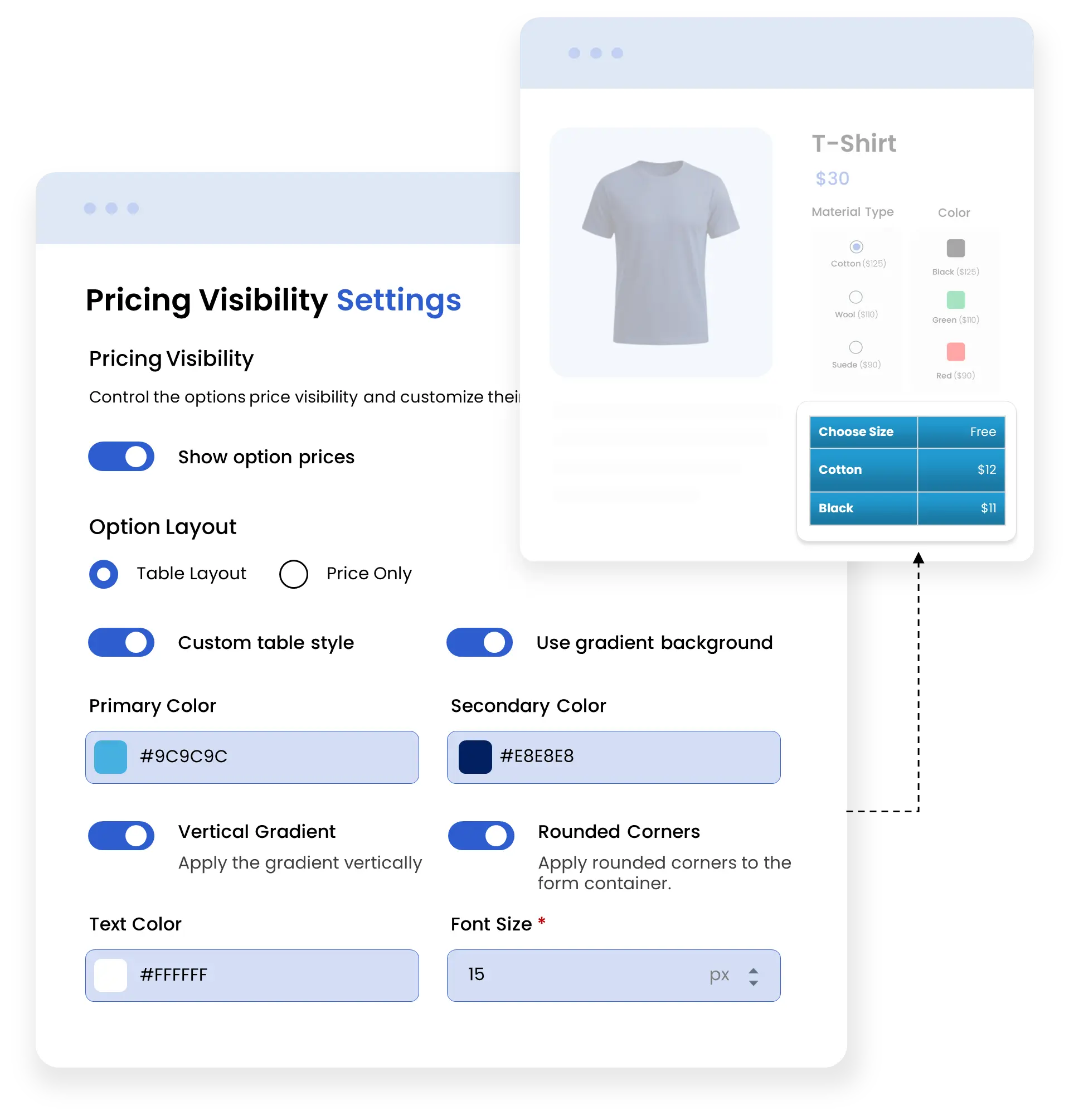
This feature allows merchants to control how option prices are displayed on the product page. It provides settings to manage price visibility. Choose a display layout and customize the appearance of pricing information.
Customize option price visibility and appearance using the following settings:
- Show Option Prices: Displays or hides prices for product options.
- Option Layout: Selects the layout used to display option prices.
- Table Layout: Displays option prices in a table format.
- Price Only: Displays only the option price.
- Custom Table Style: Enables custom styling for the price table.
- Gradient Background: Applies a gradient background to the price table.
- Primary Color: Sets the primary color of the price table.
- Secondary Color: Sets the secondary color of the price table.
- Vertical Gradient: Applies the gradient vertically across the table.
- Rounded Corners: Adds rounded corners to the table container.
- Text Color: Sets the color of the pricing text.
- Font Size: Sets the size of the pricing text.
- Bold Text: Displays pricing text in bold.
Complete Features List
- Enable or disable the app functionality across your store.
- Create and manage product option rules from the rule page
- Add a rule and set the rule name, priority, and schedule start and end dates.
- Configure to whom the rule should apply
- Every Product
- All Customers
- Add 25+ field types for product customization, including text, number, table, swatches
- Add field label for product options.
- Control the display order of product options.
- Apply price adjustment with
- Fixed
- Percentage of product price
- Fixed Price x Quantity
- Percentage of product price x Quantity
- Charge customers based on the number of characters entered.
- Set minimum and maximum character limits for text and number fields.
- Set the minimum and maximum quantity customers can select for an option.
- Manage stock availability for product options and variants
- Allow customers to purchase options when they are out of stock.
- Create independent and dependent fields based on other option selections.
- Display option prices using a table or price-only layout.
- Customize option labels and visibility with
- Text Color
- Font size
- Bold Text
- Italic Text
- Hide Option Label
- Hide Option Price
- Hide Stock Status
- Customize the Add to Cart button background color, text color, font size, bold, and italic styling.
- Show or hide product option details in the cart and checkout.
- Automatically redirect customers to the cart after adding a product.
- Customize the product options form with
- Primary Color
- Secondary Color
- Gradient Background
- Vertical Gradient
- Rounded Corners
- Show or hide option prices on the product page.
- Display option prices using a table or price-only layout.
- Customize pricing table with gradients, colors, rounded corners, & text styling.
- Customize total price labels and text styling when price only option is selected.