


Payment Method Based Fee & Discounts For WooCommerce
Payment Method-based Fee & Discounts for WooCommerce plugin allows you to apply fees or discounts based on selected payment gateways during checkout. It helps cover additional costs associated with certain payment methods and offers discounts for preferred gateways. Rules-based management enables targeting specific user roles, countries, and cart amount ranges.
Key Features:
- Add fees or discounts on the total cart amount
- Apply restrictions to payment-based fees or discounts
- Select payment gateways to apply fee/discount
- Set a priority for each rule created

Compatible with WooCommerce Version 3.5.0 or Higher | WordPress Version 4.0.0 or Higher
-
Marketplace Verified
-
Extension Partner
-
1k+ Downloads
$4.08/month
Billed annually at $49 / year
- 1 year free support
- 1 year extension updates
30 DAYS MONEY BACK GUARANTEE
Your money is secure with our buyer protection. Claim a full refund for any reason.
Features of Payment Method Based Fee & Discounts For WooCommerce
Apply Rules to Restrict Fees and Discounts
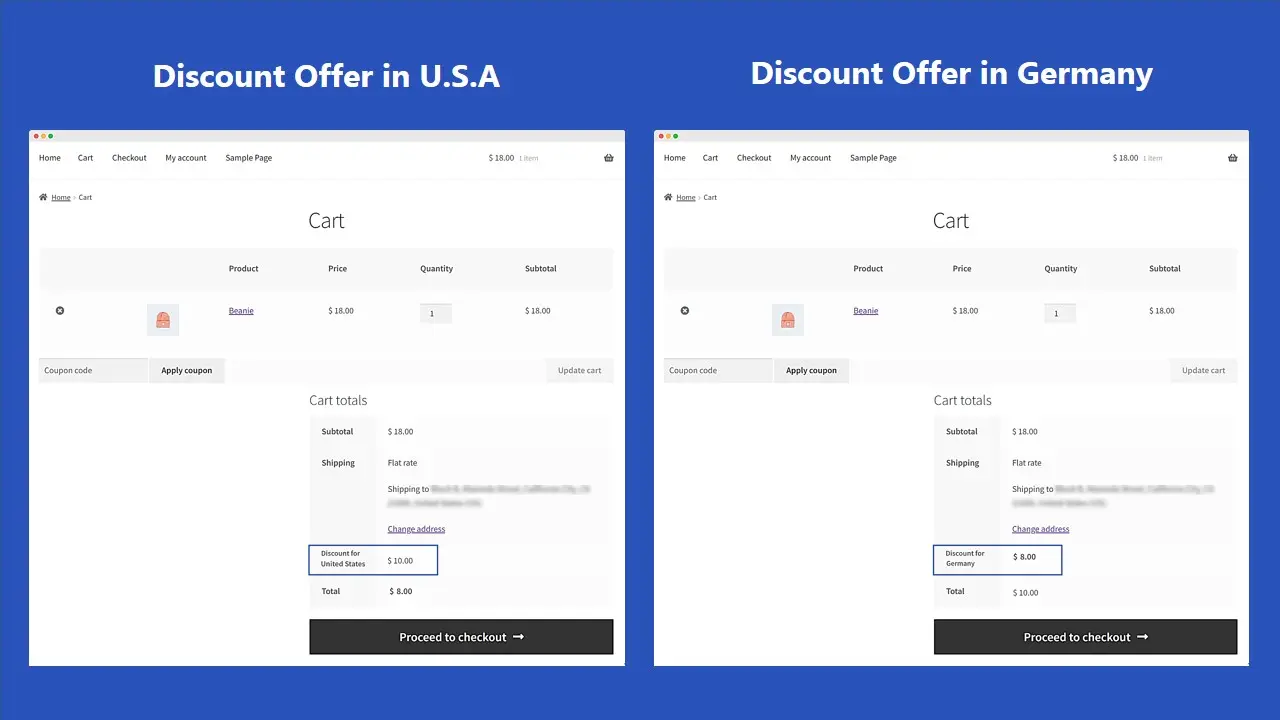
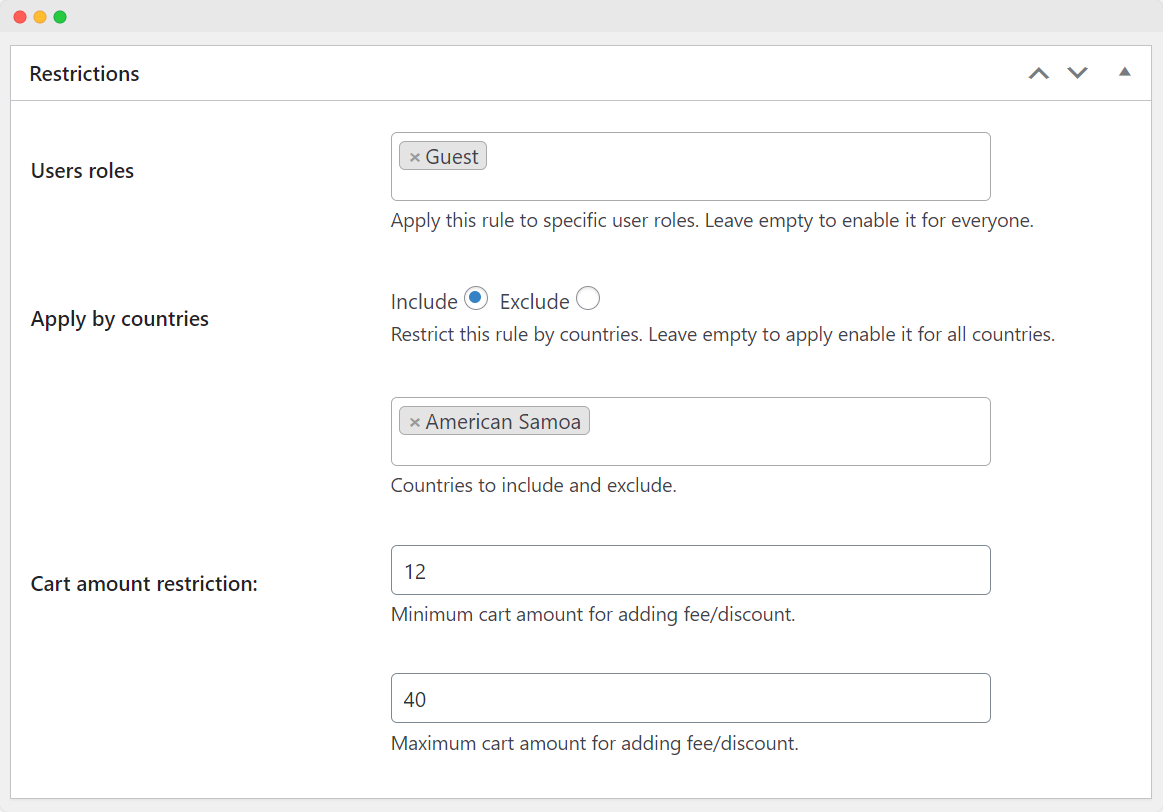
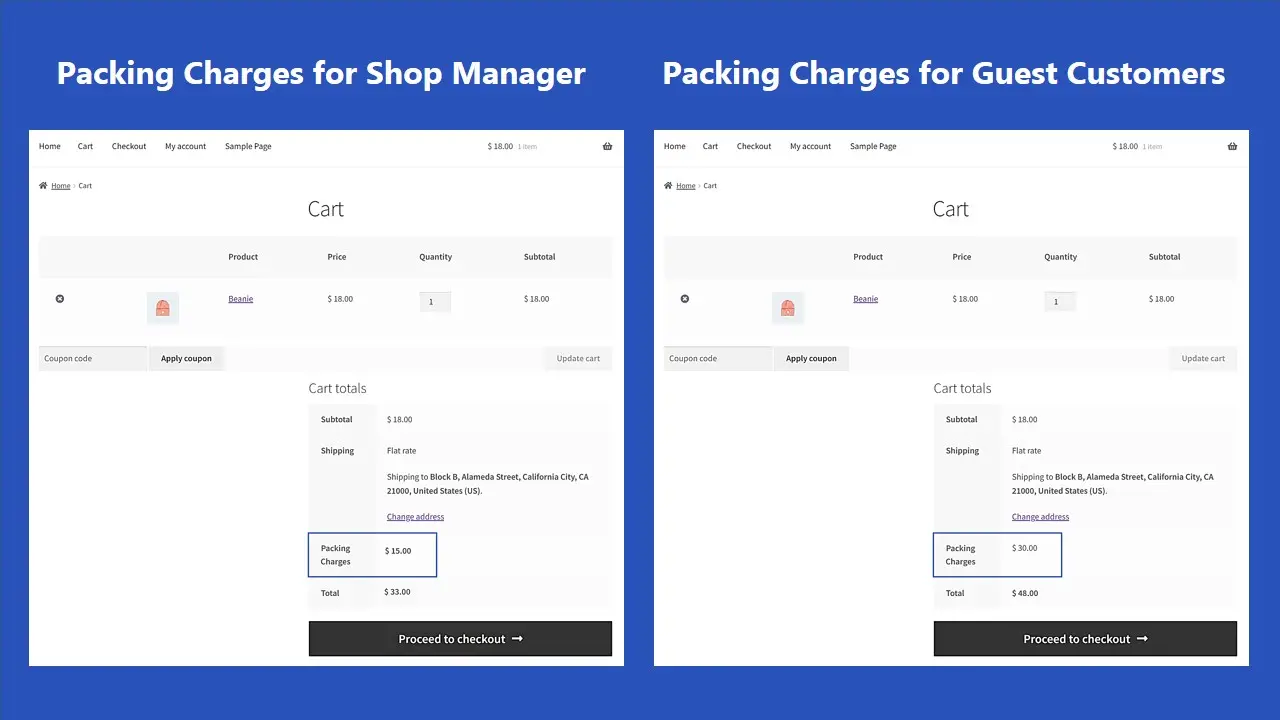
WooCommerce Payment Method Based Fee & Discounts allows multiple rules for adding new fees and discounts. Establish rules that impose fees for various payment gateways. These rules can be activated depending on:
- User Roles
- User Countries
- Cart Amount Ranges
For example, certain payment gateways may impose fees for international purchases or specific countries. In such cases, if a particular gateway incurs additional charges for shipping to a specific destination, you can add corresponding fees for shipping to that location. By using this plugin, you can pass on these extra costs to the customer.
Use Cases
Recover Payment Gateway Fee
You can use the plugin to recover payment gateway fees that impact the profit margin of competitively priced products. For instance, PayPal charges up to 3% on each order. Adding a 3% transaction fee through the plugin can safeguard your profitability.
Charge Additional Fee for COD
You can impose extra fees on cash on delivery (COD) payments. This can be done to discourage COD use or offset any additional costs incurred by your shipping company for COD deliveries.
Offer Discounts on Preferred Gateways
You can provide discounts on payment gateways that offer merchant-friendly services such as easy payouts, lower transaction charges, improved dispute handling, and other beneficial features.
Add Fee & Discounts to Payment Methods
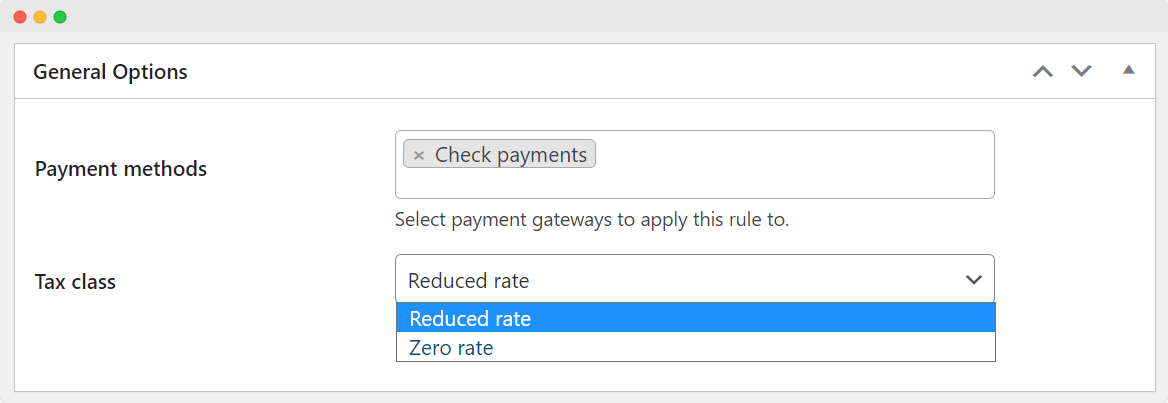
WooCommerce Payment Method Based Fee & Discounts allows you to choose and add the preferred payment gateways to your store. It allows you to enhance the payment experience by accurately reflecting any additional expenses incurred, providing transparency to you and your customers.
Additionally, using the plugin, you can make the fees or discounts taxable and specify the tax class from the two options:
- Reduced Rate
- Zero Rate
Add Payment Fees or Discounts
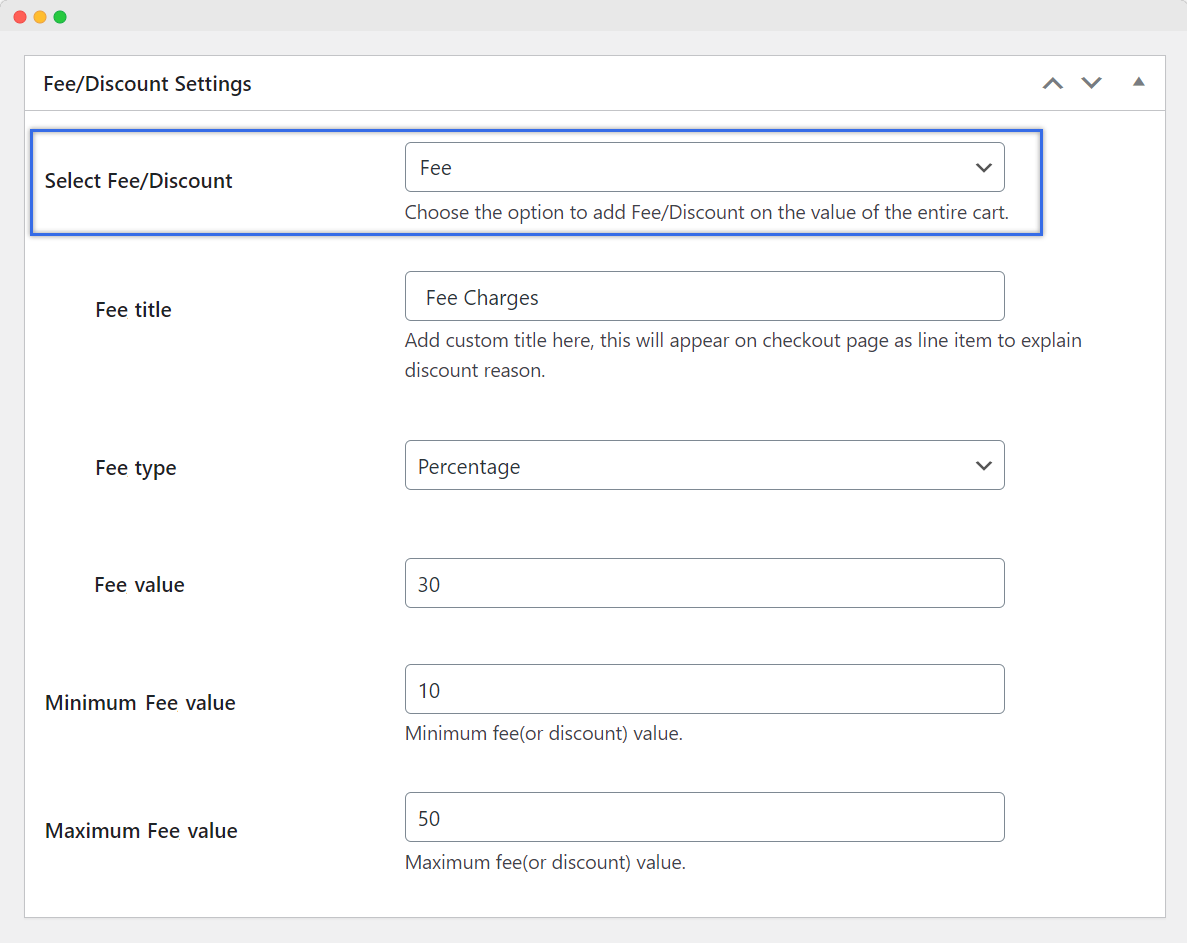
To provide more flexibility and cater to various payment preferences, you can apply additional fees or provide discounts that adjust the total amount based on the specific payment gateway customers select during the checkout process.
Moreover, you can add a custom fee or discount label. This will appear on the checkout page to explain the reason behind the additional payment fee or discount.
Apply Payment Amount as Fixed or Percentage
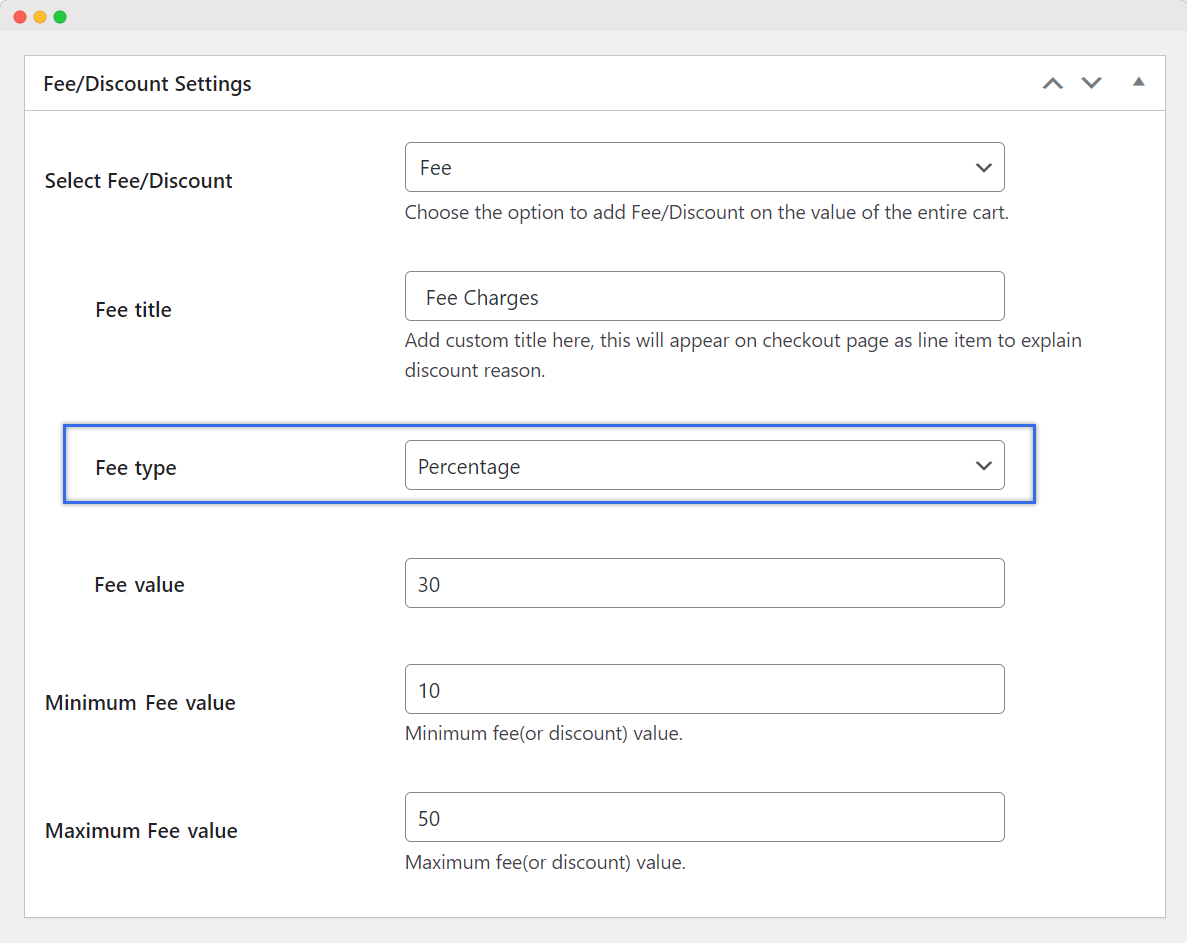
When managing payment fees and discounts, you have the freedom to set them either as fixed amounts or as percentages using the plugin. When selecting a percentage amount, add minimum and maximum values for fees or discounts.
This allows you to determine whether a specific fee or discount should be a fixed value, such as $5 or €10, or a percentage of the total cart amount, like 5% or 10%.
Technical Compatibility
- Version1.2.2 View changelog
- WordPress Version Required4.0.0 or Higher
- WooCommerce Version Required3.5.0 or Higher
- Multi-Site SupportYes
- LanguagesEnglish
- WPML CompatibilityWPML Supported
- TranslatableYes, Translation Ready
- CountriesWorldwide
More Features
- Add a custom fee or discount label
- Add a fixed fee/discount value to the rule
- Specify minimum and maximum fee/discount value with each rule
- Make fees/discounts taxable
- Add fees or discounts based on two types:
- Fixed
- Percentage
- Specify tax class with each rule:
- Reduced rate
- Zero rate
- Rule-based management of different fees/discounts based on:
- User roles
- User countries
- Cart amount ranges
Customer reviews
Be the first to get an exclusive offer and the latest news.
Reviews
There are no reviews yet.