


Store Wallet and Cashback for Woocommerce
Customers often look for fast and easy checkouts. Entering credit card details every time feels frustrating and can lead to abandoned carts and incomplete orders. To solve this, Store Wallet and Cashback for WooCommerce extension adds an advanced digital wallet system that allows customers to “Pay via Wallet” and finish checkout in just a few clicks.
Using the plugin, you can offer cashback rewards based on product purchase, wallet recharge, cart value, previous order total, and purchase history, and create rules to apply them to specific products, categories, and user roles. Admins can enable OTP validation on each transaction and create new wallets manually for users asking for returns/recharge. You can simply maintain a detailed transaction history, allow users to deposit funds, and manage the entire wallet system with ease.
Key Features:
- Offer a wallet system at checkout for easy payments
- Create a new wallet account
- Recharge and transfer funds by using the wallet
- Offer Cashback rewards based on multiple conditions
- Integrate the cashback rules based on products, categories, and user roles
- Support OTP verification for secure wallet payments & transfers
- Customize the limits for credit and transfer amounts
-

Marketplace Verified
-
Extension Partner
-
$6.58/month
Billed annually at $79
- 1 year free support
- 1 year extension updates
30 DAYS MONEY BACK GUARANTEE
Your money is secure with our buyer protection. Claim a full refund for any reason.
Features of Wallet Payment & Cashback
Complete Wallet System for WooCommerce
Add an advanced digital wallet system to your online store and offer faster payments. Wallet for WooCommerce extension allows admins to add “Pay via Wallet” option at checkout and give customers the flexibility to use wallet balance, earn cashback, and store funds.
You can also create a new wallet for any user and edit existing ones from a separate log. Add multiple cashback rules and offer them on purchased products, recharge, cart subtotal, and more. Admins can set maximum wallet balance limit, enable OPT validation, and control transaction values by defining a specific spending range.
Flexible Cashback Rules for WooCommerce Wallet
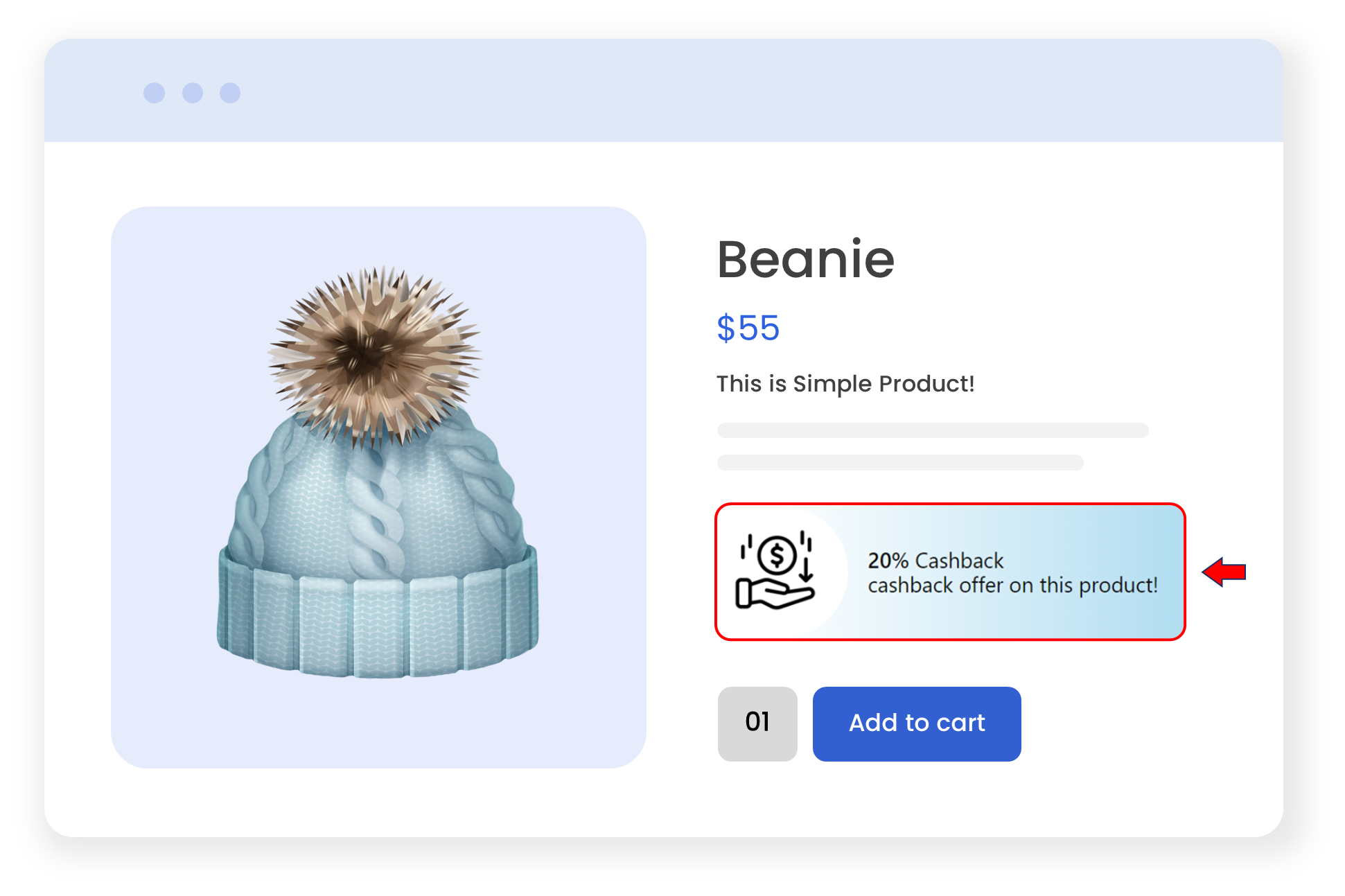
Wallet for WooCommerce extension allows you to create cashback rules for specific products, categories, and user roles. In ths way, you can reward selected customers and encourage repeated purchases. Moreover, admins can set desired cashback amount, choose whether it is fixed or a percentage value, and offer it on specific conditions, such as:
- Purchase Product: Offer cashback when customers purchase specific products or categories.
- Recharge Wallet: Add cashback on every recharge and set min/max limits
- Cart Subtotal: Apply it on total value of the cart within a specified range
- Last Purchase Subtotal: Reward customers according to their previous order total
- Purchase History: Give cashback on past purchases when customers meet a defined purchase range.
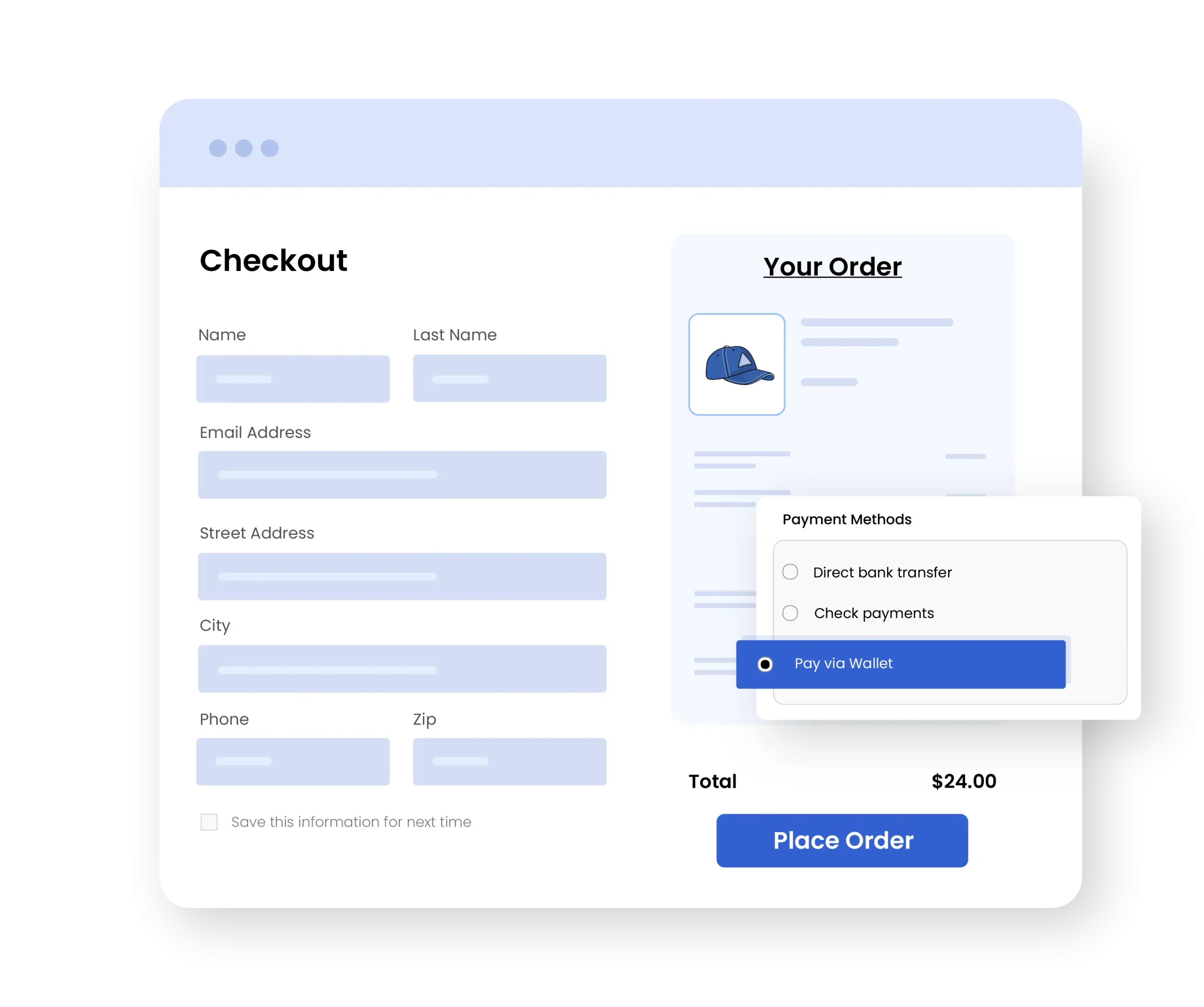
Use Wallet Balance as a Checkout Payment Method
Admins can add “Pay Via Wallet” option as a payment gateway and allow users to shop from their store wallet. They can simply click on it and complete their purchase in seconds. This encourages customers to collect more cahsbacks and improves the overall checkout experience.
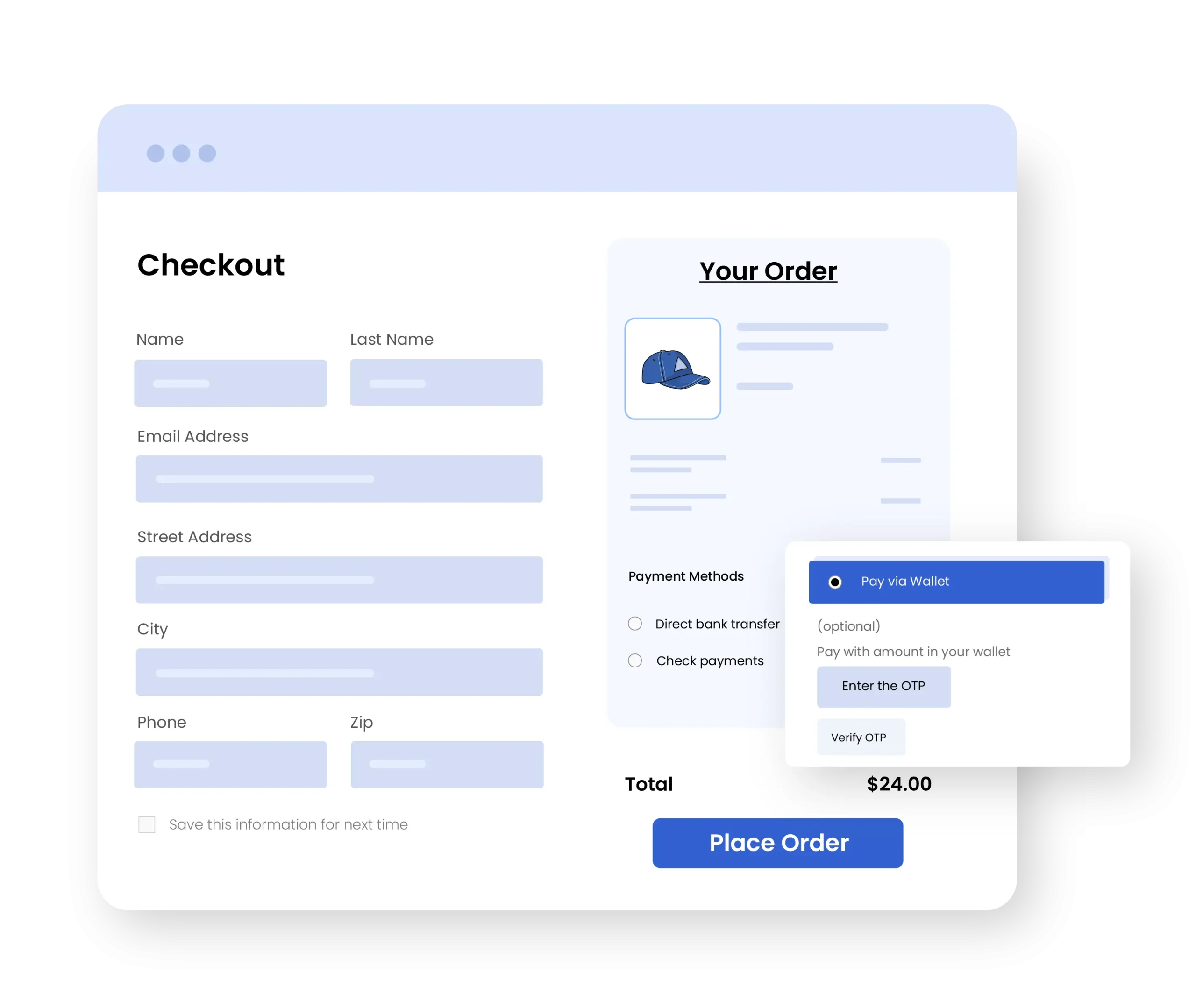
OTP verification for wallet payments
Secure your payments by enabling OTP validation on every transaction. WooCommerce store credit plugin protects your store from unauthorized access and makes wallet payments reliable for customers.
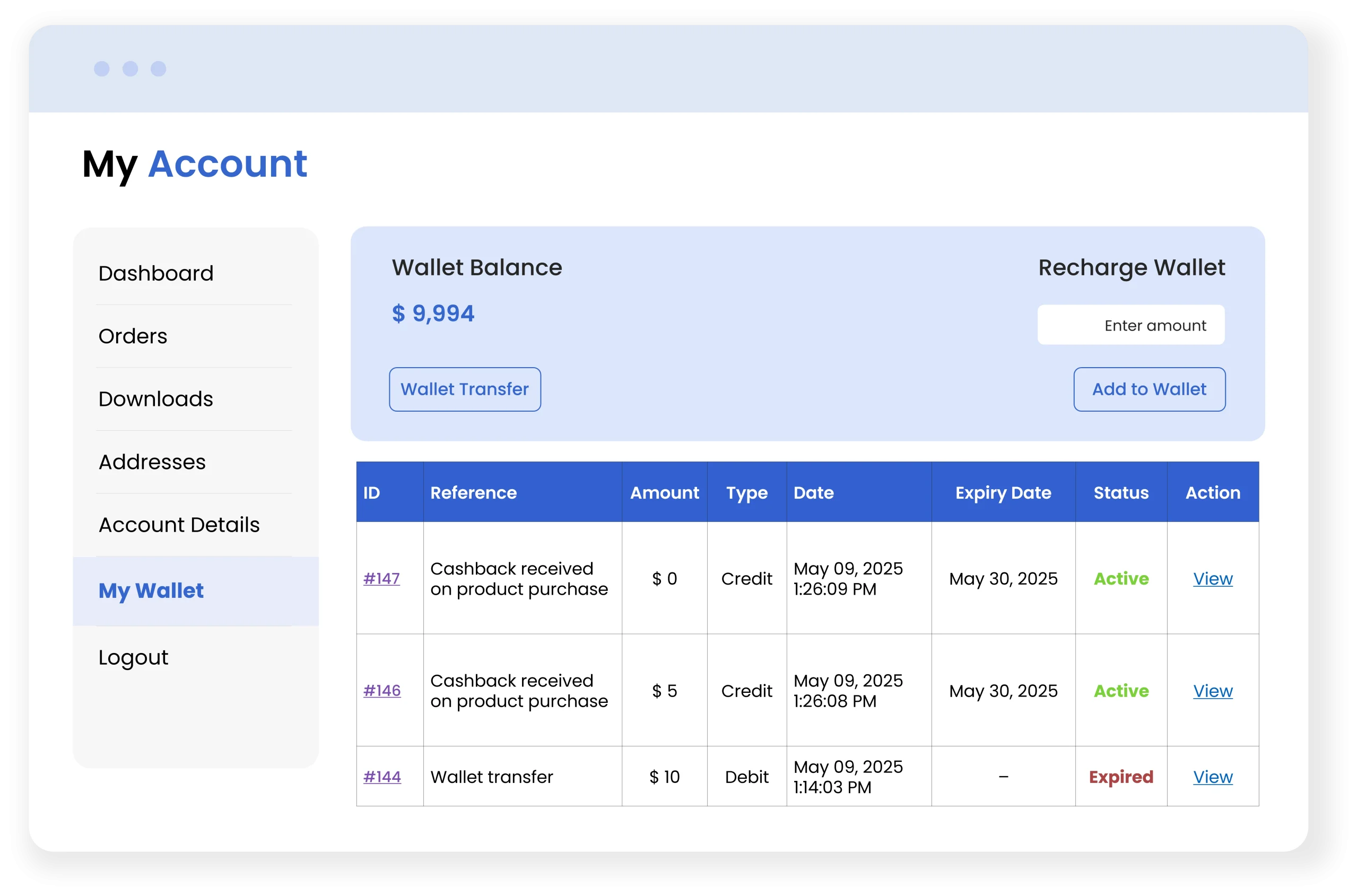
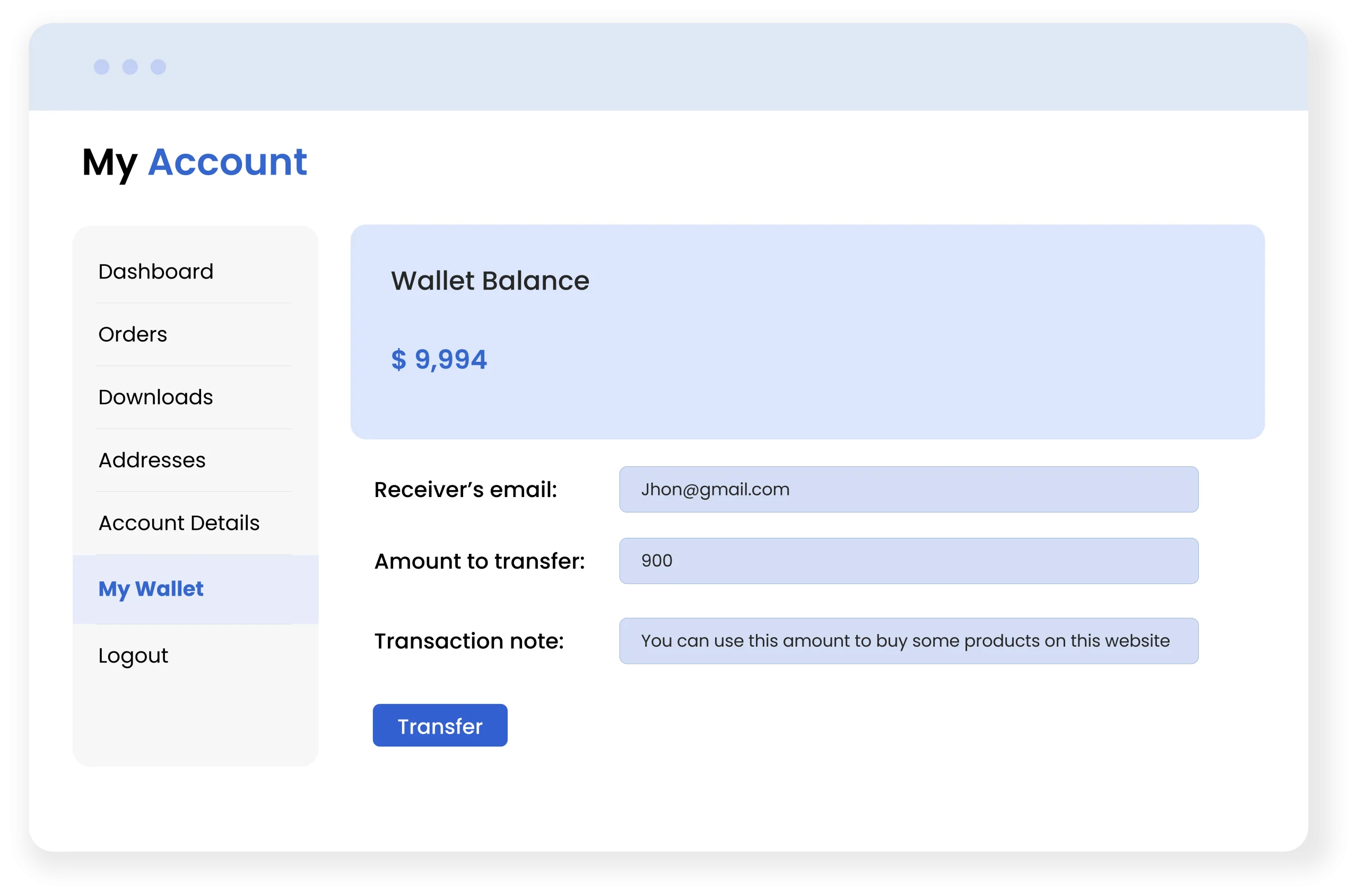
Add Funds and Transfer Wallet Balance
By using WooCommerce wallet system extension, customers can deposit funds to their store wallet and shop directly using that balance. They can also send account funds to anyone by simply entering the recipient’s email, a transaction note, and custom amount.
Manage Customer Wallet
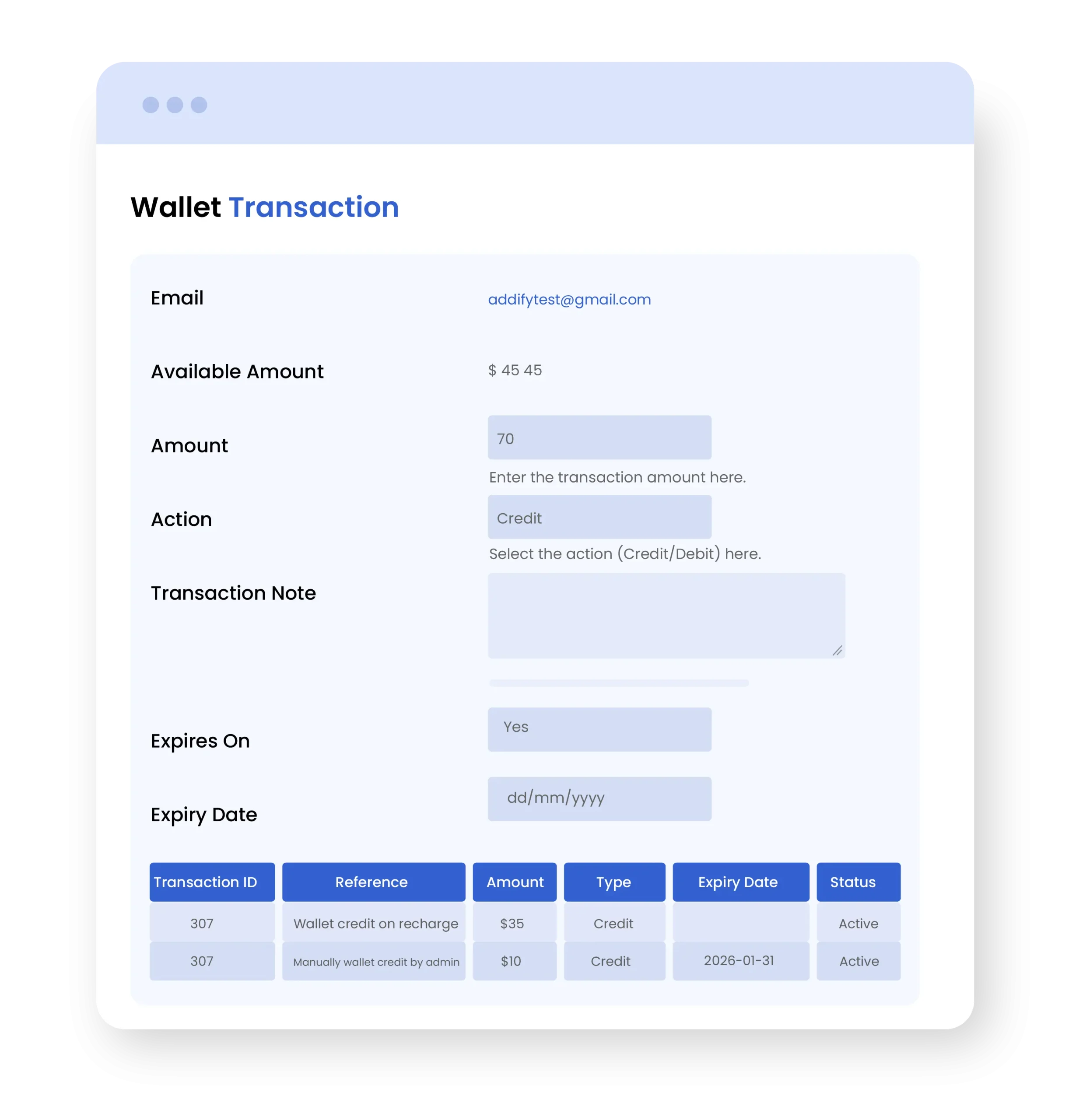
Store Wallet and Cashback for WooCommerce plugin allows you to view and edit custom wallet details from a separate log. You can manually create new wallets for woocommerce customers who request a refund or require wallet credit by specifying details like:
- Customer
- Total Transaction amount
- Action ( Credit )
- Transaction note
- Expiry Date
Complete Transaction History
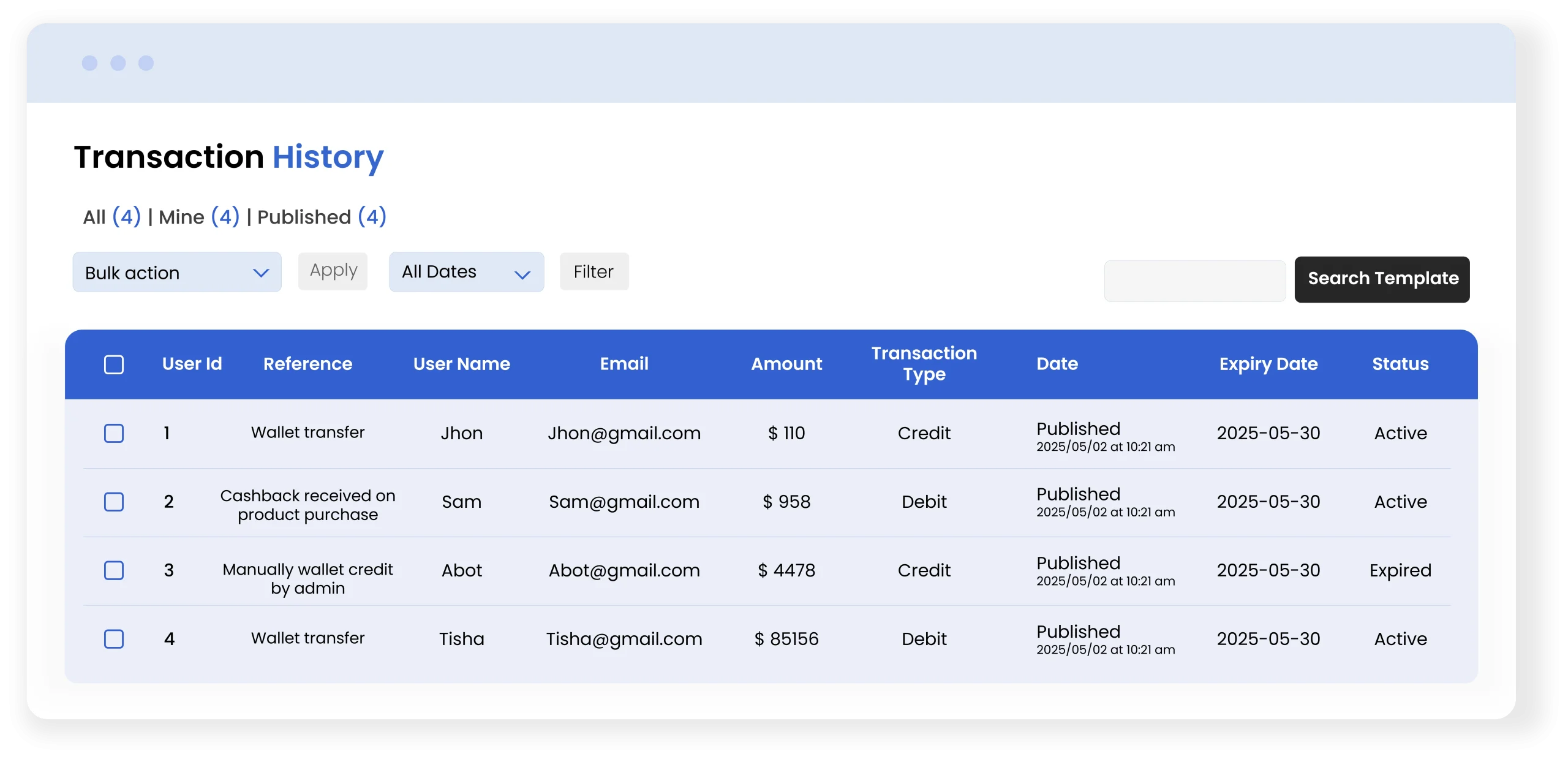
Maintain complete transaction logs, which are accessible to both the admin and user. These transaction logs contain information about each transaction, such as credits, debits, and cashback earned. You can view the user’s email address, account type, and transaction status, and the admin can recharge the user’s account if needed.
Wallet Limits & Management
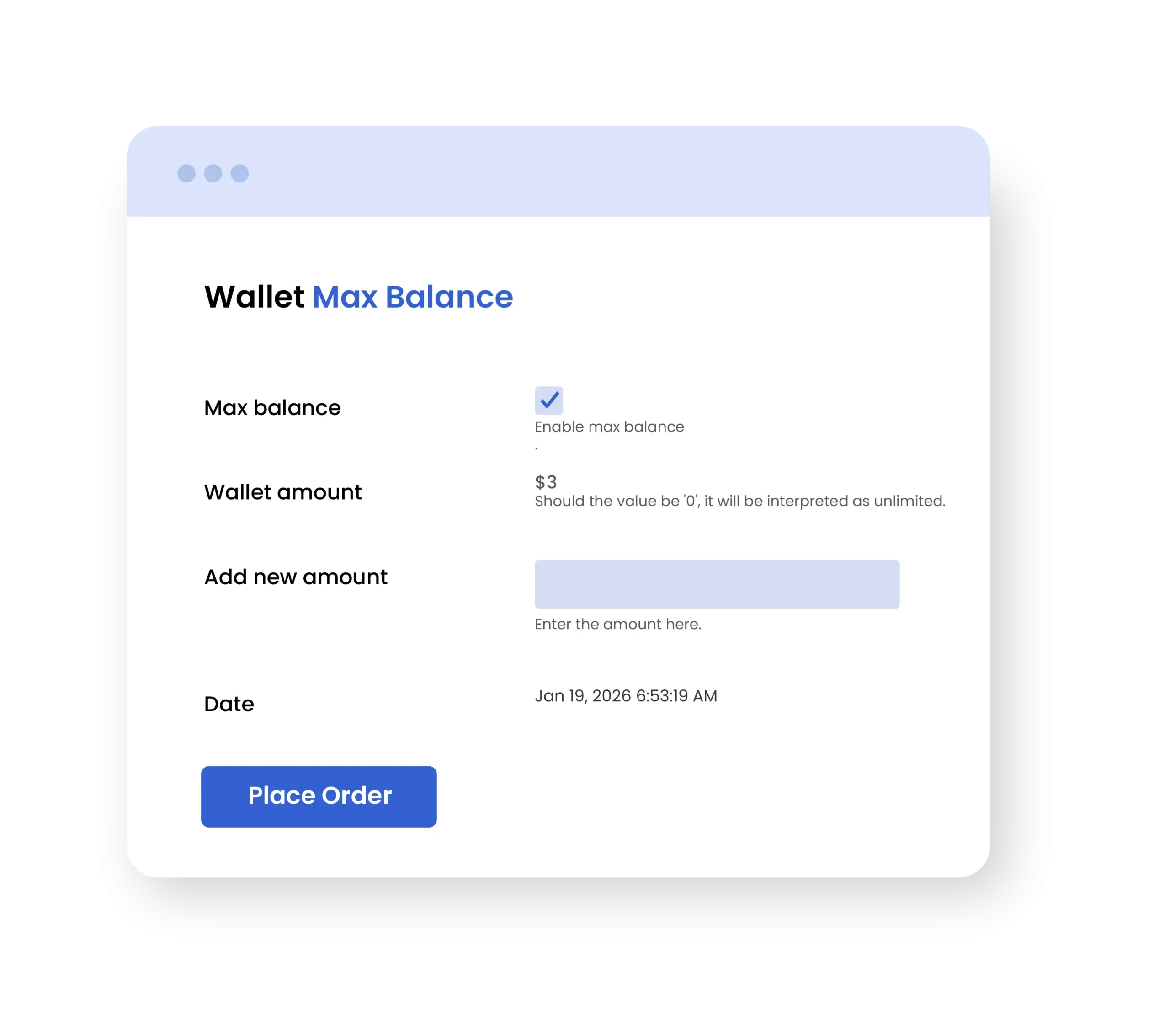
Shop managers can add a maximum balance limit for the store wallet by simply setting a specific amount. This controls how much balance a customer can hold in their wallet, while allowing you to update the data with ease and manage its usage according to your preferences.
General Settings & Configuration
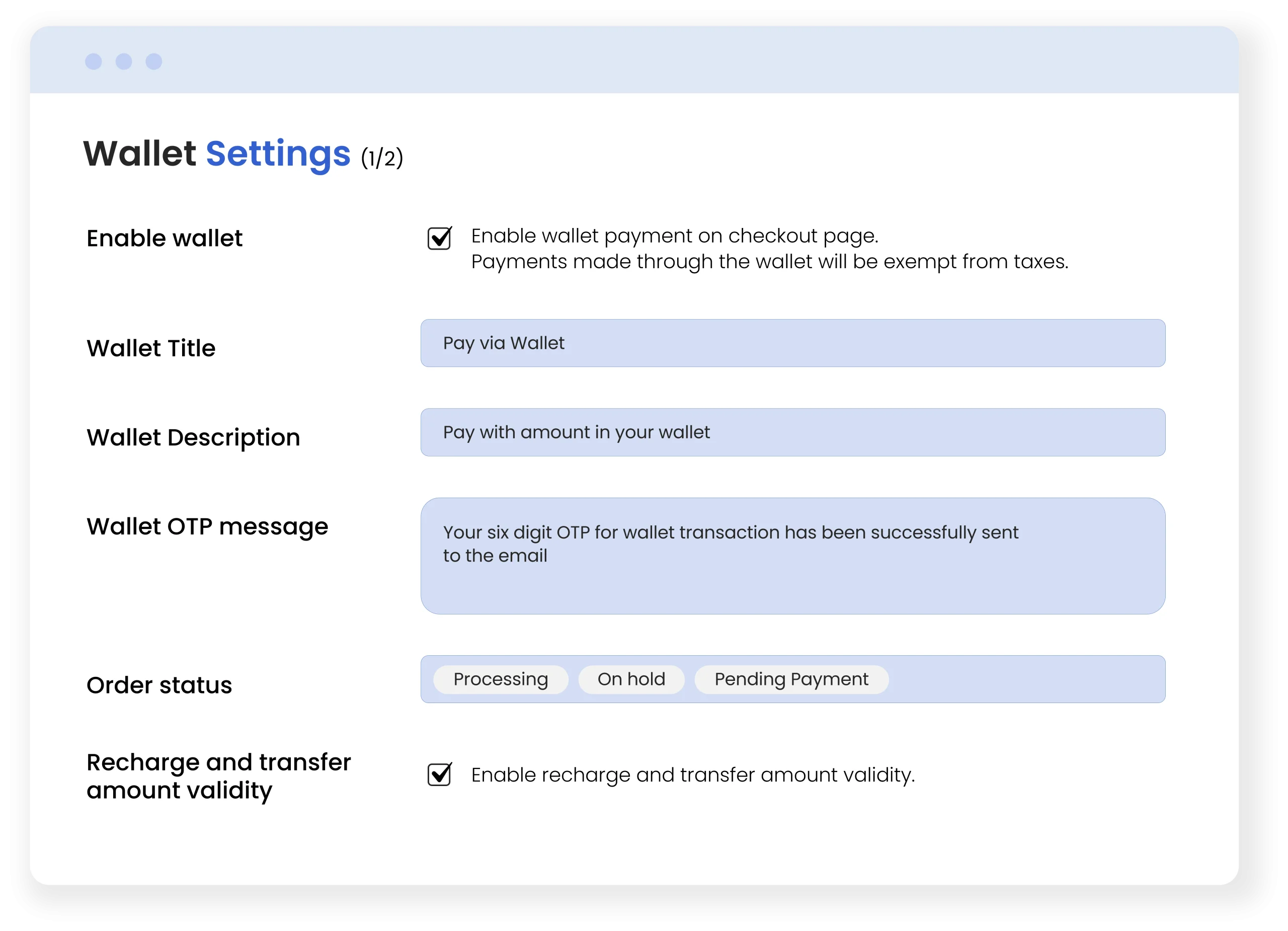
You can customize the digital wallet using general settings. It allows you to enable wallet payments on chekout page and select a specific order status that triggers the recharge request or complete cashback alerts. You can also set OTP validation time, cashback expiration days, maximum/minimum transaction, and credit limits. Additionally, you can add a wallet title, description, and custom OTP message.
Full Customization & Styling Options
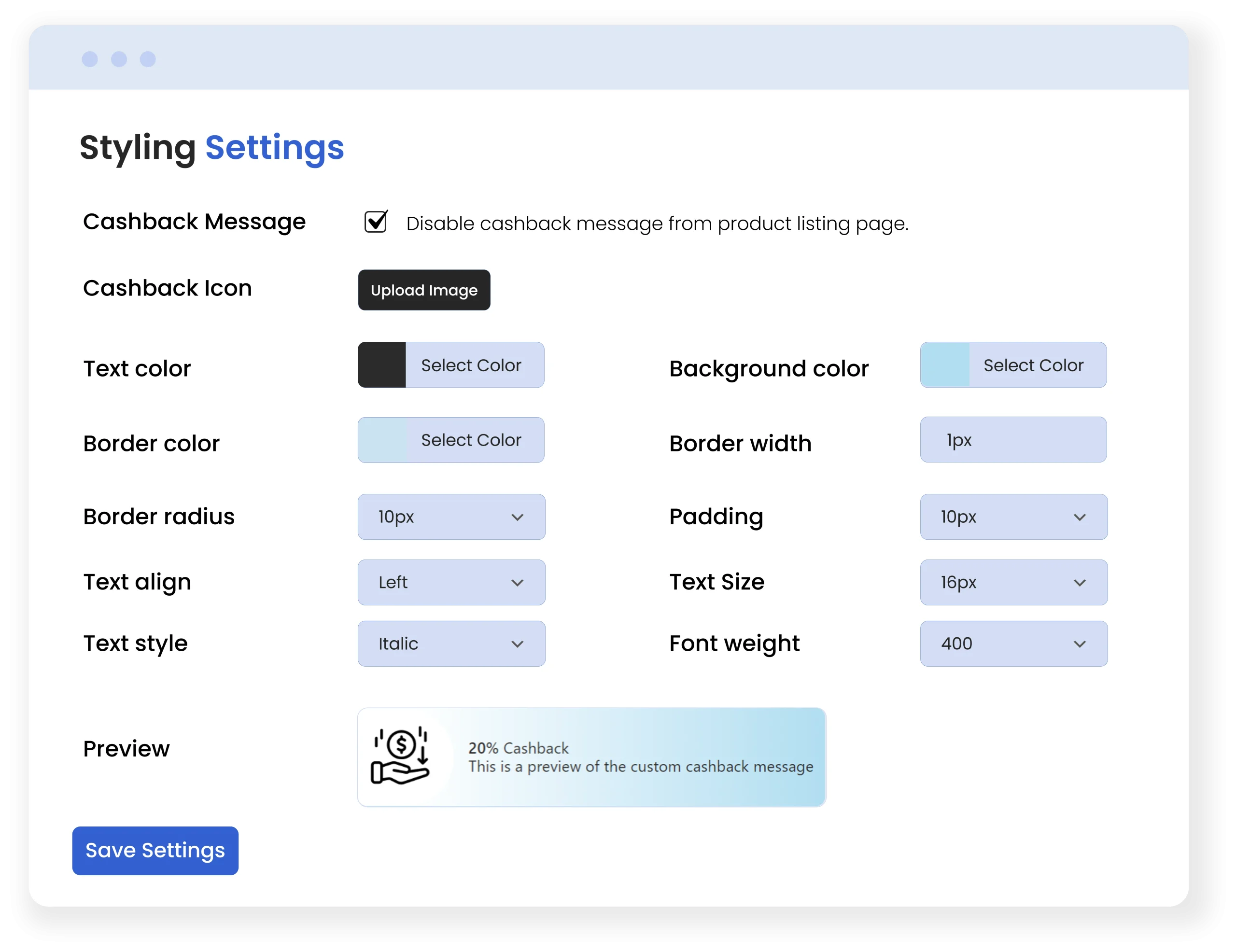
Customize the wallet appearance by applying the custom styling, such as enabling or disabling the cashback message, uploading a custom cashback icon, and setting text and background colors. You can adjust the font size, border style, and its radius. The preview option is also available, and you can review the preview changes before saving.
Technical Compatibility
- Version1.1.1View changelog
- WordPress Version Required4.0.0 or Higher
- WooCommerce Version Required3.5.0 or Higher
- Multi-Site SupportYes
- LanguagesEnglish
- WPML SupportedWPML Compatibility
- TranslatableYes, Translation Ready
- CountriesWorldwide
More Features
- Add a complete digital wallet system to your store
- Manage customer wallet data from a separate log
- Manually edit customer’s existing wallet data, such as:
- Available amount
- Action:
- Credit
- Debit
- Transaction Note
- Expiry Date
- Manage complete transaction history and view:
- User name
- User email
- Sender email
- Transaction amount
- Origin
- Transaction action
- Transaction reference
- Transaction type
- Transaction note
- Transfer amount from wallet
- Pay from wallet amount
- Send an OTP every time a customer makes a payment from the wallet.
- Create new rules to apply cashback on:
- Cart total
- Specific products
- Specific categories
- Account recharge
- Product purchases
- Purchase history
- Specify cashback type as:
- Fixed amount
- Percentage amount
- Manually create a new wallet for customer and add details like:
- Customer
- Total transaction amount
- Action
- Transaction note
- Expiry date
- Enable wallet payment on the checkout page
- Add a custom wallet title, description, and OTP message
- Select the order status that should trigger a recharge or complete cashback alert
- Add days until the cashback expires
- Select OTP validation time
- Admins can select minimum and maximum
- Wallet credit amount
FAQ
Q1. Can customers pay using wallet balance at checkout?
Q2. Can admins control transaction amounts?
Q3. Can payments be OTP validated?
Q4. Are wallet transactions and cashback records logged?
Customer reviews
- Easy to manage from the admin panel and very convenient for customers. The wallet and cashback features work well.
- We use cashback for special offers and it works perfectly. Customers appreciate getting rewards they can use later
- Very easy to set up and works perfectly with our WooCommerce store. The wallet and cashback features helped increase repeat purchases.
- This plugin added real value to our store. Everything works as expected and support is quick to respond.
- Customers often come back to use their wallet balance. A great tool for improving repeat orders.
Zain Aley –
Customers often come back to use their wallet balance. A great tool for improving repeat orders.
Michael T. –
This plugin added real value to our store. Everything works as expected and support is quick to respond.
Daniel –
Very easy to set up and works perfectly with our WooCommerce store. The wallet and cashback features helped increase repeat purchases.
Nida F. –
We use cashback for special offers and it works perfectly. Customers appreciate getting rewards they can use later
Jonethan –
Easy to manage from the admin panel and very convenient for customers. The wallet and cashback features work well.