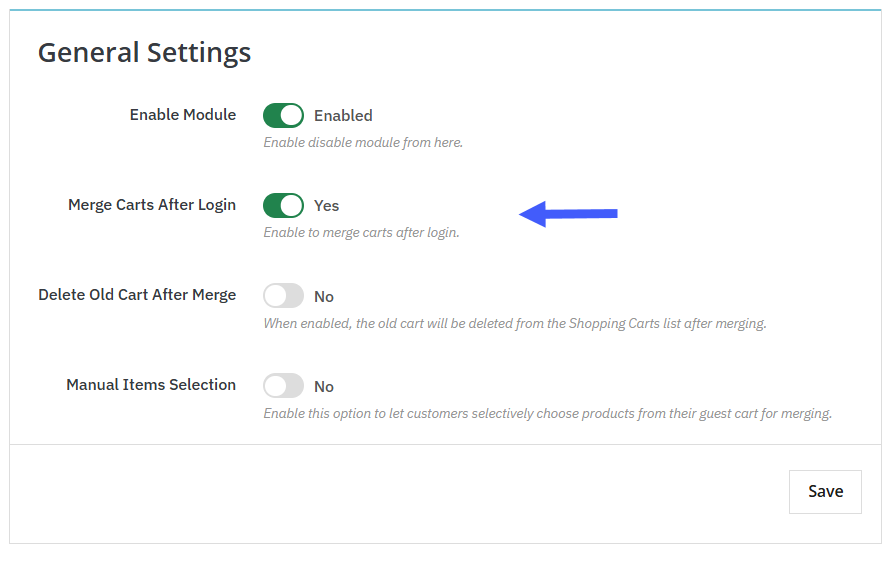
To combine guest users’ carts with logged-in cart, you can use PrestaShop Advanced Cart Merges Module. Install the module, go to its general settings, and activate it. Now enable “Merge Carts After Login”. This will automatically combine guest cart items with the customer’s existing cart and For a detailed overview, follow these steps:
1. Install the module and go to Module > Module Manager > Addify Merge Carts After Login and click on Configure. From its general settings, you need to enable:
- Merge Carts After Login: Activate the button to automatically merge guest cart items with the logged-in users’ cart.
3. From the same setting, you can also allow customers to manually select items from their guest cart to be merged into the logged-in cart.
4. Enable “Delete Old Cart” if you want to remove it once it is merged with the new one.
5. Click on save, and now you have successfully added the feature to combine guest carts with the log-in carts.