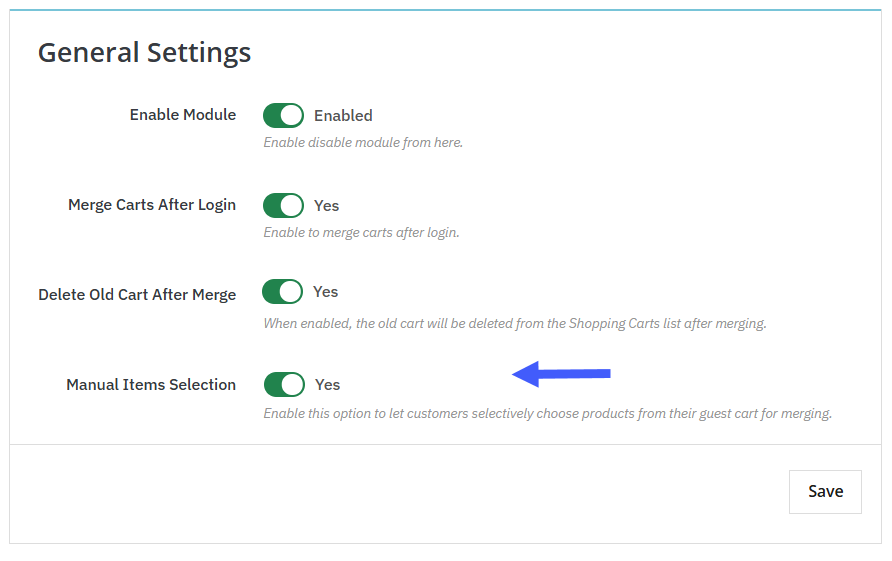
PrestaShop Merge Guest Cart Module gives your users the option to manually select items from guest cart to combine with the logged-in cart. You can set up the module in seconds, and once it is activated go to General Settings. Here, you can enable “Merge Carts After Login”. Now, scroll down and activate “Manual Item Selection”. Now users can easily select preferred items from the old cart and add them to the new one. For a detailed overview, follow these steps:
1. Install the module and then go to Modules > Module Manager > Addify Merge Carts After Login and click on Configure. Now, from the general settings, enable “Merge Carts After Login”
2. Then, scroll down and activate “Manual Items Selection”. This setting provides your customers the option to select specific items from the previous guest cart and to merge them with the log-in cart.
3. Click on save