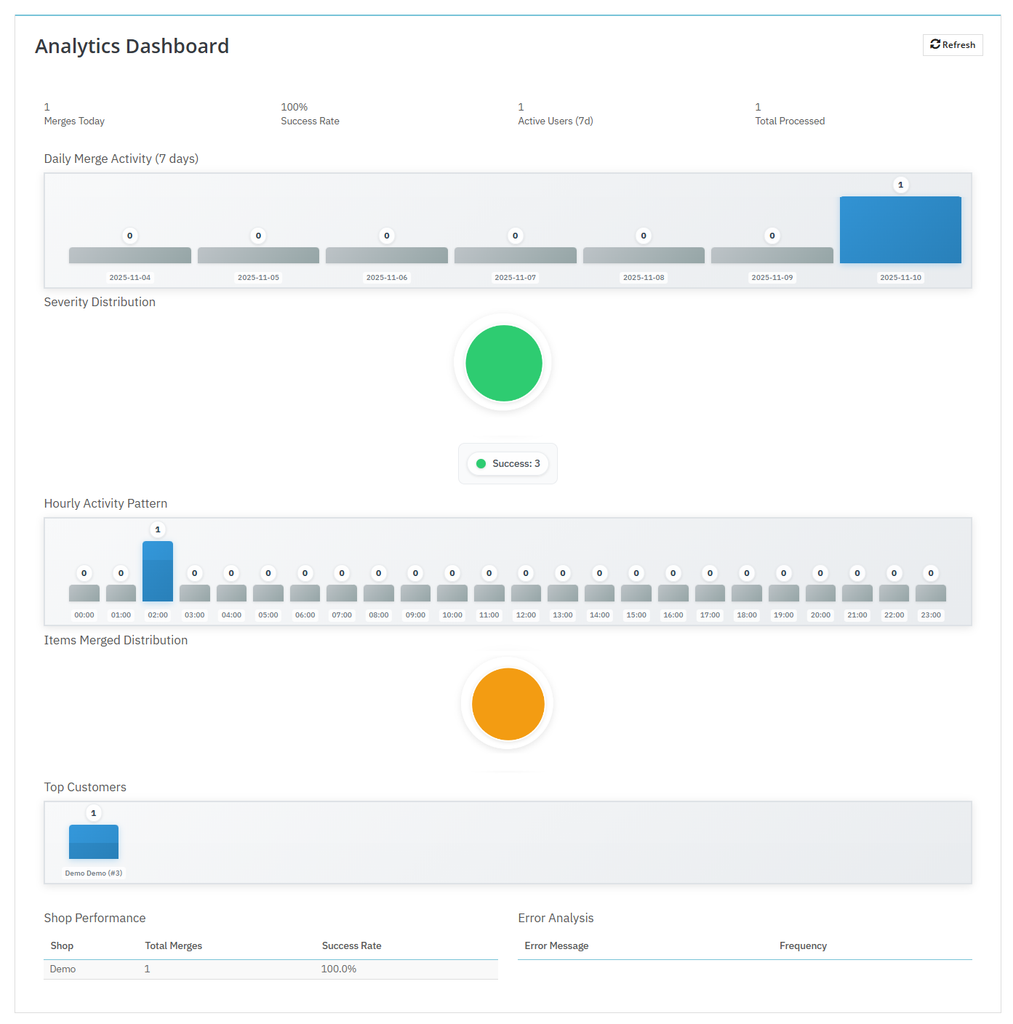
You can easily track merged cart insights using PrestaShop Advanced Cart Merges Module. Set up the module, activate it, and from the main menu, go to “Analytics Dashboard”. From this section, you can view total merged cart count, daily activity, store performance, and more. For detailed explanation, follow the steps below:
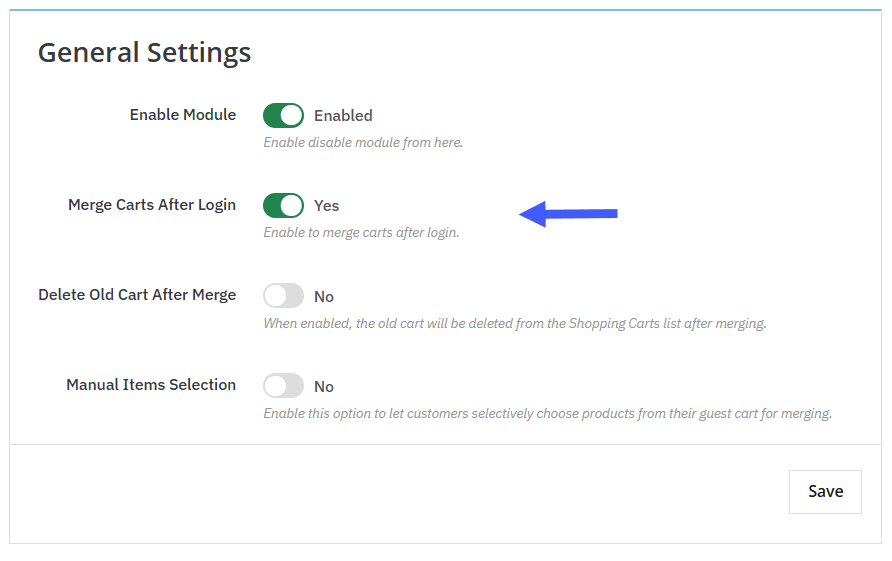
1. Install the module, go to its general settings, and enable “Merge Carts After Login”.
2. Now, from the top menu bar, click on Analytics Dashboard.
3. Here you can view:
- Total Merges Today:
- Success Rate
- Active Users
- Total Processed
- Daily Merge Activity ( 07 Days )
- Severity Distribution
- Hourly Activity Pattern
- Items merged Distribution
- Top Customers
- Shop performance
- Total merges
- Success Rate
- Error Analysis
- Error Message
- Frequency