Create Resell Coupons
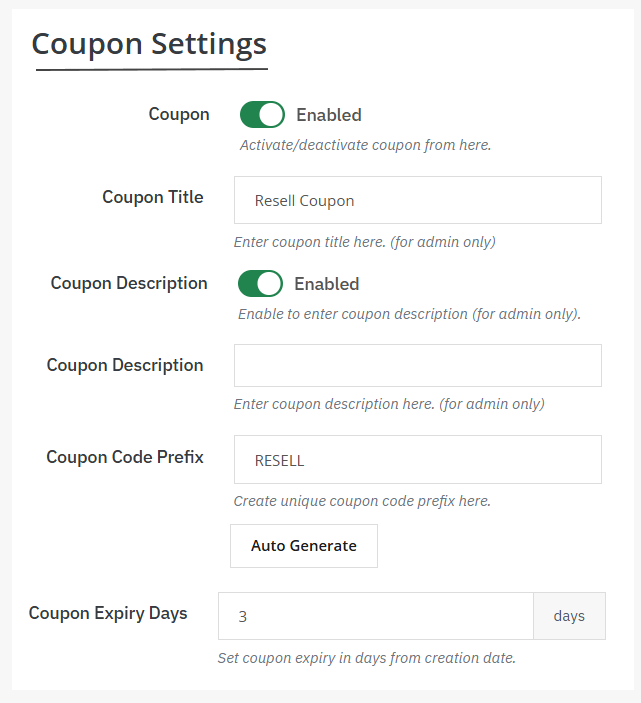
Once you have added the restrictions for the reselling feature, go to “ Coupons”. Here, you can create discounted coupons and encourage customers to resell their old items. Now, to create a new coupon, you need to:
- Enable coupon option
- Add coupon title
- Write a unique description for the coupon
- Auto-generate a coupon prefix or choose to add it manually
- Coupon expiry days: specify the number of days after which the coupon will expire
Manage Coupons from a Separate Log
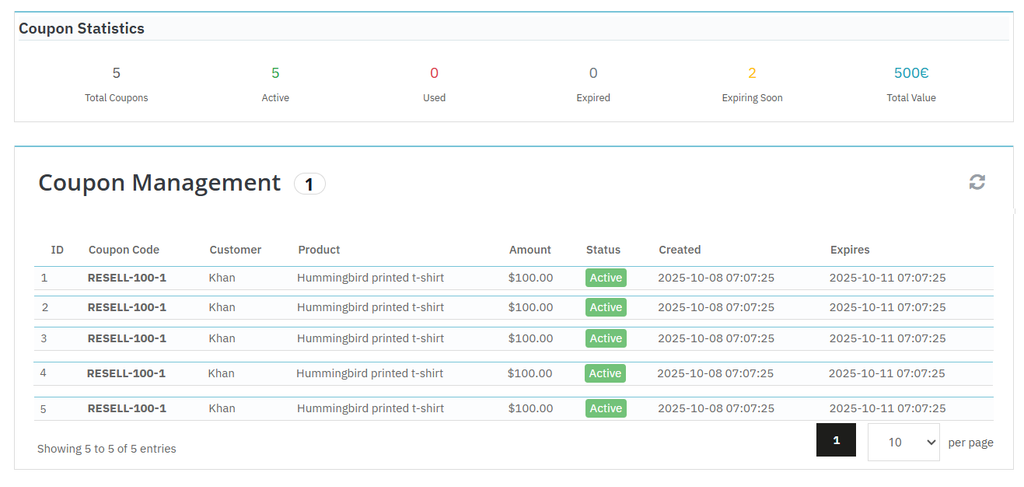
From the main menu, go to “Coupon Management”. Here you can view complete coupon statistics and manage coupon details such as:
- Total coupons
- Active coupons
- Used coupons
- Expired coupons
- Expiring soon
- Total value
From the log, admins can view:
- User ID
- Coupon code
- Customer name
- Product
- Amount
- Status
- Expiry date