
Redirecting User to a Specific Page
To redirect users to a specific page after registration, login, and logout in WooCommerce, you can follow these steps:
First, make sure you have installed and activated the “WooCommerce Redirect After Registration, Login, and Logout” plugin.
Configure Redirect After Login:
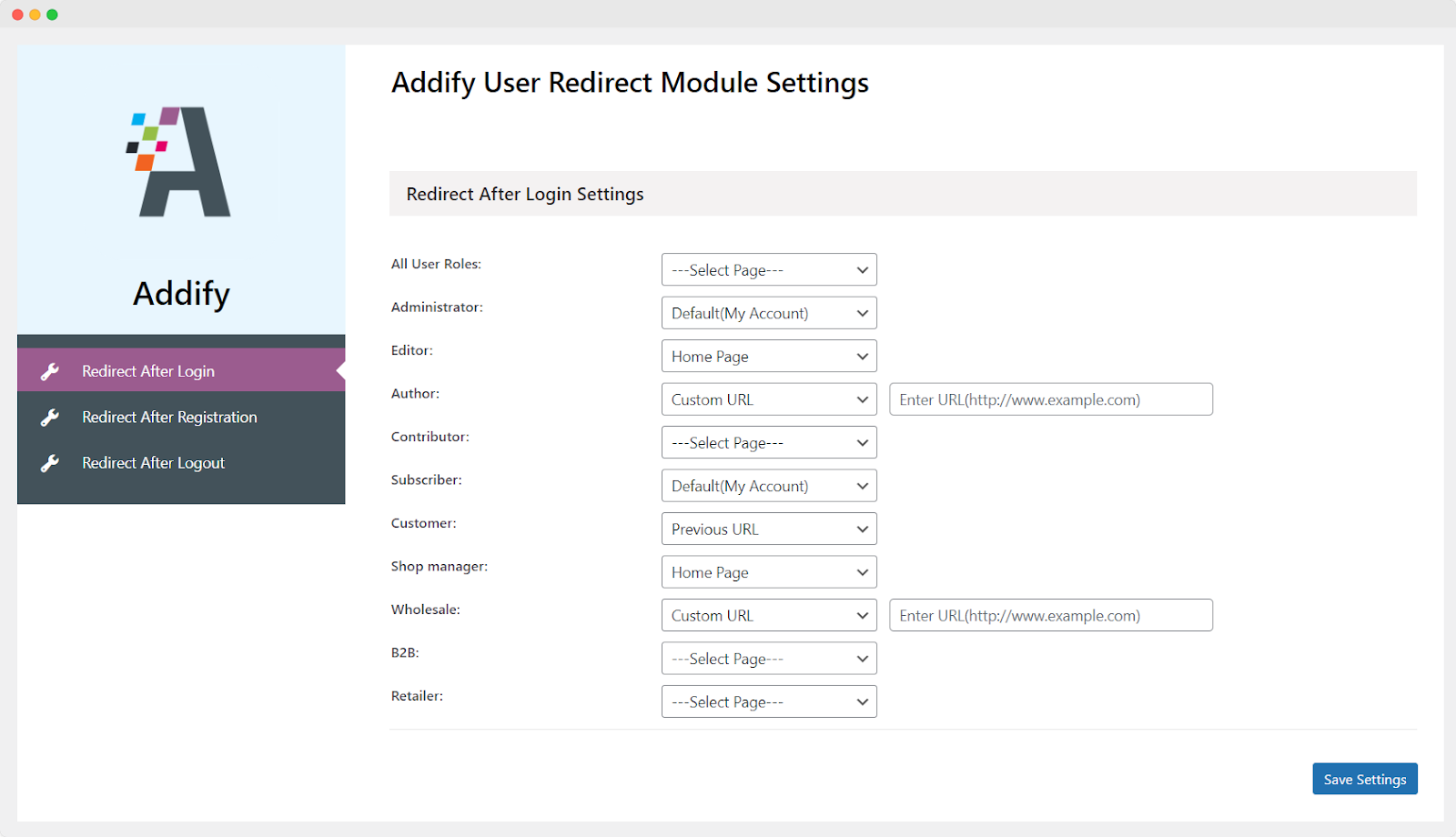
After installing the plugin, go to your WordPress dashboard and navigate to WooCommerce > User Redirect > Redirect After Login Settings. In this section, you can set up redirection settings for different user roles. Here’s how you can configure it:
- Select the user role you want to set up a redirection for, such as Administrator, Subscriber, Customer, etc.
- Choose the “Redirection Page” from the dropdown. You have the following options:
- Default (My account): Redirects users to their WooCommerce account page.
- Previous URL: Redirects users to the page they were on before logging in.
- Homepage: Redirects users to your website’s homepage.
- Custom URL: Enter a specific URL where you want users to be redirected.
Configure Redirect After Registration:
Similar to the login redirection, you can configure the redirection for users after they complete the registration process.
Configure Redirect After Logout:
Unfortunately, the plugin may not support redirecting to the previous page after logout due to technological limitations. However, you can still set up redirection after logout to a specific page.
Once you have configured the settings for registration, login, and logout redirection, make sure to save your changes. Users will now be redirected to the specified pages based on their actions and user roles.