


Custom Fields for WooCommerce
Adding custom fields to your store’s My Account, Registration, and Checkout pages can greatly improve the customer experience and help collect desired data. With the Custom Fields for WooCommerce plugin, you can effortlessly add unlimited custom fields while maintaining clear and user-friendly forms. Supporting 19 different field types, this plugin ensures that your registration and checkout processes remain simple even as you collect detailed information.
Key Features
- Add unlimited custom fields to My Account, Registration, & Checkout Pages
- Make fields dependent on one another
- Limit field visibility for desired user roles
- Create product-specific custom fields

WooCommerce Marketplace Approved. View Listing
-
Marketplace Verified
-
Extension Partner
-
-
3k+ Downloads
$6.58/month
Billed annually at $79 / year
- 1 year free support
- 1 year extension updates
30 DAYS MONEY BACK GUARANTEE
Your money is secure with our buyer protection. Claim a full refund for any reason.
Features of Custom Fields for WooCommerce
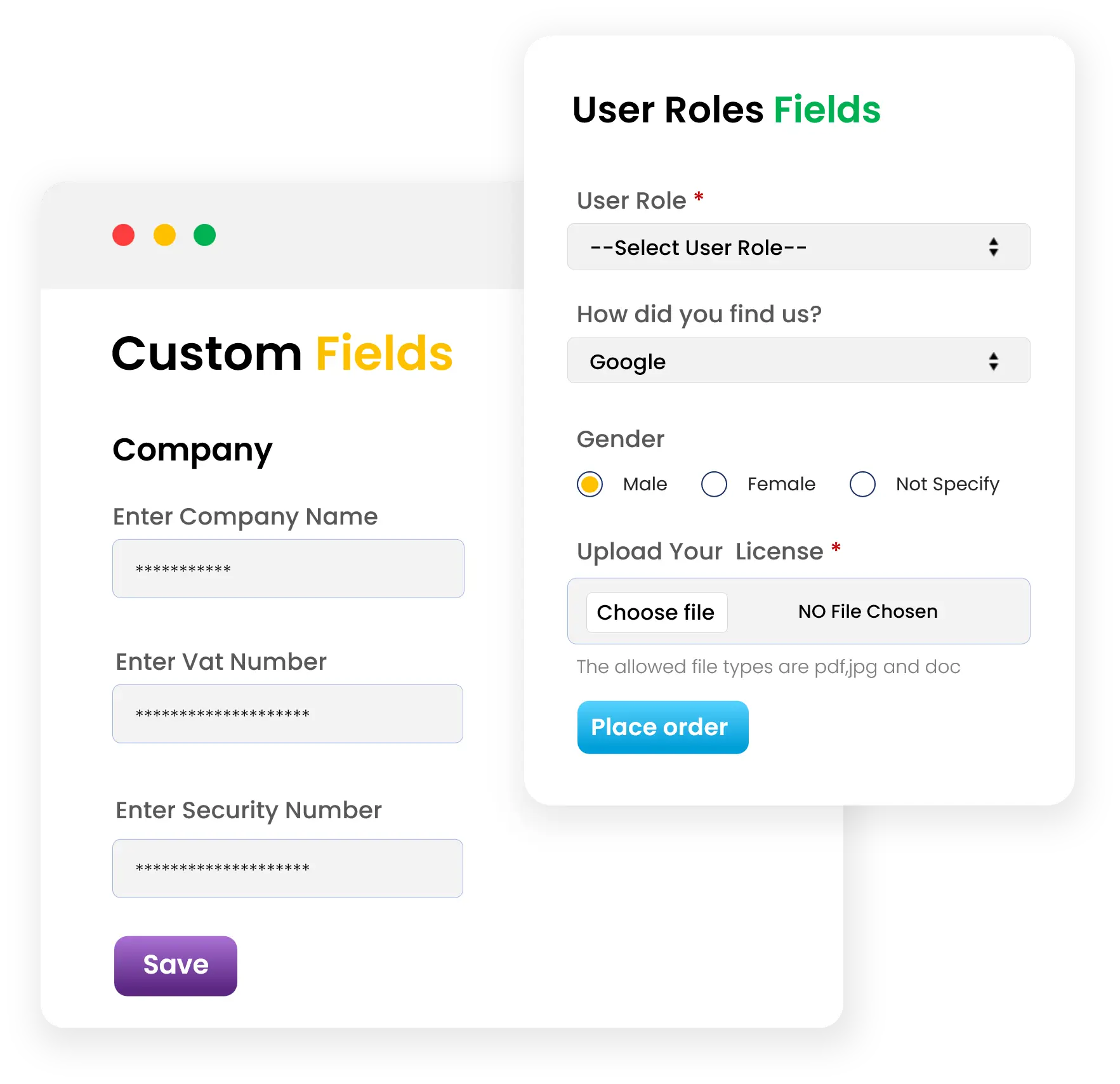
Add & Manage Unlimited Custom Fields
With the Custom Fields WooCommerce plugin, you can create and add multiple fields to various pages by selecting from 19 field types.
The plugin makes it easy to format fields and limit visibility for desired user roles. You can make fields dependent on one another and easily create product-specific fields.
Additionally, you can use the dedicated VAT fields and enable custom notifications via message or email to update customers about their account status.
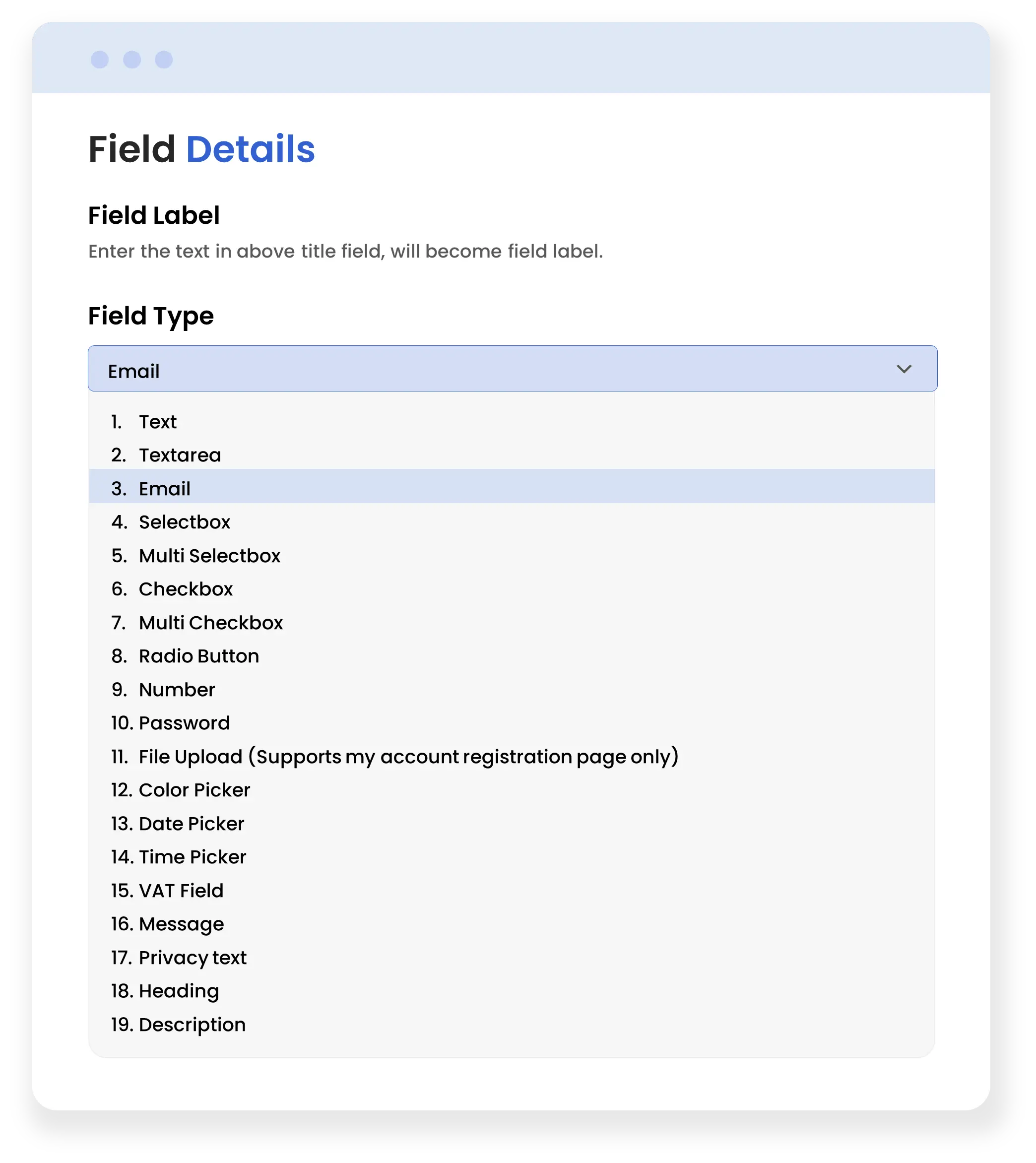
Choose from 19 Custom Field Types
With the Custom Fields WooCommerce plugin, you can create and add multiple fields to registration, checkout, and my account pages while selecting 19 field types and 15 checkout positions, customizing formatting, and specifying visibility for user roles.
New custom fields and existing WooCommerce custom checkout fields, registration, and my account page can be customized in various ways.
Make Fields Dependent on Each Other
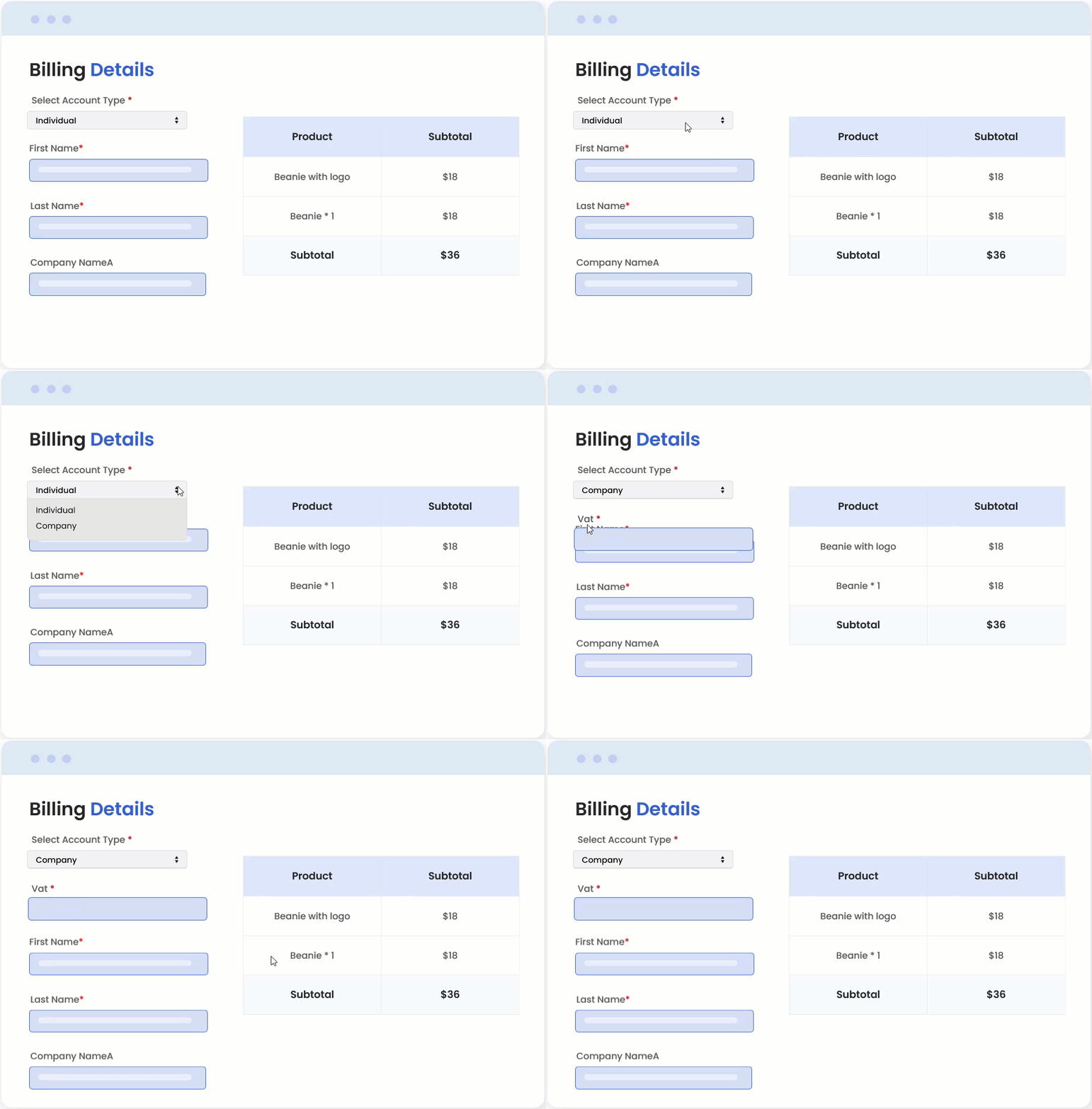
WooCommerce Custom Fields plugin allows you to create fields dependent on other fields to keep the registration as well as checkout pages simple. Only display fields when necessary.
To clearly understand this, an Account Type drop-down field can be created and two options can be added to it: Company and Individual. You have the option of adding VAT fields that are tied to the selection of a certain company. The VAT fields will only be visible if the Account Type field is set to “Company.”
Add Fields Dependent on User Roles
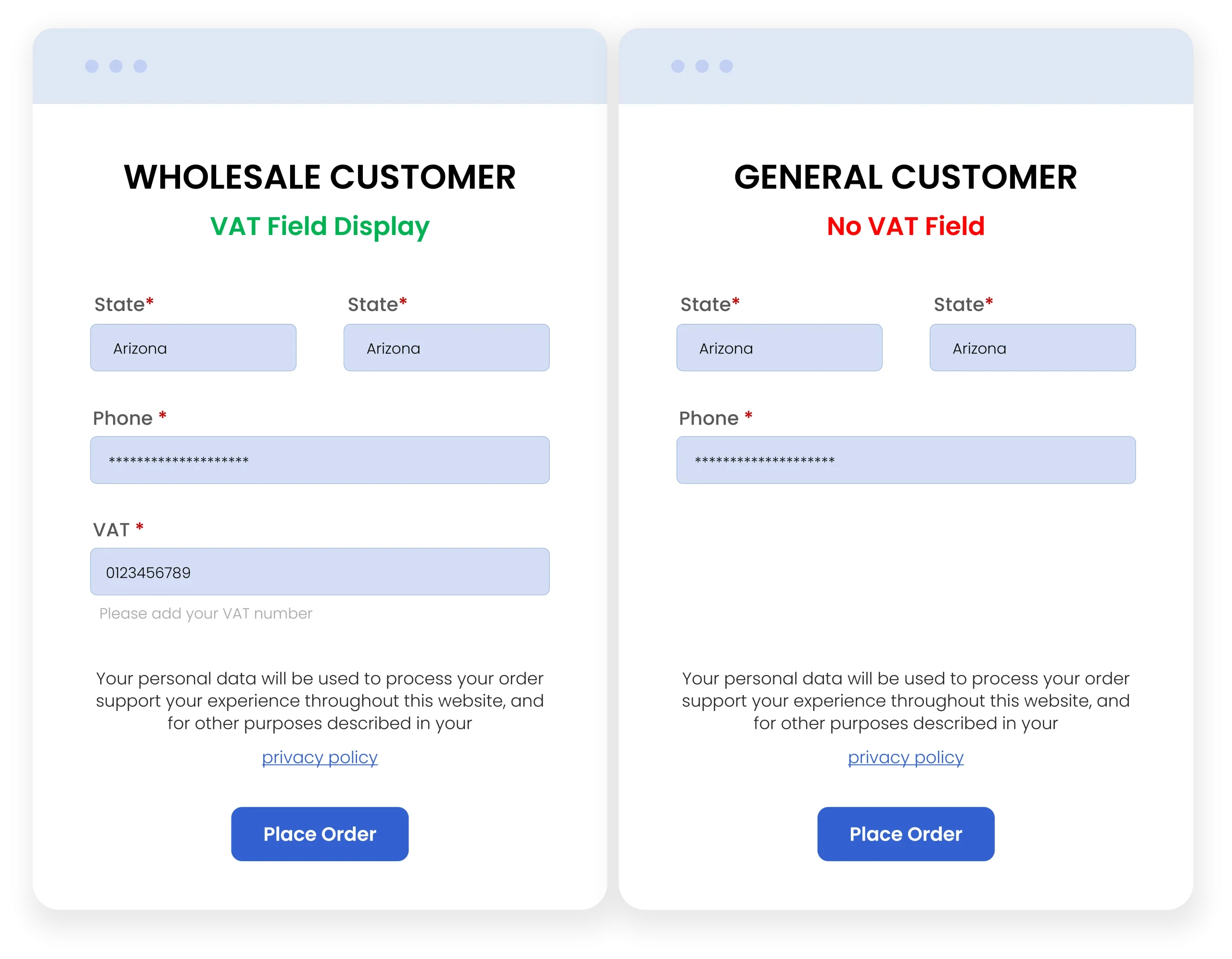
With the Custom Fields plugin, fields can be created for certain user roles, and so only relevant customers will see them. For example, it is possible to establish a VAT field that is only shown to wholesale customers when they check out.
Any required fields will appear on the User Registration form after a user has selected a user role from the dropdown menu.
Choose from Multiple Checkout Field Positions
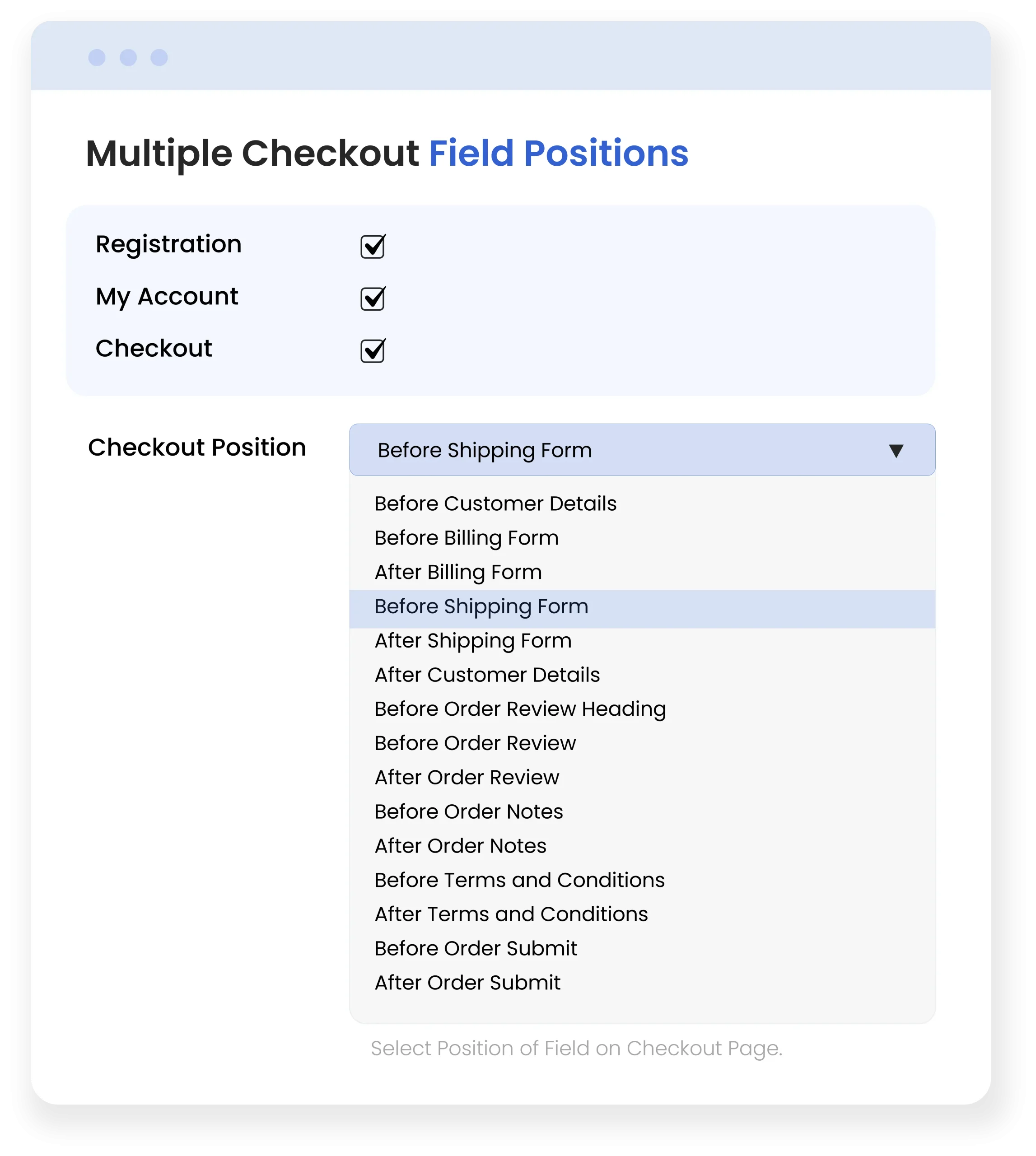
The plugin gives you an option to choose from 15 different field positions. These checkout fields can be placed almost anywhere on the checkout page.
- Before or after Customer Details
- Before or after the Billing Form
- Before or after the Shipping Form
- Before the Order Review heading
- Before or after the Order Review
- Before or after the Order Notes
- Before or after the Terms and Conditions
- Before or after the Order Submit Button
Edit & Reorder Default Fields
You can choose to enable default fields and reorder them as per your preference. The default fields on the registration and checkout pages can be adjusted as follows:
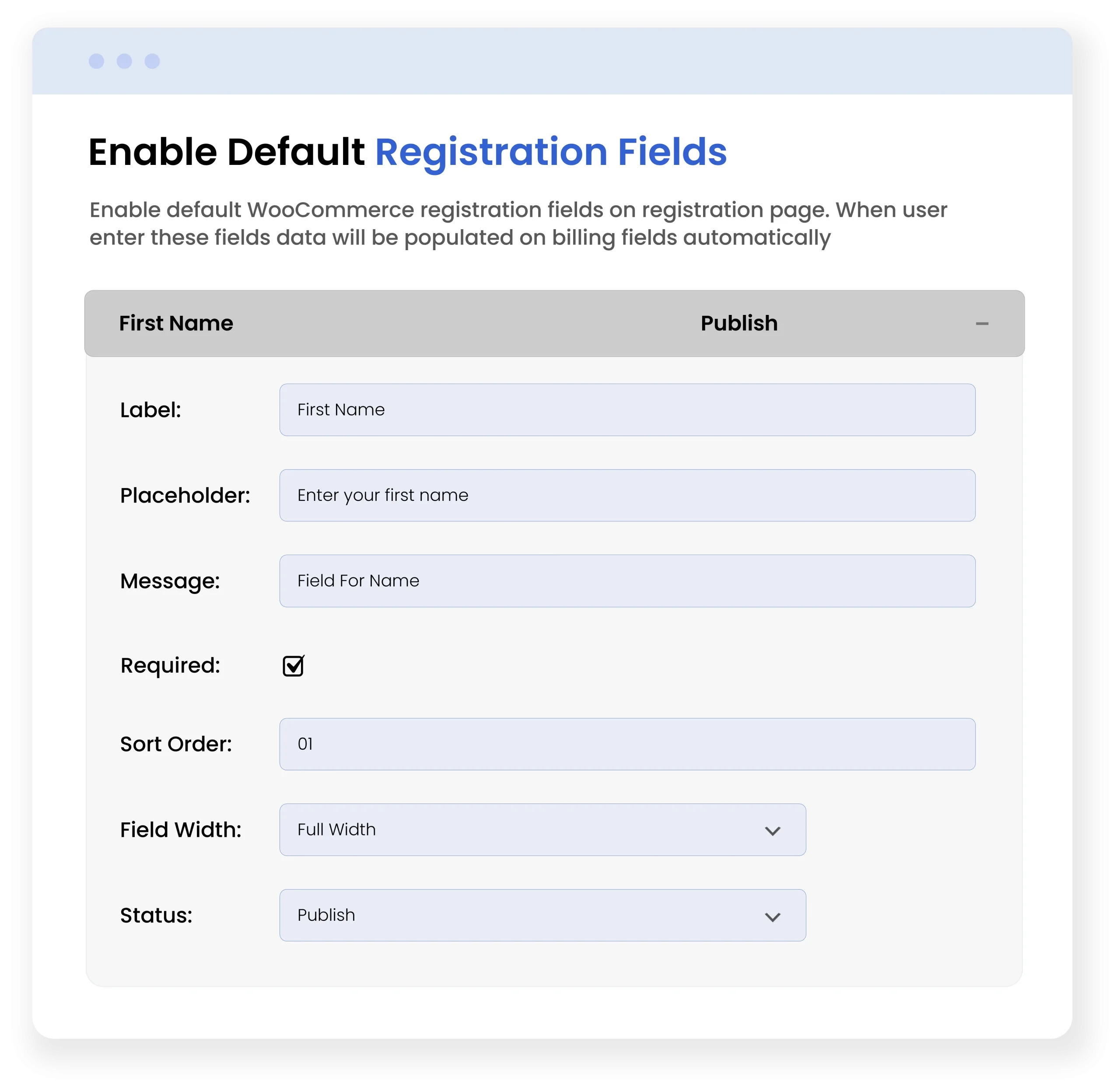
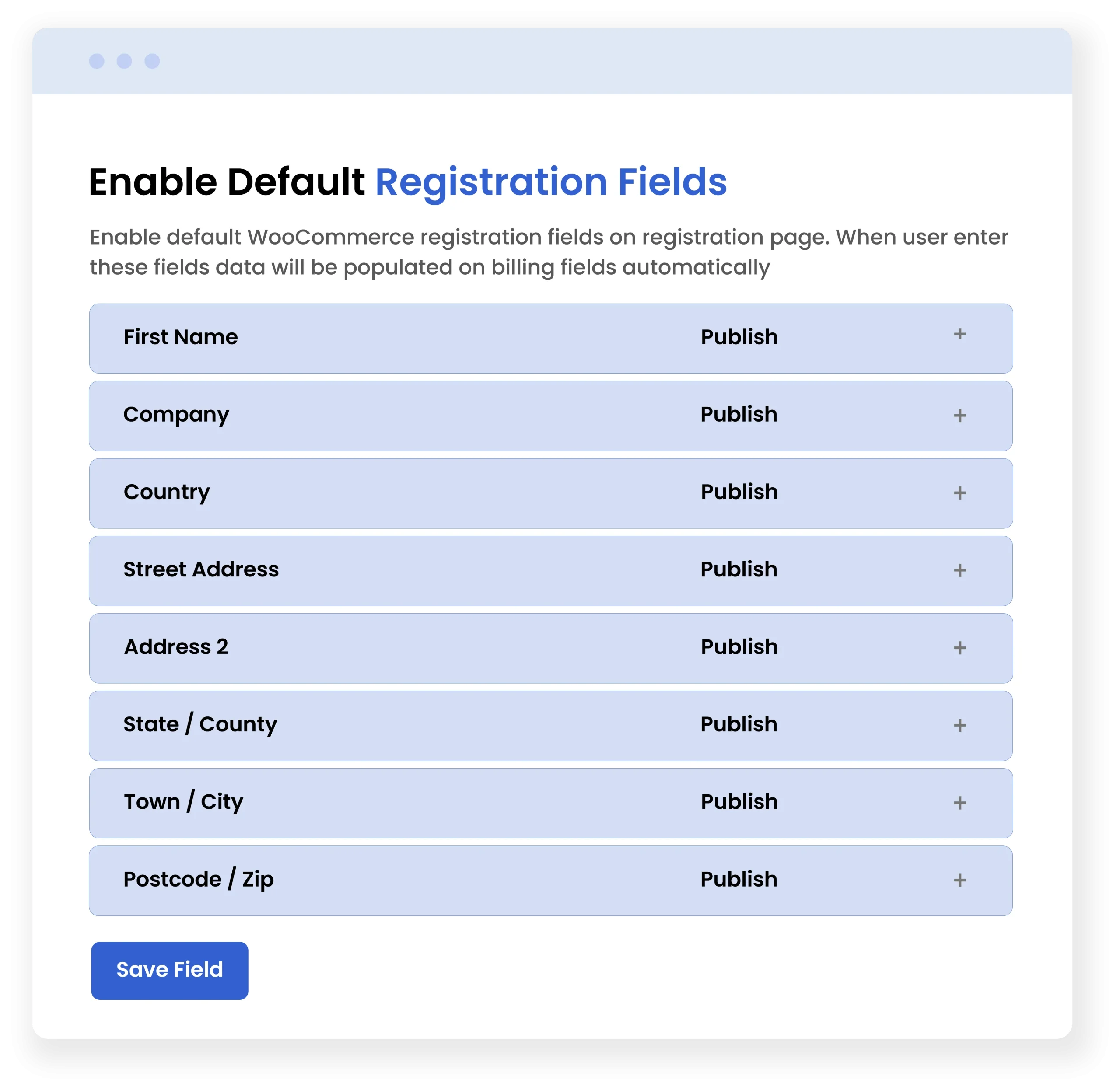
Manage Default Registration Fields
You can choose to display default billing fields on the registration form. Quickly enable desired fields, edit their labels, and make them mandatory or optional as required.
Manage Default Checkout Fields
You can insert custom fields to the checkout page and add field prices either on a fixed or percentage basis. Additionally, you can choose to show/hide default billing & shipping fields based on different user roles and rename the billing and shipping field labels as per your requirements.
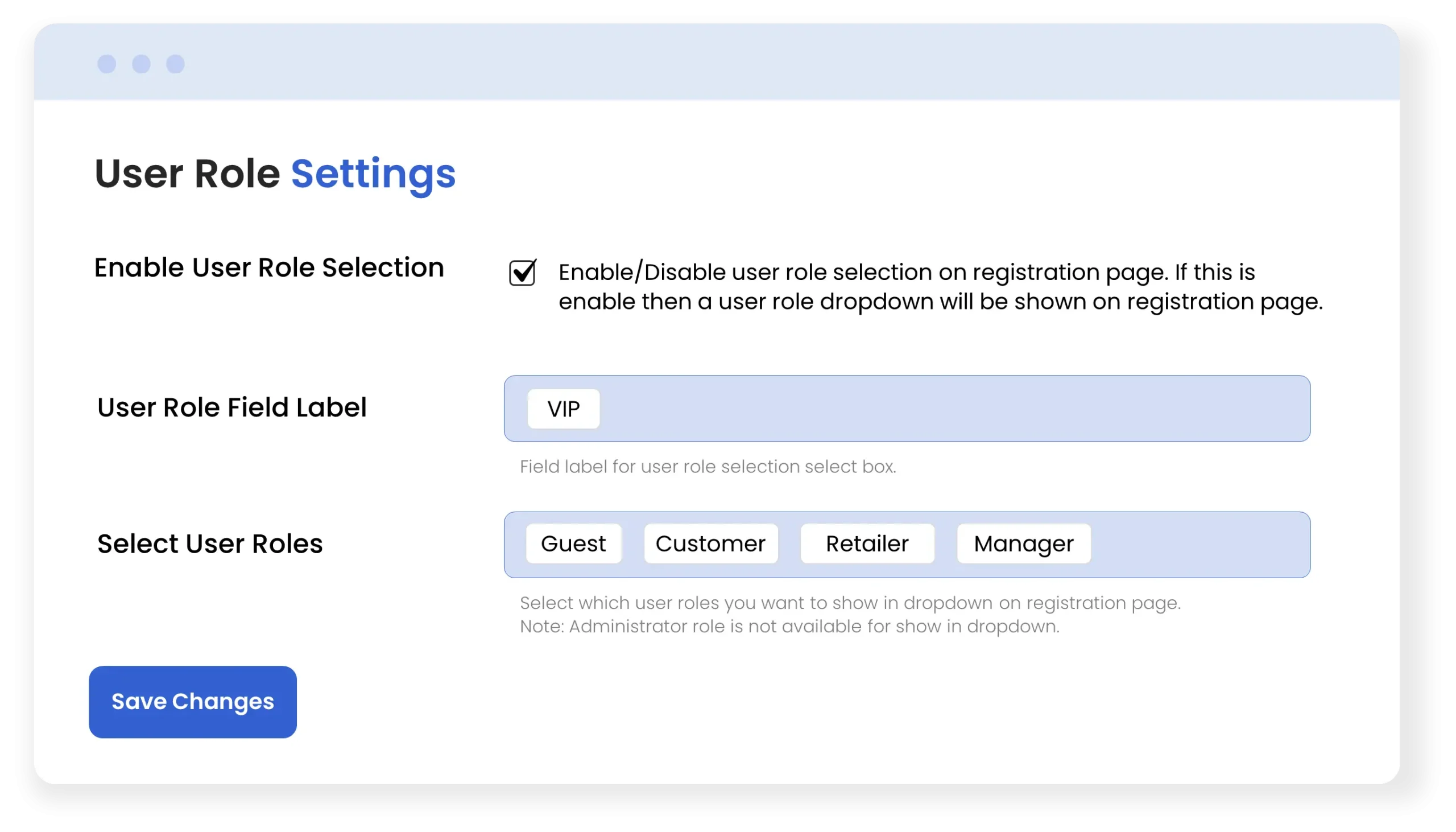
Displays a user role dropdown on the registration form
On the registration form, you can display a user role dropdown, allowing users to pick their desired user role. The Custom Fields for WooCommerce lets you offer a tailored experience to each user, displaying relevant fields and showcasing relevant data to each customer.
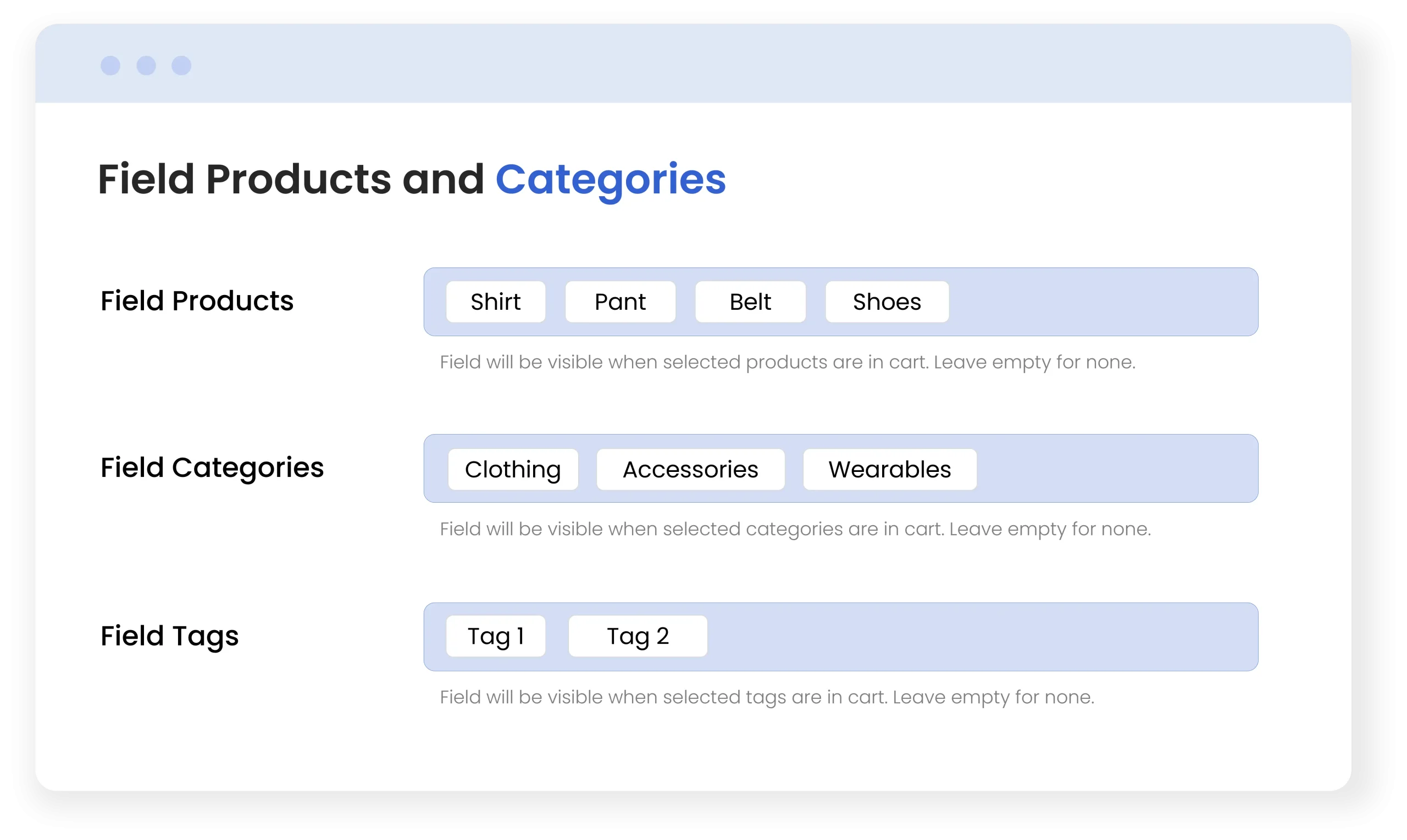
Assign Fields to Specific Products and Categories
As you create checkout fields, you can add them for specific products, categories, & product tags. This will ensure the field is displayed on the checkout page only when the selected product is in the cart.
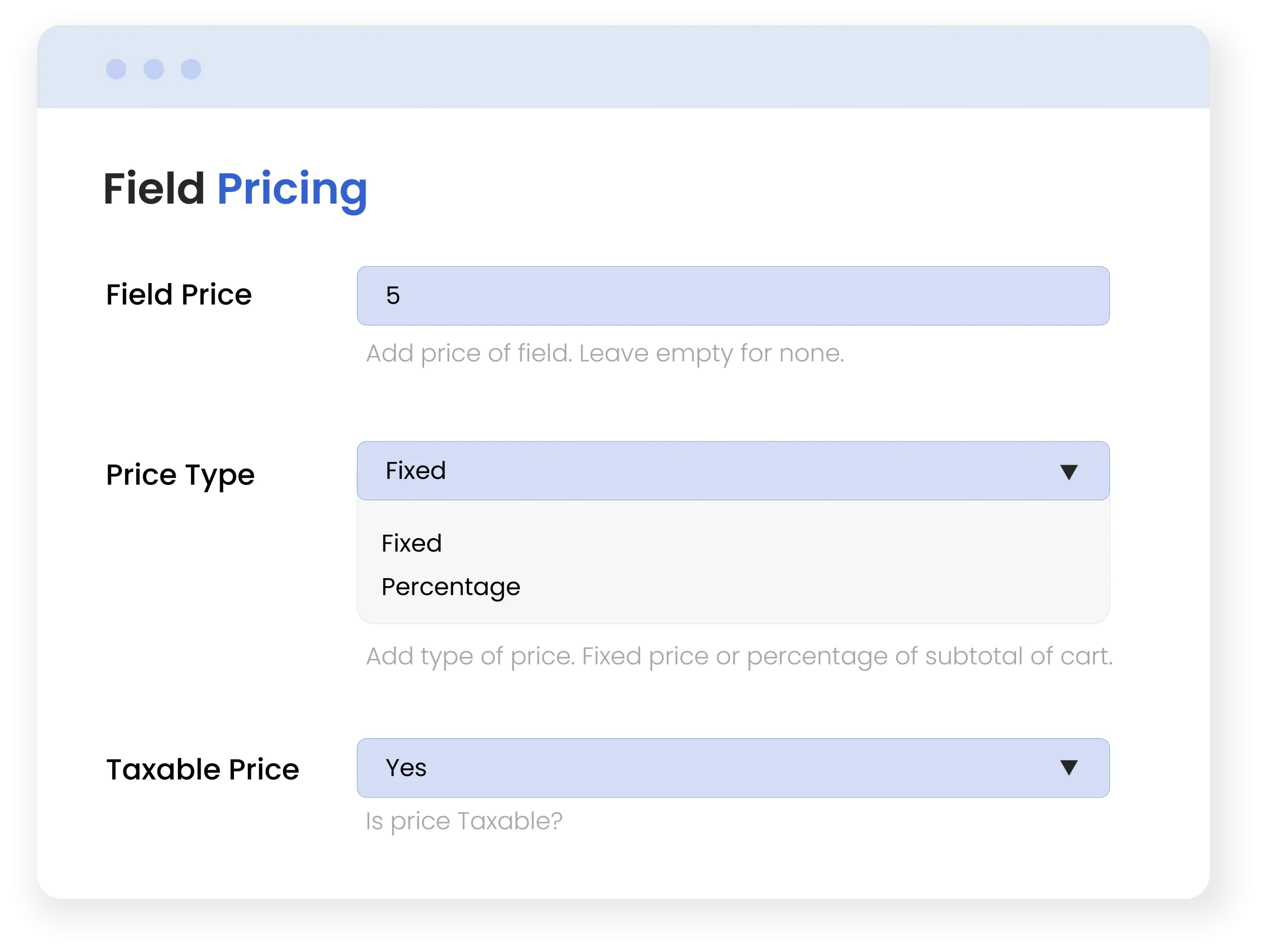
Apply Desired Prices For Custom Fields
When you create a new checkout field, you can choose to keep it for free or add a desired field price. You can apply either fixed or percentage prices for the fields. For example, if you add a gift-wrapping service to users upon checkout, you can charge them a fee if they choose to use the service. The price can be charged as fixed or based on the percentage amount of the total order.
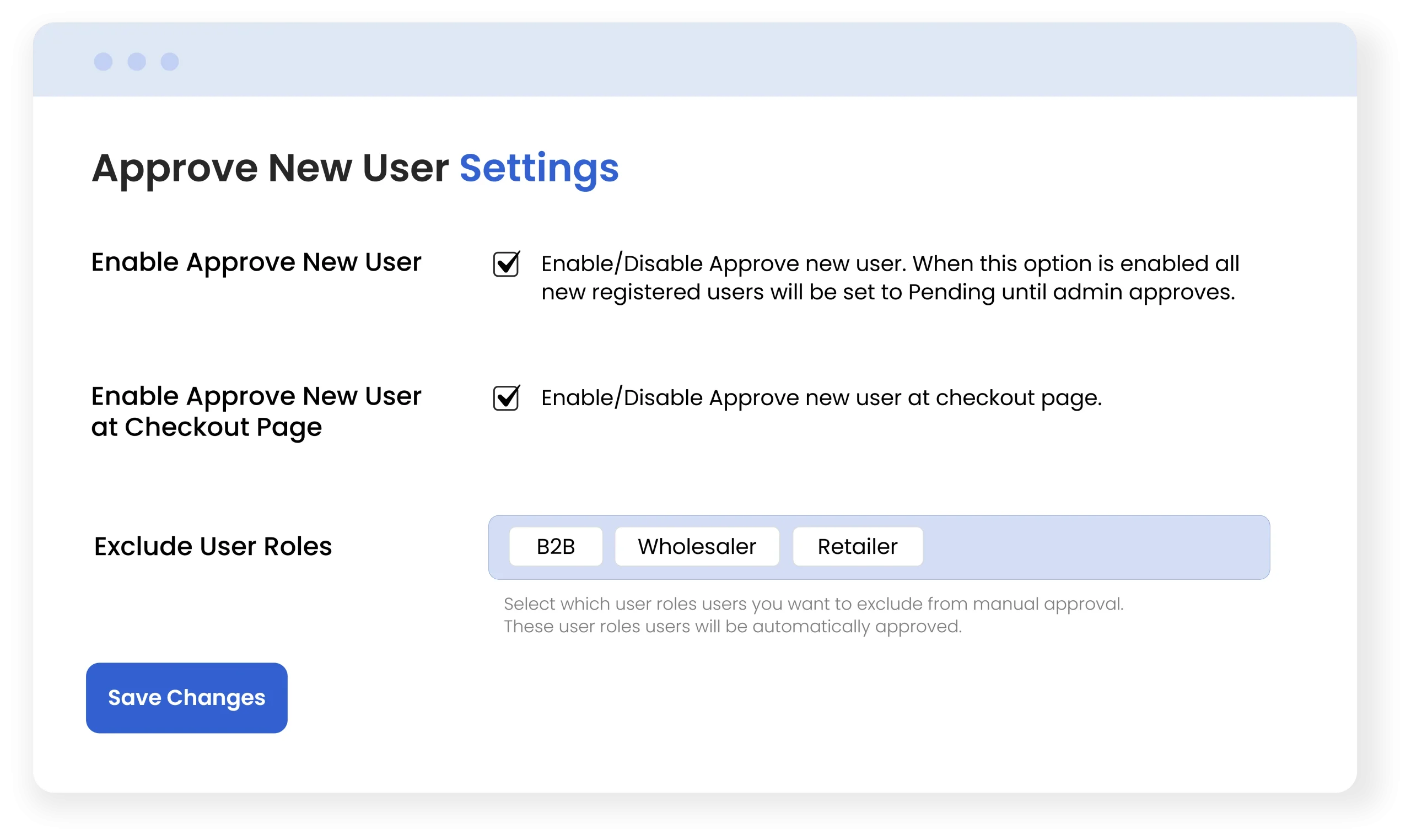
Validate New User Registrations Manually
New user registrations can be manually validated and approved based on user roles. Using the user roles drop down, you can opt to manually validate selected roles and configure the rest to automatically approve.
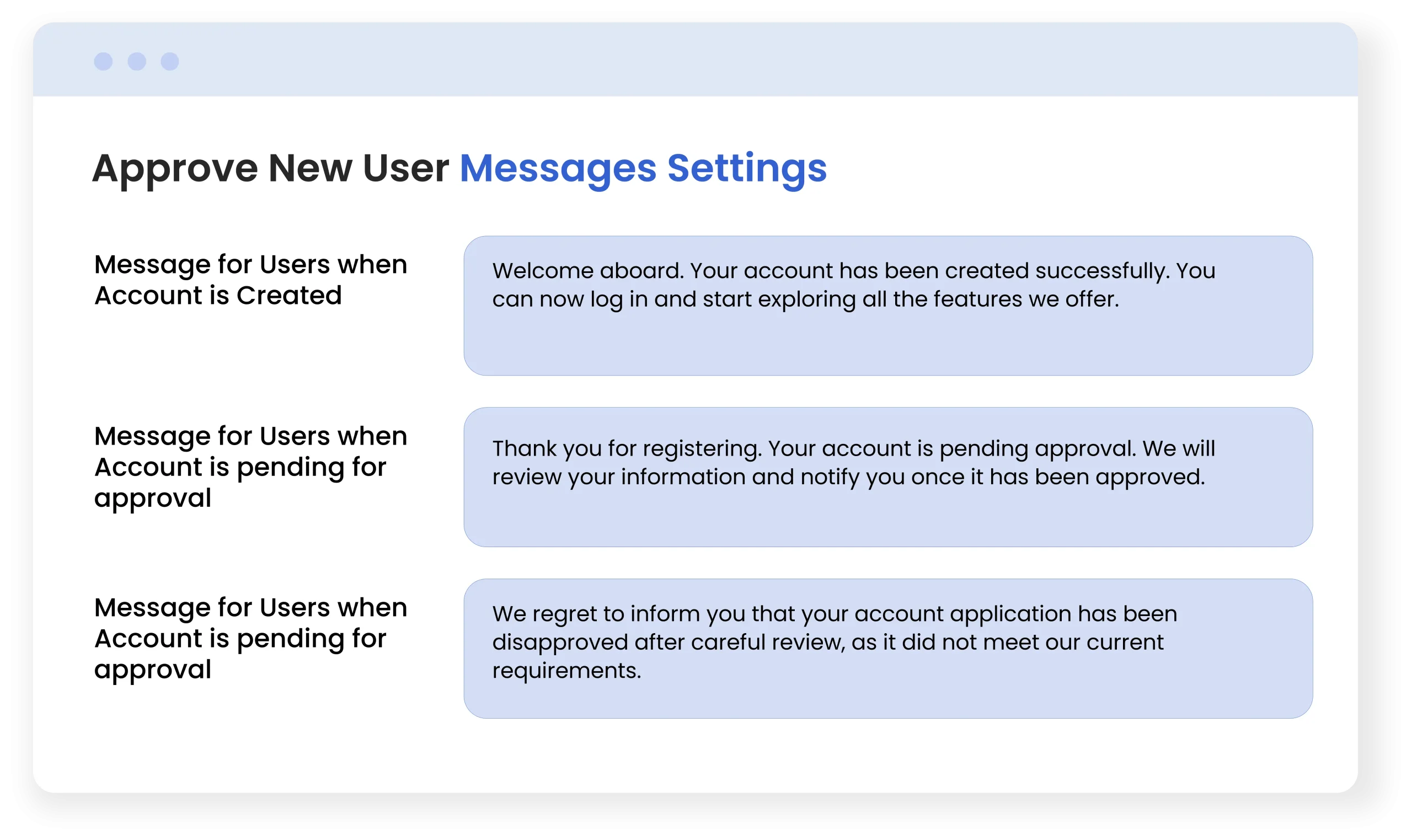
Approve New User Messages Settings
This feature allows you to manage and customize the messages that are sent to users based on their account status such as created, pending approval, or disapproved.
Technical Compatibility
- Version1.6.1View changelog
- WordPress Version Required4.0.0 or Higher
- WooCommerce Version Required3.5.0 or higher
- Multi-Site SupportYes
- LanguagesEnglish
- WPML CompatibilityWPML Supported
- TranslatableYes, Translation Ready
- CountriesWorldwide
Complete Features List
- Choose from 19 field types, including dropdown, checkbox, multi-select, and more
- Supports a dedicated VAT field with validation
- Add fields on Checkout page using 15 predefined positions
- Display field data on the My Account, Order Details pages, and order emails
- Make fields uneditable from the My Account page
- Make fields optional or mandatory
- Add custom CSS, customize field description and placeholders
- Sort fields as needed
- Allow selected default billing fields on the Registration form
- Personalize the labels of default billing and shipping fields
- Show/hide custom or default billing and shipping fields for user roles including guest users
- Supports B2B registration
- Customize account validation messages and email notifications sent for account pending, approved, and disapproved statuses
Customer reviews
- Great plugin Great supportThis plugin does exactly what we need, with great features and flexibility. We discovered a couple of issues that we needed to be resolved and the support was only too happy to help. They even implemented a new feature for us! Thanks team.
- Highly Recommended.
- I’ve used a lot of custom fields plugins, but this one is the best. It lets me add fields for different products or categories, which has made my checkout process much easier.
- Great Plugin but I had a small issue with another plugin, but the support team fixed it quickly. I'm still using this plugin.
- must have plugin for all WooCommerce stores.
- This plugin Easy to set up. Adding custom fields to the registration form has really improved our data collection.
Be the first to get an exclusive offer and the latest news.
Luka Carson –
I love how custom field for WooCommerce provides thorough instructions and documentation. Even for those unfamiliar with WooCommerce, the setup and configuration process is simple to follow, otherwise the support is always there to help!
Ian Aaron –
I love how simple Custom Field for WooCommerce is to use. I can quickly add custom fields to my products without any coding experience thanks to how seamlessly it integrates with my Woo Commerce setup.
Eli Camron –
This plugin is so easy to setup and use. I am in the love with the feature that allows you to create conditional fields and make them dependent on other fields. Highly suggested.
Bowen Davila –
Custom Fields plugin is easy to use and gives me more control over my store. The custom fields feature really helps me collect customer information better. I highly recommend it.
Forrest Henderson –
Great Plugin and Excellent Support.
Armand –
This plugin works great. I had a problem with the field visibility settings, but the support team fixed it fast and easily.
Steffen Raisin –
With the Custom Fields for WooCommerce plugin, our non-profit organisation can place the necessary fields when purchasing products/activities.
The various configurable conditions help to customise everything to our needs. And: The plugin makes configuration easy to realise.
The support did not disappoint us. They helped us in all areas.
We can only recommend it.
Lewis –
Great Plugin and provide alot of Useful features.
Susan –
This plugin is perfect for managing custom fields. It’s user-friendly, easy to use, and provides all the tools we need to customize our forms.
Fausto PANTISANO –
An excellent pluigin and above all a great support always available with quick answers and ready to solve any problems. A necessary plugin for Italian stores.
Emmett Chang –
Great Plugin work perfectly
miguel flynn –
This plugin had everything I needed to customize our checkout. The different field types are great, and they were easy to set up. Our customers love the new options.
joe harvey –
This plugin is great for adding custom fields, but It took a bit of time to understand the settings Once it was done, it’s been a great addition to my store
Piers Long –
This plugin Easy to set up. Adding custom fields to the registration form has really improved our data collection.
Luke Griffiths –
must have plugin for all WooCommerce stores.
Novah Wilkinson –
Great Plugin but I had a small issue with another plugin, but the support team fixed it quickly. I’m still using this plugin.
Skye Cordova –
I’ve used a lot of custom fields plugins, but this one is the best. It lets me add fields for different products or categories, which has made my checkout process much easier.
Sophie Simmons –
Highly Recommended.
Cy Messenger –
This plugin does exactly what we need, with great features and flexibility.
We discovered a couple of issues that we needed to be resolved and the support was only too happy to help. They even implemented a new feature for us!
Thanks team.