


Password Protect for WooCommerce
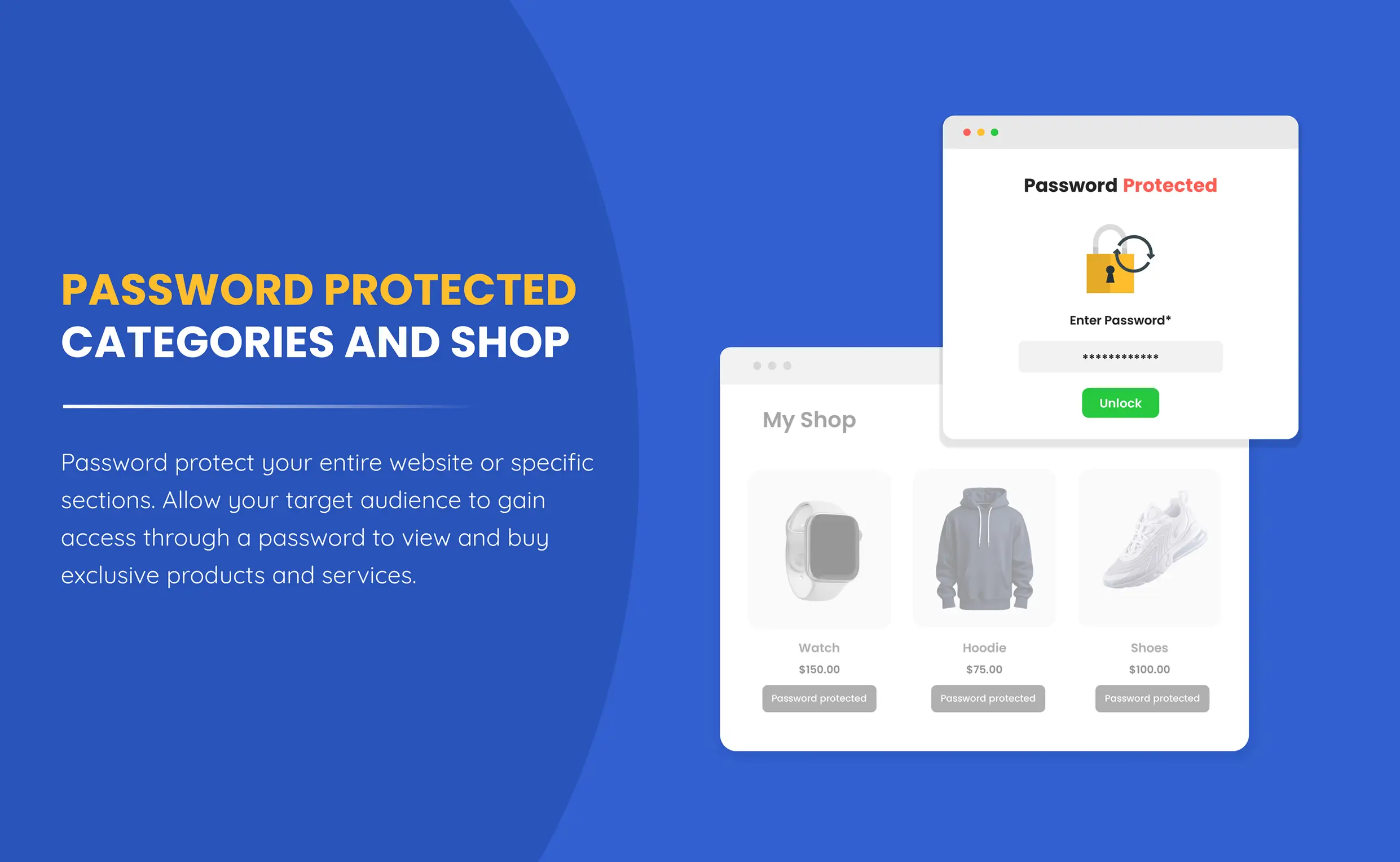
Some businesses may want to offer exclusive wholesale pricing or special product lines to select partners or bulk buyers and keep these products hidden from regular customers. To achieve this, store owners can use a Password Protected Categories and Shop for WooCommerce plugin. This allows them to create a private section where only authorized buyers with a password can access and purchase these special items.
The Password Protected Categories for WooCommerce plugin authorizes you to take suitable steps to protect particular sections of a store or the entire website with passwords. By hiding irrelevant content and minimizing confusion, you can accommodate visitors of various market types. This plugin guarantees priority access and safe management of private data by allowing and disallowing Google access to index and rank password-protected pages.
Key Features
- Apply passwords to the whole website or selected products, categories, and pages
- Add or import a new password
- View password & order analytics
- Customize password-protected form
- Choose different pre-design templates
- Restrict the password access control
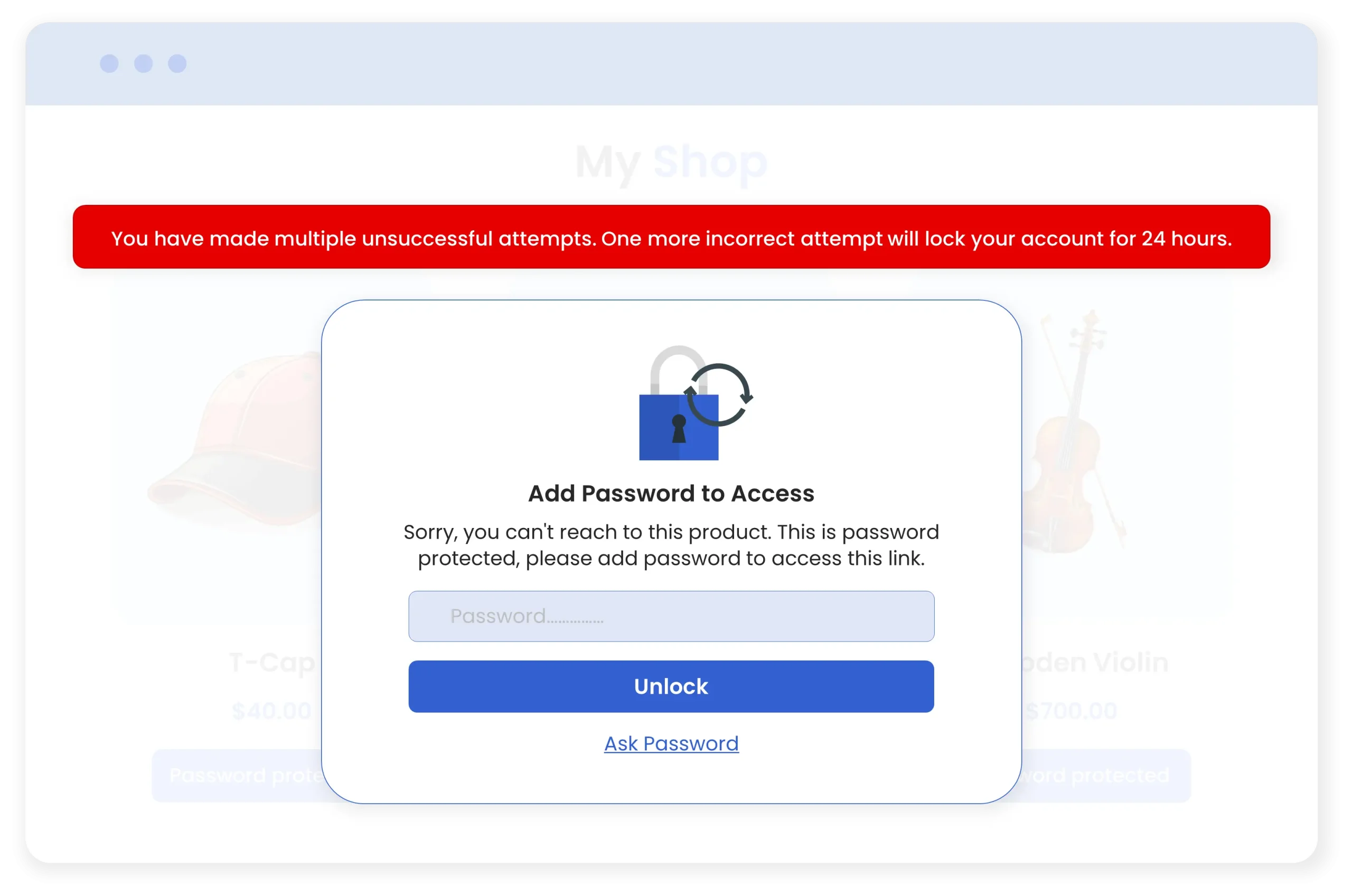
- Limit the number of attempts
- Improve security by setting the customized password expiry dates
- Provide secret links to secure entry

Compatible with WooCommerce Version 3.5.0 or Higher | WordPress Version 4.0.0 or Higher
-
Marketplace Verified
-
Extension Partner
-
-
1k+ Downloads
$4.08/month
Billed annually at $49 / year
- 1 year free support
- 1 year extension updates
30 DAYS MONEY BACK GUARANTEE
Your money is secure with our buyer protection. Claim a full refund for any reason.
Detailed Features of WooCommerce Password Protected Categories and Shop Page
Use Case
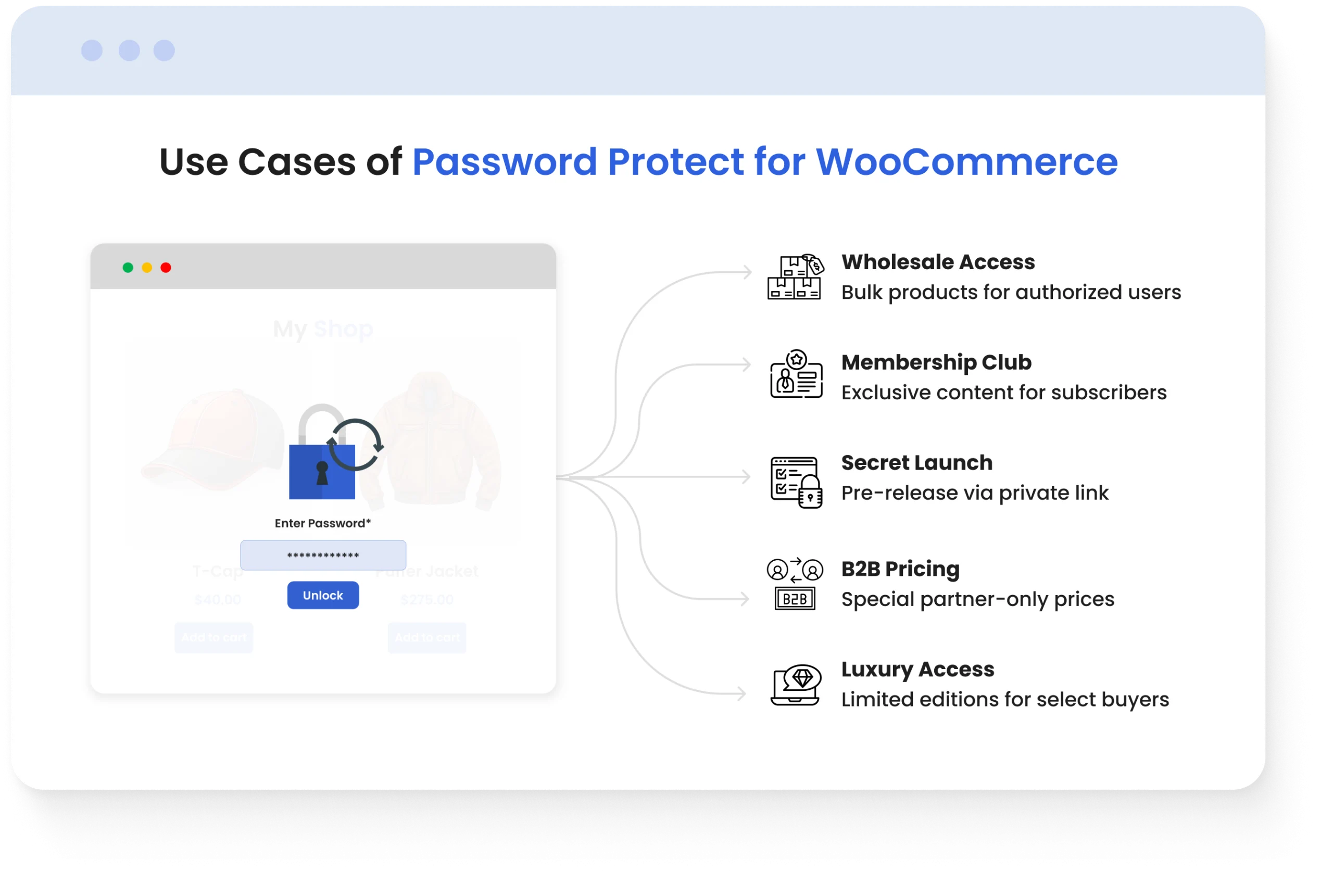
- For the exclusive visibility of bulk products to authorized wholesale buyers.
- Restrict the premium content and accessibility only to subscribed members.
- Upcoming products are shared privately with influencers or testers by sharing a secret link.
- Special prices are available to business partners and are not visible to retail customers.
- Offered a limited-edition collection to a selected ones.
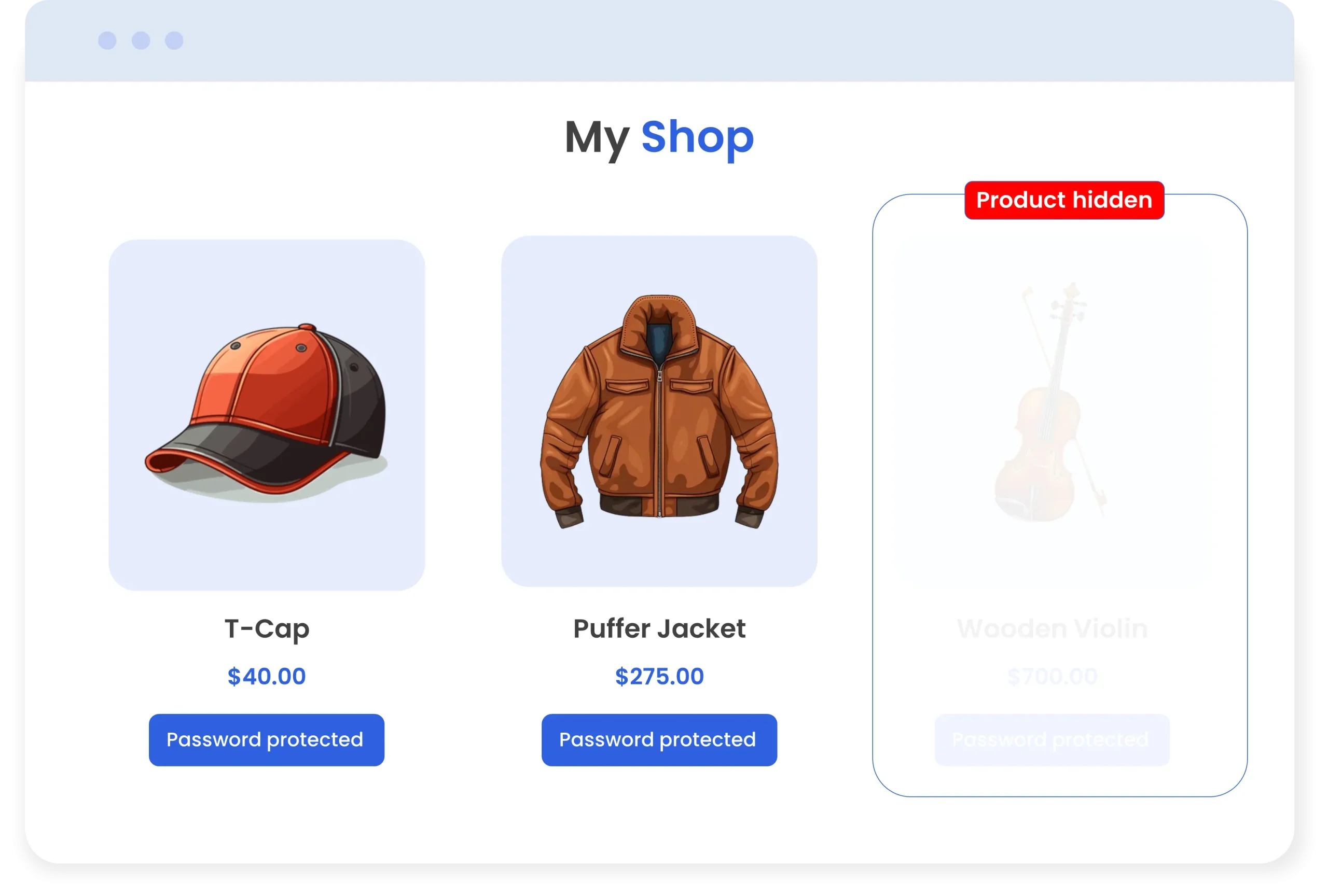
Hide product on Shop & Archive pages
With this Extension, you can hide protected products from the shop, category, and product page. To access each protected product, a password is required to purchase or visit.
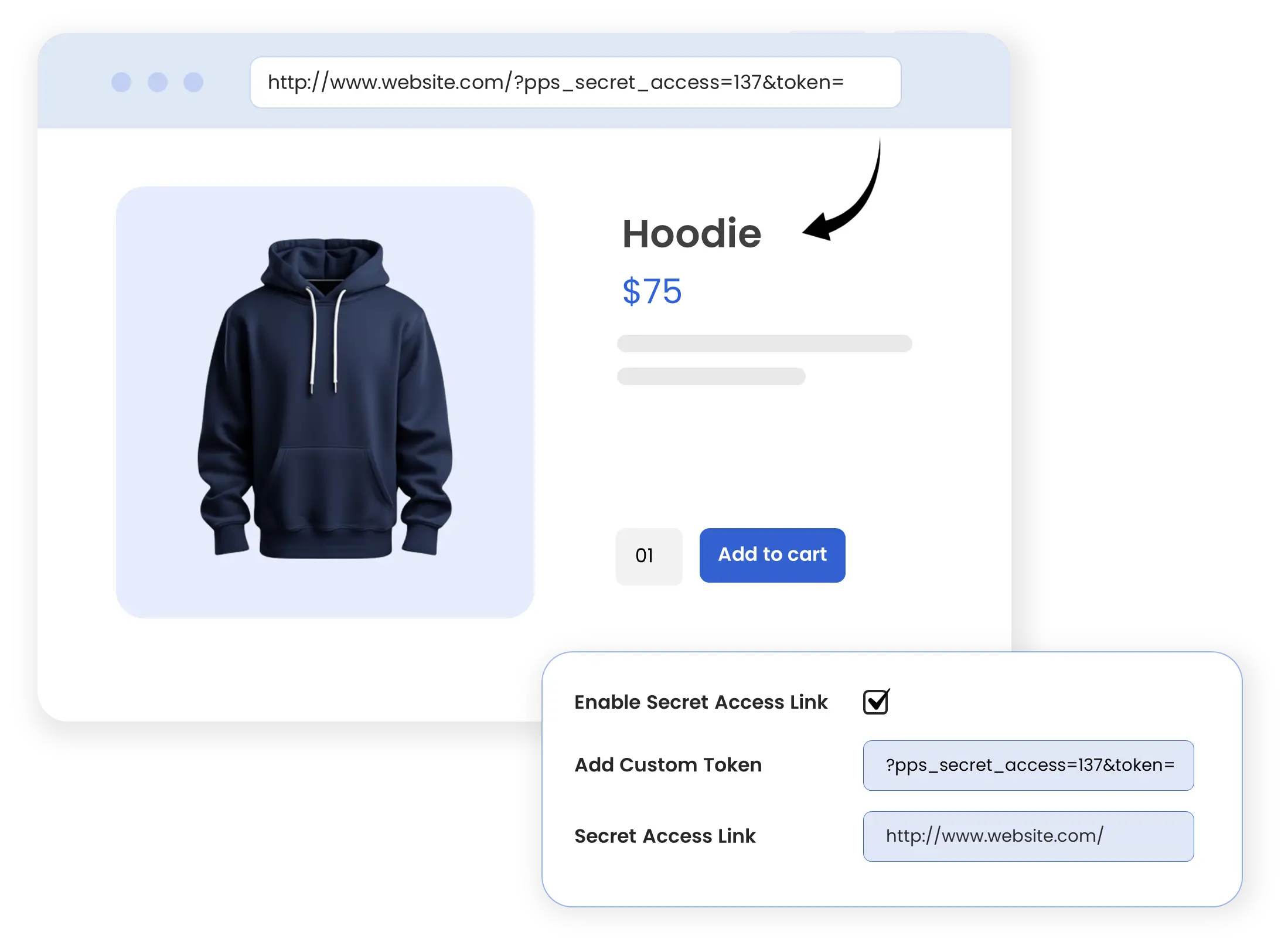
Provide access via secure links
With Password Protect for WooCommerce, you can generate a unique or secret link by adding the secret token code and sharing it with a trusted customer. The customer can easily access the store by using this access link instead of using a password. It can enhance your store’s security and customers’ trust.
Control Password Attempts & Expiry
Give strength to your store security and provide advanced access control by using password protection for WooCommerce. It allows you to set the maximum number of wrong password attempts, which helps to prevent your store from suspicious activities. Moreover, you can set the password expiry days.
Restrict Selected Products, Categories, and Pages
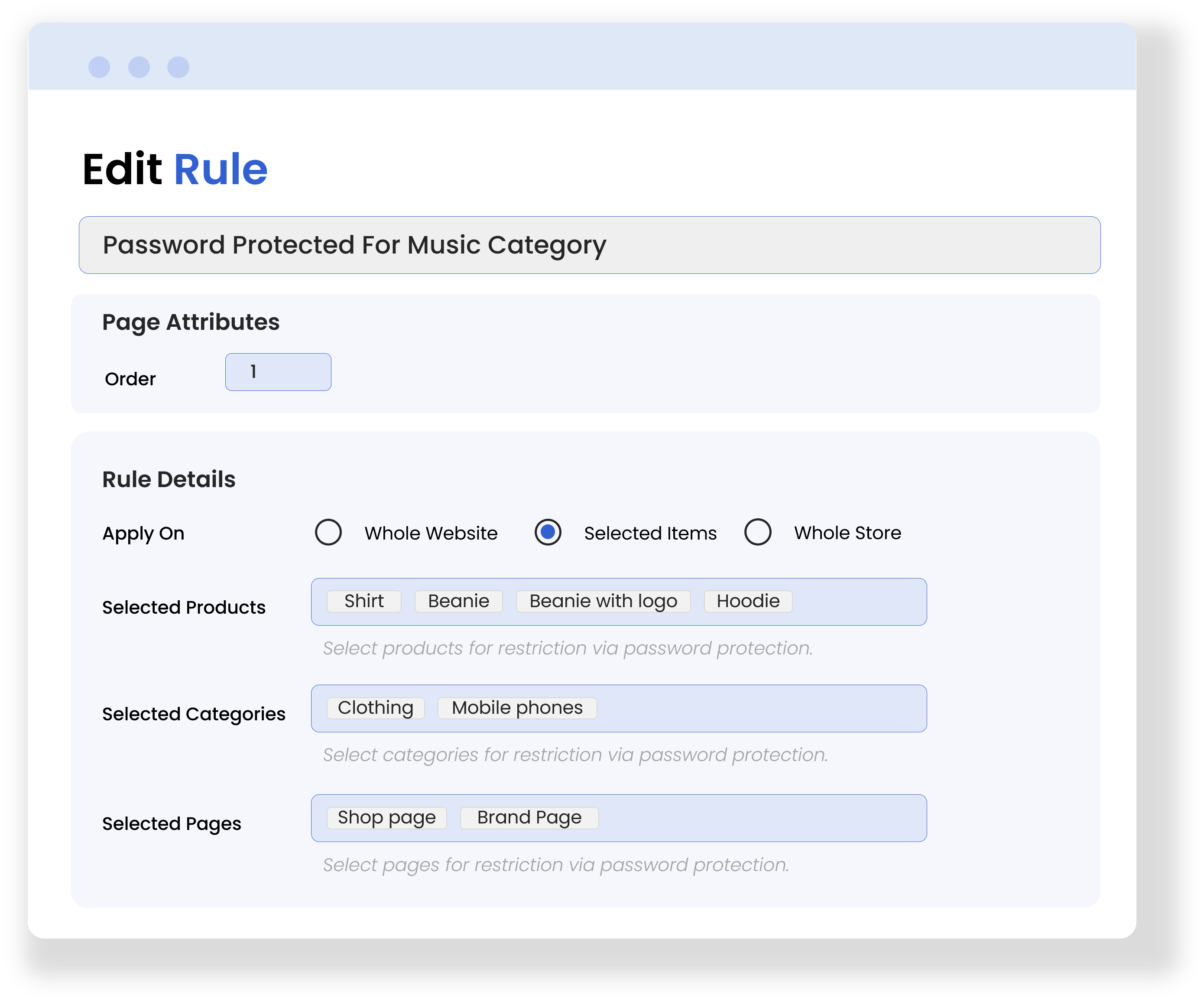
Control access to designated products, categories, and pages by choosing “Selected Items” to be password-protected. The plugin empowers you to effortlessly impose restrictions by specifying products and categories.
Furthermore, customers can extend password protection to various pages of your store.
Your entire store can be made exclusive, or you can only show premium customers the special sections of your store.
Create Multiple Rules to Password Protect Your Store
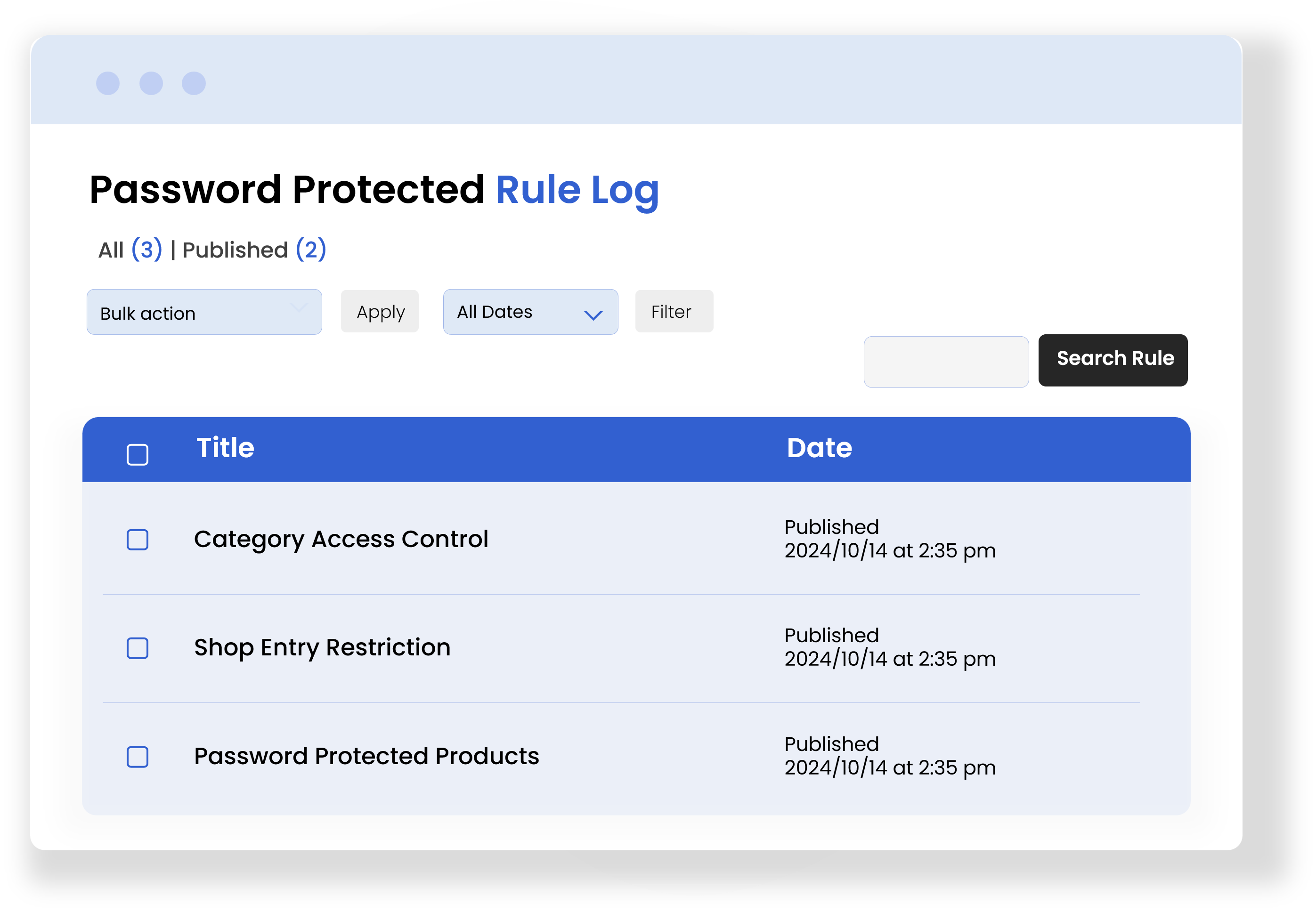
WooCommerce Password Protected Categories & Shop Plugin enables you to create and manage multiple password-protected rules. Set a custom rule title and decide whether you want to apply password protection to the:
- Whole Website
- Selected Items (Products, Categories, & Pages)
By setting a password, you will be able to restrict the whole website or specific products, pages, and categories. You can assign single or numerous passwords & link them to different pages.
Controlled Access & Search Engine Indexing
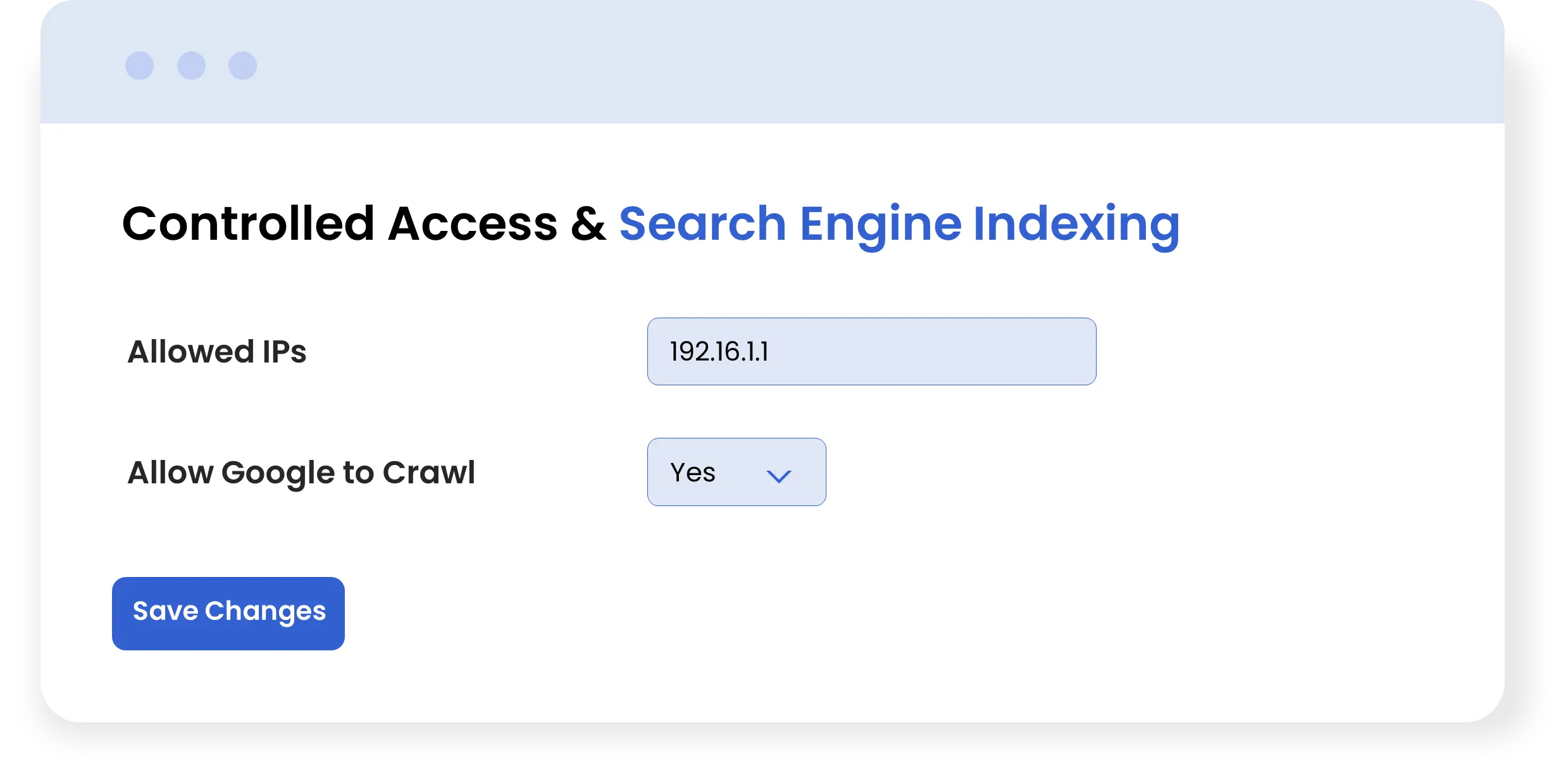
By using the password protection for WooCommerce, you can block a specific IP address, which ensures that only the trusted customers can view the specific product or sensitive information. Additionally, you can also manage the Google index by enabling or disabling this option, which allows you to determine whether search engines should index these protected pages.
Add/Import Multiple Passwords
For improved access control to protected categories and the shop, WooCommerce Password Protected Categories & Shop allows users to enter multiple passwords or import passwords via CSV files for efficient and flexible password administration.

Review Password Analytics Report
The WooCommerce Password Protected Categories & Shop plugin includes a Password Analytics Report, which is a valuable feature for monitoring password usage and preventing potential security risks. Every time a password is used, the customer’s location, login details, browser info, etc, are stored.

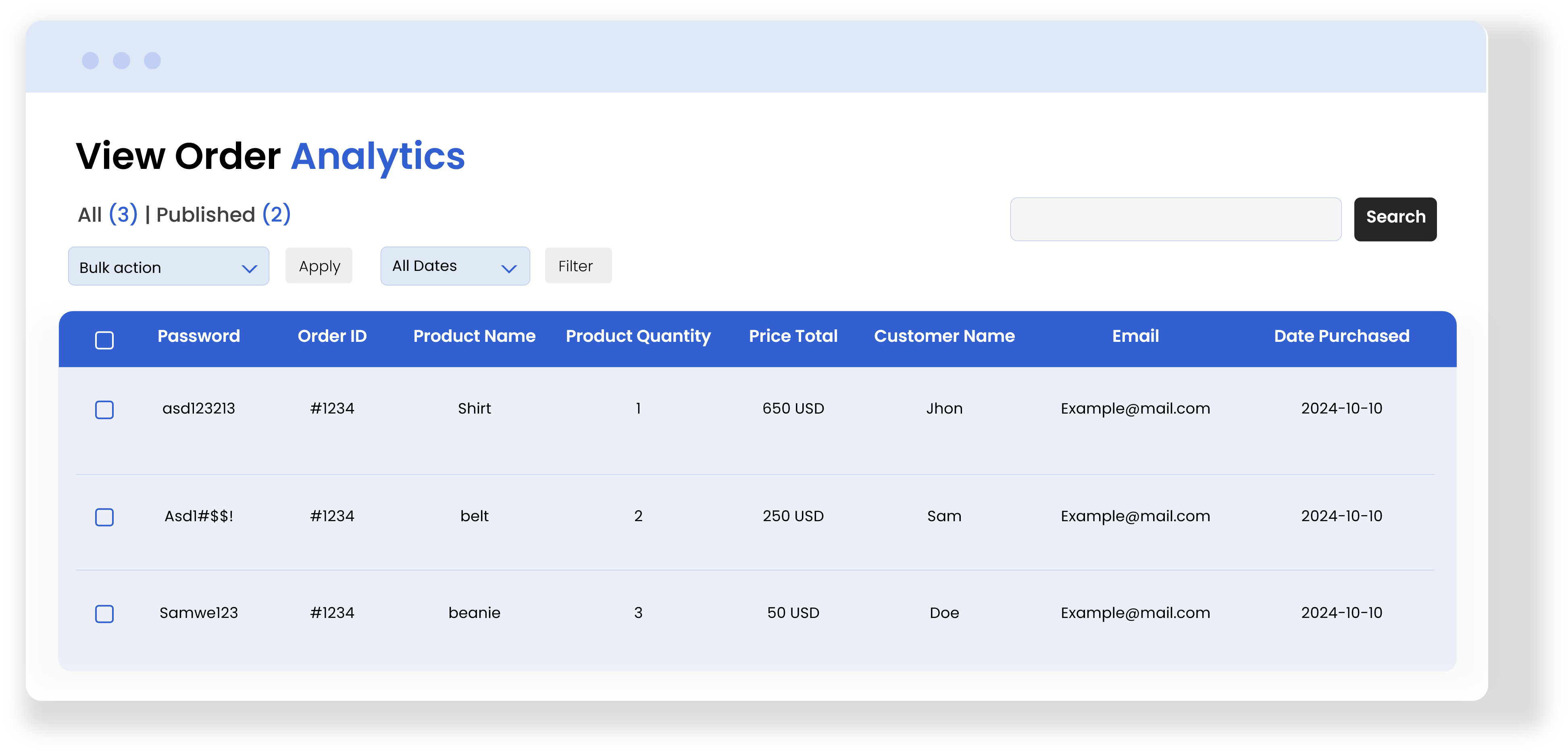
View Detailed Order Analytics in a Dashboard
With the help of this plugin, store owners gain access to a dedicated dashboard that provides comprehensive insights into their order analytics. Through this, you can track essential data from every sale in real-time which helps you to better understand customer behavior and product performance. The dashboard provides detailed information on each order with the order ID, price, timing, and more information.
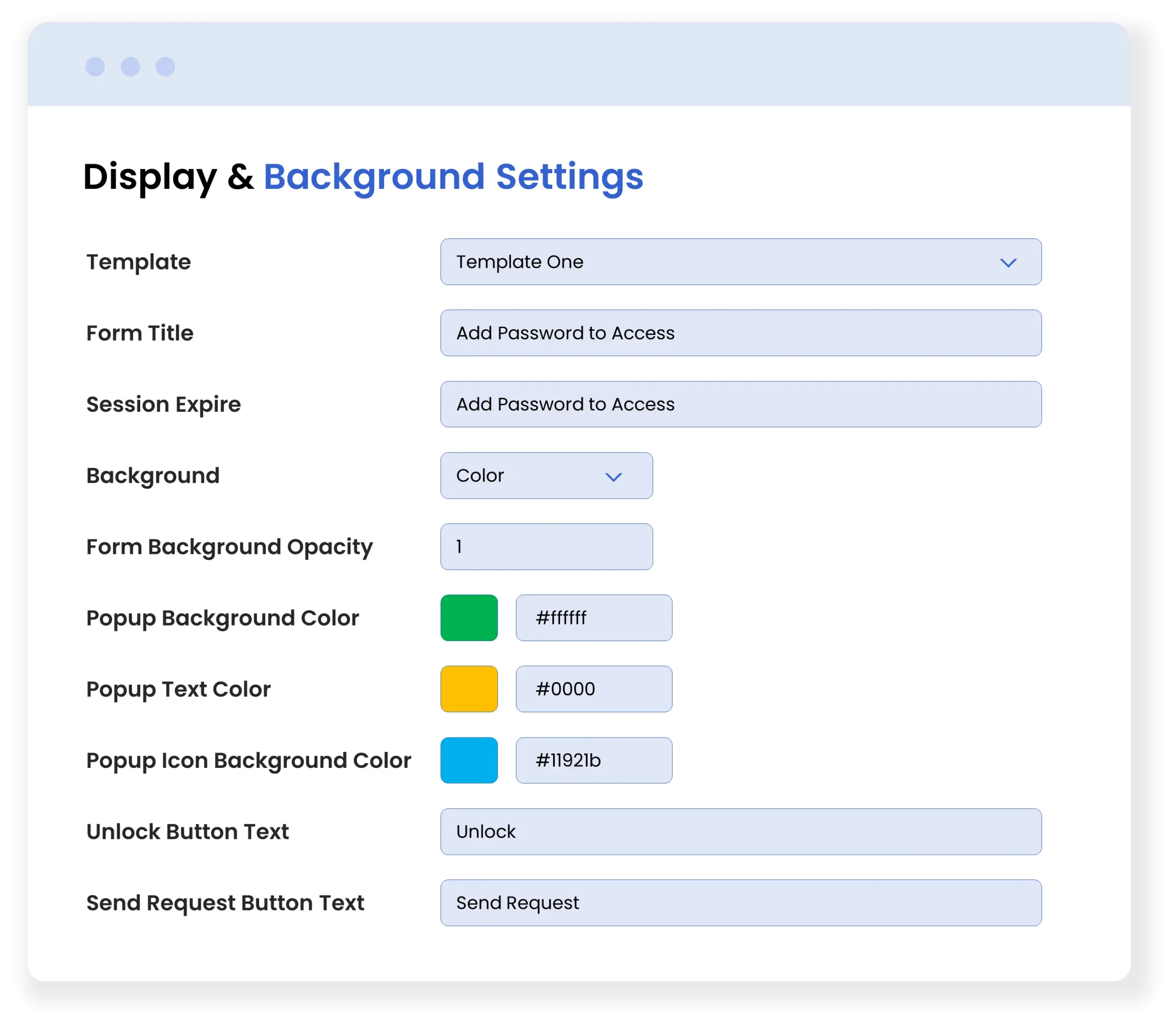
Customizable Password Protected Form
Use pre-built templates to match the password form with your brand style. You can customize the form title or label, background color, opacity, and text color of the form, pop-up, and button with WooCommerce password protection. Moreover, you can also add a custom logo and text to the form.
Technical Compatibility
- Version3.2.0View changelog
- WordPress Version Required4.0.0 or Higher
- WooCommerce Version Required3.5.0 or higher
- Multi-Site SupportYes
- LanguagesEnglish
- WPML CompatibilityWPML Supported
- TranslatableYes, Translation Ready
- CountriesWorldwide
Complete Features List
- Customize the title and background of the password-protected form
- Set the background as an image or a solid color
- Adjust the opacity of the form background
- Upload a custom form logo and text
- Input comma-separated IPs
- Automatically log out or session expires based on the given time frame
- Send a password access request directly to the admin via email
- Grant the admin complete control to approve or deny requests manually
- Enable/Disable Google to crawl
- Choose to hide products from the Shop/Archive pages
- Provide the rule title and change the status of the rule
- Manage all password rules created in a grid
- Import passwords using a CSV file
- Block the specific IP address of an unwanted visitor or unauthorized user
- Customize the password form by adding color, text, and sizes that match your brand
- Added a “Request Password” option for users.
Customer reviews
- Really quick and efficient support!
- great and fast support
- I must say that Addify is very professional. My website has some problems but Addify Team technical support is very professional and fast. If anyone doesn't know, you should try. Surely you will be satisfied . Thanks again to Addify Team. Wish Addify Team growing.
- A great plugin necessary for my job. I can say that this is exactly what I was looking for. And the most important thing Addify has excellent customer service. I would strongly recommend if you need it. Great team.
- We had some minor issues. But support solved it very quickly. Very satisfied.
- Had a small glitch out of the box but the support was second to none. Had me fixed up and working asap. Recommend
Be the first to get an exclusive offer and the latest news.
Andreaweiss1701 –
A great tool exactly what I was looking for, there were a few things that still wanted to have and the support helped immediately. Top team!
yookaroo –
Wanted to have my category completely private, from initial request to completion was only a couple of hours. Really appreciated. THanks Addify
thrivewebdesigns –
Works great! Super responsive support too.
medlem1 –
This plugin is worth every dollar.
I used it to create a company intranet with different levels of accessability for different users.
I dont use it in a woocommerce shop but I did not find this features in any other plugin. (installed woocommerce without the shop pages)
Great work.
irmoweb –
Great plugin and great team.
The support was immediate and kind.
Recommended
WPhotographer –
Had some initial issues with the category password causing an error, but support is truly incredible. They fixed it all very quick and also made some other minor modifications that I required. keep up the great work and look forward to further features in this great plugin.Thank You!
nonomb –
I bought this plugin in order to password protect my WooCommerce shop site. At the beginning I was a bit sceptical. Other woocommerce password plugins cost a lot more or free options did not work (unfortunately there are only a few plugins). So I bought this and I can say that this is exactly what I was looking for! What i also like is that i can change the design of the page where the people have to enter the password.
But what I liked most is the excellent customer service. I ran into some issues using this together with elementor. The customer service answered after about one hour, stayed really polite and solved the issue. So thanks again! Keep up the good work!
rojharris –
Does exactly what I needed. Way easier than trying to get woocommerce to do this myself! Very happy customer!
peter6006 –
I was looking for a plugin to restrict access to certain categories in an environment with a 5-level catgory structure.
As the plugin did not support such structure (only 2 levels were supported) I have contacted the support. They have answered in a very short time and my request was implemented in no time. Lhey even did all adjustment on my site directly. Later on I was asking for more small improvements and received the same quick service! I can highly recommend this plugin now and of course especially their support. Contact them and you will get solutions!
All the best, Peter
ymavrak –
amazing customer support. thank you guys!
raesgo –
Had a small glitch out of the box but the support was second to none. Had me fixed up and working asap.
Recommend
mastermcc –
We had some minor issues. But support solved it very quickly. Very satisfied.
tettare –
A great plugin necessary for my job. I can say that this is exactly what I was looking for. And the most important thing Addify has excellent customer service. I would strongly recommend if you need it. Great team.
tran82 –
I must say that Addify is very professional. My website has some problems but Addify Team technical support is very professional and fast. If anyone doesn’t know, you should try. Surely you will be satisfied . Thanks again to Addify Team. Wish Addify Team growing.
Stylework –
great and fast support
eok –
Really quick and efficient support!