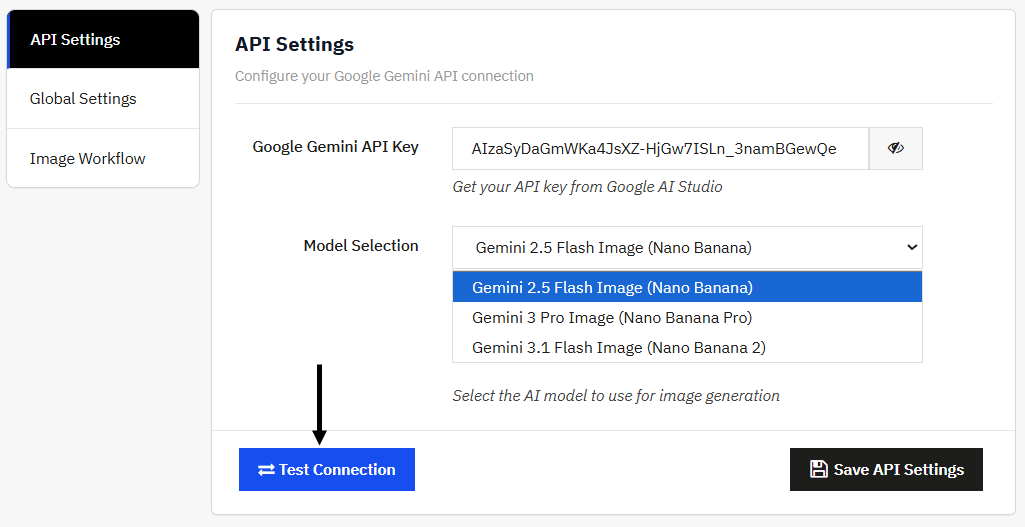
API Configuration
To generate AI-powered images, you can use the PrestaShop AI Product Image Generator module. You can set up the module within minutes. Once activated, go to Modules > Modules Manager > Addify AI Product Image Generator and select Configure. Now select the preferred AI model, add default aspect ratio, and generate images from product settings. For a detailed overview, follow these steps:
- Install the module, go to Modules > Module Manager > Addify AI Product Image Generator, and select Configure.
- Now, from the API settings, add Google Gemini API Key and select from the following AI models:
- Gemini 2.5 Flash Image ( Nano Banana)
- Gemini 3 Pro Image ( Nano Banana Pro)
- Gemini 3.1 Flash Image ( Nano Banana 2)
- Save the API settings