Image Format for AI Image
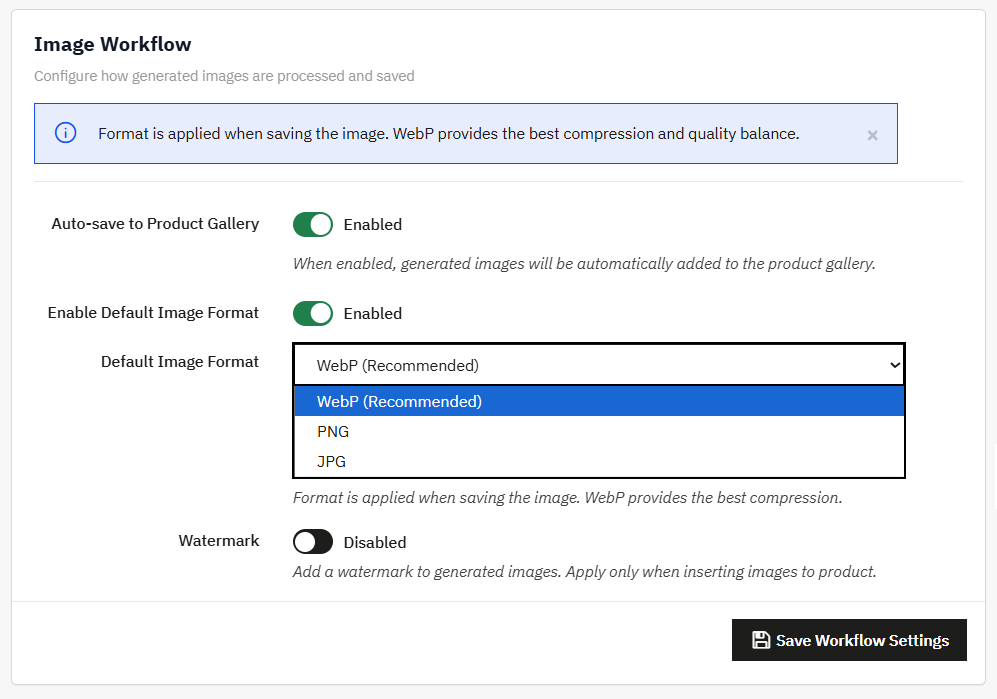
PrestaShop AI image generator module allows you to select your preferred image format for AI-generated product images. Simply install the module, go to Modules > Module Manager > Addify AI Product Image Generator, and select Configure. Now go to Image Workflow and set the desired image format. For a detailed overview, follow these steps:
- Install the module and open configuration settings
- From the side menu, select Image Workflow
- Choose to auto-save AI-generated images to product gallery
- Add default image format as:
- WebP
- PNG
- JPG
- Upload the custom watermark for the AI-generated images and click save.