To customize image or text watermark, you can use PrestaShop Image Watermark Pro module. It can be setup within minutes. Once installed, go to its general settings and activate the module. First, you need to create watermark rule from the rule log and then go to Watermark Configuration. From this section, set watermark rotation, repetition, and position according to your needs.
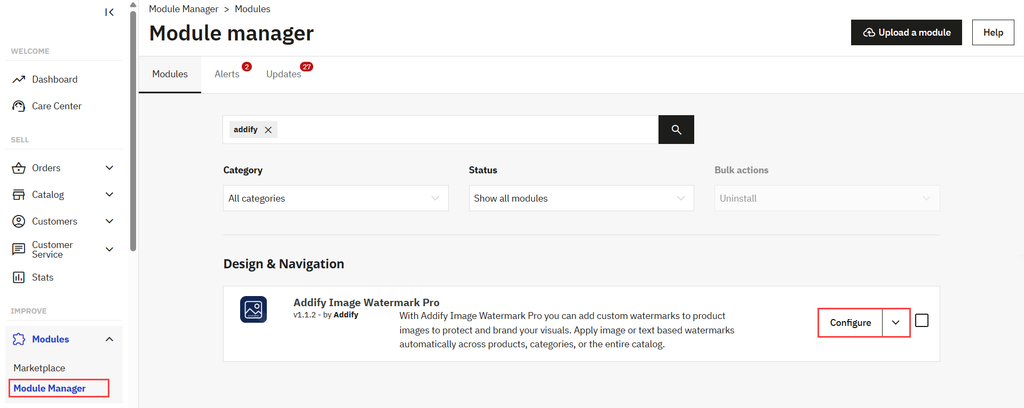
- Install the module, go to Modules > Module Manager > Addify Image Watermark Pro, and select configure.
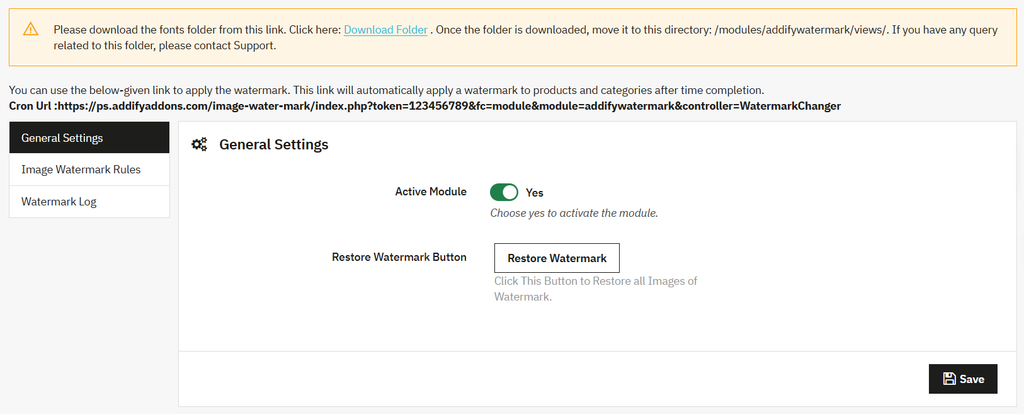
- From the general settings, activate the module and choose to reset images instantly using Restore Watermark Button.
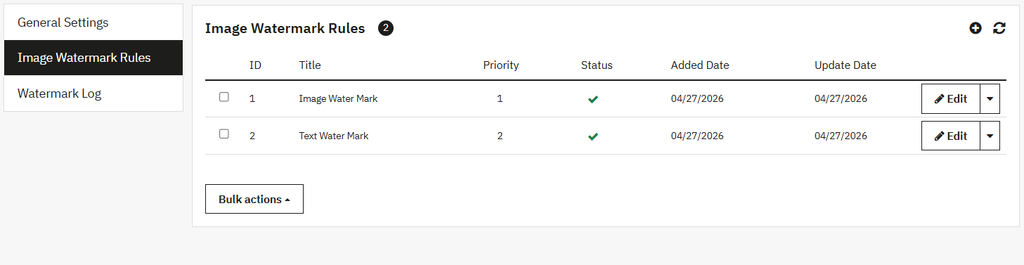
- Now go to Create Watermark Rules and select + to add a new rule. Here you can choose to apply watermarks to specifc products, categories, manufacturers, suppliers, and items within a defined price range or stock value.
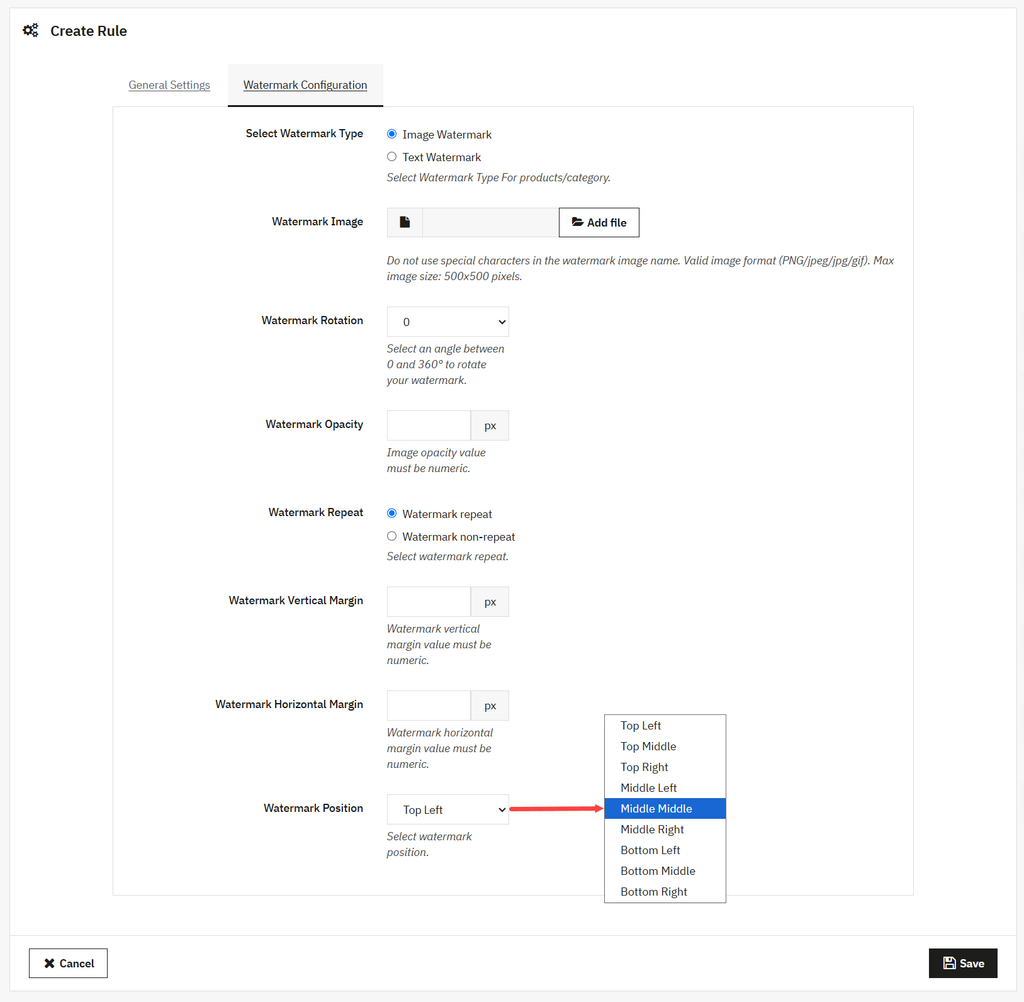
- Remain on the same page, and from the top menu bar, select Watermark Configuration.
- Choose watermark type as text or image, and from the Watermark Rotation option, you can select an angle between 0 and 360 to rotate your watermark.
- Scroll down to the Watermark Repeat option and choose whether the watermark should be repeated across the image or displayed only once.
- Now select watermark position as:
- Top Left
- Top Middle
- Top Right
- Middle Left
- Middle Middle
- Middle Right
- Bottom Left
- Bottom Middle
- Bottom Right
- Click save