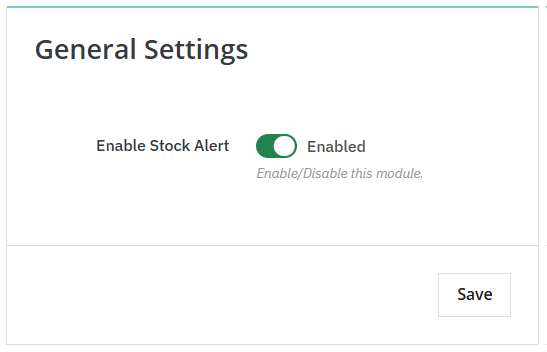
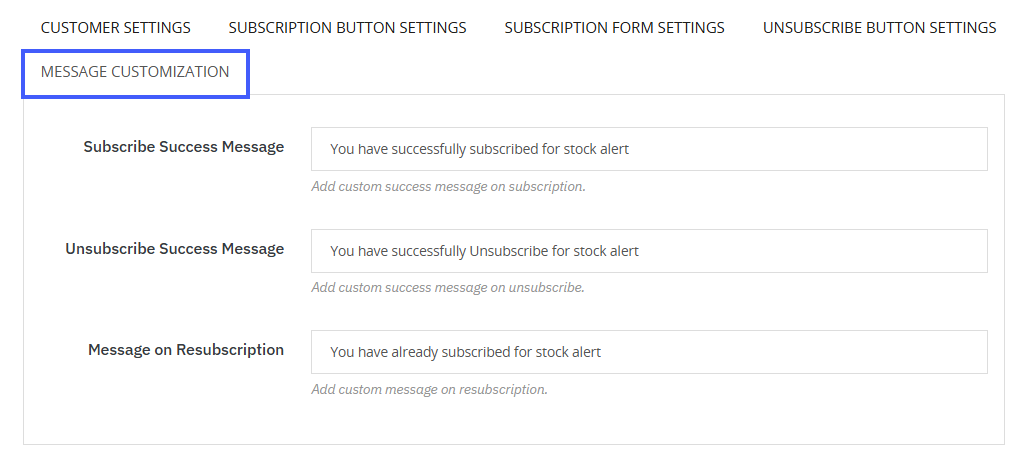
PrestaShop Stock Alert Module allows you to add customizable subscribe and unsubscribe success messages. First, install the module and enable stock alerts from General Settings. Now, from the main menu, click on Message Customization. From here, you can add custom success messages for subscription, unsubscription, and resubscription. Follow the steps for a detailed explanation:
- Install the module, then go to its general settings and enable stock alerts.
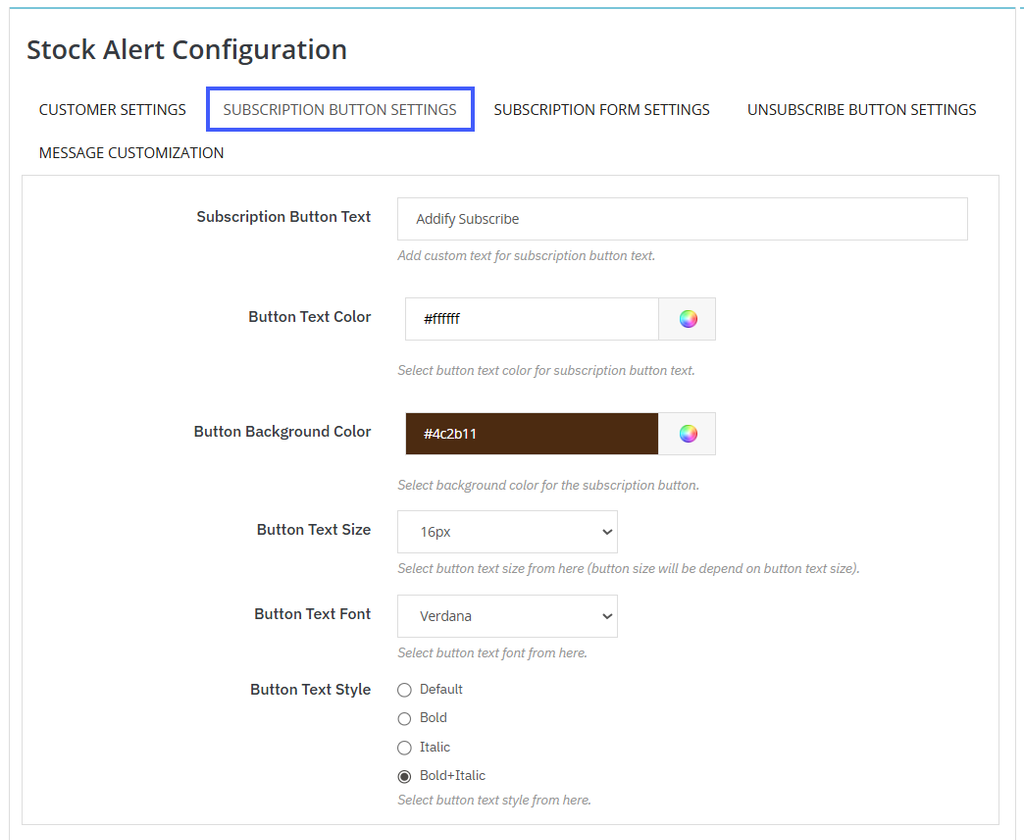
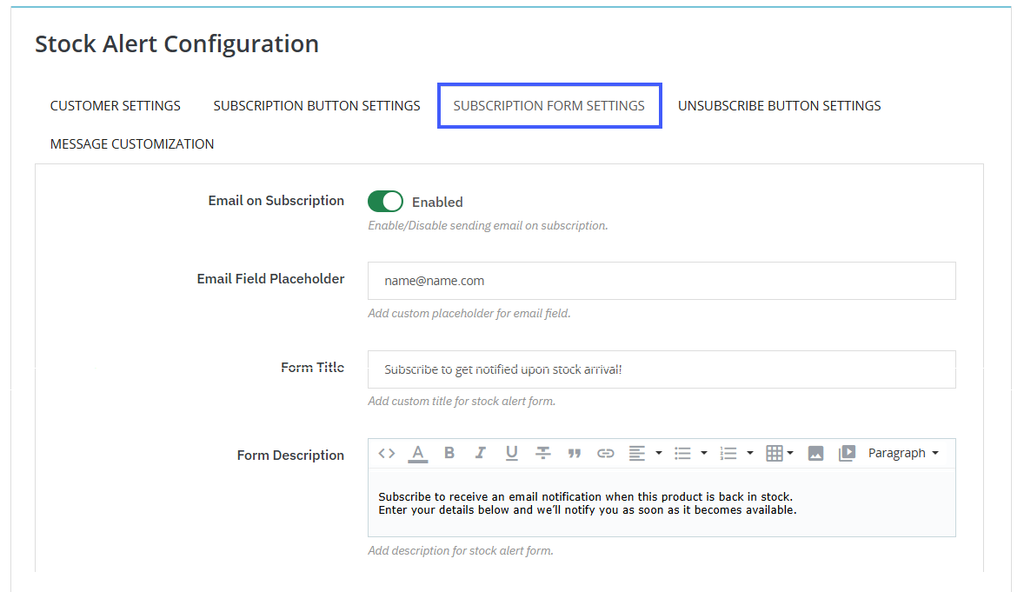
- Now, click on Stock Alert Configuration, add a subscription button, and enable email on every subscription from subscription form settings.
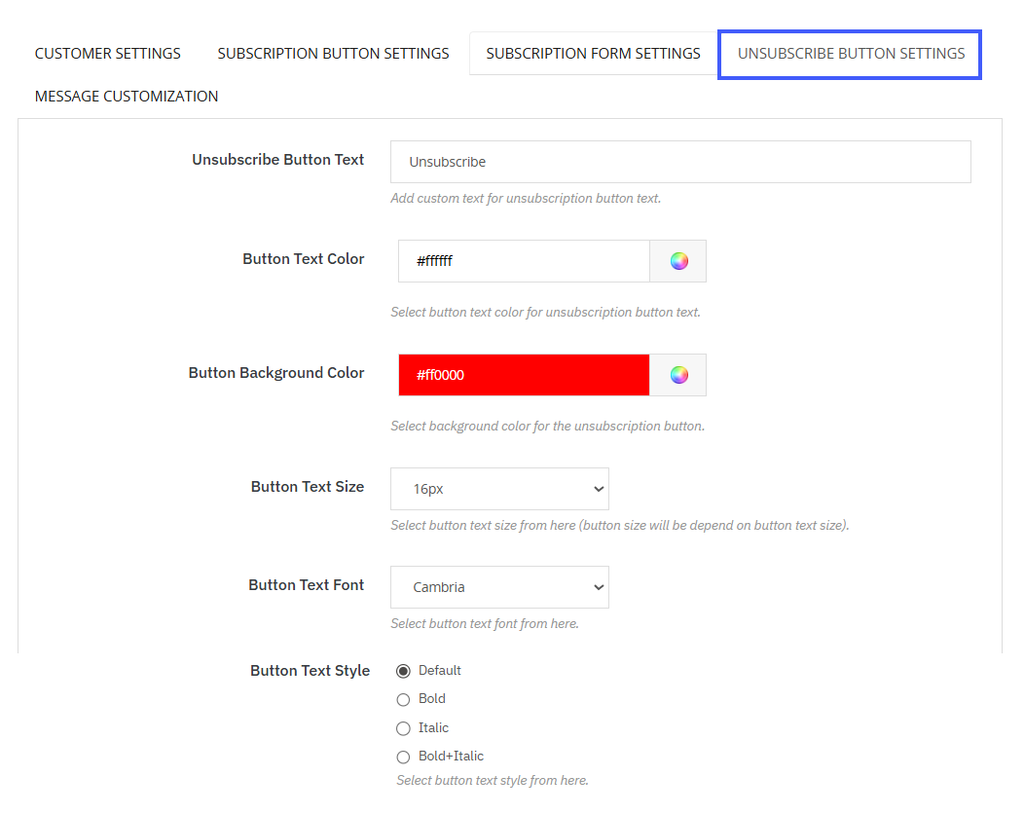
- Go to unsubscribe button settings and customize the unsubscribe button using a custom title, description, colors, text size, and font style.
- Go back to the top menu bar and click on Message Customization.
- Here you can add custom success messages for:
- Subscription
- Unsubscription
- Resubscription