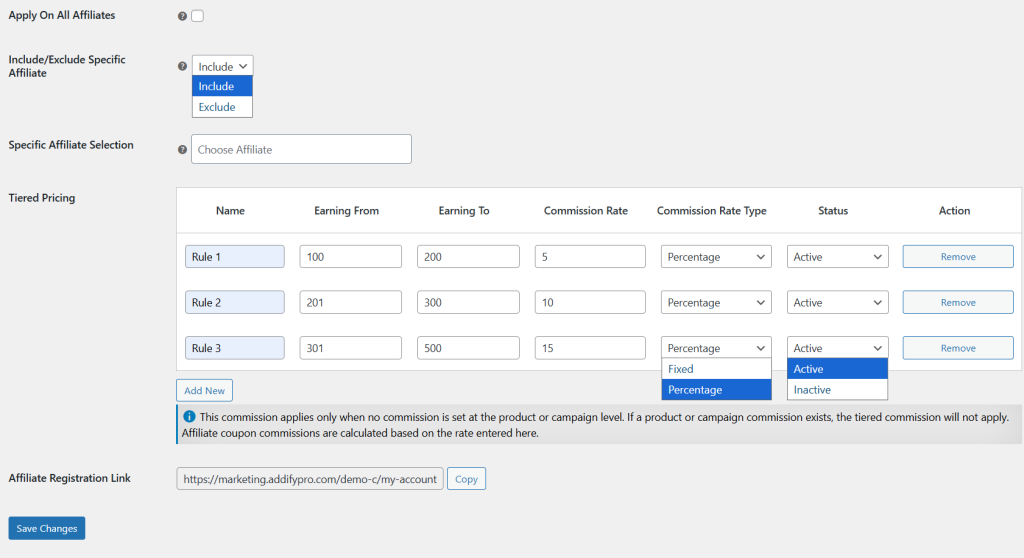
By using WooCommerce Affiliate extension, you can add tiered commissions to reward affiliates based on their performance levels. Once the plugin is activated, go to WP Admin Panel > WooCommerce > Affiliate and click on General Settings.
- Now, scroll down to the tiered pricing section. Here, you can choose whether to apply the commission to all affiliates or include/exclude specific affiliates based on your requirements.
- Under the tiered pricing table, click on “Add New” and specify the name of the affiliate.
- Add the minimum or maximum earning limit for this tier and set the desired commission rate.
- Now select commission rate type as fixed amount or percentage value and add its status as active/inactive.
- Click on Remove to delete the selected affiliate or tier from the list.