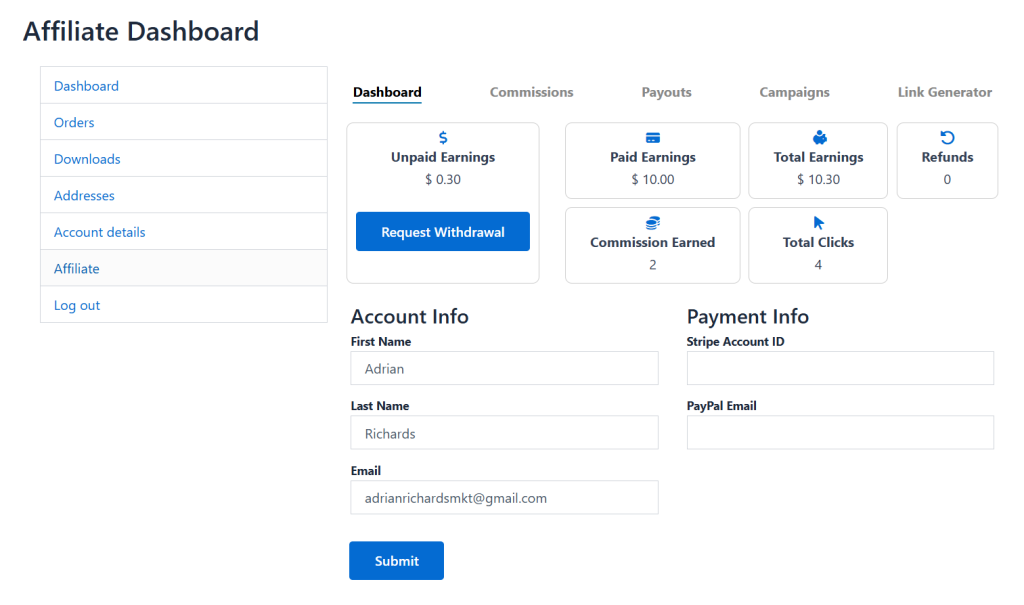
To manage the entire campaign, select Affiliate Dashboard and from the side menu, click “Affiliate”.
1. From the “Dashboard,” you can view:
- Unpaid earnings
- Paid earnings
- Total earnings
- Refunds
- Commission earned
- Total clicks
2. You can also select “Request Withdrawal” to withdraw your available earnings.
3. Track and edit the following details:
- Account Info:
- First Name
- Last Name
- Tell
- Payment Info:
- Stripe Account ID
- PayPal Email
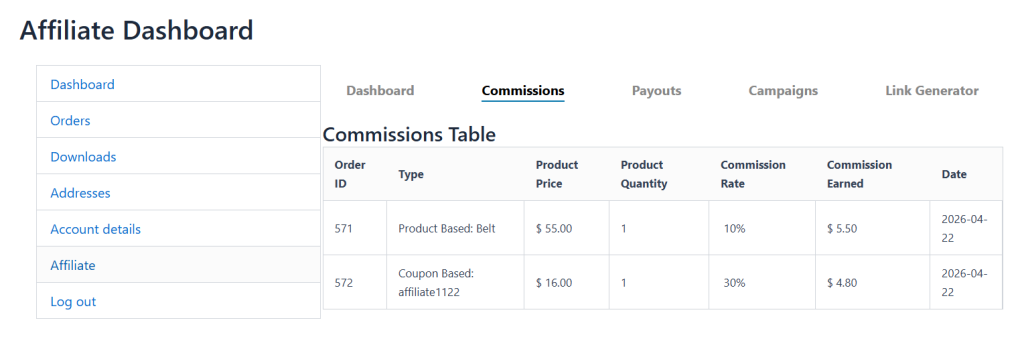
4. Now, select “Commissions,” and from the table, you can track:
- Order ID
- Type
- Product Price
- Product Quantity
- Commission Rate
- Commission Earned
- Date
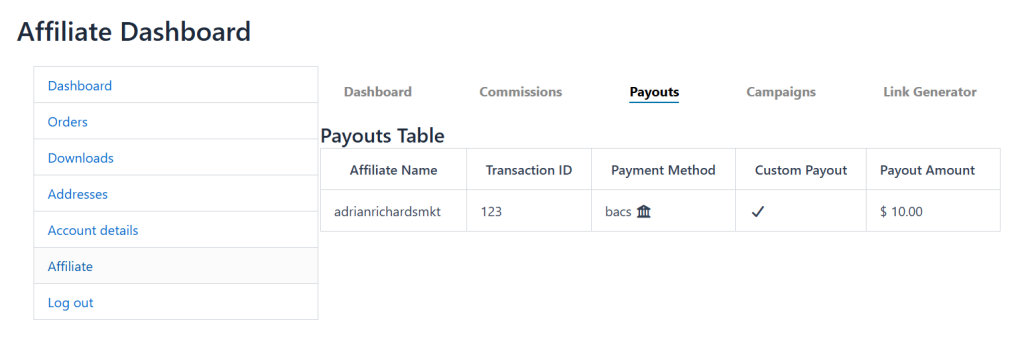
5. Select “Payouts” to track:
- Affiliate Name
- Transaction ID
- Payment Method
- Custom Payout
- Payout Amount
6. Go to Campaigns > Product Campaigns. From this section, you can view
Active Product Campaigns and their details, such as:
- ID
- Campaign Name
- Commission Rate
- Applies To
- Expiry
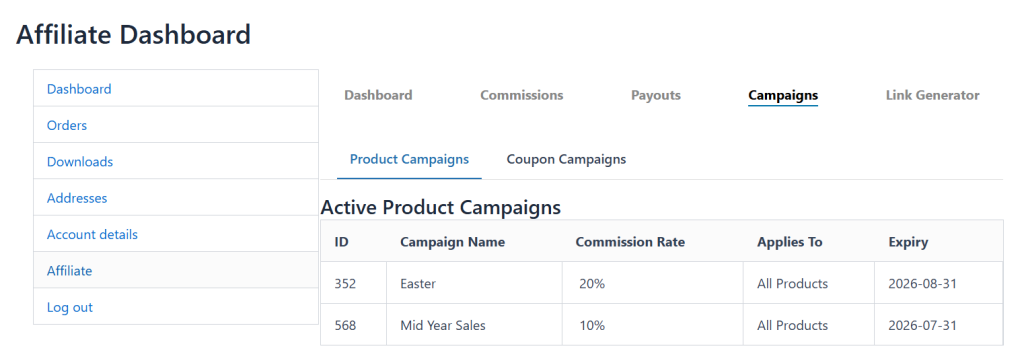
7. Remain on the same page and select “Coupon Campaigns”. Here you can view Active Coupon Campaigns and their details, such as:
- Coupon Code
- Discount
- Commission
- Expiry
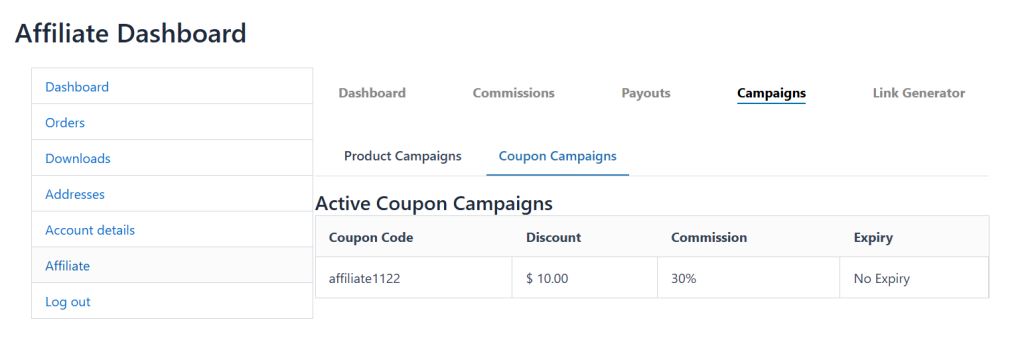
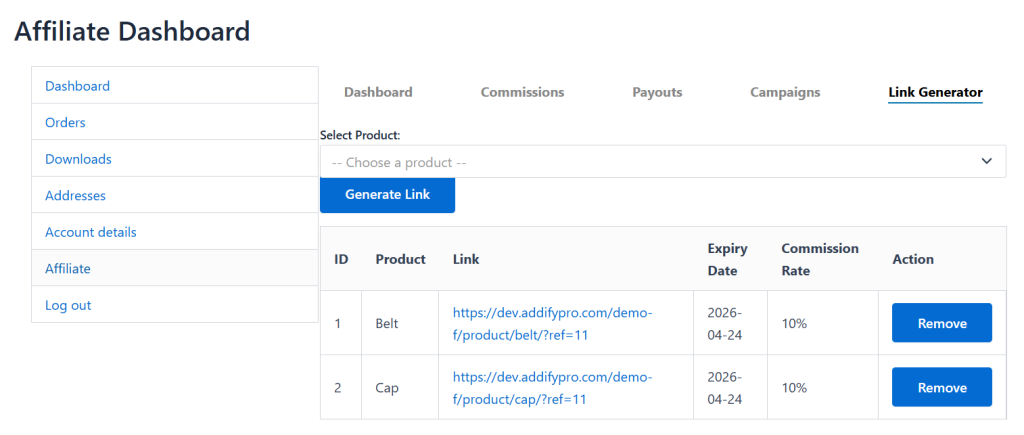
8. Select “Link Generator” and here you can:
- Search any product and generate a link for it
- From the table, you can view:
- ID
- Product
- Link
- Expiry Date
- Commission Rate
- Action