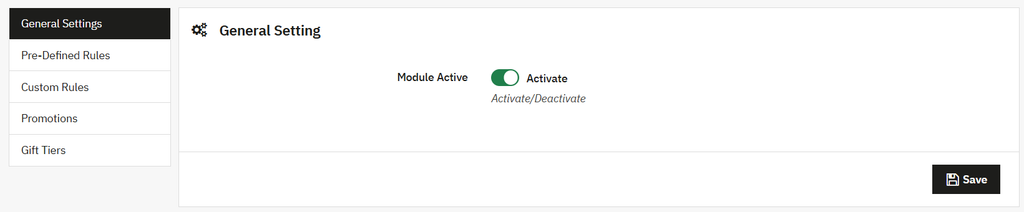
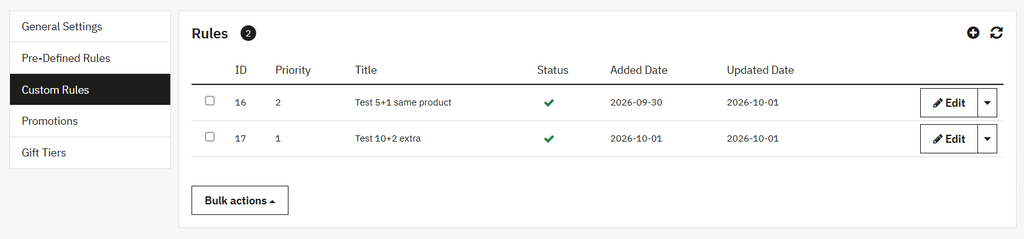
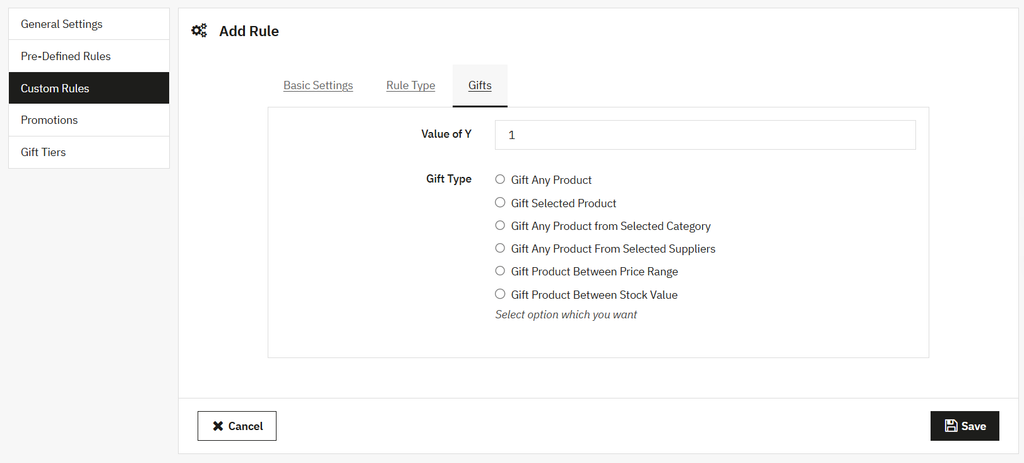
You can also add custom rules if you prefer not to use pre-defined rules for offering free gift products. Install PrestaShop Free Gift Products Module and go to its General settings. Activate the module and select Custom Rules. Here, you can add unlimited rules to offer Buy X get Y, cart-based rewards, or tiered offers simultaneously. For detailed overview, follow these steps:
- Install the module, go to Module Manager > Modules > Addify Free Gifts and select Configure. Now, from the general settings, activate the module.
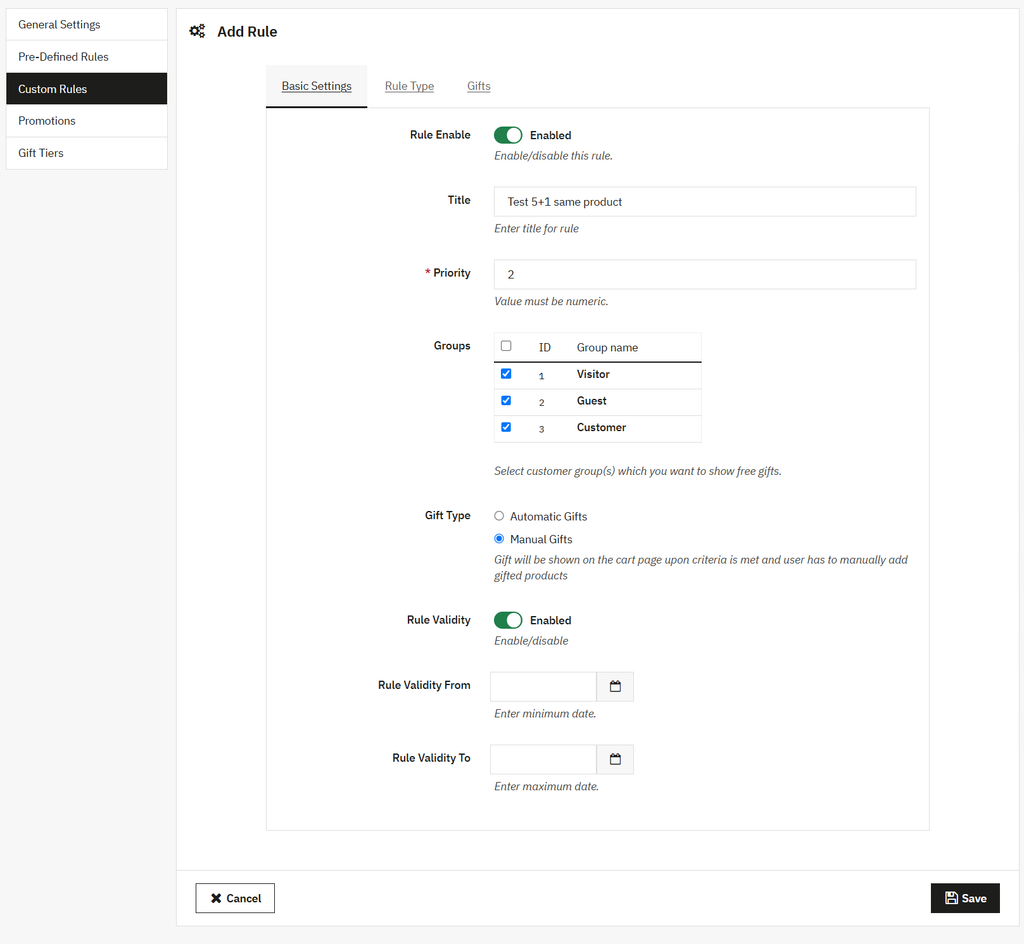
- Once activated, go to basic settings, enable the rule, add a custom title, set its priority, and restrict it to specific customer groups. Now, choose whether to automatically add gifts to the cart or let customers select them manually.
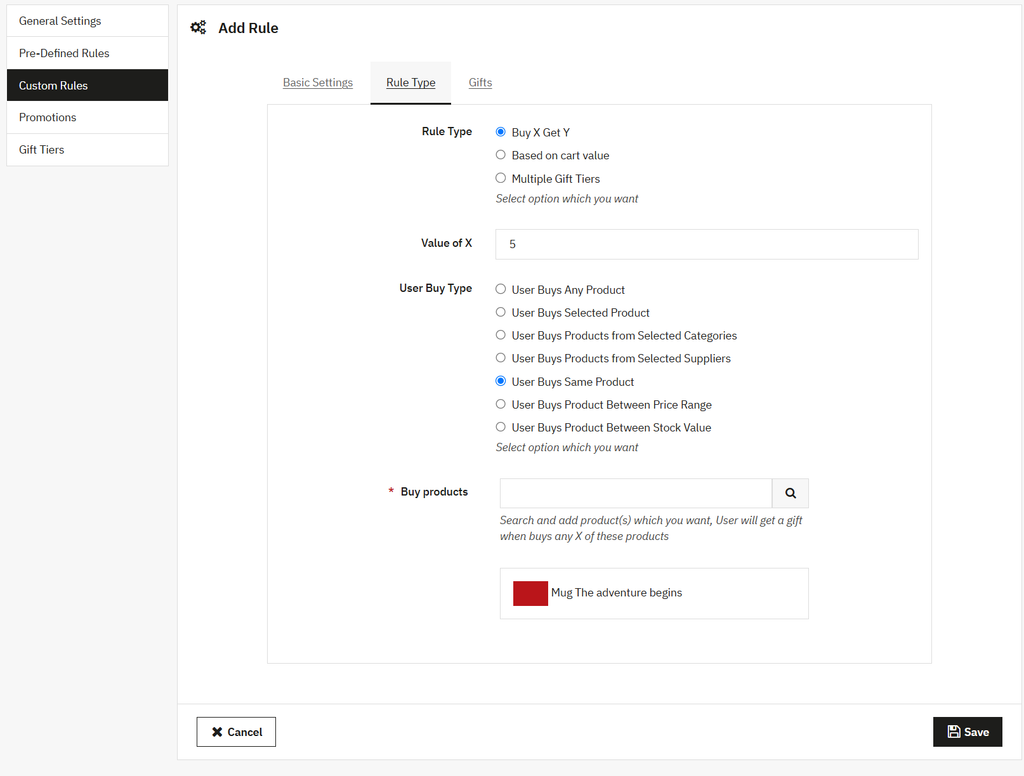
- Go to Rule type and choose to offer gifts as Buy X Get Y, based on cart value, or create multiple fit tiers. For each tier, you can define the gift type and set a specific cart amount that customers must reach to avail the reward.
- Now, for the Buy X Get Y option, you can set the value of X & Y and select from multiple user purchasing behaviors to define how gifts will be triggered.
- Once added, go to “Gifts” and set the gift type. You can choose from multiple options to offer free gifts such as selected products, products from a category or supplier, items within a price range, or products based on stock value.