To create pre-defined rules, you need to install PrestaShop Free Gifts Module. Activate the module, then go to Module Manager > Modules > Addify Free Gifts and select configure. Now, from the main menu, select “Pre-defined Rules”. Here you can create unlimited free gift offers for your customers. For a detailed overview, follow these steps:
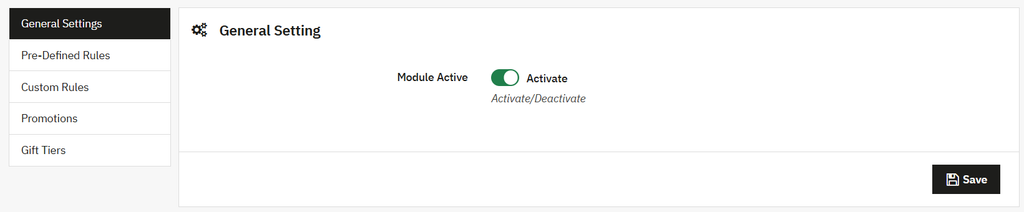
- Install the module, then go to Module Manager > Modules > Addify Free Gifts and select Configure. Now, from the general settings, activate the module.
- Now, from the main menu, select “Pre-Defined rules”. Here you can create, manage, and configure multiple rules to offer free gift products based on predefined conditions.
- To create a new rule, click “+”. From the basic settings, enable the rule, add a custom title, and set its priority.
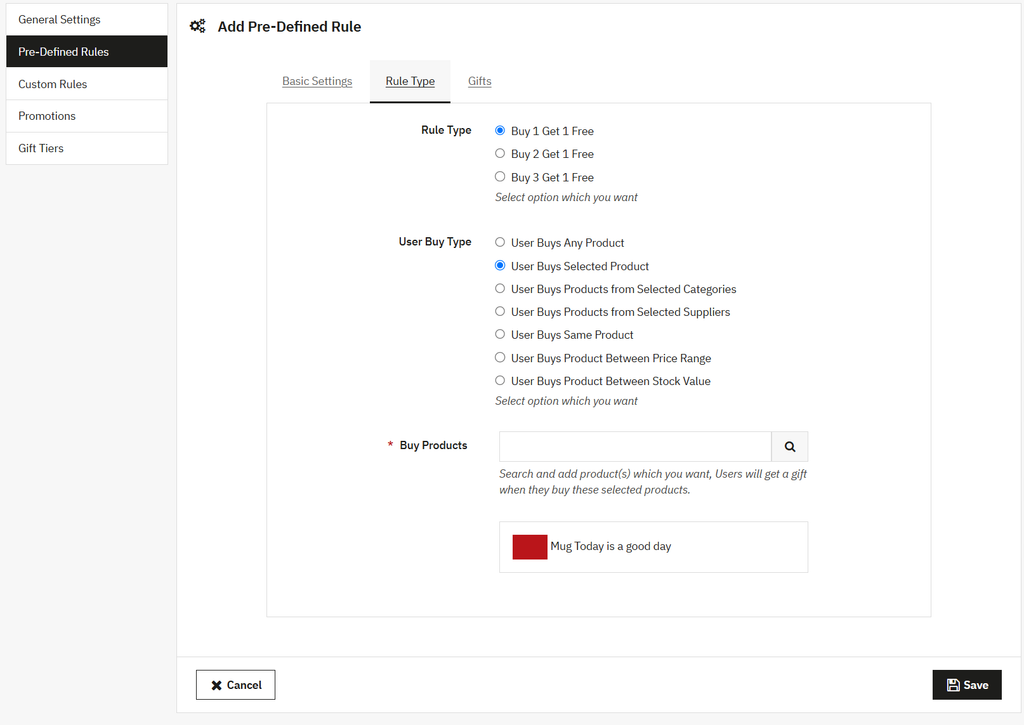
- Add gift type as automatic or manual and set its validity for a specific date range. Now, from the top menu, select Rule Type. Now, choose from the following options:
- Buy 1 Get 1 Free
- Buy 2 Get 1 Free
- Buy 3 Get 1 Free
- Once you have selected the rule type, go to “User Buy Type” and choose an option to trigger free gift products based on different customer purchasing behaviors. Based on each option, you can add desired product, category, price range, and stock value.
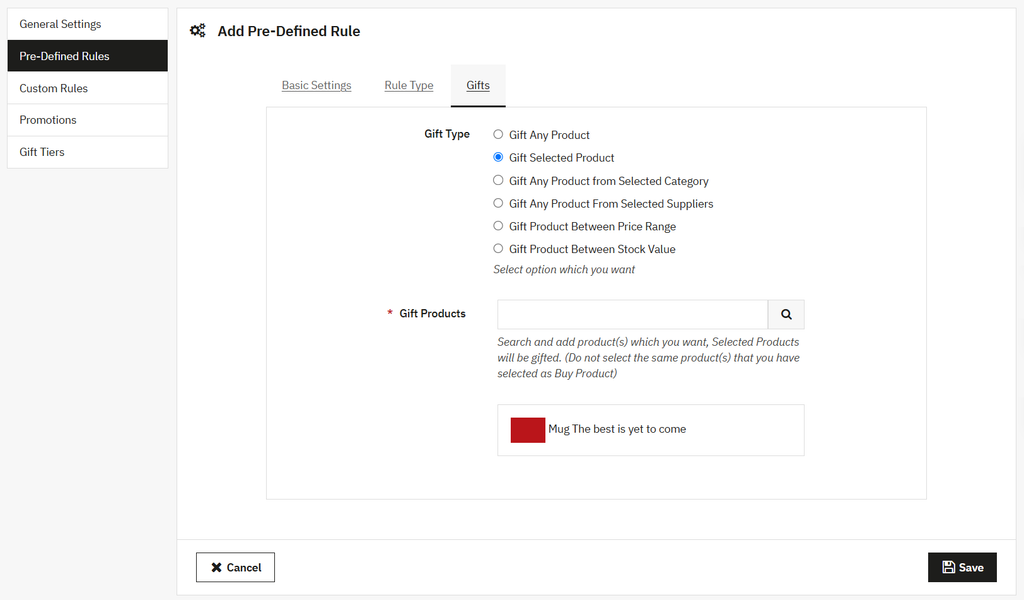
- Now, go to “Gifts” and set the gift type. You can choose from multiple options to offer free gifts such as selected products, products from a category or supplier, items within a price range, or products based on stock value.