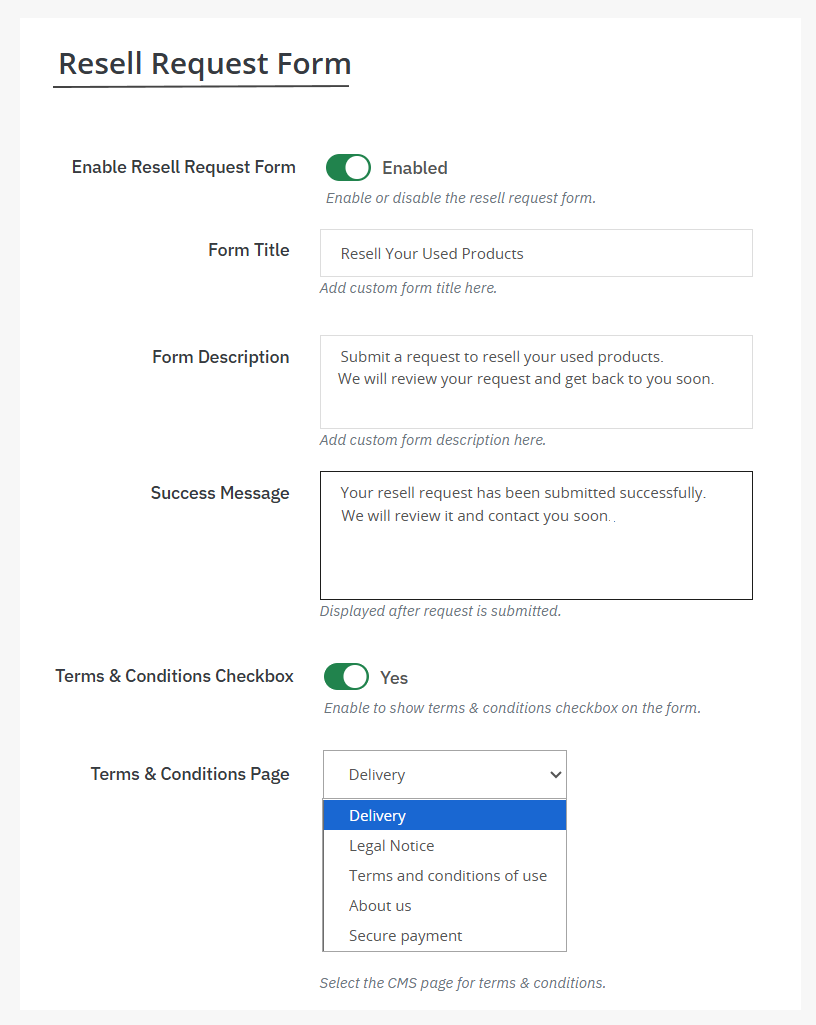
To create resell request forms, you can use PrestaShop resell old products module. Once you have installed the module, go to its General Settings and enable the Resell Old Products button. Now, from the side menu, click Resell Request Forms and choose to display a custom title and description on the form. For detailed overview, follow these steps:
1. Install the module and go to its general settings. Here you can enable the Resell Used Product button and choose to place it on desired product pages. Select position, button font, enable email notifications, and schedule the button on desired date.
2. Now, from the side menu, click on Resell Request Forms and add custom title, description, success messages, terms & conditions.
3. Click on save, and you have successfully added a resell request form to your product pages. Customers can easily fill out the form and send their resell requests.