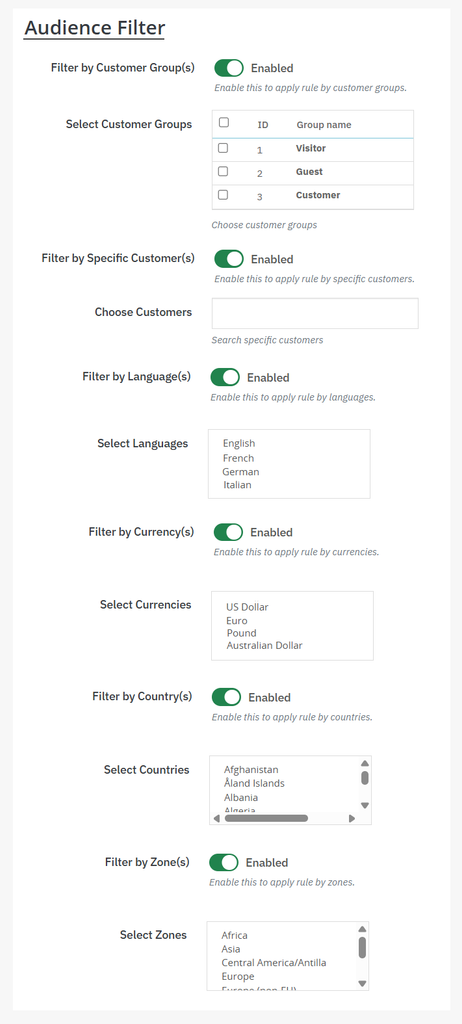
To restrict reselling features to specific customer groups, countries, and languages, you can use the PrestaShop resell module for trade-in offers. Once it’s activated, go to its general settings and add the Resell Old Products button. Now, from the side menu, click on Resell Request Forms and enable it for the customers. Again, from the side menu, go to Audience Filter and restrict the feature to specific customers, countries, languages, zones, and more. For detailed explanation, follow the steps below:
1. Install the module and go to its general settings. Enable Resell Products Button and add its position, font size, and color.
2. Now, from the side menu, click on Resell Request Forms and enable it on the product pages. You can also add title, description, and success messages for the form.
3. You can also go to Resell Form Fields and create unlimited custom fields for the form
4. Again, from the main menu, click on Audience Filter. From this section, you can restrict the reselling old products option to:
- Desired customer groups
- Specific customers
- Countries
- Languages
- Currencies
- Zones