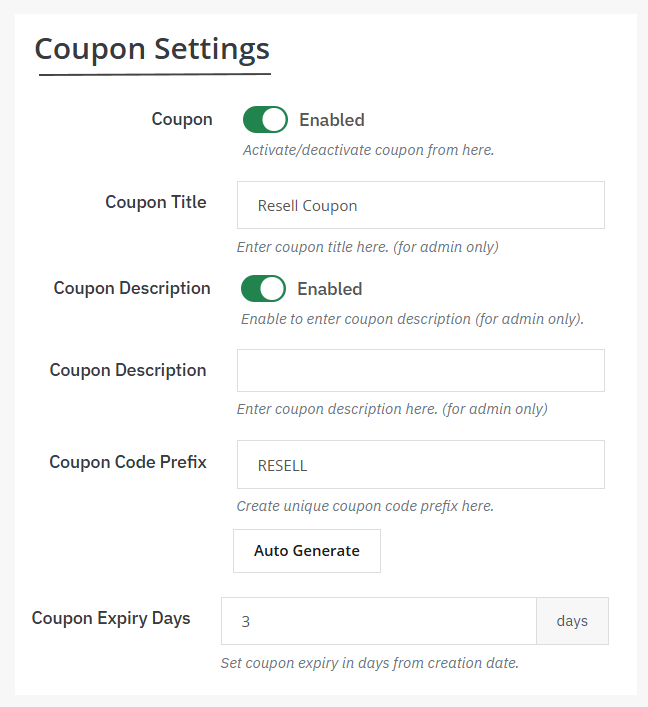
By using the PrestaShop items resale module, you can create multiple coupons and offer discounts to customers. Install the module, go to general settings, and enable the resell products button. Now add resell request forms and their fields. From the menu, again click on Coupons. Add coupon title, description, code prefix, and set its expiry date according to your needs. Follow the steps for detailed explanation:
1. Activate the module, go to its general settings, and enable Resell Products Button. Set its position, appearance, title, and description. From the same page, you can also enable email notifications for customers.
2. Now enable resell request form and create custom fields from the “Resell Form Fields” section. You can also restrict reselling features to specific customers, countries, zones, and languages.
3. From the main menu, click Coupons and add its:
- Title
- Description
- Code prefix
- Expiry date