Overview of WooCommerce Order Tracking
What does the plugin do
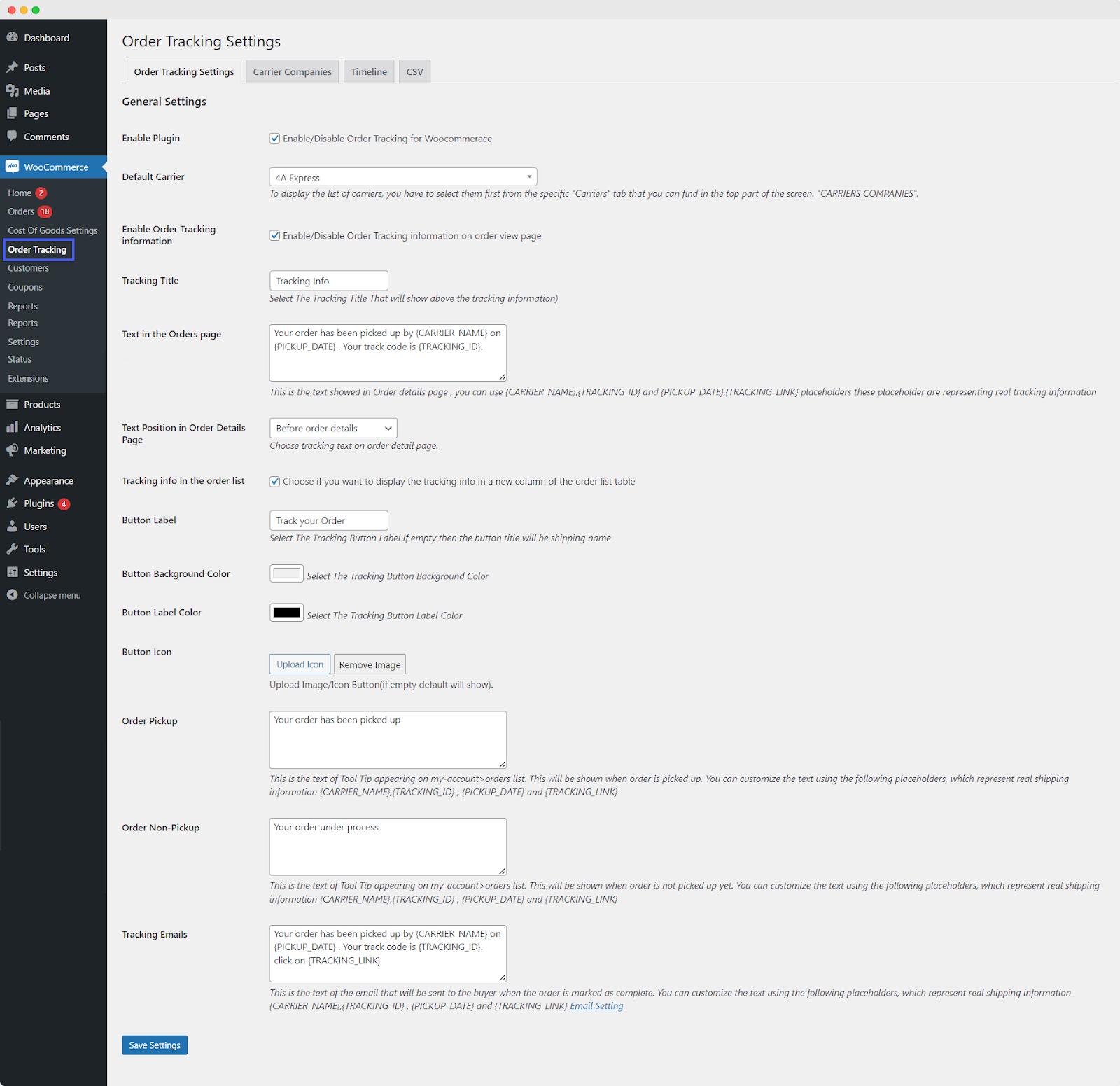
Order Tracking for WooCommerce plugin simplifies order management by allowing you to track shipments and communicate updates to customers effortlessly. You can customize tracking settings, email notifications, and timelines with ease. Additionally, you can import tracking data via CSV for efficient order tracking.
Features
Order Tracking for WooCommerce provides features to enhance the order tracking experience for your store. The detailed features of the plugin include:
- Enable or disable Order Tracking for WooCommerce
- Display order tracking details on the order listing and order detail page
- Select default carriers for tracking
- Customize tracking titles and text on order pages
- Choose the position of tracking information on the order details page
- Provide tooltip text for order pickup and non-pickup situations
- Enable specific carrier companies for order tracking
- Enable or disable timelines on the order detail page
- Set a custom title for the timeline
- Choose to display the status date and time on updates
- Define and enable/disable timeline stages
- Label and describe each timeline stage with dynamic placeholders
- Easily import tracking information using CSV files
Customization Options
The plugin allows the following customization options:
- Choose to customize the order tracking emails:
- Customize emails sent to buyers when orders are marked as complete
- Use placeholders for dynamic shipping information in emails
- Customize tracking button label, background color, and label color
- Upload a custom image/icon for the tracking button and timeline stages
- Display customized order timelines
- Customize timeline bar colors